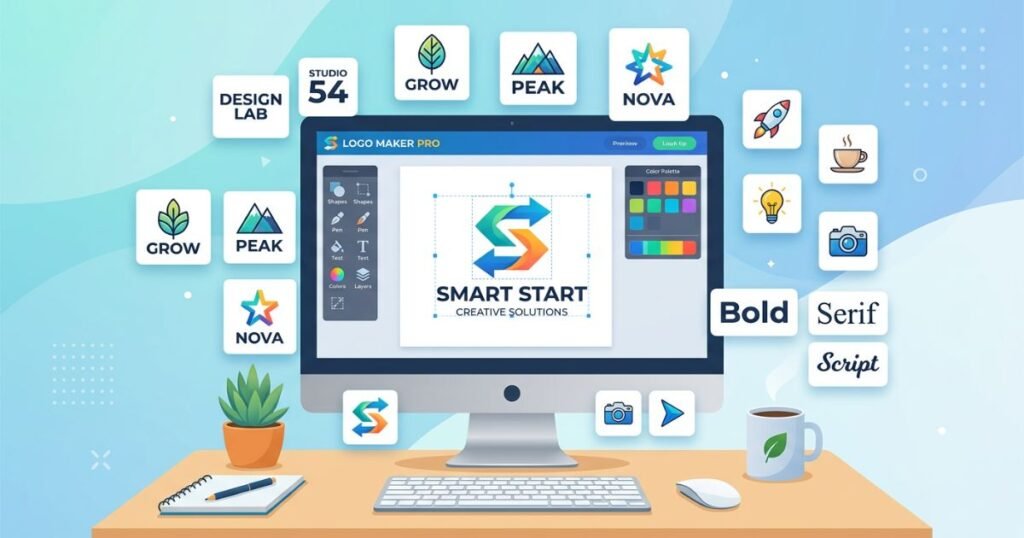
A logo is one of the most important visual elements of any brand. Whether you are launching a startup, running a small business, building an ecommerce store, or starting a YouTube channel, having a professional logo sets the tone for everything your brand represents. It communicates your identity, values, and purpose to your audience before a single word is spoken. However, hiring a professional graphic designer to create a logo can be expensive, especially for those just getting started on limited budgets.
Fortunately, there are many best free online logo maker tools available that allow anyone to create stunning, high-quality logos without spending a dime. These tools have evolved significantly over the years, offering features like artificial intelligence, drag-and-drop editors, pre-designed templates, and vector output options. Whether you are a blogger, a freelancer, a small business owner, or someone who simply needs a quick logo for a personal project, these free logo maker online platforms provide everything you need.
This article covers the most reliable and feature-rich free logo design tools for beginners and experienced users alike. Each tool has been selected based on its ease of use, design flexibility, template library, output quality, and overall value. By the end of this guide, you will have a clear understanding of which tool suits your specific needs and how to make the most of it.
Why Your Business Needs a Professional Logo
Before jumping into the tools themselves, it is important to understand why a logo matters so much. A logo is not just a decorative image. It serves as the face of your brand. When people see your logo, they should immediately associate it with your products, services, and the experience you offer.
A well-designed logo builds trust with your audience. It shows that you take your business seriously and that you have invested time and thought into your branding. Customers are more likely to engage with a business that looks professional and polished. On the other hand, a poorly designed or generic-looking logo can drive potential customers away and make your brand appear unreliable.
Logos also play a critical role in brand recognition. Think about some of the most successful companies in the world. Their logos are instantly recognizable, even without the company name attached. This kind of recognition does not happen overnight, but it starts with having a strong, memorable logo that can be used consistently across all platforms.
For small businesses and startups, a logo is often the first thing a potential customer sees. It appears on your website, social media profiles, business cards, product packaging, invoices, and marketing materials. Having a consistent and professional logo across all of these touchpoints reinforces your brand identity and helps you stand out from the competition.
The good news is that creating a professional logo no longer requires a design degree or a large budget. With the right free logo builder for small business, you can create a logo that looks just as polished as one designed by a professional agency.
What to Look for in a Free Online Logo Maker Tool
Not all logo makers are created equal. Some offer a wide range of features and high-quality output, while others may be limited in their capabilities. When choosing a free logo design tool, consider several factors to ensure it meets your needs.
Ease of Use
The tool should be simple and intuitive, especially if you have no design experience. A good simple logo maker for beginners will have a clean interface, clear instructions, and a straightforward workflow that guides you through the logo creation process step by step.
Template Library
A rich collection of editable logo templates free online is a major advantage. Templates give you a starting point, so you do not have to design everything from scratch. The best tools offer templates organized by industry, style, and theme, making it easy to find one that fits your brand.
Customization Options
While templates are helpful, you also need the ability to customize your logo. This includes changing colors, fonts, icons, layouts, and sizes. The more flexible the customization options, the more unique your logo will be. A good free online custom logo generator will let you tweak every element until it matches your vision.
Output Quality and File Formats
The quality of the final logo file is crucial. You need a logo that looks sharp and clear on all devices and print materials. Ideally, the tool should offer high-resolution downloads in formats like PNG, SVG, or PDF. An online free vector logo maker is particularly valuable because vector files can be scaled to any size without losing quality.
Watermark-Free Downloads
Some free logo makers add a watermark to the downloaded file, which makes the logo unusable for professional purposes. Look for an online logo creator free no watermark option so that you can use your logo right away without any restrictions.
AI-Powered Design Assistance
Many modern logo makers use artificial intelligence to generate logo concepts based on your input. An ai logo maker free online can save you a lot of time by automatically suggesting designs, color palettes, and font combinations that match your brand name and industry.
No Registration Requirement
Some users prefer not to create an account just to try out a tool. A logo maker without registration free allows you to start designing immediately without any sign-up process, which is convenient for quick projects.
Best Free Online Logo Maker Tools
Now, let us take a detailed look at the best logo generator free online 2026. Each of these tools has been carefully evaluated to help you make an informed decision.
1. Canva Logo Maker
Canva is one of the most popular and widely used online design platforms in the world, and its logo maker is no exception. Canva offers a massive library of templates, icons, fonts, and design elements to help you create a professional logo in minutes.
The free version of Canva provides access to thousands of editable logo templates free online, organized by category and style. You can customize every element of the template, including colors, text, icons, and layout. The drag-and-drop editor makes it incredibly easy to use, even for people with no design experience. This makes Canva an excellent free logo design tool for beginners who want to create a professional-looking logo without a steep learning curve.
Canva allows you to download your logo in PNG format for free, and if you upgrade to Canva Pro, you can also download in SVG format for vector quality. The free version does not add any watermarks to your designs, making it a reliable online logo creator free no watermark. You can also resize your logo for different purposes, such as social media profiles, website headers, and print materials.
One of Canva’s standout features is its collaboration functionality. You can share your design with team members and work on it together in real time. This is particularly useful for startups and small teams that want input from multiple people during the branding process.
Canva is also a great social media logo maker free because it offers pre-sized templates for platforms like Instagram, Facebook, Twitter, and YouTube. If you need a youtube channel logo maker free, Canva has templates specifically designed for YouTube profile pictures and channel art.
2. Hatchful by Shopify
Hatchful is a free logo maker developed by Shopify, one of the leading ecommerce platforms in the world. This tool is specifically designed for entrepreneurs, small business owners, and anyone who needs a professional logo quickly, without design skills.
The process is straightforward. You start by selecting your business category, then choose a visual style that matches your brand personality. Hatchful then generates a set of logo options for you to choose from. Once you select a design, you can customize it by changing the fonts, colors, icons, and layout. The entire process takes just a few minutes, making it one of the best free online instant logo maker tools.
Hatchful is particularly well-suited for ecommerce businesses. As an ecommerce logo maker, it understands the needs of online store owners and provides designs that work well for product pages, packaging, and digital marketing materials. The tool also provides social media-ready versions of your logo, so you can immediately use it across all your platforms.
One of the biggest advantages of Hatchful is that it is completely free to use and does not add any watermarks to the downloaded logos. You can download your logo in high resolution for free, making it an excellent business logo maker for those on a tight budget.
Hatchful does require you to create a Shopify account to download your logo, but the account itself is free to set up. The tool is also available as a mobile app, so you can create a logo on the go using your smartphone.
3. Looka
Looka is an ai logo maker free online that uses artificial intelligence to generate professional logo designs based on your preferences. When you start using Looka, the tool asks you a series of questions about your business name, industry, design preferences, and color choices. Based on your answers, Looka generates dozens of unique logo concepts that you can browse through and customize.
The AI-powered approach makes Looka one of the most efficient logo design tools available. Instead of starting from a blank canvas or browsing through hundreds of templates, the tool does the heavy lifting for you, presenting designs already tailored to your brand. This is a significant time-saver, especially for busy entrepreneurs and startup founders who need a logo quickly.
Looka offers a generous free tier that allows you to create and customize logos without paying. However, downloading high-resolution files does require a paid plan. The free version lets you preview your logo on mockups for business cards, websites, and social media profiles, so you can see how it will look in real-world applications before making a purchase.
As a startup logo maker free tool, Looka is an excellent choice for new businesses that want a professional-looking logo without hiring a designer. The tool also offers a brand kit feature that provides you with additional branding assets, such as color palettes, font suggestions, and social media templates, to help you maintain a consistent brand identity.
The quality of the logos generated by Looka is impressive, and many of the designs could easily pass for work done by a professional graphic designer. The tool is also very user-friendly, making it a solid option for anyone looking for a creative logo maker online free.
4. Wix Logo Maker
Wix is a well-known website builder, and its logo maker is another excellent free AI-powered tool. The Wix Logo Maker walks you through a simple process where you enter your business name, describe your brand, and select design styles that appeal to you. The AI then generates a collection of logo options that you can customize to your liking.
The customization options in Wix Logo Maker are extensive. You can change fonts, colors, icons, sizes, and positions of every element in the logo. This level of control makes it a powerful, free online custom logo generator that lets you create a truly unique design.
One advantage of using Wix Logo Maker is that it integrates seamlessly with the Wix website builder. If you already have a Wix website or are planning to build one, you can use the logo maker to create a logo and apply it to your site immediately. This makes it a convenient option if you want to create logo for website free and have everything work together smoothly.
The free version of Wix Logo Maker allows you to download a small, low-resolution version of your logo. For high-resolution files and additional formats, you will need to purchase a plan. However, the free version is still useful for testing designs and getting a feel for what your logo could look like.
Wix Logo Maker is a great choice for anyone who wants a modern logo creator online free with AI-powered design suggestions and deep customization options.
5. Adobe Express Logo Maker
Adobe Express, formerly known as Adobe Spark, is a free design tool from Adobe that includes a powerful logo maker. Adobe is synonymous with professional design software, and Adobe Express brings some of that professional quality to a free, browser-based platform.
The logo maker in Adobe Express offers a selection of professionally designed templates that you can customize with your own text, colors, fonts, and icons. The templates are clean, modern, and versatile, making them suitable for a wide range of industries and use cases. Whether you need a logo for a blog, a small business, or a personal brand, Adobe Express has templates that can work for you.
The editor is intuitive and well-designed, as you would expect from an Adobe product. You can easily adjust the size, position, and style of every element in your logo. The tool also offers a library of free icons and graphics that you can incorporate into your design.
Adobe Express lets you download your logo as a PNG for free, without any watermarks. This makes it a reliable professional logo maker free version for anyone who needs a high-quality logo without paying for expensive design software. For those who need additional features, such as access to premium templates and assets, Adobe offers a paid subscription plan.
As a logo design software free online, Adobe Express stands out for its combination of professional quality and user-friendly design. It is an excellent choice for bloggers, freelancers, and small business owners who want a logo that looks polished and professional. The tool is also well-suited as a logo design generator for bloggers who need a clean, minimal logo that works well on websites and social media.
6. LogoMakr
LogoMakr is a straightforward and easy-to-use logo maker without registration free. You can start designing your logo immediately without creating an account, which makes it one of the most accessible tools on this list.
The tool provides a simple canvas for adding text, shapes, and icons to create your logo. LogoMakr has a library of over one million graphics and icons from sources like Flaticon and Font Awesome, giving you plenty of options to work with. You can search for specific icons by keyword and drag them onto your canvas to build your logo.
The editor allows you to change colors, sizes, positions, and layers of each element. While it does not offer the same level of AI-powered assistance as some other tools, LogoMakr makes up for it with its simplicity and speed. It is a fast logo design tool free that lets you create a logo in just a few minutes.
LogoMakr offers a free download option for low-resolution PNG files. For high-resolution files, you can make a small payment, which is still much more affordable than hiring a professional designer. The free version does not add watermarks, making it an online logo creator free no watermark.
This tool is ideal for anyone who needs a quick, simple logo without any fuss. It works well as a simple logo maker for beginners and as a free png logo maker tool for those who need a basic logo file for digital use.
7. DesignEvo
DesignEvo is a dedicated online logo maker that offers over 10,000 professionally designed templates across a wide range of categories. Whether you need a logo for a restaurant, a tech startup, a fitness brand, or a YouTube channel, DesignEvo has templates that can serve as a strong starting point.
The tool is very easy to use. You simply browse through the template categories, select a design that appeals to you, and then customize it with your own text, colors, fonts, and icons. The editor provides a good range of customization options, including the ability to add shapes, change backgrounds, and adjust the spacing and alignment of elements.
DesignEvo offers a free download option that includes a low-resolution PNG file. The free version does add a small watermark, but the tool also offers affordable paid plans that provide high-resolution downloads without watermarks in formats like PNG, SVG, and PDF. For those who need a vector logo maker online free, the paid plans offer SVG output, which is ideal for printing and scaling.
As a brand logo creator online free, DesignEvo is a solid choice for anyone who wants a large selection of templates and easy customization. The tool is also a good option as a minimal logo maker tool free because many of its templates feature clean, minimalist designs that work well for modern brands.
DesignEvo also provides a preview feature that lets you see how your logo will look on various items, such as business cards, t-shirts, and websites. This is a helpful feature for visualizing your brand identity before finalizing your design.
8. Zarla Logo Maker
Zarla is a relatively newer entry in the logo maker space, but it has quickly gained attention for its clean interface and high-quality AI-generated designs. Zarla uses artificial intelligence to create logo concepts based on your business name and industry, and it presents you with a variety of options to choose from.
What sets Zarla apart from many other free tools is that it offers completely free, high-resolution logo downloads without any watermarks. This makes it one of the most generous free logo maker online platforms available. You can download your logo as a PNG and use it immediately on your website, social media, or any other platform.
Zarla is a great option for anyone looking for an instant, online, free logo maker that delivers professional results. The AI does an excellent job of generating clean, modern designs that look like they were created by a human designer. The customization options are somewhat limited compared to tools like Canva, but the quality of the initial designs is high enough that many users may not need to make significant changes.
For small business owners and entrepreneurs who need a logo quickly and at no cost, Zarla is one of the best options. It functions well as a free logo builder for small business and as a startup logo maker free tool.
9. Namecheap Logo Maker
Namecheap is primarily known as a domain registration and web hosting company, but it also offers a completely free logo maker that deserves attention. The Namecheap Logo Maker allows you to create professional logos at no cost, with no watermarks or hidden fees.
The tool walks you through a guided process where you enter your business name, select an industry, choose design styles, and pick icons that represent your brand. Based on your selections, the tool generates a collection of logo designs that you can customize. The editor allows you to change fonts, colors, icon styles, and layout arrangements.
One of the biggest advantages of the Namecheap Logo Maker is that it provides completely free downloads in high-resolution PNG and SVG formats. There are no watermarks, no premium upsells, and no restrictions on how you use the logo. This makes it one of the most genuinely free logo design tools available and a standout download logo free online tool.
The designs generated by the Namecheap Logo Maker tend to be clean, modern, and professional. The tool is well-suited for tech startups, online businesses, and anyone who needs a logo that works well in digital environments. It is also an excellent option as a logo branding tools free solution because it provides additional assets like social media profile images and favicon files along with the logo.
For anyone who wants a completely free, no-strings-attached logo maker, Namecheap is hard to beat. It works well as a free business logo maker and is especially useful for those already using Namecheap for their domain and hosting needs.
10. Ucraft Logo Maker
Ucraft is a website builder that also offers a free, standalone logo maker. The Ucraft Logo Maker is simple, clean, and focused on delivering a quick, uncomplicated logo-creation experience.
The tool provides a blank canvas where you can add text and icons to build your logo from scratch. Ucraft has a library of icons organized by category, and you can search for specific icons using keywords. The editor allows you to change fonts, colors, sizes, and positions of each element.
One standout feature of Ucraft Logo Maker is that it offers free downloads in PNG format without watermarks. You can also download your logo with a transparent background, which is useful for placing it on different-coloured backgrounds and surfaces. This makes it a reliable free png logo maker tool.
Ucraft Logo Maker is best suited for users who want a minimalist, straightforward experience for creating logos. It does not offer AI-powered design suggestions or a large template library, but it makes up for it with its simplicity and completely free download option. It is a good choice as a minimal logo maker tool free for those who prefer clean, simple designs.
11. FreeLogoDesign
FreeLogoDesign is a dedicated logo creation platform that offers a large collection of templates and an easy-to-use editor. The tool is designed specifically for logo creation, so all its features and resources are focused on helping you create the best possible logo.
The template library is organized by industry, making it easy to find designs that are relevant to your business. You can customize each template by changing fonts, colors, icons, and layout. The editor also allows you to add shapes and text elements to further personalize your design.
FreeLogoDesign offers a free download option that provides a low-resolution PNG file. For high-resolution downloads and additional file formats, you can purchase a premium plan. The free version is useful for testing designs and for use in digital applications where high resolution is not critical.
As a creative logo maker online free, FreeLogoDesign offers a good balance of template variety and customization options. It is suitable for small businesses, freelancers, bloggers, and anyone who needs a professional-looking logo without investing much time or money.
The tool also works well as a free ecommerce logo maker because it includes templates specifically designed for online stores and retail businesses. If you are setting up an ecommerce store and need a logo that conveys professionalism and trustworthiness, FreeLogoDesign has options that can help.
12. Placeit by Envato
Placeit is a versatile design platform owned by Envato, and it includes a powerful logo maker among its many tools. Placeit offers a large collection of logo templates designed by professional graphic designers, covering a wide range of industries, styles, and themes.
The logo creation process in Placeit is template-based. You browse through the available templates, select one that fits your brand, and then customize it with your own text, colors, and fonts. The templates are well-designed and modern, making it easy to create a professional, polished logo.
Placeit offers a limited number of free templates, with the majority requiring a subscription to access. However, the free templates are still high-quality and can be used to create effective logos for various purposes. The tool provides downloads without watermarks for the free templates, making it a useful option as an online logo creator free no watermark for those who find a suitable free template.
As a modern logo creator online free, Placeit stands out for the quality and variety of its templates. The platform is also useful for creating additional branding materials, such as mockups, social media graphics, and video intros, which can help you build a cohesive brand identity.
Placeit is a particularly good choice for content creators, YouTubers, and social media influencers who need a youtube channel logo maker free or a social media logo maker free. The platform offers templates specifically designed for these use cases, making it easy to create a logo that works well on YouTube, Instagram, TikTok, and other platforms.
13. Brandmark
Brandmark is an ai logo maker free online that generates unique logo concepts using artificial intelligence. The tool analyzes your business name, keywords, and style preferences to create custom logo designs that are tailored to your brand.
The AI in Brandmark is sophisticated and produces high-quality designs that are creative, modern, and professional. The tool generates a wide variety of options, including wordmarks, icon-based logos, and combination marks, giving you plenty of choices to consider.
Brandmark allows you to preview and customize logo designs for free. However, downloading the final files requires a purchase. Despite this limitation, the free preview feature is valuable for generating ideas and seeing what kind of logo designs are possible for your brand.
As a creative logo maker online free for generating ideas, Brandmark is one of the best options available. The AI-generated designs often serve as excellent starting points that you can refine and finalize using other tools. It is also a useful resource for understanding current logo design trends and getting inspiration for your branding project.
14. JEFL Logo Maker
Logo.com, powered by artificial intelligence, is another excellent free tool for creating professional logos with minimal effort. The platform guides you through a step-by-step process where you provide your business name, select your industry, choose design styles, and pick color preferences. The AI then generates a set of logo options that you can further customize.
The customization options are extensive, allowing you to modify fonts, colors, icons, layouts, and spacing. The tool also provides a live preview feature that shows how your logo will look on various items, such as business cards, letterheads, websites, and social media profiles.
Logo.com offers a free low-resolution download option, with premium plans available for high-resolution files and additional branding assets. The free version is useful for testing and initial use, making it a practical professional logo maker free version for those who want to get started without any financial commitment.
This tool is well-suited for startups, small businesses, and entrepreneurs who need a modern, professional logo without the expense of hiring a designer. It functions effectively as a logo branding tools free solution that can help you establish a strong brand identity from the very beginning.
How to Choose the Right Logo Maker for Your Needs
With so many options available, choosing the right tool can feel overwhelming. Here are some guidelines to help you make the right decision based on your specific situation.
For Complete Beginners
If you have no design experience, look for tools that offer guided processes and template-based workflows. Canva, Hatchful by Shopify, and Zarla are all excellent choices for beginners because they walk you through the process step by step and provide professional-looking results without requiring any design skills. These tools work well as a simple logo maker for beginners.
For Small Businesses and Startups
Small businesses and startups need logos that look professional and can be used across multiple platforms and materials. Namecheap Logo Maker and Hatchful by Shopify are particularly well-suited for this purpose because they offer completely free, high-resolution downloads without watermarks. These tools function as a reliable free logo builder for small business.
For Ecommerce Stores
If you are running an online store, your logo needs to convey trust and professionalism. Hatchful by Shopify is the obvious choice here because it is designed by the same company that powers millions of ecommerce stores worldwide. FreeLogoDesign also offers good options for ecommerce logos. Both tools serve well as free ecommerce logo makers.
For YouTubers and Social Media Creators
Content creators need logos that look great at small sizes and on various platforms. Canva and Placeit are the best choices for this purpose because they offer templates specifically designed for social media and YouTube. These tools work as a youtube channel logo maker free and a social media logo maker free.
For Bloggers
Bloggers need clean, simple logos that work well on websites and do not distract from the content. Adobe Express and LogoMakr are good choices for bloggers because they offer clean, minimal designs that complement a blog layout. These tools serve as logo design generators for bloggers.
For Those Who Need Vector Files
If you need your logo in vector format for printing or large-scale use, look for tools that offer SVG or PDF downloads. Namecheap Logo Maker and DesignEvo both offer vector file formats, making them the best options as a vector logo maker online free.
For Quick Projects
If you need a logo right away and do not want to spend much time on the design process, tools like Zarla, LogoMakr, and Hatchful by Shopify can help you create a logo in just a few minutes. These tools are effective as a fast logo design tool free.
Tips for Creating a Professional Logo Using Free Tools
Even with the best free tools, the quality of your logo depends on the design choices you make. Here are some tips to help you create a logo that looks professional and effectively represents your brand.
Keep It Simple
The most effective logos are often the simplest. Avoid the temptation to add too many elements, colors, or fonts to your design. A clean, minimal logo is easier to recognize, easier to reproduce, and works better across different sizes and applications. Using a minimal logo maker tool free can help you achieve this look.
Choose Colors Carefully
Colors have psychological associations that can influence how people perceive your brand. Blue conveys trust and professionalism, red conveys energy and passion, green conveys growth and health, and black conveys sophistication and elegance. Choose colors that align with your brand values and industry.
Select the Right Font
The font you choose for your logo says a lot about your brand. Serif fonts convey tradition and reliability, while sans-serif fonts convey modernity and simplicity. Script fonts convey elegance and creativity. Make sure the font you choose is legible at all sizes and matches your brand’s overall tone.
Make It Scalable
Your logo will be used in many different contexts, from a tiny favicon on a browser tab to a large banner at a trade show. Make sure your logo looks good at all sizes. Avoid using very thin lines or small details that might disappear when the logo is scaled down.
Test It on Different Backgrounds
Your logo should work on both light and dark backgrounds. Create versions of your logo for different contexts, such as a dark version for light backgrounds and a light version for dark backgrounds. Many free tools let you download your logo with a transparent background, making it easier to use on different-coloured surfaces.
Get Feedback
Before finalizing your logo, show it to friends, family, colleagues, or members of your target audience. Getting feedback from others can help you identify potential issues with your design that you might have missed.
Be Consistent
Once you have created your logo, use it consistently across all your branding materials. This includes your website, social media profiles, email signatures, business cards, and any other touchpoints where your audience interacts with your brand. Consistency builds recognition and trust over time.
Common Mistakes to Avoid When Creating a Logo
While free logo maker tools make the design process accessible, there are some common mistakes that can undermine the quality of your logo. Being aware of these pitfalls will help you create a more effective design.
Using Too Many Colors
A logo with too many colors can look chaotic and unprofessional. Stick to two or three colors at most. This not only creates a cleaner look but also makes your logo easier and cheaper to reproduce in print.
Following Trends Too Closely
While it is good to be aware of current design trends, basing your entire logo on a trend can make it look dated within a few years. Aim for a timeless design that will remain relevant and appealing for years to come.
Copying Other Brands
It might be tempting to take inspiration from successful brands, but copying another company’s logo too closely can lead to legal issues and brand confusion. Your logo should be unique and distinct to your brand.
Ignoring Your Target Audience
Your logo should appeal to the people you are trying to reach. A logo for a children’s toy company will look very different from a logo for a law firm. Consider who your target audience is and design your logo with their preferences and expectations in mind.
Not Considering Different Use Cases
Your logo will appear in many different places and formats. Make sure it works well not only on a white background on a computer screen but also on mobile devices, printed materials, merchandise, and dark-colored surfaces. A versatile logo is a practical logo.
The Role of AI in Modern Logo Design
Artificial intelligence has fundamentally changed the way logos are created. Several of the tools mentioned in this article, including Looka, Wix Logo Maker, Brandmark, and Zarla, use AI to generate logo concepts based on user input. This approach has several advantages.
AI-powered tools can generate dozens or even hundreds of unique logo concepts in a matter of seconds. This saves an enormous amount of time compared to designing from scratch or browsing through templates manually. The AI takes into account factors like your business name, industry, style preferences, and color choices to create designs that are tailored to your specific needs.
Another advantage of AI-powered logo makers is that they often produce designs that follow current design best practices. The algorithms are trained on large datasets of professional logo designs, which means they understand principles like balance, proportion, color harmony, and font pairing. This results in logos that look professional and well-designed, even when created by someone with no design experience.
However, AI-generated logos do have some limitations. They can sometimes produce designs that look similar to one another or lack the unique creative spark a human designer might bring. For this reason, many users find that the best approach is to use AI-generated designs as a starting point and then customize them further to add a personal touch.
As AI technology continues to improve, we can expect these tools to become even more sophisticated and capable of producing truly unique and creative logo designs. For now, they represent an excellent option for anyone who needs a professional logo quickly and affordably.
Conclusion
Creating a professional logo has never been more accessible than it is right now. The best free online logo maker tools covered in this article offer a wide range of features, from AI-powered design generation to extensive template libraries and deep customization options. Whether you are a complete beginner or an experienced designer, there is a tool on this list that can help you create a logo that effectively represents your brand.
For those who need a completely free solution with no watermarks, Namecheap Logo Maker and Zarla are among the best options available. For template-based design with extensive customization, Canva and DesignEvo offer excellent value. For AI-powered logo generation, Looka, Wix Logo Maker, and Brandmark are all strong contenders. And for ecommerce businesses, Hatchful by Shopify is specifically designed to meet the needs of online store owners.
The key to creating a great logo is to keep it simple, choose your colors and fonts carefully, make sure it works at all sizes, and test it on different backgrounds. With the right tool and the right design approach, you can create a logo that builds trust, enhances recognition, and sets your brand apart from the competition.
Take advantage of these free tools, experiment with different designs, and do not be afraid to iterate until you find the perfect logo for your brand. A strong logo is an investment in your brand’s future, and with these tools, that investment does not have to cost a thing.
Frequently Asked Questions
What is the best free online logo maker tool for beginners?
Canva and Hatchful by Shopify are widely regarded as the best free logo design tools for beginners. Both platforms offer guided processes, pre-designed templates, and intuitive editors that make it easy for anyone to create a professional logo without any design experience.
Can I download a logo for free without a watermark?
Yes, several tools offer free downloads without watermarks. Namecheap Logo Maker, Zarla, Canva, and Ucraft Logo Maker all provide watermark-free logo downloads at no cost. These tools function as a reliable online logo creator free no watermark.
Do I need to create an account to use a free logo maker?
Not always. LogoMakr, for example, allows you to start designing immediately without creating an account. However, most other tools require at least a basic account to save and download your designs. If you prefer a logo maker without registration free, LogoMakr is a good option.
Can I use a free logo maker to create a logo for commercial purposes?
In most cases, yes. The logos you create using free tools like Canva, Namecheap Logo Maker, and Hatchful by Shopify can be used for commercial purposes, including on your website, social media, business cards, and products. However, it is always a good idea to review the terms of service for each tool to ensure commercial use is permitted.
What file format should I download my logo in?
PNG is the most common format for digital use, and it works well for websites, social media, and email. For printing and large-scale applications, SVG or PDF formats are recommended because they are vector-based and can be scaled without losing quality. A vector logo maker online free like Namecheap Logo Maker can provide these formats.
Are AI-generated logos unique to my brand?
AI logo makers generate designs based on your input, so there is a possibility that similar inputs from different users could produce similar results. To make your logo more unique, take advantage of the customization options available in each tool and modify the AI-generated design to add your own personal touch.