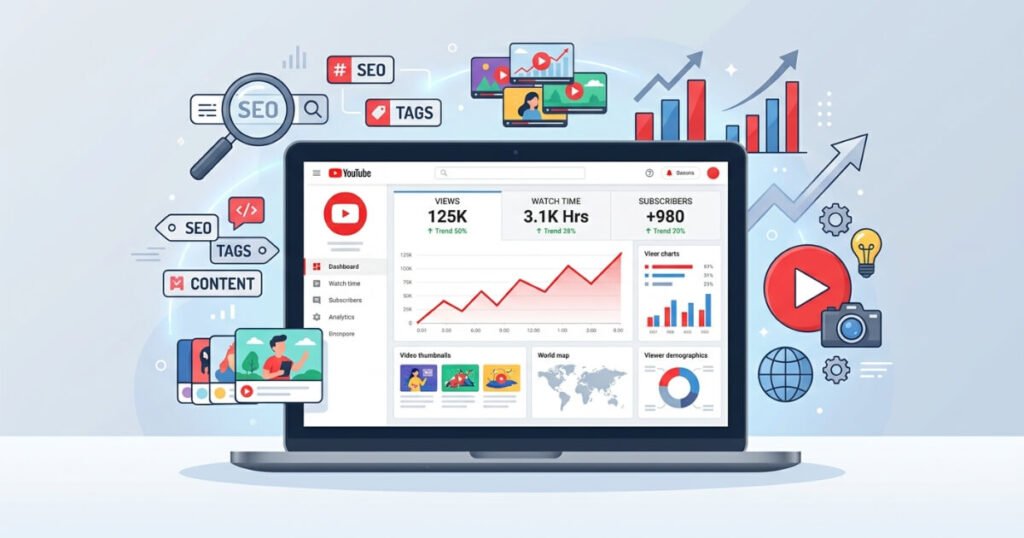
YouTube has grown into one of the largest search engines and content platforms on the internet. Millions of creators upload videos every single day, making it harder than ever to stand out. Whether you are a beginner trying to get your first hundred subscribers or an experienced creator looking to scale your audience, using the right tools can make a significant difference. The best tools for youtube seo and channel growth help you research keywords, optimize your videos, track your performance, and ultimately grow your channel faster than doing everything manually.
This article covers a wide range of youtube seo tools and youtube growth tools that every creator should consider using. From keyword research and metadata optimization to analytics and competitor analysis, you will learn about the most effective solutions available right now. Many of these tools are free or offer generous free plans, making them accessible even if you are working with a limited budget.
Understanding how the YouTube algorithm works and what factors influence your video rankings is essential. However, knowledge alone is not enough. You need practical tools that save time, provide actionable data, and help you make smarter decisions about your content. That is exactly what this guide aims to deliver.
Why YouTube SEO Tools Matter for Channel Growth
Growing a YouTube channel without proper optimization is like opening a store without putting up a sign. You might have the best products inside, but nobody will know about them unless they stumble upon your shop by accident. YouTube seo tools serve as the sign, the advertisement, and the customer research team all rolled into one.
YouTube uses a complex algorithm to determine which videos appear in search results, suggested video feeds, and the homepage. This algorithm looks at several factors, including your video title, description, tags, watch time, click-through rate, and viewer engagement. YouTube channel growth tools help you optimize each of these factors systematically so that the algorithm recognizes your content and shows it to more people.
Without these tools, you would need to guess which keywords to target, what titles to use, and how your videos compare to the competition. That guessing game wastes time and often leads to disappointing results. The best youtube seo tools 2026 take the guesswork out of the equation by providing real data that guides your decisions.
Another important reason to use youtube video optimization tools is consistency. Growing a channel requires publishing content regularly and improving your approach over time. When you have tools that track your progress, highlight what is working, and point out areas for improvement, you can maintain a consistent upward trajectory instead of experiencing random spikes and drops in performance.
YouTube Keyword Research Tools
Keyword research is the foundation of any successful YouTube SEO strategy. If you target the right keywords, your videos will appear when people search for those topics. If you target the wrong keywords or skip this step entirely, your content may never reach its intended audience.
TubeBuddy
TubeBuddy is one of the most popular youtube keyword research tools available. It works as a browser extension that integrates directly into your YouTube dashboard. Once installed, you can see keyword scores, search volume estimates, and competition levels right inside YouTube. TubeBuddy also suggests related keywords that you might not have considered, helping you uncover opportunities that other creators might overlook.
One of the standout features of TubeBuddy is its keyword explorer, which assigns a weighted score to each keyword based on search volume, competition, and your channel’s ability to rank for that term. This personalized scoring system is particularly useful for smaller channels because it helps you target keywords where you actually have a chance of ranking rather than competing against established creators with millions of subscribers.
TubeBuddy also functions as a youtube tag generator tool, automatically suggesting relevant tags based on your chosen keyword. Tags still play a role in helping YouTube understand your video’s content, and having a tool that generates them quickly saves valuable time during the upload process.
vidIQ
vidIQ is another heavyweight among youtube seo tools. Like TubeBuddy, it operates as a browser extension and provides keyword research capabilities, competition analysis, and optimization suggestions. The vidIQ keyword tool shows you the search volume for specific terms on YouTube, which is information that YouTube itself does not publicly share.
What makes vidIQ particularly valuable is its trend detection feature. It can identify topics that are gaining momentum before they become saturated, giving you a first-mover advantage. When you publish a video on a trending topic early, you have a much better chance of capturing views and subscribers before the competition catches up.
vidIQ also provides a youtube keyword explorer free option that allows you to perform basic keyword research without paying for a subscription. This makes it one of the best free youtube seo tools for creators who are just starting out and want to test the waters before committing to a paid plan.
Google Trends
Google Trends is a completely free tool that many creators overlook when planning their content. While it does not provide exact search volumes, it shows you relative interest in a topic over time. You can filter results specifically for YouTube searches, making it a useful youtube search volume tool for understanding seasonal trends and long-term interest patterns.
For example, if you are considering making a video about a particular software tool, Google Trends can show you whether interest in that tool is growing, stable, or declining. This information helps you prioritize topics that are likely to generate sustained views rather than investing time in content that may quickly become irrelevant.
Keyword Tool (keywordtool.io)
Keyword Tool is a dedicated youtube keyword research tool that pulls autocomplete suggestions from YouTube’s search bar. When someone starts typing a query on YouTube, the platform suggests popular completions. Keyword Tool captures these suggestions and organizes them into a list, giving you hundreds of keyword ideas based on real user searches.
The free version provides keyword suggestions without search volume data, while the paid version includes volume estimates and competition metrics. Even without the paid features, the free version is incredibly useful for brainstorming video topics and understanding what your potential audience is actually searching for.
Ahrefs YouTube Keyword Tool
Ahrefs, primarily known as an SEO tool for websites, also offers a free youtube keyword research tool. It provides search volume estimates for YouTube-specific keywords along with click data. This tool is particularly helpful for creators who also run websites or blogs because it allows them to coordinate their content strategy across multiple platforms.
YouTube Title and Description Optimizer Tools
Once you have your keywords, the next step is crafting titles and descriptions that attract clicks and help YouTube understand your content. A well-optimized title can dramatically improve your click-through rate, while a comprehensive description provides context for the algorithm and viewers alike.
TubeBuddy SEO Studio
TubeBuddy’s SEO Studio is a dedicated youtube title and description optimizer that walks you through the optimization process step by step. It analyzes your title, description, tags, and thumbnail, then provides a score along with specific recommendations for improvement. This guided approach is especially helpful for creators who are new to SEO and may not know what constitutes a well-optimized video.
The tool checks whether your target keyword appears in your title, whether your description is long enough, whether you have included relevant links and calls to action, and whether your tags align with your content. By following these recommendations, you can ensure that every video you upload meets a minimum standard of optimization.
Rapid Tags
Rapid Tags is a simple but effective youtube metadata tools option that generates tags based on your video title. You enter your title, and the tool produces a list of related tags sorted by relevance. While tags are not the most important ranking factor, they still contribute to how YouTube categorizes and recommends your content.
ChatGPT and AI Writing Assistants
AI writing assistants have become increasingly useful as youtube video optimization tools. You can use them to generate title ideas, write detailed descriptions, and even create video scripts. When used as a youtube title and description optimizer, these tools can produce multiple variations of a title so you can choose the one that is most likely to attract clicks.
The key is to provide the AI with your target keyword, your video topic, and any specific angle you want to emphasize. The tool can then generate several options that incorporate your keyword naturally while also being compelling enough to encourage viewers to click.
YouTube Analytics Tools for Creators
Understanding your channel’s performance is critical for sustained growth. YouTube analytics tools for creators provide insights into how your videos are performing, where your traffic is coming from, and how viewers are engaging with your content.
YouTube Studio Analytics
YouTube Studio is the built-in analytics platform that every creator has access to for free. It provides detailed data on views, watch time, subscriber growth, traffic sources, audience demographics, and much more. As a youtube performance tracking tool, YouTube Studio is comprehensive and reliable because the data comes directly from the platform itself.
Key metrics to monitor include your click-through rate, which tells you how effectively your thumbnails and titles attract clicks, and your average view duration, which indicates how well your content holds viewers’ attention. Both of these metrics directly influence how the YouTube algorithm ranks and recommends your videos.
YouTube Studio also shows you which external sources are driving traffic to your channel, including search engines, social media platforms, and websites. This information helps you understand where your audience is coming from and where you should focus your promotional efforts.
Social Blade
Social Blade is a free youtube analytics tool that tracks channel statistics over time. It provides estimated earnings, subscriber growth trends, and video view counts for any public YouTube channel. As a youtube subscriber growth tool, Social Blade is useful for monitoring your own progress and benchmarking your performance against similar channels.
One particularly valuable feature is the ability to see historical data for any channel. This allows you to identify growth patterns, spot when a channel experienced a surge in popularity, and analyze what might have caused that surge. You can then apply those insights to your own content strategy.
Social Blade also serves as a youtube competitor analysis tool because you can look up any channel and see their performance metrics. Understanding how your competitors are growing can reveal opportunities and strategies that you might want to adopt or adapt for your own channel.
Nox Influencer
Nox Influencer is another youtube analytics tool that provides channel valuations, audience demographics, and content performance data. It is particularly useful for creators who are interested in brand partnerships because it provides estimated channel values and engagement rates that brands typically look at when selecting creators to work with.
Channel Meter
Channel Meter offers advanced analytics specifically designed for youtube performance tracking. It aggregates data from multiple channels and platforms, making it useful for creators who manage more than one channel or who want a more detailed view of their performance than YouTube Studio provides.
YouTube Thumbnail Tools
Your thumbnail is often the first thing a potential viewer sees, and it plays a massive role in whether they decide to click on your video. A compelling thumbnail can significantly increase your click-through rate, which in turn signals to the YouTube algorithm that your video is worth recommending to more people.
Canva
Canva is one of the most widely used youtube thumbnail tools available. It offers a free plan with thousands of templates specifically designed for YouTube thumbnails. You can customize these templates with your own images, text, and branding elements to create professional-looking thumbnails without any graphic design experience.
The platform provides the correct dimensions for YouTube thumbnails, so you do not need to worry about sizing issues. Canva also allows you to save brand kits with your channel’s colors, fonts, and logos, making it easy to maintain a consistent visual identity across all your thumbnails.
Adobe Express
Adobe Express, formerly known as Adobe Spark, is another excellent youtube thumbnail tool that offers professional-grade design capabilities with a user-friendly interface. It provides access to Adobe’s extensive library of stock photos, fonts, and design elements, giving you more creative options than most free tools.
Snappa
Snappa is a graphic design tool that caters specifically to content creators and marketers. It offers pre-sized templates for YouTube thumbnails along with a library of high-resolution stock photos and graphics. The drag-and-drop editor makes it easy to create eye-catching thumbnails quickly, which is important when you are publishing content regularly and need to maintain a fast production workflow.
Photopea
Photopea is a free online photo editor that closely mirrors the functionality of Adobe Photoshop. For creators who want more control over their thumbnail designs than template-based tools provide, Photopea offers advanced editing capabilities including layers, masks, and filters. It runs entirely in the browser, so there is nothing to download or install.
YouTube Competitor Analysis Tools
Understanding what your competitors are doing well and where they are falling short is a crucial part of any youtube content strategy. YouTube competitor analysis tools provide insights into the keywords, topics, and strategies that successful channels in your niche are using.
vidIQ Competitors Tool
vidIQ includes a built-in competitors tracking feature that allows you to monitor other channels in your niche. You can see their most viewed videos, track their subscriber growth, and analyze their keyword strategies. This information helps you identify content gaps that you can fill with your own videos.
The tool also shows you which of your competitors’ videos are gaining traction, giving you real-time insights into trending topics in your niche. By staying aware of what is working for others, you can adapt your content strategy to capitalize on emerging trends.
TubeBuddy Videolytics
TubeBuddy’s Videolytics feature provides a detailed breakdown of any YouTube video’s optimization. When you visit a competitor’s video, Videolytics shows you their tags, the keywords they are targeting, their SEO score, and various engagement metrics. This makes it one of the most practical youtube competitor analysis tools for understanding exactly how other creators are optimizing their content.
Rival IQ
Rival IQ is a comprehensive social media analytics platform that includes YouTube tracking capabilities. It allows you to compare your channel’s performance against multiple competitors simultaneously, providing a clear picture of where you stand in your niche. The platform tracks engagement rates, posting frequency, and audience growth, helping you identify best practices and areas where you can improve.
YouTube Ranking Tools and Video Ranking Checkers
Knowing where your videos rank for specific keywords is essential for evaluating the effectiveness of your SEO strategy. YouTube ranking tools and youtube video ranking checker tools track your positions in search results and alert you when rankings change.
TubeBuddy Rank Tracker
TubeBuddy includes a rank tracking feature that monitors where your videos appear in YouTube search results for your target keywords. You can set up tracking for multiple keywords per video and receive notifications when your rankings improve or decline. This ongoing monitoring helps you understand which optimization strategies are working and which need adjustment.
SE Ranking
SE Ranking is a comprehensive SEO platform that includes YouTube rank tracking capabilities. It allows you to monitor your video rankings across different regions and devices, providing a more complete picture of your visibility on the platform. The tool also tracks your competitors’ rankings, so you can see how your videos compare to theirs for the same keywords.
AccuRanker
AccuRanker offers fast and accurate rank tracking for YouTube videos. It updates rankings frequently, giving you near real-time data on your positions in search results. For creators who are actively experimenting with different optimization strategies, this rapid feedback loop is invaluable because it allows you to see the impact of your changes quickly.
YouTube Hashtag Generator Tools
Hashtags on YouTube help categorize your content and make it more searchable. While they are not as influential as keywords in your title and description, they still contribute to your overall optimization strategy.
Rapidtags
Rapidtags is a free youtube hashtag generator that produces relevant hashtags based on your video topic or keyword. You simply enter your main keyword, and the tool generates a list of hashtags sorted by relevance. You can then copy and paste the most appropriate ones into your video description.
All Hashtag
All Hashtag is another free youtube hashtag generator tool that creates hashtags from a single keyword. It provides top hashtags, random hashtags, and live hashtags, giving you multiple options to choose from. The tool also shows you the popularity of each hashtag, helping you select ones that are widely used but not so competitive that your video gets lost.
Hashtagify
Hashtagify provides hashtag analytics and suggestions across multiple platforms, including YouTube. It shows you the popularity and trends of specific hashtags, helping you choose ones that will maximize your content’s visibility. The tool also identifies related hashtags that you might not have considered, expanding your reach to new audiences.
YouTube Content Strategy Tools
Having a solid content strategy is just as important as optimizing individual videos. YouTube content strategy tools help you plan your content calendar, identify trending topics, and ensure that your publishing schedule aligns with your growth goals.
Trello
Trello is a project management tool that many creators use to organize their content pipeline. You can create boards for different stages of your video production process, from ideation and scripting to filming, editing, and publishing. While Trello is not specifically a YouTube tool, its flexibility makes it an excellent free youtube channel management tool for keeping your content production organized and on track.
Notion
Notion serves a similar purpose to Trello but with more advanced features for content planning. You can create databases of video ideas, track your publishing schedule, store research notes, and even collaborate with team members if you work with editors or other contributors. Many successful creators use Notion as the central hub for their youtube content strategy tools.
AnswerThePublic
AnswerThePublic is a keyword research and content ideation tool that visualizes search queries in an intuitive format. You enter a keyword, and the tool generates a visual map of questions, prepositions, and comparisons that people are searching for. This makes it an excellent tool for generating video ideas that directly address what your target audience wants to know.
Google Keyword Planner
While primarily designed for Google Ads, Google Keyword Planner is a useful youtube keyword research tool because many YouTube searches overlap with Google searches. It provides search volume data and keyword suggestions that can help you identify topics with high demand and manageable competition.
Free YouTube SEO Tools Worth Trying
Not every creator has the budget for premium tools, especially when starting out. Fortunately, several excellent free youtube seo tools provide significant value without requiring any financial investment.
YouTube Search Suggest
YouTube’s own search suggest feature is one of the simplest and most effective online youtube seo tools free. When you start typing a query in the YouTube search bar, the platform suggests popular completions based on real user searches. These suggestions reveal exactly what people are looking for, making them a goldmine for keyword and topic ideas.
To get the most out of this feature, try typing your main keyword followed by each letter of the alphabet. This technique, often called the alphabet soup method, generates a comprehensive list of long-tail keywords that you can target in your videos.
YouTube Auto-Suggest Scraper Extensions
Several free browser extensions automate the process of collecting YouTube auto-suggest data. These youtube keyword explorer free tools save time by gathering all the suggestions at once instead of requiring you to type each query manually.
Tags for YouTube (Chrome Extension)
Tags for YouTube is a free browser extension that reveals the tags used on any YouTube video. When you visit a video page, the extension displays all the tags that the creator used, giving you insights into their keyword strategy. This makes it a valuable free youtube seo tool for competitor research and tag optimization.
Thumbnail Test Tools
Some free tools allow you to preview how your thumbnail will look alongside competing videos in YouTube search results. This helps you ensure that your thumbnail stands out and attracts clicks before you publish your video. Testing your thumbnails before publishing is a simple but effective way to improve your click-through rate.
YouTube Algorithm Optimization Tools
Understanding and working with the YouTube algorithm is essential for channel growth. YouTube algorithm optimization tools help you align your content and optimization strategies with the factors that the algorithm prioritizes.
Morning Fame
Morning Fame is a YouTube analytics and optimization tool that provides a unique perspective on your channel’s performance. It grades your videos on various factors including keyword optimization, engagement, and audience retention. The tool also compares your performance to similar channels, helping you understand where you stand and what you need to improve.
What sets Morning Fame apart from other youtube algorithm optimization tools is its focus on actionable insights rather than raw data. Instead of overwhelming you with numbers, it provides clear recommendations that you can implement immediately to improve your performance.
YouTube Search Analytics in YouTube Studio
YouTube Studio includes a search analytics feature that shows you what terms people used to reach your videos. This data reveals which keywords are actually driving traffic to your channel, allowing you to double down on what is working and adjust your strategy for keywords that are underperforming.
YouTube Engagement Growth Tools
Engagement metrics like likes, comments, shares, and watch time are crucial signals that the YouTube algorithm uses to evaluate your content. YouTube engagement growth tools help you increase these metrics by fostering community interaction and encouraging viewers to engage with your videos.
Community Tab Strategies
While not a third-party tool, YouTube’s Community Tab is a built-in feature that every creator with sufficient subscribers can use to boost engagement. Posting polls, behind-the-scenes photos, and discussion prompts keeps your audience engaged between video uploads and can drive traffic to your new and existing content.
TubeBuddy Comment Filters
TubeBuddy includes comment management features that help you identify and respond to important comments quickly. Engaging with your audience in the comments section encourages more viewers to leave comments, which increases your engagement metrics and signals to the algorithm that your content is generating meaningful interaction.
StreamYard and Restream
Live streaming tools like StreamYard and Restream help you connect with your audience in real time. Live streams tend to generate high engagement because viewers can interact with you directly through the chat. These youtube engagement growth tools are particularly effective for building a loyal community that consistently watches and supports your content.
YouTube Video Marketing Tools
Creating great content is only half the battle. You also need to promote your videos effectively to reach a wider audience. YouTube video marketing tools help you distribute your content across multiple platforms and track the results of your promotional efforts.
Hootsuite
Hootsuite is a social media management platform that allows you to schedule and publish posts across multiple platforms simultaneously. When you upload a new video, you can use Hootsuite to promote it on Twitter, Facebook, LinkedIn, and other platforms from a single dashboard. This centralized approach saves time and ensures that your promotional efforts are consistent.
Buffer
Buffer serves a similar purpose to Hootsuite, with a focus on simplicity and ease of use. It allows you to schedule social media posts, track engagement, and analyze the performance of your promotional content. For creators who want a straightforward youtube video marketing tool without a steep learning curve, Buffer is an excellent choice.
Mailchimp
Email marketing remains one of the most effective ways to drive traffic to your YouTube videos. Mailchimp allows you to build an email list and send newsletters featuring your latest content. By notifying your subscribers via email whenever you publish a new video, you can generate an initial surge of views that signals to the algorithm that your content is worth recommending.
Best YouTube Tools for Small Creators
Starting a YouTube channel from scratch presents unique challenges. You have limited resources, no existing audience, and a lot of competition from established creators. The best youtube tools for small creators are those that provide maximum value with minimal cost and complexity.
TubeBuddy Free Plan
TubeBuddy’s free plan provides access to basic keyword research, SEO scoring, and tag suggestions. While the paid plans offer more advanced features, the free version is sufficient for new creators who are just learning the fundamentals of YouTube SEO. It is one of the most recommended tools for growing youtube channel fast without spending money.
vidIQ Free Plan
Similarly, vidIQ offers a generous free plan that includes keyword research, basic analytics, and optimization suggestions. The free version provides enough functionality to significantly improve your SEO strategy compared to optimizing without any tools at all.
Canva Free Plan
Canva’s free plan provides access to thousands of thumbnail templates, stock photos, and design elements. For small creators who cannot afford to hire a graphic designer, Canva is an indispensable tool for creating professional-looking thumbnails that compete with those produced by larger channels.
YouTube Studio
YouTube Studio is completely free and provides comprehensive analytics, video management, and basic optimization features. Every creator should be familiar with YouTube Studio’s capabilities because it is the most direct source of information about your channel’s performance.
Tools for Growing YouTube Channel Fast
When you want to accelerate your growth, combining multiple tools and strategies is essential. The most effective approach involves using youtube keyword research tools to identify high-opportunity topics, youtube video optimization tools to maximize each video’s potential, youtube analytics tools for creators to track your progress, and youtube video marketing tools to amplify your reach.
Consistency and Planning Tools
Maintaining a consistent publishing schedule is one of the most important factors in growing a YouTube channel quickly. Tools like Trello, Notion, and Google Calendar help you plan your content in advance and stick to a regular upload schedule. When the algorithm sees that you publish consistently, it is more likely to recommend your content to new viewers.
A/B Testing with TubeBuddy
TubeBuddy offers an A/B testing feature that allows you to test different thumbnails and titles to see which ones perform better. This data-driven approach to optimization can significantly improve your click-through rate over time, leading to more views and faster growth. A/B testing removes subjective opinions from the equation and lets actual viewer behavior guide your decisions.
Collaboration Tools
Collaborating with other creators is one of the fastest ways to grow your audience. Tools like Discord, Slack, and even YouTube’s built-in messaging features can help you connect with potential collaborators in your niche. When you appear on another creator’s channel, you gain exposure to their audience, and many of those viewers may subscribe to your channel as well.
YouTube SEO Software for Creators: Choosing the Right Stack
With so many options available, choosing the right combination of tools can feel overwhelming. The key is to start with the essentials and add more tools as your channel grows and your needs become more complex.
For beginners, a combination of TubeBuddy or vidIQ for keyword research and optimization, Canva for thumbnails, and YouTube Studio for analytics provides a solid foundation. These free youtube channel management tools cover the most critical aspects of YouTube SEO without requiring any financial investment.
As your channel grows, you might consider upgrading to paid plans for TubeBuddy or vidIQ to access advanced features like rank tracking, A/B testing, and competitor analysis. You might also want to add a social media management tool like Buffer or Hootsuite to streamline your promotional efforts.
The most important thing is to actually use the tools you choose. Having access to the best youtube seo software for creators is meaningless if you do not apply the insights they provide. Make it a habit to research keywords before creating content, optimize your titles, descriptions, and tags for every video, review your analytics regularly, and adjust your strategy based on the data.
How to Build a Complete YouTube Growth System
Building a sustainable growth system requires integrating multiple tools and processes into a cohesive workflow. Here is a practical framework that brings together everything discussed in this article.
Start with topic research using youtube keyword research tools like TubeBuddy, vidIQ, or Keyword Tool. Identify keywords with decent search volume and manageable competition. Use Google Trends to verify that interest in your chosen topic is stable or growing.
Next, plan your content using a project management tool like Trello or Notion. Create a content calendar that maps out your publishing schedule for the next month. Include details like the target keyword, working title, and key points for each video.
When you are ready to upload, use a youtube title and description optimizer to craft titles that incorporate your target keyword while being compelling enough to attract clicks. Write detailed descriptions that provide context for both viewers and the algorithm. Use a youtube tag generator tool to add relevant tags, and use a youtube hashtag generator to include appropriate hashtags.
Create your thumbnail using a tool like Canva, Snappa, or Adobe Express. Make sure your thumbnail is visually striking, includes readable text, and accurately represents your video’s content. If possible, use TubeBuddy’s A/B testing feature to test multiple thumbnail designs.
After publishing, promote your video using youtube video marketing tools like Buffer, Hootsuite, or email marketing platforms. Share your video on social media, relevant forums, and any other channels where your target audience spends time.
Finally, monitor your performance using youtube analytics tools for creators. Track key metrics like views, watch time, click-through rate, and subscriber growth. Use this data to identify what is working and what needs improvement, then adjust your approach accordingly.
Common Mistakes to Avoid When Using YouTube SEO Tools
While youtube seo tools are incredibly valuable, they can lead you astray if used incorrectly. Here are some common mistakes to watch out for.
Relying too heavily on search volume is a frequent error among creators using youtube search volume tools. High search volume keywords are often extremely competitive, making them difficult to rank for unless you have a large, established channel. Small creators should focus on long-tail keywords with lower search volume but also lower competition.
Another common mistake is keyword stuffing. Some creators try to cram as many keywords as possible into their titles, descriptions, and tags. This practice can actually hurt your performance because YouTube’s algorithm is sophisticated enough to detect unnatural keyword usage. Instead, focus on using your primary keyword naturally in your title and description, and use related keywords as tags.
Ignoring audience retention data is another pitfall. Many creators focus exclusively on views and subscriber counts while neglecting the engagement metrics that actually drive algorithmic recommendations. YouTube analytics tools for creators provide detailed retention data that shows you exactly where viewers are dropping off in your videos. Use this information to improve your content and keep viewers watching longer.
Finally, avoid copying competitors’ strategies without adaptation. YouTube competitor analysis tools are valuable for identifying what works in your niche, but blindly copying another creator’s approach rarely leads to success. Use competitor insights as inspiration, then add your own unique perspective and personality to differentiate your content.
The Future of YouTube SEO Tools
The landscape of youtube seo tools continues to evolve as YouTube updates its algorithm and introduces new features. AI-powered tools are becoming increasingly sophisticated, offering more accurate keyword predictions, automated content optimization, and even AI-generated thumbnails and scripts.
The best youtube seo tools 2026 will likely incorporate more machine learning capabilities, providing personalized recommendations based on your channel’s specific data and growth patterns. Tools that can analyze video content directly, rather than relying solely on metadata, will become more common as computer vision and natural language processing technologies advance.
Regardless of how the tools evolve, the fundamental principles of YouTube SEO will remain the same. Creating high-quality content that serves your audience, optimizing your metadata for relevant keywords, and engaging with your community will always be the foundation of channel growth. The tools simply make these tasks easier and more efficient.
Conclusion
Growing a YouTube channel requires a combination of great content, smart optimization, and consistent effort. The best tools for youtube seo and channel growth empower you to work more efficiently, make data-driven decisions, and compete effectively in an increasingly crowded platform.
Whether you choose TubeBuddy, vidIQ, Canva, or any of the other tools discussed in this article, the most important step is to get started. Begin with the free options, learn how to interpret the data they provide, and gradually build a workflow that supports your growth goals. With the right tools and a commitment to continuous improvement, every creator has the potential to build a successful YouTube channel.
The combination of youtube keyword research tools, youtube thumbnail tools, youtube analytics tools for creators, and youtube video marketing tools creates a powerful ecosystem that addresses every aspect of channel growth. By leveraging these resources effectively, you can save time, avoid costly mistakes, and accelerate your path to achieving your YouTube goals.
Frequently Asked Questions
What are the best free youtube seo tools for beginners?
TubeBuddy and vidIQ both offer free plans that include keyword research, SEO scoring, and basic optimization suggestions. YouTube Studio provides comprehensive analytics at no cost. Canva offers free thumbnail design templates. Together, these tools cover the essential aspects of YouTube SEO without requiring any financial investment.
How do youtube keyword research tools help with channel growth?
YouTube keyword research tools reveal what people are searching for on the platform, including search volume and competition levels. By targeting keywords that have decent search demand but manageable competition, you can create content that ranks higher in search results and attracts more organic views over time.
Can youtube seo tools guarantee more views and subscribers?
No tool can guarantee results because channel growth depends on multiple factors, including content quality, consistency, audience engagement, and niche competition. However, youtube seo tools significantly increase your chances of success by providing data-driven insights that help you optimize your content and strategy more effectively than guessing alone.
What is the most important metric to track using youtube analytics tools for creators?
While all metrics are valuable, average view duration and click-through rate are among the most important because they directly influence how the YouTube algorithm ranks and recommends your videos. A high click-through rate means your titles and thumbnails are attracting attention, and a strong average view duration means your content is keeping viewers engaged.
How often should I use youtube competitor analysis tools?
Checking your competitors’ performance monthly is a good practice for most creators. This frequency allows you to spot trends and strategy changes without becoming overly focused on what others are doing. Your primary focus should always remain on your own content and audience, using competitor data as supplementary guidance.
Are paid youtube seo tools worth the investment for small creators?
For most small creators, the free versions of tools like TubeBuddy and vidIQ provide sufficient functionality to significantly improve their SEO strategy. As your channel grows and you begin earning revenue, upgrading to paid plans can unlock advanced features such as rank tracking, A/B testing, and detailed competitor analysis to support further growth.