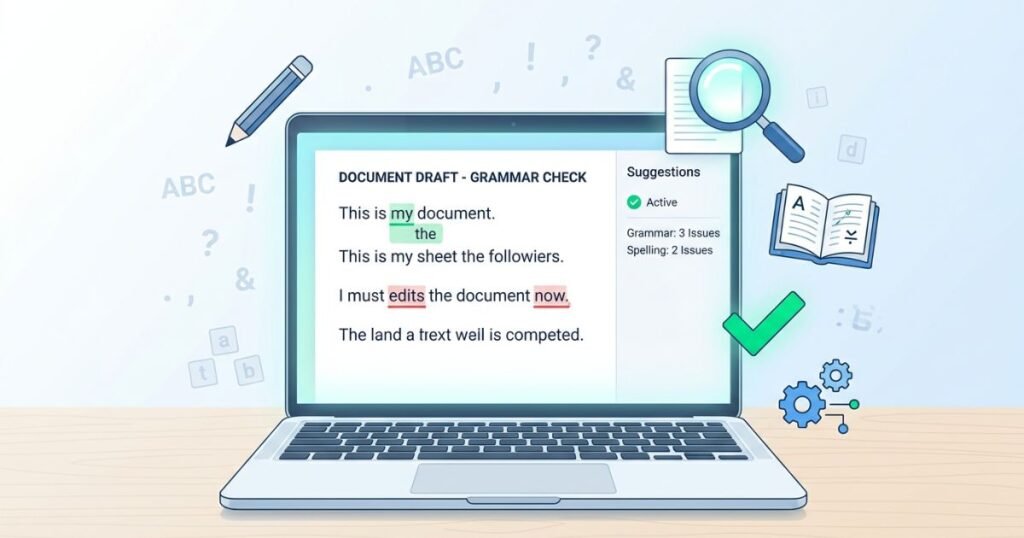
Clear, error-free writing is not a luxury. It is a necessity. Whether you are drafting a college essay, preparing a business proposal, publishing a blog post, or writing an email to a client, the quality of your grammar and punctuation speaks volumes about your credibility. A single misplaced comma or a misspelled word can change the meaning of a sentence, confuse your reader, or damage your professional reputation. This is exactly why top grammar and proofreading tools have become an essential part of every writer’s toolkit.
The good news is that the market is filled with powerful, intelligent, and often free solutions that can help anyone write with confidence. From simple spell checkers to advanced grammar checking tools powered by artificial intelligence, there is a solution for every type of writer and every type of content. These tools do more than just catch typos. They analyze sentence structure, suggest better word choices, flag passive voice, check punctuation, improve readability, and even help with tone and style.
This article provides a thorough and detailed guide on the best grammar checker tools available right now. It covers free and paid options, explains how each tool works, highlights their strengths and weaknesses, and helps you decide which one suits your specific writing needs. Whether you are a student looking for a free grammar checker for students, a blogger searching for the best proofreading software for bloggers, or a professional who needs a grammar checker for business writing, this guide has something for you.
Why Grammar and Proofreading Tools Are Important
Good grammar is the foundation of effective communication. When your writing is clean and polished, your message comes across clearly. When it is riddled with errors, your audience may lose trust or misunderstand your intent. Grammar and proofreading tools serve as a safety net that catches mistakes before your content reaches its intended audience.
These tools are especially important because even the most experienced writers make errors. Human eyes tend to skip over small mistakes, particularly in long documents. Your brain often reads what it expects to see rather than what is actually on the page. A real time grammar correction tool eliminates this problem by scanning your text instantly and pointing out issues you might have missed.
For students, these tools help improve academic writing and reduce the chances of losing marks over avoidable errors. For bloggers and content creators, clean writing contributes to a better reader experience and improved search engine rankings. For business professionals, polished communication builds trust with clients, partners, and colleagues. The use of writing improvement tools online is no longer optional for anyone who values quality content.
Beyond catching errors, many of these tools also serve as learning aids. They explain why a particular correction is being suggested, which helps users understand grammar rules over time. This educational aspect makes them particularly valuable for non-native English speakers and students who are still developing their writing skills.
Key Features to Look for in a Grammar and Proofreading Tool
Not all grammar tools are created equal. Some are basic spell checkers, while others are comprehensive writing assistants that analyze everything from grammar and punctuation to tone, style, readability, and even plagiarism. Before choosing a tool, it helps to understand which features matter most for your specific needs.
Grammar and Spelling Correction
This is the most fundamental feature. Every grammar and spell checker online free tool should be able to catch basic spelling mistakes, subject-verb agreement errors, incorrect tense usage, and common grammatical blunders. The best tools go beyond surface-level errors and detect complex issues like dangling modifiers, run-on sentences, and sentence fragments.
Punctuation Checking
A punctuation checker tool online is essential for writers who struggle with commas, semicolons, apostrophes, and quotation marks. Punctuation errors are among the most common mistakes in writing, and they can significantly alter the meaning of a sentence. Good tools catch missing commas, misplaced apostrophes, and incorrect use of colons and semicolons.
Sentence Structure Analysis
A reliable sentence correction tool free of charge should analyze how sentences are constructed. It should flag overly long sentences, awkward phrasing, and unclear constructions. This feature is particularly useful for academic writers and professionals who need their content to be concise and easy to understand.
Style and Tone Suggestions
Some advanced tools go beyond grammar and offer suggestions related to writing style and tone. They can tell you if your writing sounds too formal, too casual, too aggressive, or not confident enough. This is particularly helpful for business writing and marketing content where tone plays a critical role in how the message is received.
Readability Scoring
Readability is a measure of how easy your text is to read and understand. Several tools provide readability scores based on established formulas. This feature is valuable for bloggers, content marketers, and educators who want to make sure their content is accessible to a broad audience.
Plagiarism Detection
Some grammar tools also include built-in plagiarism checkers that compare your text against billions of web pages and academic papers. This feature is especially important for students, academic researchers, and content creators who need to ensure their work is original.
AI-Powered Suggestions
Modern ai grammar correction tools use natural language processing and machine learning to understand context, detect nuanced errors, and offer intelligent suggestions. These tools continuously improve as they process more data, making them increasingly accurate and helpful over time.
Integration and Compatibility
The best tools integrate seamlessly with popular platforms like Google Docs, Microsoft Word, Gmail, Outlook, WordPress, and various web browsers. This allows you to check your writing in real time without having to copy and paste text into a separate application.
Top Grammar and Proofreading Tools
The following is a comprehensive list of the best grammar and proofreading tools available. Each tool has been evaluated based on its features, accuracy, ease of use, pricing, and suitability for different types of users.
1. Grammarly
Grammarly is arguably the most well-known and widely used grammar checker tool in the world. It offers a powerful combination of grammar checking, spell checking, punctuation correction, style improvement, and tone detection. The free version covers basic grammar, spelling, and punctuation, while the premium version adds advanced suggestions for clarity, engagement, delivery, and even plagiarism detection.
Grammarly works as a browser extension for Chrome, Firefox, Safari, and Edge. It also integrates with Microsoft Word, Google Docs, and most email platforms. The tool provides real time grammar correction as you type, making it incredibly convenient for everyday use. Its AI-powered engine understands context, which means it can catch errors that simpler tools would miss.
For students, Grammarly is a free grammar checker for students that helps improve essay writing and academic papers. For bloggers, it serves as one of the best proofreading software for bloggers by catching errors and improving readability. For professionals, it functions as a reliable grammar checker for business writing that ensures emails, reports, and proposals are polished and professional.
Grammarly also offers a tone detector that analyzes how your message might come across to the reader. This is particularly useful in professional communication where the wrong tone can create misunderstandings. The tool provides a grammar and clarity checker tool feature that helps simplify complex sentences and make your writing more direct and impactful.
The premium plan is competitively priced and offers excellent value for anyone who writes regularly. The business plan adds team management features, style guides, and brand tone settings, making it suitable for organizations of all sizes.
2. Hemingway Editor
The Hemingway Editor takes a different approach to writing improvement. Rather than focusing primarily on grammar and spelling, this tool emphasizes readability, clarity, and conciseness. It highlights overly complex sentences, excessive use of adverbs, passive voice constructions, and hard-to-read passages. Each issue is color-coded, making it easy to identify and address problem areas at a glance.
The tool assigns a readability grade level to your text, which helps you gauge whether your writing is appropriate for your intended audience. For bloggers and content creators who want their content to be accessible and engaging, this feature is invaluable.
Hemingway Editor is available as a free online version and a paid desktop application. The online version requires no signup and no download, making it one of the best online proofreading tools free no signup options available. You simply paste your text into the editor, and it immediately highlights areas that need attention.
While it does not offer the same depth of grammar checking as some other tools, the Hemingway Editor excels at making your writing cleaner and more readable. It is a grammar and clarity checker tool that pairs well with a dedicated grammar checker for a complete writing improvement workflow.
3. ProWritingAid
ProWritingAid is a comprehensive writing assistant that combines grammar checking with in-depth writing analysis. It offers more than 20 different writing reports that cover grammar, style, sentence structure, readability, overused words, cliches, consistency, pacing, and more. This makes it one of the most advanced grammar checking tools on the market.
The tool is particularly popular among fiction writers and long-form content creators because of its detailed analysis capabilities. It does not just tell you what is wrong; it explains why something is an issue and how to fix it. This educational approach makes it an excellent learning tool for writers who want to continuously improve their craft.
ProWritingAid integrates with Microsoft Word, Google Docs, Scrivener, and most major web browsers. The free version allows you to check up to 500 words at a time, while the premium version removes this limit and adds access to all writing reports, plagiarism checking, and additional integrations.
For bloggers, ProWritingAid serves as one of the best blog proofreading tools free in its basic version, with the premium version offering even more powerful features. For students and academic writers, it provides detailed feedback that helps improve essay structure, argument clarity, and overall writing quality. It is a professional proofreading tools online solution that caters to serious writers who want more than just basic spell checking.
4. LanguageTool
LanguageTool is an open-source grammar and spell checker that supports over 30 languages. This multilingual capability makes it stand out from most other tools that focus exclusively on English. It catches grammar errors, spelling mistakes, style issues, and punctuation problems across all supported languages.
The tool is available as a free online editor, a browser extension, and add-ons for Microsoft Word and Google Docs. The free version is generous with its features, making it one of the best free grammar and proofreading tools for users who write in multiple languages.
LanguageTool uses AI-powered algorithms to understand context and provide accurate suggestions. It can detect commonly confused words, incorrect verb forms, agreement errors, and even stylistic issues like redundancy and wordiness. The premium version adds additional checks for style, tone, and typography, and it removes the character limit imposed on the free version.
For non-native English speakers, LanguageTool is an excellent english grammar correction software that helps improve writing accuracy across multiple languages. It is also a strong grammar editor tool free option for casual users who need reliable grammar checking without any cost.
5. Ginger Software
Ginger Software is a grammar and spell checker that offers unique features like sentence rephrasing, text-to-speech, translation, and a personal trainer that helps users learn from their mistakes. It goes beyond simple error correction by offering alternative ways to express the same idea, which helps users improve their vocabulary and writing variety.
The tool works as a browser extension and a desktop application. It integrates with Microsoft Office and most email clients. The free version offers basic grammar and spell checking, while the premium version adds unlimited grammar checking, sentence rephrasing, text reader, and translation capabilities.
Ginger is particularly useful for non-native English speakers because of its translation feature and personalized learning approach. The personal trainer analyzes your common mistakes and creates practice sessions tailored to your specific weaknesses. This makes it more than just a grammar tool; it is a writing improvement platform.
As an ai proofreading assistant free in its basic form, Ginger offers solid value for users who want both grammar correction and language learning in a single package.
6. QuillBot
QuillBot is primarily known as a paraphrasing tool, but it also offers a robust grammar checker that catches spelling, grammar, and punctuation errors. The grammar checker is free to use and works directly in the QuillBot web editor. It provides real time suggestions as you type and allows you to accept or reject each change individually.
The paraphrasing feature is what sets QuillBot apart from other tools. It can rephrase entire sentences and paragraphs while preserving the original meaning, which is helpful for avoiding redundancy and improving sentence variety. The tool offers multiple writing modes, including standard, fluency, formal, simple, creative, expand, and shorten, each of which adjusts the output to match a specific style.
QuillBot also offers a summarizer, a citation generator, and a plagiarism checker, making it a versatile free writing correction tools platform for students and researchers. The grammar checker functions as a sentence correction tool free of charge, and the overall platform serves as a comprehensive writing improvement tools online solution.
For students, QuillBot is a valuable free grammar checker for students that helps with essay writing, research papers, and homework assignments. For content creators, it is a grammar checker for content creators that assists with rephrasing and optimizing text for clarity and engagement.
7. Slick Write
Slick Write is a free online grammar checker and writing analysis tool that requires no registration and no download. It checks for grammar errors, style issues, word usage problems, and structural weaknesses. The tool provides detailed statistics about your writing, including word count, sentence length, readability, vocabulary variety, and estimated reading time.
One of the strengths of Slick Write is its customizability. You can configure the tool to check for specific types of errors or style issues, which allows you to tailor the analysis to your preferences and writing goals. The tool highlights issues directly in your text and provides explanations for each suggestion.
Slick Write is one of the best online proofreading tools free no signup solutions available. You simply visit the website, paste your text, and receive instant feedback. There are no accounts to create, no software to install, and no fees to pay.
While it may not have the AI-powered sophistication of tools like Grammarly or ProWritingAid, Slick Write is a solid free grammar audit tool that provides valuable insights into writing quality. It is particularly useful for bloggers, students, and casual writers who want quick feedback without any commitment.
8. WhiteSmoke
WhiteSmoke is a grammar checking and writing enhancement tool that uses AI technology to analyze text and provide corrections for grammar, spelling, punctuation, and style. It also includes a translator that supports over 50 languages, making it useful for international users and multilingual writers.
The tool offers templates for various types of documents, including business letters, academic papers, resumes, and personal correspondence. These templates provide a starting point for users who are unsure how to structure specific types of writing.
WhiteSmoke integrates with Microsoft Word, Outlook, Gmail, and most web browsers. It is available as a desktop application and a browser extension. The tool is entirely premium-based, with no free version available, but it offers competitive pricing and a range of features that justify the cost.
For business professionals, WhiteSmoke is a reliable grammar checker for business writing that ensures all outgoing communication is polished and professional. For students and academic writers, it provides detailed grammar analysis and style suggestions that help improve the quality of essays and research papers.
9. Reverso
Reverso is a multilingual grammar and spell checker that supports English, French, Spanish, German, Italian, Portuguese, and several other languages. It is widely used as a translation tool, but its grammar checking capabilities are also noteworthy.
The tool checks for spelling errors, grammar mistakes, and contextual usage issues. It provides suggestions with explanations, which helps users understand why a particular correction is recommended. Reverso also offers a conjugation tool, a dictionary, and a context search feature that shows how words and phrases are used in real sentences.
As a free grammar and proofreading tools option, Reverso is particularly valuable for multilingual users and language learners. It provides grammar checking in multiple languages without requiring a paid subscription, making it accessible to a wide audience.
10. Sapling
Sapling is an AI-powered grammar checking and writing assistant designed primarily for customer-facing teams. It integrates with messaging platforms, CRM systems, and helpdesk software to help support agents, sales teams, and customer success teams communicate more effectively.
The tool catches grammar, spelling, and punctuation errors in real time as agents type their responses. It also offers autocomplete suggestions that help agents respond faster and more consistently. Sapling learns from your writing patterns and adapts its suggestions accordingly, becoming more accurate and helpful over time.
While Sapling is designed with business users in mind, its grammar checking capabilities are strong enough to be useful for any type of writing. It functions as an automatic grammar fixer online that provides instant corrections without interrupting your workflow.
For businesses that handle high volumes of written communication, Sapling is a professional proofreading tools online solution that improves both the quality and speed of customer interactions.
11. Writer
Writer is an AI writing assistant built specifically for teams and organizations. It offers grammar checking, style enforcement, tone consistency, terminology management, and brand voice alignment. The tool helps teams maintain a consistent writing style across all content, which is crucial for brand identity and professional communication.
Writer integrates with Google Docs, Microsoft Word, Chrome, and various content management systems. It allows teams to create custom style guides, define preferred terminology, and set tone preferences. The tool then checks all content against these guidelines and provides real time suggestions for improvement.
For content marketing teams, Writer is a powerful grammar checker for content creators that ensures all published content meets brand standards. For corporate communications teams, it serves as a grammar checker for business writing that maintains consistency and professionalism across all channels.
Writer also offers an seo content grammar checker feature that helps optimize content for search engines while maintaining grammatical accuracy and readability. This makes it a valuable tool for digital marketing professionals who need to balance SEO requirements with writing quality.
12. Scribens
Scribens is a free online grammar checker that supports English and French. It checks for over 250 types of grammar and spelling errors and provides detailed explanations for each correction. The tool analyzes sentence structure, verb conjugation, noun-adjective agreement, and many other grammatical elements.
The interface is clean and straightforward. You paste your text into the editor, click the check button, and receive instant feedback. Errors are highlighted in different colors based on their type, and clicking on an error reveals a detailed explanation and suggested correction.
Scribens is one of the best online grammar checker free tools available for users who want thorough grammar analysis without paying for a subscription. It functions as a grammar checker for essays free of charge and provides the kind of detailed feedback that is typically reserved for premium tools.
The tool also offers statistics about your text, including word count, sentence count, and vocabulary diversity. This additional information helps users understand the overall quality of their writing and identify areas for improvement.
13. PaperRater
PaperRater is an online writing tool designed primarily for students and academic writers. It offers grammar checking, plagiarism detection, and writing suggestions. The tool analyzes your text and provides a rating based on grammar quality, word choice, style, and originality.
One of the unique features of PaperRater is its ability to analyze writing in the context of academic standards. You can specify the education level and type of paper you are writing, and the tool adjusts its analysis accordingly. This makes it a highly targeted grammar checker for essays free of charge that provides feedback tailored to academic writing.
PaperRater requires no registration for basic use, making it an online proofreading tools free no signup solution for students who need quick feedback on their papers. The premium version adds enhanced plagiarism detection, faster processing, and additional writing analysis features.
14. Outwrite
Outwrite, formerly known as GradeProof, is a writing assistant that offers grammar checking, style improvement, and readability analysis. It goes beyond basic error correction by providing suggestions for sentence restructuring, word choice improvement, and overall writing enhancement.
The tool uses AI to analyze the context of your writing and provide relevant suggestions. It can detect passive voice, wordiness, cliches, and unclear phrasing. Outwrite also provides a readability score and suggests changes to improve the accessibility of your content.
Outwrite integrates with Google Docs and Microsoft Word, making it convenient to use within your existing writing workflow. The free version offers basic grammar and spell checking, while the premium version adds advanced style and eloquence suggestions.
As an ai proofreading assistant free in its basic form, Outwrite is a solid choice for writers who want AI-powered feedback without a significant financial investment. It is a grammar suggestion tool online that helps users write more clearly and effectively.
15. Wordtune
Wordtune is an AI-powered writing tool that focuses on rewriting and improving sentences. Rather than just fixing errors, Wordtune suggests entirely new ways to express your ideas. It can make sentences more casual, more formal, shorter, or longer, depending on your preference.
The tool works as a browser extension and integrates with most online text editors. You highlight a sentence, and Wordtune provides multiple alternative versions that you can choose from. This approach makes it a unique writing improvement tools online solution that goes beyond traditional grammar checking.
While Wordtune is not a traditional grammar checker, its sentence-level rewrites effectively address many grammatical and stylistic issues. It is particularly useful for writers who struggle with sentence variety, word choice, or overall clarity.
The free version allows a limited number of rewrites per day, while the premium version removes this limit and adds additional features like tone adjustment and length control. For content creators and marketers, Wordtune is a grammar checker for content creators that helps optimize content for engagement and readability.
How AI Grammar Correction Tools Work
The technology behind modern grammar and proofreading tools is far more sophisticated than simple rule-based checking. Early spell checkers relied on dictionaries to match words, and early grammar checkers used a fixed set of rules to identify errors. These approaches were limited because language is complex, context-dependent, and constantly evolving.
Modern ai grammar correction tools use natural language processing, machine learning, and deep learning to understand the context and meaning of text. These technologies allow the tools to go beyond surface-level errors and detect nuanced issues like incorrect word usage, ambiguous sentences, and inappropriate tone.
Natural language processing enables the tool to parse sentences, identify parts of speech, and understand the relationships between words. Machine learning allows the tool to improve its accuracy over time by learning from millions of writing samples. Deep learning models, such as transformer-based architectures, enable the tool to understand the broader context of a sentence and provide more accurate suggestions.
This AI-powered approach is what makes modern tools so much more effective than their predecessors. They can catch errors that would slip past a simple rule-based checker, and they can provide suggestions that are contextually appropriate and stylistically sound.
Who Benefits from Grammar and Proofreading Tools
Students
Students at all levels benefit from grammar and proofreading tools. Whether you are writing a high school essay, a college term paper, or a doctoral dissertation, these tools help ensure your writing is grammatically correct and academically appropriate. A free grammar checker for students can save hours of manual proofreading and help students learn from their mistakes over time.
The grammar checker for essays free tools mentioned in this guide provide detailed feedback that helps students understand grammar rules and improve their writing skills. This is particularly valuable for non-native English speakers who may struggle with complex grammar structures.
Bloggers and Content Creators
Content is the currency of the internet, and quality matters. Bloggers and content creators who publish error-free, well-written content are more likely to attract and retain readers, earn backlinks, and rank higher in search results. Blog proofreading tools free options like Grammarly, Slick Write, and Hemingway Editor help bloggers polish their content before publication.
A grammar checker for content creators also helps maintain consistency in tone, style, and voice across multiple pieces of content. This consistency is important for building a recognizable brand and establishing authority in a particular niche.
An seo content grammar checker is particularly useful for digital marketers and SEO professionals who need to ensure their content is both grammatically correct and optimized for search engines. Grammar errors can negatively impact user experience and indirectly affect search rankings, making proofreading an important part of the content optimization process.
Business Professionals
Professional communication requires a high standard of writing quality. Emails, reports, proposals, presentations, and other business documents must be clear, concise, and error-free. A grammar checker for business writing helps professionals maintain this standard and avoid the embarrassment of sending out documents with grammatical errors.
Professional proofreading tools online solutions like Writer and Sapling are designed specifically for business environments, offering features like team collaboration, custom style guides, and brand voice alignment.
Freelance Writers and Authors
Freelance writers and authors rely on the quality of their writing to earn a living. Submitting work with grammatical errors can damage their reputation and reduce their chances of getting repeat business. Advanced grammar checking tools like ProWritingAid provide the in-depth analysis that professional writers need to ensure their work meets the highest standards.
Free vs. Paid Grammar Tools: What You Need to Know
One of the most common questions writers have is whether free grammar tools are good enough or whether they need to invest in a paid solution. The answer depends on your specific needs and writing volume.
Free grammar and proofreading tools are perfectly adequate for casual writing, short documents, and basic error checking. Tools like LanguageTool, Scribens, and Slick Write offer solid grammar checking without any cost. These tools catch most common errors and provide helpful suggestions for improvement.
However, if you write professionally, publish content regularly, or handle high-stakes business communication, a paid tool may be worth the investment. Premium tools offer more advanced features like AI-powered suggestions, plagiarism detection, style analysis, tone detection, and team collaboration. They also tend to have higher accuracy rates and fewer false positives.
The best free proofreading tools 2026 continue to improve in quality and capabilities, narrowing the gap between free and paid options. Many tools offer generous free tiers that provide significant value without any financial commitment. For most users, starting with a free tool and upgrading to a premium version as needs grow is a practical and cost-effective approach.
Tips for Choosing the Right Grammar and Proofreading Tool
With so many options available, choosing the right tool can feel overwhelming. Here are some practical tips to help you make the best decision for your needs.
Consider Your Primary Use Case
Different tools excel at different things. If you primarily need basic grammar and spell checking, a simple tool like LanguageTool or Scribens will serve you well. If you need comprehensive writing analysis with style and readability reports, ProWritingAid is an excellent choice. If you need team collaboration and brand voice alignment, Writer is the way to go.
Evaluate Integration Options
A grammar tool is most useful when it integrates with the platforms you already use. If you write primarily in Google Docs, choose a tool that offers a Google Docs add-on. If you use Microsoft Word, look for a tool with a Word plugin. If you do most of your writing in a web browser, a browser extension is the most convenient option.
Test Before You Commit
Most premium tools offer free trials or free tiers that allow you to test their features before committing to a subscription. Take advantage of these trials to evaluate the tool’s accuracy, ease of use, and feature set. Pay attention to false positives, which are suggestions that are incorrect or unnecessary, as these can be distracting and counterproductive.
Read User Reviews
User reviews provide valuable insights into the real-world performance of grammar tools. Look for reviews from users who have similar writing needs and use cases. Pay attention to comments about accuracy, customer support, and value for money.
Consider Language Support
If you write in languages other than English, choose a tool that supports your target languages. LanguageTool and Reverso offer multilingual support, while most other tools focus exclusively on English. English grammar correction software that also supports other languages can be a significant advantage for multilingual writers.
The Role of Grammar Tools in SEO and Content Marketing
Grammar and proofreading tools play an increasingly important role in SEO and content marketing. While grammar is not a direct ranking factor, it indirectly affects several aspects of SEO performance.
First, well-written content provides a better user experience, which leads to longer time on page, lower bounce rates, and higher engagement. These user signals can positively influence search rankings.
Second, content with fewer errors is more likely to be shared, linked to, and cited by other websites. Backlinks remain one of the most important ranking factors, and high-quality writing increases the likelihood of earning natural backlinks.
Third, grammar errors can undermine the perceived authority and trustworthiness of a website. Search engines prioritize content from authoritative and trustworthy sources, and writing quality is one of the signals that contribute to this perception.
An seo content grammar checker helps content marketers ensure their content meets both grammatical and SEO standards. By combining grammar checking with readability analysis and keyword optimization, these tools help create content that performs well in search results while providing value to readers.
A grammar suggestion tool online can also help identify opportunities to improve content clarity and readability, which are important factors in featured snippet selection and voice search optimization.
How to Get the Most Out of Grammar and Proofreading Tools
Simply running your text through a grammar checker is not enough to produce high-quality writing. Here are some tips for getting the most out of these tools.
Use Multiple Tools
No single grammar tool catches every error. Using two or three tools in combination can provide more comprehensive coverage and catch errors that individual tools might miss. For example, you might use Grammarly for grammar and tone checking, Hemingway Editor for readability analysis, and ProWritingAid for in-depth style reports.
Do Not Accept Every Suggestion Blindly
Grammar tools are not perfect. They sometimes suggest changes that are unnecessary, incorrect, or inappropriate for your specific writing context. Always review each suggestion carefully and use your own judgment before accepting or rejecting it.
Use the Tool as a Learning Aid
Pay attention to the explanations that tools provide for their suggestions. Understanding why a particular change is recommended helps you avoid making the same mistake in the future. Over time, this learning process will make you a better writer and reduce your dependence on automated tools.
Run the Tool on Final Drafts
While real time grammar correction is useful during the writing process, running a comprehensive check on your final draft is also important. Some errors only become apparent in the context of the complete document, and a final check helps catch any remaining issues.
Customize Settings to Match Your Needs
Many tools allow you to customize their settings to match your writing style, audience, and goals. Take advantage of these customization options to ensure the tool provides relevant and useful suggestions. For example, if you are writing informal blog content, you might want to disable checks for formal writing conventions.
The Future of Grammar and Proofreading Tools
The grammar and proofreading tools landscape continues to evolve rapidly. Advances in artificial intelligence, natural language processing, and machine learning are driving improvements in accuracy, capability, and user experience.
Future tools will likely offer even more sophisticated writing analysis, including deeper understanding of context, tone, and intent. They may be able to assess the persuasiveness of an argument, the emotional impact of a narrative, or the clarity of technical explanations.
Integration with content management systems, email platforms, and collaboration tools will become even more seamless, making grammar checking an invisible part of the writing process. Tools will work in the background, providing suggestions without interrupting the writer’s flow.
Personalization will also improve, with tools adapting to individual writing styles, preferences, and learning curves. Rather than offering generic suggestions, future tools will provide tailored feedback that is relevant to each user’s specific needs and goals.
The best free proofreading tools 2026 and beyond will continue to narrow the gap between free and premium offerings, making high-quality writing assistance accessible to everyone regardless of budget.
Conclusion
Grammar and proofreading tools have transformed the way we write. They catch errors we would otherwise miss, suggest improvements we would not have thought of, and help us communicate more clearly and effectively. Whether you are a student, a blogger, a business professional, or a creative writer, these tools can help you produce better content with less effort.
The top grammar and proofreading tools covered in this guide offer a range of features and capabilities to suit different needs and budgets. From free options like LanguageTool, Scribens, and Slick Write to premium solutions like Grammarly, ProWritingAid, and Writer, there is a tool for everyone.
The key is to choose a tool that matches your specific needs, integrate it into your writing workflow, and use it consistently. Over time, you will not only produce better writing but also become a better writer. The combination of human creativity and AI-powered writing assistance is a powerful one, and it is available to anyone willing to take advantage of it.
A free grammar audit tool can serve as your starting point, and as your writing demands grow, you can explore more advanced options. The most important thing is to start using one of these tools and make error-free writing a habit rather than an exception.
Frequently Asked Questions
What is the best free grammar checker tool available online?
Grammarly offers one of the best free grammar checking experiences, covering basic grammar, spelling, and punctuation errors. LanguageTool and Scribens are also excellent free grammar and proofreading tools that provide detailed error analysis without requiring a paid subscription.
Are free grammar tools accurate enough for professional writing?
Free grammar tools catch most common errors and are suitable for general writing tasks. However, for high-stakes professional writing, a premium tool with advanced grammar checking, tone detection, and style analysis typically provides more comprehensive coverage and higher accuracy.
Can grammar tools help improve my writing over time?
Yes. Many grammar and proofreading tools provide explanations for their suggestions, which helps you understand grammar rules and avoid repeating the same mistakes. Using these tools consistently acts as a form of ongoing writing education that improves your skills over time.
Do grammar tools work for academic essays and research papers?
Several tools are specifically designed for academic writing. PaperRater, Grammarly, and ProWritingAid all offer features tailored to academic content, including grammar checking, style analysis, and plagiarism detection. A grammar checker for essays free of charge can significantly improve the quality of student papers.
Is there a grammar checker that works without signing up?
Yes. Tools like Slick Write, Hemingway Editor, and Scribens allow you to check your grammar online without creating an account. These online proofreading tools free no signup solutions are convenient for users who want quick feedback without the hassle of registration.
Can grammar tools check punctuation as well?
Most grammar and proofreading tools include punctuation checking as a core feature. They catch missing commas, incorrect apostrophes, misplaced semicolons, and other punctuation errors. A punctuation checker tool online is built into virtually all of the tools listed in this guide, ensuring your punctuation is accurate alongside your grammar and spelling.