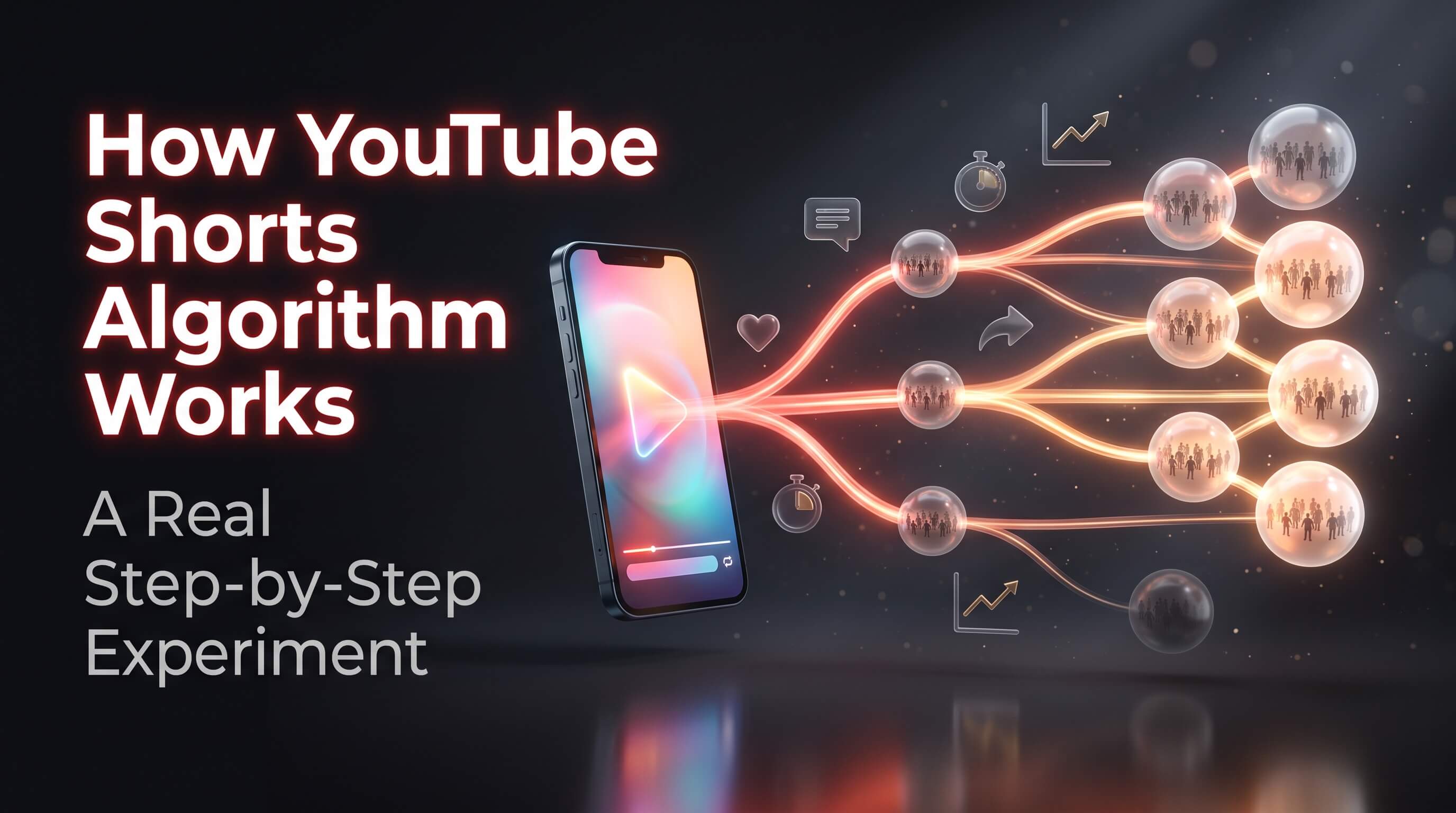
How YouTube Shorts Algorithm Works: A Real Step-by-Step Experiment
Why do some Shorts get ten thousand views while others stop at twelve? Most creators blame luck. A few blame a shadow ban. The truth is simpler. The YouTube Shorts algorithm tests every video on a small group of people. Then it decides what to do next.
This guide shows how the YouTube Shorts algorithm works in plain steps. It is based on a real channel experiment. The experiment covered how to set up a new channel and how to warm it up. It covered how to pick tags and when to post. It also covered how many Shorts to post and how to fix zero views. Last, it tackled the most common problem of all. Views that start fast and then freeze.
Read it from top to bottom once. Then keep it open while you work on your own channel.
- ✓ Every Short meets a small seed audience first
- ✓ Real viewer reactions decide if a Short grows or stops
- ✓ Aim for retention of 70 percent or more as a working target
- ✓ Post one Short a day at the same time
- ✓ Use 3 to 4 relevant hashtags and a clean title
- ✓ A flat graph is a lost test and not a ban
01. What This Experiment Covered02. How YouTube Shorts Algorithm Works: The Six Steps03. The Retention Rule: How Long People Must Watch04. The March 2025 View Count Change05. Set Up the Channel Before You Upload06. Optimize the Channel for Viewers07. The One Week Niche Warm Up08. Tags and Hashtags: Basic Shorts SEO09. Best Time to Upload YouTube Shorts10. How Many Shorts Should You Post Each Day?11. How to Track and Analyze Your Shorts12. Why Do Shorts Get Zero Views?13. Why Shorts Views Get Stuck14. A Seven Day Action Plan15. Common Mistakes to Avoid16. Final Thoughts17. Frequently Asked Questions
01. What This Experiment Covered
The experiment followed one simple goal. Build a new Shorts channel the right way, then watch how YouTube reacts. Each part was tested in the same order a new creator would face it.
The main parts were:
- ✓ How the Shorts algorithm works from upload to wide reach
- ✓ How to create and warm up a channel
- ✓ How to find tags and hashtags for basic Shorts SEO
- ✓ The best time to upload
- ✓ How many Shorts to post each day
- ✓ How to track analytics
- ✓ How to fix zero views
- ✓ How to fix views that get stuck
A quick note before we start. YouTube does not publish its ranking formula. No one outside the company knows the exact weights. So this guide splits things into two kinds. Some points come from YouTube itself. Other points are working rules from the experiment. The working rules are useful targets, but they are not official laws. We will mark the difference as we go.
02. How YouTube Shorts Algorithm Works: The Six Steps
The Shorts feed is a long vertical stream. Each swipe shows a new video. Behind that swipe, a recommendation system picks what you see next. Here is the path a Short follows after you press upload.
| Step | What happens | What it means for you |
|---|---|---|
| Upload | YouTube sends the Short to a small seed audience | The first viewers may not be your ideal fans |
| Test | The seed audience watches, likes, comments, shares or swipes away | Their reaction is the first report card |
| Weak result | Low engagement makes the video look weak | Views stop and the graph goes flat |
| Strong result | Good engagement sends a positive signal | The video earns a bigger test |
| Match reach | YouTube finds more people who look like the seed audience | Views grow in new groups |
| Loop | More engagement brings more reach | The video can keep climbing |
Step 1: The Upload Phase
You upload a Short. YouTube does not show it to everyone. It sends the video to a small group of viewers. This group is often called the seed audience.
Here is the part that surprises people. The seed audience may not be your target audience. It can be a random mix of viewers who are likely to enjoy this type of video. Some will love it. Some will swipe in one second. That is normal.
YouTube has said much the same thing in public. Todd Sherman leads Shorts at YouTube. He said in a Creator Insider talk that the audience is the algorithm. In other words, real people decide what grows.
Step 2: The Seed Audience Test
The seed test exists for one reason. YouTube wants to know how the video performs before it spends more reach on it.
During the test, YouTube watches how these viewers act. It looks at questions like these:
- ✓ Do they watch the full video?
- ✓ Do they like, comment or share?
- ✓ Do they swipe away fast?
YouTube Studio shows a version of this data. Open the Shorts analytics and look for the “Viewed vs swiped away” chart. It shows how many people chose to watch your Short. It also shows how many chose to skip it. This is one of the clearest views of the test you can get.
Step 3: Low Engagement Means Views Stop
Now the test has two possible results. The first one is the painful one.
If the seed audience does not engage, YouTube reads the video as weak. The system stops showing it to new groups. The video freezes at low views. You may see a number like 200 and then nothing for days.
This does not mean your channel is banned. It means this one video did not win its test. The next Short gets its own test.
Step 4: Good Engagement Sends a Positive Signal
The second result is the one you want. The seed audience watches, likes or comments. YouTube receives a positive signal. The video looks interesting and worth more reach.
Notice what a positive signal is not. It is not a trick. It is not a hashtag. It is real viewers acting like they enjoyed the video. Everything else in this guide supports that one goal.
Step 5: Match-Based Reach
After a good test, YouTube grows the audience in a smart way. It finds more people who are similar to the seed audience. These are viewers who are more likely to enjoy the same content.
Think of it like this. The first group acts as a sample. If the sample likes the video, YouTube looks for more people who behave like them. Then it shows the Short to those people. If they like it too, the system repeats the step with an even larger group.
Step 6: The Engagement Loop
As more viewers engage, YouTube keeps pushing the video. A loop starts:
More engagement leads to more reach. More reach leads to more views. More views bring more engagement.
This loop is how a Short jumps from hundreds of views to hundreds of thousands. It also explains why one Short can change a channel. A strong loop brings new subscribers who then give the next video a better seed audience.
03. The Retention Rule: How Long People Must Watch
Retention means the share of the video that people watch. A 20 second Short that is watched for 15 seconds has 75 percent retention.
The experiment used a clear target. Aim for very high retention, in the range of 70 to 100 percent. When viewers watch the full Short, YouTube pushes it further. When viewers skip in the first few seconds, reach drops.
Here is how the experiment read the numbers:
| Retention | How YouTube reads it | What to do |
|---|---|---|
| 70 to 100 percent | Strong signal, more push | Keep the same style and pacing |
| 50 to 70 percent | Average signal | Tighten the video and sharpen the hook |
| Below 50 percent | Weak signal, reach stalls | Cut it shorter and change the opening |
Be careful with these numbers. YouTube has not published a fixed retention cut-off. The 70 percent target is a practical goal from the experiment. It is a good one, because it forces you to make short and fast videos. But do not panic if a good Short sits at 62 percent. Compare it with your own past Shorts and move up step by step.
Replays help too. A short video that people watch twice has a retention figure above 100 percent. This is one reason why tight, loop-friendly videos do well.
04. The March 2025 View Count Change
Many creators got confused in 2025. Their view counts jumped, but their income did not. The reason was a rule change.
Since March 31, 2025, a Short counts as a view when it starts to play. There is no minimum watch time. A replay counts. A fast swipe past the video can count too. Reports at the time said Shorts views rose by 20 to 30 percent for many channels.
YouTube kept the old idea under a new name: engaged views. An engaged view needs real watch time. Engaged views are the ones that matter for the YouTube Partner Program. For full ad revenue sharing, a channel needs 1,000 subscribers. It also needs 10 million valid public Shorts views in 90 days. A lower tier needs 500 subscribers and 3 million Shorts views in 90 days. That tier opens fan funding tools, not ad revenue.
What does this mean for you? Two things.
- ✓ Raw views now say less than before. Watch the “Viewed vs swiped away” chart and the retention graph instead.
- ✓ Compare your new data with data from after March 2025. Older numbers used a different rule.
05. Set Up the Channel Before You Upload
The experiment did not start with a video. It started with the channel. A clean setup gives YouTube clear signals about who you are and what you make.
Pick a Simple Channel Name
Choose a name that is easy to say, read and remember. It should work for all age groups. The experiment used a two word name as a rule. An example is Little Tango. Two words are short enough to remember and long enough to feel like a brand.
Design a Clean Logo
The logo should look clear on a small phone screen. It should match the feel of your content. A soft mix of pink, sky blue, lavender and pastel yellow gives a warm look. Pick colors that fit your own niche.
Build a Banner With a Mobile Safe Zone
Your banner should match your theme and use the correct size. Keep all key text inside the mobile safe zone of 1546 by 423 pixels. Add one line of 80 to 100 characters that matches your content style. An example is: “Where every little step tells a big story.”
Create a Gmail Account and the Channel
Use a fresh Gmail account for the channel. Then follow these steps:
- ✓ Go to youtube.com and sign in
- ✓ Click your profile icon
- ✓ Choose Create channel
- ✓ Set the channel name and handle
- ✓ Add a profile photo
- ✓ Click Create
Write a Channel Description With Keywords
Keep the description between 200 and 300 characters. Add words that match your niche, so YouTube can understand your content. If you are stuck, give your niche and tone to an AI writing tool. Ask for a short, clear text. Then edit it so it sounds like you.
Choose the Audience Setting With Care
YouTube asks if your content is made for kids. You must answer honestly, because this is a legal setting and not a growth trick. If your videos are not made for children, choose “No, it’s not made for kids.”
The experiment pointed out why this matters. When a channel is set to made for kids, comments turn off and personalized features shrink. Reach can drop a lot. If your content is for adults or a general crowd, pick that setting from day one.
Check Channel Feature Eligibility
Open YouTube Studio and check the feature levels for your channel. There are three:
- ✓ Standard features: upload videos, create playlists and add collaborators
- ✓ Intermediate features: videos over 15 minutes, custom thumbnails, live streaming and Content ID appeals
- ✓ Advanced features: more daily uploads, more live streaming and the option to apply for monetization
Intermediate features unlock after phone verification. Advanced features need extra checks. Start the phone step early. It takes two minutes.
06. Optimize the Channel for Viewers
A viewer who likes one Short often taps your channel next. Give that person something to see.
Playlists
Group your videos into playlists. This helps viewers watch more. It also tells YouTube how your videos relate to each other.
A Channel Trailer
Add a short trailer to your home page. It should explain who you are and what the channel offers. New visitors see it first.
Featured Video for Returning Viewers
Set a featured video for returning subscribers. Pick your best or latest work. It keeps fans busy and sends them to content you are proud of.
Home Page Sections
Use the home page settings to shape what viewers see. A tidy home page helps people understand the channel fast.
07. The One Week Niche Warm Up
This step is the most unusual part of the experiment. Before posting hard, spend one week using YouTube as a viewer in your niche.
For seven days, watch only videos from your topic. Watch them fully. Like them. Leave real comments. Do not wander into other topics.
The goal is simple. You want YouTube to link the account with one clear subject. Think of it as a signal-building phase. YouTube has not confirmed that this method boosts a new channel. But the cost is zero, and it keeps you close to what viewers in your niche enjoy. It also gives you fresh ideas for your first videos.
08. Tags and Hashtags: Basic Shorts SEO
Metadata does not make a Short go viral. It helps YouTube understand the topic, so the video lands with the right seed audience. YouTube has said that hashtags are not required. They can help connect a video to a topic or event.
The experiment used a four step method to build a tag library.
Step 1: Use the YouTube Search Bar
Type your topic into the search bar. YouTube shows auto suggestions. These are real phrases that people type. Use them as tags and hashtags.
Step 2: Study the Top Videos
Search your topic again. Open the top videos. Look at their titles, descriptions and hashtags. Copy the useful ones that match your video.
Step 3: Use Free Tools
Two free browser tools make the job faster:
- ✓ Rapid Tags helps you copy tags from videos in a comma separated list
- ✓ vidIQ shows tags, search terms and channel data
Step 4: Build a Library in a Sheet
Paste every tag into one Google Sheet or Excel file. Include tags from tools, top videos and search. Then pick one tag at a time. Search that tag in your sheet. Write down how many times it appears in top videos.
Here is a sample from the experiment:
| Tag | Times used in top videos |
|---|---|
| funnyshorts | 8 |
| comedyvideo | 5 |
| foryoupage | 2 |
The tag that appears most is the safest pick. It shows that the topic is active and that other creators in your niche rely on it. Tags with a low count are weaker matches.
How Many Hashtags to Use
Keep it small. The experiment used 3 to 4 relevant hashtags per Short. Keep the title clean and short. Long spammy titles and long lists of hashtags can look like spam. They can also confuse the system about your topic.
09. Best Time to Upload YouTube Shorts
YouTube does not give you a fixed best time. You should post when your audience is awake and free.
The experiment used two windows:
| Audience | Best window | Why |
|---|---|---|
| Asia | 6 PM to 9 PM | Phone use is high after work and school |
| USA or international, posting from Pakistan | 3 AM to 6 AM PKT | This matches the evening in the USA |
Here is a fair warning. YouTube has said it does not tune Shorts for time of day. Shorts do not die fast like a live post. A Short can find viewers days later. So treat timing as a small helper and not as a magic key. The reason it still matters in the first hours is the seed test. If your first viewers are active and relaxed, they give a cleaner signal.
How to Learn Your Exact Best Time
After your channel has some data, you can stop guessing.
- ✓ Open YouTube Studio
- ✓ Go to Analytics
- ✓ Click the Audience tab
- ✓ Read the graph called “When your viewers are on YouTube”
The darkest bars show your best upload time. Post just before that peak so the Short is fresh when your audience arrives.
10. How Many Shorts Should You Post Each Day?
There is no fixed rule. YouTube has said there is no hidden bonus for hitting a daily number. Still, the experiment found one clear best practice.
Upload one Short each day, at the same time.
Why does the same time matter?
- ✓ YouTube sees a steady pattern
- ✓ The system learns what to expect from you
- ✓ Your audience builds a habit and comes back each day
One Short a day is also easy to keep up. One good video a day for 100 days beats ten videos in one week and then silence. Volume also gives you data. Every Short is a new test, and more tests teach you more about your audience.
Do not spam. Do not delete a Short and re-upload it. YouTube may treat that as spam.
11. How to Track and Analyze Your Shorts
Data turns guesses into decisions. The experiment tracked three things.
1. Audience Retention
This is the watch percentage. It shows how much of each Short people view. It is the number that links most closely to reach.
2. Key Moments of Retention
This graph shows where viewers drop off. A sharp fall in the first two seconds means a weak hook. A fall in the middle means the video drags. A flat line to the end means the video works.
3. Traffic Source
Check where views come from. Shorts feed views show how the algorithm treats the video. Views from search, suggested videos or your channel page show other paths. If nearly all your views come from the Shorts feed, the seed test is doing the work.
Add one more check. Open the “Viewed vs swiped away” chart for each Short. A high swipe away rate means the opening failed.
12. Why Do Shorts Get Zero Views?
Zero views is scary. But it is rarely a pure algorithm problem. In most cases, the cause is content, upload habits or weak channel signals.
| Cause | What it means | Fix |
|---|---|---|
| New channel with an instant upload | No warm up signals exist | Post 3 to 5 warm up Shorts with no big hopes |
| No early watch signal | The first minutes show 0 percent retention | Post when your audience is active |
| Weak first 2 to 3 seconds | People skip, so there is no spread | Use a strong hook in the first 1 to 2 seconds |
| Re-uploaded or reused content | The system can detect it and limit reach | Make original videos |
| Posting from desktop | Some Shorts do not get a push | Upload from the mobile app |
| Spam triggers | Spammy titles, too many hashtags, misleading text | Keep the title clean and use 3 to 4 hashtags |
| Wrong posting time | Your audience is offline | Post in your best window |
Two of these deserve extra comment. First, reused and reposted clips carry a real risk. Original work is the safer path. Second, the desktop point comes from the experiment and not from YouTube. If you see the same problem, try the phone app and compare.
The Fix List
Use this short list when a new Short gets no views:
- ✓ Post 3 to 5 warm up Shorts first, with no expectations
- ✓ Use a strong hook in the first 1 to 2 seconds
- ✓ Upload when your audience is active
- ✓ Keep the title clean and add 3 to 4 relevant hashtags
- ✓ Track trends and make what works right now
13. Why Shorts Views Get Stuck
Here is a pattern that confuses many creators. A Short takes off. Views climb fast. Then the graph goes flat. It feels like a shadow ban. It is not. It happens because the signals changed.
| Cause | What it means |
|---|---|
| Irrelevant metadata | The title and tags do not match the video, so the wrong people see it and the push ends |
| Retention below 50 percent | People skip early, so distribution stops |
| Weak seed audience engagement | No likes, shares or replays means a weak signal |
| Saturated topic | Too many similar videos fill the feed and leave no room |
Ways to Unfreeze Reach
Each cause has a fix.
- ✓ Fix the metadata. Use a short title that fits the video. Add no more than 3 to 4 hashtags. Keep the description on topic.
- ✓ Raise retention to 70 percent or more. Make the video shorter and the pacing faster. Slow Shorts freeze again and again.
- ✓ Check the topic and niche match. Even with good retention, a video outside your niche gets no push. YouTube cannot place it with the right viewers.
If a video is already frozen, do not delete it. Leave it up. Learn from it. Then post a new Short that fixes the cause.
14. A Seven Day Action Plan
You can start today. Use this plan for your first week.
- Day 1: Pick your niche and write a two word channel name
- Day 2: Make the logo and banner, then set up the channel
- Day 3: Write the description and check feature eligibility
- Day 4: Build your tag library in a sheet
- Day 5: Plan your first five Shorts with strong hooks
- Day 6: Watch, like and comment on niche videos only
- Day 7: Post your first warm up Short in your best time window
After the first week, keep one Short a day. Check retention every few days. Fix one weak part at a time.
15. Common Mistakes to Avoid
- ✕ Judging a channel by one Short
- ✕ Posting a long intro before the hook
- ✕ Using hashtags that do not match the video
- ✕ Reusing clips from other channels
- ✕ Changing niche every week
- ✕ Ignoring the retention graph
- ✕ Deleting and re-uploading the same video
16. Final Thoughts
The YouTube Shorts algorithm is not a mystery box. It is a test and reward system. Each Short meets a small group first. Real viewers decide the result. Strong retention, clear metadata and steady posting give you the best odds.
The experiment shows a clear order of work. Set up the channel with care. Warm it up with niche viewing. Build a tag library. Post one Short a day. Read the analytics. Fix problems at the root.
Treat every video as a test, not a verdict. Each result teaches you something. Over time, those lessons add up to a channel that the algorithm can trust.
17. Frequently Asked Questions
Q. How does the YouTube Shorts algorithm decide which video to show?
It starts with a small seed audience. YouTube watches how those viewers react. If they watch, like or share, the video reaches more people who look like them. If they swipe away, the video stops spreading.
Q. How long does it take for a Short to start getting views?
Some Shorts get views in minutes. Others pick up days later. The seed test usually runs in the first hours, but YouTube can still show an older Short again. Judge a video after a few days, not a few minutes.
Q. Is a retention rate of 70 percent really needed?
It is a strong target from the experiment, not an official YouTube rule. Higher retention helps because it shows that viewers enjoy the video. Compare each Short with your own past results and aim to improve.
Q. How many hashtags should I use on a Short?
Use 3 to 4 relevant hashtags. Match them to the topic of the video. Too many hashtags can look like spam and can blur the topic.
Q. Why did my Short stop getting views after a good start?
The usual causes are weak retention or a title that does not match the video. A seed audience that did not engage or a crowded topic can do it too. Fix the title and tags. Cut the video shorter. Stay inside your niche.