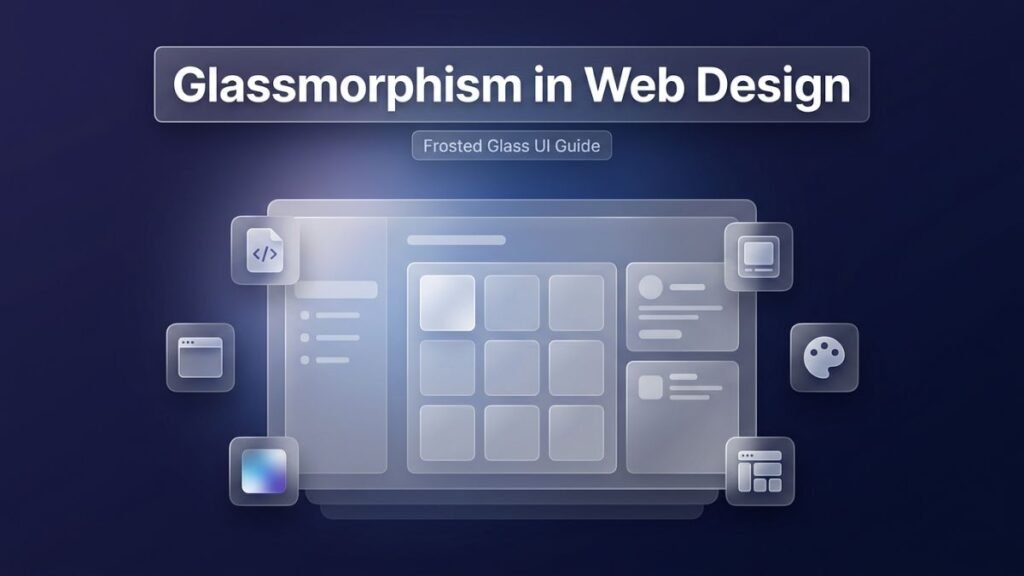
There is a moment when a design trend stops being an experiment and starts becoming a standard. Glassmorphism reached that moment quietly but decisively. What began as an aesthetic choice in operating system interfaces — most notably Apple’s macOS Big Sur, which brought frosted glass panels into the mainstream — has evolved into one of the most refined and widely adopted visual languages in web and app design today.
Glassmorphism in web design refers to a style that mimics the appearance of frosted glass. It combines translucency, blur effects, subtle borders, and soft shadows to create interface elements that appear to float above a colorful or gradient background. The result is a layered, three-dimensional feel that looks luxurious, modern, and clean all at once.
What makes this trend particularly compelling is not just its visual appeal — it is the way it communicates depth and hierarchy without relying on heavy textures, sharp shadows, or complex gradients. A single glassmorphism card design can draw the user’s attention, separate content from the background, and maintain a sense of openness that flat design often struggles to achieve.
This article explains everything you need to know about glassmorphism web design — from its foundational principles and CSS implementation techniques to practical use cases, accessibility considerations, tool recommendations, and design inspiration. Whether you are a developer building a startup website, a designer redesigning a business platform, or a student learning modern UI trends for websites, this guide will give you a complete, practical foundation.
What Is Glassmorphism?
Glassmorphism is a design style defined by four core visual properties: background blur, semi-transparency, a thin light-colored border, and subtle shadow depth. These four elements work together to simulate the appearance of a glass surface placed over a vivid, colorful background.
The term itself was formally coined and popularized by designer Michal Malewicz in 2020, though the visual language had been present in interfaces like iOS, macOS, and various Windows versions for years before that. Malewicz created a structured definition and shared it widely through the design community, which gave the trend a name and a set of reproducible rules that designers and developers could follow consistently.
At its core, glassmorphism ui design is about creating a sense of layered space. When you look at a frosted glass ui design element, you see something that appears to exist in front of the content behind it. The blur softens whatever is behind the element. The transparency allows colors from the background to bleed through slightly. The thin border catches light, simulating the edge of a real glass sheet. And the shadow grounds the element, preventing it from feeling like it is simply floating in empty space.
This combination of effects gives glassmorphism a visual sophistication that other design styles struggle to replicate. Flat design is clean but lacks depth. Skeuomorphism is detailed but often feels heavy and dated. Neumorphism creates subtle tactility but performs poorly in terms of contrast and accessibility. Glassmorphism sits at an interesting intersection — it feels modern and lightweight while still communicating structure, hierarchy, and interactivity.
The glassmorphism design trend is particularly effective when used against rich, colorful gradient backgrounds or blurred photographic imagery. The contrast between the vivid background and the soft, blurred surface of the glass element creates a visual relationship that feels natural and polished. Without an interesting background, the effect diminishes significantly — which is why choosing the right background is as important as styling the glass element itself.
History and Evolution of the Frosted Glass UI Aesthetic
Understanding where glassmorphism comes from helps designers use it more thoughtfully and intentionally. The frosted glass aesthetic has roots that go back to early graphical user interfaces, long before it had a formal name in web design.
Microsoft introduced a version of this effect with Windows Vista’s Aero interface in 2006. The taskbar, window borders, and panels used transparency and blur to create a layered visual experience that was genuinely novel at the time. While the implementation was sometimes criticized for being resource-heavy and visually inconsistent, it planted the idea that UI elements could feel like physical materials — glass, in particular — rather than flat painted surfaces.
Apple took a more restrained and refined approach over the years, gradually building translucency and blur into iOS starting with iOS 7 in 2013. The Control Center, notification panels, and navigation bars all used a frosted glass appearance that felt native and intentional. When macOS Big Sur launched in 2020, Apple extended this language significantly, and the design world took notice. The combination of translucent sidebars, blurred backgrounds, and clean layered panels felt like a definitive statement about where UI design was heading.
From there, the web design community moved quickly. Designers on platforms like Dribbble and Behance began sharing glassmorphism ui examples that interpreted the style for web interfaces — cards, dashboards, modals, buttons, and entire landing pages. Developers started translating those concepts into CSS, leveraging the backdrop-filter property to achieve the blur effect in browsers. Within a relatively short period, glassmorphism had become one of the most recognized and replicated visual trends in the industry.
What has kept it relevant rather than fading into the cycle of overused trends is the discipline with which the best practitioners apply it. Glassmorphism works beautifully when used selectively. It fails when applied indiscriminately to every element on a page. The designers who understand this nuance are the ones producing the best glassmorphism inspiration in the market today.
Four Pillars of Glassmorphism: Breaking Down the Design Rules
Every strong visual style has a set of rules that define it. Glassmorphism is no different. There are four fundamental properties that every glassmorphism element should have, and understanding each one in depth allows you to implement the style with precision and confidence.
Background Blur
The blur effect is the defining characteristic of glassmorphism. It is achieved using the CSS backdrop-filter property with a blur value, and it blurs the content directly behind the element — not the element itself. This creates the illusion that light is being diffused through a frosted glass surface.
The amount of blur matters significantly. Too little blur (under 5 pixels) and the element looks transparent but not glassy. Too much blur (over 30 pixels) and it begins to look like a solid white or gray panel rather than glass. The sweet spot for most glassmorphism designs is between 10px and 20px of blur, depending on the complexity and color of the background behind it.
The blur background css glassmorphism technique requires that there is something visually interesting behind the glass panel. A solid color background makes the effect invisible. A gradient, a photograph, or a collection of colorful shapes makes it come alive.
Semi-Transparency
The background color of the glass element should be set with low opacity — typically between 10% and 30%. This allows the background to show through while the element still has its own visible surface. In practice, this is usually achieved using rgba() color values or hsla() values in CSS, which allow you to set the background color and alpha (opacity) channel simultaneously.
The choice of color for the glass surface itself matters. White with low opacity creates a bright, light glass effect that works well on colorful or dark backgrounds. A slightly tinted semi-transparent color can give the glass a specific mood — cool blues for a tech feel, soft purples for a creative aesthetic, or near-white for a clean corporate look.
Thin Border
The border is often overlooked, but it plays a critical role in making the glassmorphism effect convincing. A thin border — usually 1px or 1.5px — set with a white or light color at low-to-medium opacity simulates the light catching the edge of a real glass surface. Without the border, the element blends too softly into the background and loses its definition.
The most effective approach is to set the border to something like border: 1px solid rgba(255, 255, 255, 0.3). This creates a subtle but clear edge that distinguishes the glass panel from its surroundings. Some designers also use box-shadow with a soft white inner glow to reinforce the sense of a lit edge, which adds an additional layer of realism to the effect.
Subtle Shadow
The shadow in glassmorphism is not the strong, sharp shadow of skeuomorphic design. It is soft, diffused, and typically uses a dark color with very low opacity. The purpose of the shadow is to ground the element — to give it a sense of weight and presence without competing with the lightness of the glass surface.
A typical box-shadow value for glassmorphism might look like box-shadow: 0 8px 32px rgba(0, 0, 0, 0.15). This creates a gentle depth effect that suggests the element is floating slightly above the background. Combined with the blur and transparency, the shadow completes the illusion of a physical glass object suspended in space.
How to Implement Glassmorphism in CSS: A Technical Guide
Implementing glassmorphism css requires a solid understanding of a few specific CSS properties. The good news is that the technique itself is not technically complex — it relies on a handful of well-supported CSS rules that modern browsers handle effectively. Let us walk through the full implementation step by step.
Setting Up the Background
Because the glassmorphism effect depends entirely on an interesting background, the first step is always creating one. A gradient background works particularly well. You can use a CSS linear-gradient or radial-gradient to create a vibrant, layered background that will show through the glass panels.
Here is a basic background setup:
body {
  min-height: 100vh;
  background: linear-gradient(135deg, #6e3aff 0%, #ff3a8c 50%, #3aeeff 100%);
  display: flex;
  align-items: center;
  justify-content: center;
}
This creates a vivid tricolor gradient that will interact beautifully with transparent glass elements placed on top of it.
Building the Glass Card
The glassmorphism card design is the most common application of this style. Here is a clean, fully functional implementation:
.glass-card {
  background: rgba(255, 255, 255, 0.15);
  backdrop-filter: blur(14px);
  -webkit-backdrop-filter: blur(14px);
  border-radius: 16px;
  border: 1px solid rgba(255, 255, 255, 0.3);
  box-shadow: 0 8px 32px rgba(0, 0, 0, 0.15);
  padding: 40px;
  max-width: 400px;
  width: 100%;
}
Notice the inclusion of -webkit-backdrop-filter. This vendor prefix is necessary for Safari compatibility, as webkit-based browsers require it for the blur effect to render correctly.
Styling Glassmorphism Buttons
Glassmorphism buttons css follows the same principles as card design but scaled down and adapted for interactive elements. A glass button needs to be clearly readable and feel clickable, which means the text must have strong contrast against the translucent surface.
.glass-button {
  background: rgba(255, 255, 255, 0.2);
  backdrop-filter: blur(10px);
  -webkit-backdrop-filter: blur(10px);
  border: 1px solid rgba(255, 255, 255, 0.35);
  border-radius: 50px;
  padding: 14px 32px;
  color: #ffffff;
  font-size: 16px;
  font-weight: 600;
  cursor: pointer;
  transition: all 0.3s ease;
  box-shadow: 0 4px 16px rgba(0, 0, 0, 0.12);
}

.glass-button:hover {
  background: rgba(255, 255, 255, 0.3);
  box-shadow: 0 8px 24px rgba(0, 0, 0, 0.2);
  transform: translateY(-2px);
}
The hover state adds a subtle lift and increases the opacity slightly, giving the user clear visual feedback that the button is interactive.
CSS Backdrop Filter: Browser Support Considerations
The css backdrop filter design property is now well-supported across modern browsers, but it is still worth understanding its limitations. Here is a current support overview:
| Browser | Backdrop-Filter Support | Notes |
|---|---|---|
| Chrome 76+ | Full support | No prefix needed |
| Firefox 103+ | Full support | Enabled by default |
| Safari 9+ | Full support | Requires -webkit- prefix |
| Edge 79+ | Full support | No prefix needed |
| Opera 63+ | Full support | No prefix needed |
| Internet Explorer | No support | Not supported at all |
For projects that require IE11 compatibility, a graceful fallback using a slightly more opaque background color is the standard approach. You can use the @supports rule in CSS to serve different styles to browsers that do or do not support backdrop-filter.
@supports not (backdrop-filter: blur(1px)) {
  .glass-card {
    background: rgba(255, 255, 255, 0.75);
  }
}
This fallback ensures that users on unsupported browsers still see a clean, readable interface — it just will not have the blur effect.
Glassmorphism vs Neumorphism: Key Differences and When to Use Each
The neumorphism vs glassmorphism debate is one that surfaces frequently in design communities, and it is worth addressing with clarity and nuance. Both are popular modern design trends that emerged around the same period, and both aim to bring a sense of physical tactility to digital interfaces — but they achieve this in very different ways and are suited to very different use cases.
| Feature | Glassmorphism | Neumorphism |
|---|---|---|
| Visual Effect | Frosted glass with blur and transparency | Soft extrusion from background surface |
| Background Requirement | Colorful gradient or vivid imagery | Solid, flat, muted color |
| Contrast | High contrast possible on vivid backgrounds | Often poor contrast |
| Accessibility | Manageable with proper color choices | Frequently fails WCAG contrast standards |
| Performance | Moderate (backdrop-filter can be GPU-heavy) | Light (pure shadow manipulation) |
| Ideal Use Case | Cards, dashboards, landing pages, modals | Subtle UI elements, form inputs |
| Popular Examples | macOS Big Sur, iOS Control Center | Some fintech and wellness apps |
| Color Expression | High — backgrounds are colorful and vivid | Low — colors are typically monochromatic |
| User Recognition | Widely recognized and understood | Less intuitive for mainstream users |
| Complexity of Implementation | Moderate | Simple to moderate |
Glassmorphism is the better choice when visual impact, depth, and a sense of brand sophistication are priorities. It works particularly well for glassmorphism landing page designs, glassmorphism dashboard ui layouts, and marketing interfaces where the goal is to make a strong first impression.
Neumorphism is more appropriate for subtle, understated interfaces — particularly when the design goal is to mimic the sensation of pressing a physical button without heavy visual emphasis. However, its accessibility limitations have led many designers to use it sparingly or not at all in production projects.
The most progressive designers today are experimenting with hybrid approaches — combining the translucency of glassmorphism with the soft shadow depth of neumorphism to create interface elements that feel both physically present and visually rich. This fusion style does not have a widely agreed-upon name yet, but the results can be impressive when executed with care.
Top Use Cases for Glassmorphism in Website Design
Understanding where glassmorphism works best is just as important as knowing how to build it. Not every part of a website benefits from the frosted glass effect. But when applied to the right components in the right contexts, it can elevate the entire visual experience of a site.
Hero Sections and Landing Pages
A glassmorphism landing page is one of the most common and effective applications of the style. The hero section — the first thing a visitor sees when they arrive on a site — sets the tone for the entire experience. A vivid gradient or blurred background image paired with glass-effect headline cards, calls-to-action, and feature highlights creates an immediate sense of sophistication and modernity.
Startup websites and SaaS companies have been particularly quick to adopt this approach. The glassmorphism marketing website style communicates innovation, technical capability, and design maturity — all qualities that matter enormously in competitive digital markets.
Dashboard UI Designs
The glassmorphism dashboard ui is perhaps the single most impressive application of the trend. Dashboards contain a lot of information — charts, stats, navigation elements, data tables, and user controls — and organizing all of that clearly while keeping the interface visually engaging is a genuine design challenge. Glassmorphism solves part of that problem elegantly.
By using glass cards to contain different data widgets, designers can create a sense of visual separation and hierarchy without relying on heavy borders, background color differences, or complex spacing systems. The translucency allows the background to remain visible, which prevents the dashboard from feeling heavy or claustrophobic. And the consistent glass aesthetic ties all the different components together into a unified visual system.
Modal Windows and Overlays
Modal windows — popup overlays that appear above the main page content — are natural candidates for glassmorphism. The modal already exists in a conceptual layer above the page, so giving it a visual treatment that reinforces that spatial relationship makes intuitive sense. A frosted glass modal with a blurred backdrop looks like a genuine pane of glass placed over the content, which communicates its function clearly without requiring the user to think about it consciously.
Navigation Bars
Navigation bars that use glassmorphism create a sophisticated sticky-header effect. As the user scrolls down a page with a rich background, the navigation bar remains visible as a glass panel that blurs whatever is scrolling behind it. This technique is widely used in modern glassmorphism website design because it looks refined and also serves a practical purpose — the navigation remains visible and readable without visually competing with the page content.
Cards and Content Panels
Glassmorphism card design is the bread and butter of this style. Whether used to display team member profiles, feature highlights, product cards, testimonials, or pricing tiers, glass cards add a layer of visual polish that flat or bordered cards simply cannot match. The frosted surface, the translucent edge, and the soft shadow combine to create a component that draws the eye without demanding it.
Glassmorphism for Business Websites: Practical Considerations
Adopting glassmorphism for business website projects requires balancing aesthetic ambition with practical usability requirements. A beautiful effect that undermines readability or slows down page performance is not a viable solution, regardless of how impressive it looks in a design mockup.
Glassmorphism for small business websites can be particularly effective because it communicates professionalism and modernity without requiring the massive visual infrastructure of a large brand identity system. A small business with a clean gradient background and a few well-designed glass cards on their homepage can look just as polished as a major tech company — at a fraction of the design and development cost.
However, there are real considerations that need to be addressed before committing to this style for a business site.
Performance Impact
The backdrop-filter CSS property is GPU-accelerated, which means it offloads the rendering work to the graphics processor rather than the main CPU. This is generally a good thing — it prevents jank and frame drops on smooth animations — but it does mean that devices with weak or integrated GPUs can struggle when there are many blurred elements visible simultaneously on screen.
The best practice is to limit the number of active glass elements visible at any one time. On a landing page, having three to five glass cards in view at once is generally fine. Having twenty blurred overlapping panels could create performance issues on older or budget-level hardware. Always test on real devices across performance tiers before shipping a design that relies heavily on backdrop-filter.
Accessibility Requirements
Accessibility is where glassmorphism most often fails in practice. The semi-transparent surface of a glass element creates a moving, variable background for any text placed on it. If the background behind the glass panel is colorful and shifting — as it often is in these designs — the contrast between the text and the background can drop below the WCAG 2.1 AA minimum of 4.5:1 for normal text.
The solution is to ensure that the glass panel itself has enough opacity to create a consistently readable surface for the text, even as the background changes. For critical text — headings, body copy, calls-to-action — it is generally better to use a slightly higher background opacity (30% to 40%) to ensure the surface is light enough to provide consistent contrast for dark text, or dark enough to support white text regardless of what is behind it.
Using automated contrast checking tools and real-screen testing is essential. Tools like WebAIM Contrast Checker can help verify that your text meets accessibility standards even in variable contrast conditions.
Tools and Resources for Building Glassmorphism Designs
A number of excellent tools exist to help designers and developers create, prototype, and implement glassmorphism effects efficiently. Here is a curated overview of the most useful ones currently available.
| Tool | Type | Best For | Pricing |
|---|---|---|---|
| Glassmorphism.com | CSS Generator | Quick CSS code generation | Free |
| Figma | Design Tool | UI design and prototyping | Free / Paid plans |
| Adobe XD | Design Tool | Prototyping with blur effects | Paid |
| CSS Glass | CSS Generator | Customizable glass CSS | Free |
| Codepen | Code Playground | Testing and sharing CSS implementations | Free / Pro |
| Haikei | Background Generator | Creating gradient and blob SVG backgrounds | Free |
| UI Gradients | Gradient Library | Finding the right background gradients | Free |
| Dribbble | Design Inspiration | Browsing glassmorphism ui examples | Free / Pro |
Each of these tools serves a different part of the glassmorphism workflow. Glassmorphism.com and CSS Glass are particularly useful for developers who want to generate clean CSS code quickly without manually calculating blur values and opacity percentages. Haikei and UI Gradients solve the background problem by providing beautiful, ready-to-use gradient and blob-style backgrounds that interact perfectly with glass UI elements.
Figma is the industry-standard design tool for creating glassmorphism prototypes before implementing them in code. Its blur, fill opacity, and background blur controls map directly to the CSS properties used in real implementation, which makes the handoff from design to development smoother than it would be with older tools.
For web ui design inspiration and glassmorphism inspiration more broadly, Dribbble remains the primary destination. Searching for “glassmorphism” on the platform returns thousands of high-quality examples spanning cards, dashboards, landing pages, mobile apps, and complete design systems.
Responsive Glassmorphism Design: Adapting the Effect for All Screen Sizes
Responsive glassmorphism design requires thoughtful adaptation of the effect across different viewport sizes and device capabilities. What looks extraordinary on a 27-inch desktop monitor can look cluttered or slow on a budget Android phone. Building responsiveness into the design from the start prevents costly redesign work later.
On large screens, glassmorphism elements can afford more padding, larger blur values, and more complex layouts. The vivid backgrounds can be rich with detail and depth, and multiple glass cards can coexist without overwhelming the interface.
On tablet-sized screens, the layout typically shifts from multi-column to two-column or single-column, and the card sizes adjust accordingly. The blur values can remain similar, but it is worth reducing the number of simultaneously visible glass elements to keep the performance impact manageable.
On mobile screens, glassmorphism needs to be used with even greater restraint. Small screens mean smaller glass panels, which means the blur and transparency effects are visible over a smaller area — and that can make the effect feel heavy rather than light. On mobile, it is often better to simplify the background, reduce the blur value slightly (to around 8–12px), and increase the background opacity of the glass elements to improve text readability on smaller screens with shorter viewing distances.
Using CSS media queries to adjust the backdrop-filter blur value across breakpoints is a practical technique that gives you fine-grained control over how the effect renders across different devices:
.glass-card {
  backdrop-filter: blur(14px);
  background: rgba(255, 255, 255, 0.15);
}

@media (max-width: 768px) {
  .glass-card {
    backdrop-filter: blur(8px);
    background: rgba(255, 255, 255, 0.22);
  }
}
This approach maintains the glassmorphism aesthetic while optimizing it for mobile performance and readability.
Glassmorphism Templates and Pre-Built Components
Not every project requires building glassmorphism components from scratch. A growing ecosystem of glassmorphism templates and component libraries makes it practical to adopt the style quickly, even for developers who are not experienced with CSS visual effects.
Several platforms offer free and premium glassmorphism templates for common website formats — including agency sites, SaaS landing pages, portfolio pages, and e-commerce layouts. These templates typically include pre-styled glass cards, navigation bars, hero sections, modal designs, and button sets that can be dropped into a project and customized with brand colors and content.
| Template Platform | Template Type | Glassmorphism Support | Pricing |
|---|---|---|---|
| ThemeForest | HTML/CSS/WordPress | Yes, multiple options | Paid (one-time) |
| Creative Tim | React/Vue/Angular | Yes, dedicated kits | Free / Paid |
| Tailwind UI | Tailwind CSS Components | Partial, custom implementation | Paid |
| Envato Elements | Full website templates | Yes, modern UI packs | Subscription |
| Figma Community | Design files | Yes, multiple free kits | Free |
Creative Tim is particularly notable because it offers framework-specific component libraries that include glassmorphism-styled cards, dashboards, and UI kits built for React, Vue, and Angular. These components are production-ready and accessibility-conscious, which makes them a practical starting point for teams working on real products under time pressure.
Figma Community is the best free resource for designers who want to start with a solid design foundation. Searching for “glassmorphism UI kit” in the community section returns dozens of well-crafted free design files that can be used directly in prototyping workflows.
Best Glassmorphism Websites: Real-World Examples and Analysis
Looking at real-world implementations of the frosted glass effect is one of the most educational things you can do as a designer or developer. The best glassmorphism websites demonstrate not just technical proficiency but also design judgment — they show when to use the effect, how much of it to apply, and how to balance it with other design elements.
Apple’s website and product interfaces remain the gold standard for restrained, polished glassmorphism. The translucent navigation bars, the frosted menu overlays, and the glass-panel design of the macOS control center all demonstrate how powerful the effect is when used sparingly and consistently. Apple never applies glassmorphism to every element — it uses it strategically, for elements that need to convey layering and hierarchy.
Linear, the project management tool, uses a dark-mode glassmorphism aesthetic across its web presence that has become iconic in the startup design world. The deep, almost black background combined with subtle glass cards and faint light borders creates an interface that feels like it belongs in the future while remaining completely functional and readable.
Stripe’s documentation and product pages incorporate glass-like panels over gradient backgrounds in their marketing materials, demonstrating how glassmorphism marketing website design can communicate technical sophistication while remaining accessible to non-technical audiences.
Among community-driven glassmorphism examples, the work shared on Dribbble and CodePen by independent designers and developers continues to push the creative boundaries of what the style can achieve. Searching for “glassmorphism dashboard,” “glass card UI,” or “frosted glass landing page” on these platforms yields a rich, constantly updated library of glassmorphism inspiration that is genuinely useful for benchmarking and ideation.
Common Mistakes to Avoid in Glassmorphism Web Design
Every design style has its failure modes — the common mistakes that turn a potentially beautiful concept into a visually confusing or technically broken experience. Glassmorphism has several pitfalls that are worth understanding explicitly.
The first and most common mistake is applying the glass effect without a compelling background. Glass needs something interesting to be transparent against. A plain white background with glass elements on top simply looks like washed-out white panels. Always start with the background and ensure it is visually rich enough to make the transparency meaningful.
The second mistake is overusing the effect. Glassmorphism loses its impact when everything on the page is styled as a glass element. Navigation, cards, modals, buttons, form fields, footer — giving all of these the same frosted treatment creates visual noise rather than elegance. The most effective implementations use glassmorphism for specific elements and pair them with cleaner, more conventional design for others.
The third mistake is ignoring text contrast. This is the accessibility failure mentioned earlier, and it is worth emphasizing again because it is so common. Text on glass panels must be tested for readability against the full range of backgrounds that will appear behind the panel as users scroll or interact with the page. If a dark heading reads clearly against a light background but disappears when a dark section of the gradient appears behind it, the design has a real accessibility and usability problem.
The fourth mistake is using too much blur. Extreme blur values can make the effect look smudged and muddy rather than glassy and clean. Generally, blur values above 25px start to feel excessive for most use cases. The goal is a frosted appearance, not a complete obscuring of the background.
The fifth mistake is building glassmorphism without testing performance on actual devices. Running a site with ten simultaneous backdrop-filter elements on a modern MacBook Pro is not representative of the experience a user on a budget Android phone or a three-year-old Windows laptop will have. Always performance-test on real hardware that represents your actual user base.
Glassmorphism and Web Design Trends Looking Into 2026
The trajectory of glassmorphism as a web design trend heading into 2026 is one of refinement rather than replacement. The core visual language is mature and well-understood, which means the cutting edge is now about how designers combine it with other emerging trends rather than whether to use it at all.
Web design trends 2026 point toward a convergence of glassmorphism with three-dimensional elements, motion design, and AI-generated visual assets. Designers are already experimenting with glass UI elements that respond to cursor movement with subtle parallax depth, glass panels that shift their tint based on the time of day or user preference, and glassmorphism components that integrate seamlessly with WebGL and Three.js three-dimensional environments.
The rise of dark mode as a default preference across operating systems and browsers has also influenced how glassmorphism is being applied. Dark mode glassmorphism — using deep, near-black backgrounds with slightly tinted glass panels rather than the white or light glass over colorful gradients — has become one of the most popular modern glassmorphism website aesthetics. It feels premium, technical, and highly contemporary.
Variable glass effects — where the opacity, blur, and tint of glass elements change dynamically based on scroll position, user interaction, or data states — represent another frontier for glassmorphism in interactive web experiences. These effects, when implemented with CSS transitions and JavaScript-controlled class changes, create interfaces that feel genuinely alive and responsive in ways that static glass panels cannot.
User interface trends more broadly continue to move toward personalization, motion, and depth. Glassmorphism is well-positioned within this trajectory because it inherently communicates depth, adapts well to motion, and provides a neutral enough aesthetic that it can be personalized through color, typography, and layout without losing its fundamental identity.
FAQs About Glassmorphism in Web Design
Q1: What is glassmorphism in web design, and why is it popular?
Glassmorphism in web design is a visual style that replicates the appearance of frosted glass using CSS properties such as backdrop-filter, rgba background colors, and subtle borders and shadows. It is popular because it creates a sense of visual depth and sophistication that feels modern and elegant without being heavy or overly complex. Its ability to layer beautifully over colorful gradient backgrounds makes it particularly versatile for creative and tech-focused brands.
Q2: Which CSS properties are essential for achieving the glassmorphism effect?
The four essential CSS properties for glassmorphism are backdrop-filter (for the blur effect), background-color with rgba or hsla (for semi-transparency), border with low-opacity white (for the glass edge), and box-shadow (for the soft depth effect). The backdrop-filter property is the most critical because it creates the blur that defines the frosted glass appearance — without it, the effect is transparency rather than glassmorphism.
Q3: Is glassmorphism accessible for all users?
Glassmorphism can present accessibility challenges, particularly around text contrast. Because glass panels are semi-transparent, the contrast between text and the panel surface varies depending on what is behind the panel at any given moment. Designers can address this by using a slightly higher background opacity on glass elements that contain text, ensuring consistent contrast across the range of possible backgrounds. Testing with tools like WebAIM Contrast Checker is strongly recommended before deploying glassmorphism designs to production.
Q4: How does glassmorphism differ from neumorphism?
Glassmorphism uses transparency, blur, and layered depth to create a frosted glass appearance, requiring colorful or gradient backgrounds to work effectively. Neumorphism uses light and dark shadows applied to elements that match the background color to create a soft, extruded appearance. The two styles have different strengths — glassmorphism offers higher visual impact and color expression, while neumorphism creates a more subtle, tactile feel. However, neumorphism frequently fails accessibility contrast requirements, which has limited its adoption in production environments.
Q5: Can glassmorphism be used effectively for small business websites?
Glassmorphism for small business is absolutely viable and can be highly effective. A small business website using a clean gradient background with well-designed glass cards for service highlights, testimonials, or contact forms can look exceptionally professional with relatively minimal development effort. The key is restraint — using the glass effect on specific, high-impact components rather than across the entire site. This selective approach creates a polished, modern look that communicates credibility and design quality to potential customers.
Q6: Are there pre-built glassmorphism templates available for faster development?
Yes, there are numerous glassmorphism templates available across platforms like ThemeForest, Creative Tim, and Figma Community. These templates range from fully coded HTML/CSS/JavaScript files to framework-specific component libraries and design-only Figma kits. Using a pre-built template as a starting point can significantly accelerate development while providing a solid, well-tested visual foundation that can be customized with brand-specific colors, typography, and content.