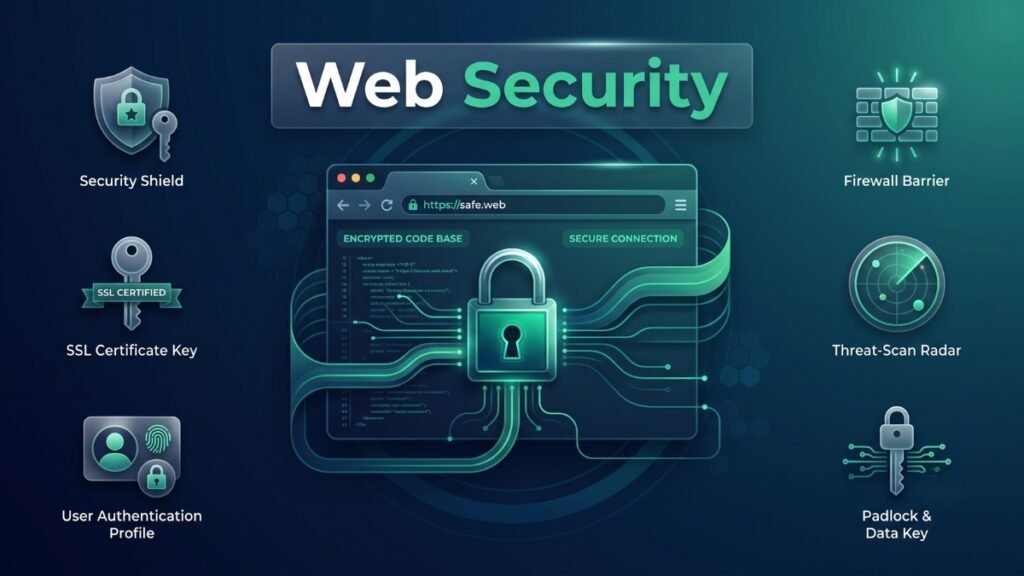
A single unpatched plugin, one weak password, or a misconfigured server setting can bring an entire business to a standstill within hours. Data gets stolen, customer trust evaporates, and recovery costs stretch into months of remediation work and reputational damage. This is precisely why web security has moved from a specialist concern buried inside IT departments to a boardroom-level priority that touches nearly every business decision made online.
This guide provides a thorough web security introduction for readers who want a genuine, working understanding of the subject rather than a shallow overview scattered with jargon. It covers the core web security concepts every website owner, developer, and business leader should know, explains why web security is important in practical rather than abstract terms, and walks through the tools and practices that separate resilient websites from vulnerable ones in 2026.
What Is Web Security? A Clear Definition
Web security refers to the practices, technologies, and protocols used to protect websites, web applications, and the data flowing through them from unauthorized access, theft, and disruption. That is the most direct web security definition available, and it applies whether the site in question is a small personal blog or a global banking platform processing millions of transactions daily. The web security meaning extends across several layers simultaneously, covering the server hosting the site, the code running the application, the connections between users and the site, and the databases storing sensitive information behind the scenes.
Anyone asking what is web security in plain terms should understand it as the ongoing discipline of anticipating how an attacker might try to break into, manipulate, or disrupt a website, then closing those potential entry points before they get exploited. It is not a single tool or a one-time setup task. Rather, it functions as a continuous process that spans how software gets written, how servers get configured, how user data gets stored, and how quickly a team can detect and respond when something goes wrong.
Web security sits as a specialized subset within the broader discipline of network security, though the two overlap considerably and get confused often. Web security in network security terms specifically addresses the applications, protocols, and data exchanges that happen at the web layer, such as HTTP traffic, browser sessions, and application logic, whereas network security more broadly covers the infrastructure connecting devices, servers, and systems together, including firewalls, routers, and internal network segmentation. A website can sit behind a well-secured network and still suffer a breach if its application code contains exploitable flaws, which is exactly why web security deserves its own dedicated attention rather than being treated as automatically covered by general network protections.
Why Web Security Is Important: The Real-World Stakes
Understanding web security importance requires looking past abstract statistics and toward what actually happens when a website gets compromised. A breached e-commerce site does not just lose data; it loses customer trust that can take years to rebuild, faces potential legal liability under data protection regulations, and often absorbs direct financial losses through fraud, extortion, or halted operations while systems get restored. Small businesses frequently assume attackers only target large corporations, but automated scanning tools used by malicious actors search the entire internet indiscriminately, meaning a small local business website faces genuine risk right alongside enterprise platforms.
Why web security is important becomes even clearer when considering how interconnected modern websites have become. A single website rarely operates in isolation anymore; it typically connects to payment processors, third-party APIs, cloud storage services, and numerous software dependencies pulled from external package repositories. Each of these connections represents a potential point of failure, and a vulnerability in any single component can cascade into a much larger compromise affecting the entire system. This interconnected reality is precisely why supply chain security has become such an urgent focus within the security community recently, since a single compromised dependency can silently affect thousands of websites relying on it.
Regulatory and financial pressure has intensified the stakes considerably as well. Data protection laws around the world now impose significant financial penalties on organizations that fail to adequately protect user data, and the average cost of a data breach continues climbing year over year according to major industry breach reports. Beyond direct fines, businesses face costs from forensic investigation, customer notification requirements, credit monitoring services offered to affected users, and the less quantifiable but often more damaging cost of lost customer confidence following a public breach disclosure.
Search engines and browsers themselves have also raised the stakes for neglecting web security. Sites without proper encryption get flagged directly in the browser address bar as not secure, and search engines factor security signals into ranking decisions, meaning poor web security practices can directly suppress a website’s visibility and traffic even before any actual attack occurs. Taken together, these factors explain why web security has shifted from an optional technical nicety to an essential, non-negotiable business function.
Core Web Security Concepts Every Beginner Should Understand
Grasping web security basics starts with a handful of foundational concepts that recur throughout nearly every security discussion. Confidentiality, integrity, and availability, often referred to together as the CIA triad, form the conceptual backbone of the entire field. Confidentiality means ensuring sensitive data stays visible only to authorized parties, integrity means ensuring data remains accurate and unaltered by unauthorized parties, and availability means ensuring systems and data remain accessible to legitimate users when needed. Nearly every security measure discussed in this guide ultimately serves one or more of these three goals.
Authentication and authorization represent another pair of concepts that beginners frequently conflate despite meaning different things. Authentication verifies that a user is who they claim to be, typically through a password, a passkey, or multi-factor verification. Authorization determines what an already-authenticated user is actually permitted to do once inside a system. A flaw in authorization, where a properly logged-in user can access data or perform actions beyond their intended permissions, has consistently ranked as one of the most common and damaging categories of web application vulnerability in recent years.
Encryption forms another essential concept, referring to the process of converting readable data into a scrambled format that only authorized parties holding the correct decryption key can read. Encryption protects data both in transit, meaning while it travels between a user’s browser and a server, and at rest, meaning while it sits stored in a database. The padlock icon visible in a browser’s address bar signals that a connection uses HTTPS, the encrypted version of the standard web protocol, protecting data as it moves across the internet from being intercepted and read by anyone positioned between the user and the server.
The principle of least privilege rounds out the essential concepts beginners should internalize early. This principle states that every user, application, and system component should have access only to the exact resources needed to perform its function, nothing more. Applying this principle consistently limits the potential damage from any single compromised account or component, since an attacker who gains access to one narrowly scoped account cannot automatically pivot into controlling an entire system.
| Concept | What It Means | Why It Matters |
|---|---|---|
| Confidentiality | Data stays visible only to authorized parties | Prevents data theft and privacy violations |
| Integrity | Data remains accurate and untampered | Prevents fraud and data manipulation |
| Availability | Systems stay accessible to legitimate users | Prevents service disruption and downtime |
| Authentication | Verifying who a user actually is | Blocks unauthorized login attempts |
| Authorization | Controlling what a verified user can do | Prevents privilege escalation and data exposure |
| Encryption | Scrambling data so only authorized parties can read it | Protects data in transit and at rest |
| Least Privilege | Granting only the minimum access necessary | Limits damage from any single compromised account |
Web Security Fundamentals: How Attacks Actually Happen
Understanding web security fundamentals requires looking at how attacks typically unfold in practice rather than treating threats as abstract categories. Many attacks begin with reconnaissance, where an attacker scans a website looking for outdated software versions, exposed configuration files, or predictable patterns in how the application handles input. Automated tools make this scanning process remarkably fast, meaning a vulnerable website can get discovered within hours of a flaw becoming publicly known, long before a busy development team gets around to applying a patch.
Injection attacks represent one of the longest-running and still highly relevant categories of web threat, occurring when an attacker manages to insert malicious code or commands into a field the application expected to contain harmless user input, such as a search box or login form. If an application fails to properly separate user input from the commands it executes, that malicious input can manipulate a database, extract sensitive records, or in severe cases take over the underlying server entirely. While classic SQL injection remains a real threat, modern applications increasingly face injection attempts targeting NoSQL databases, internal APIs, and other newer data-handling layers that didn’t exist when injection attacks were first studied decades ago.
Cross-site scripting, often abbreviated XSS, involves an attacker injecting malicious script code into a webpage that then executes inside the browser of anyone who visits that page. This can allow an attacker to steal session information, redirect users to fraudulent pages, or manipulate what a victim sees without ever needing direct access to the underlying server. Cross-site request forgery works differently, tricking an already logged-in user’s browser into unknowingly submitting a request the user never intended, exploiting the trust a website places in requests coming from an authenticated session.
Broken access control has consistently ranked as the single most prevalent and serious web application vulnerability category in recent years, appearing in a striking percentage of applications tested by security researchers. This occurs whenever an application fails to properly enforce what a specific user is allowed to see or do, allowing someone to access another person’s account data, modify records they shouldn’t be able to touch, or reach administrative functions never intended for their access level. Server-side request forgery, where an attacker tricks a server into making unauthorized requests on its behalf, has increasingly been understood as fundamentally a form of access control failure, which is why recent security frameworks now group it alongside broken access control rather than treating it as an entirely separate category.
Web Security Principles and Best Practices for 2026
Turning conceptual understanding into practical protection requires following a consistent set of web security principles rather than treating security as a single checklist item to complete once. Defense in depth stands as perhaps the most important overarching principle, meaning security should never rely on a single protective layer. Instead, multiple overlapping defenses, such as a firewall, input validation, encryption, and monitoring, should work together so that if one layer fails, others remain in place to limit the damage.
Keeping software updated represents one of the simplest yet most consistently neglected security practices. A significant share of real-world breaches trace back to known vulnerabilities in outdated software that already had an available patch, meaning the breach was genuinely preventable had the update simply been applied promptly. This applies not just to the core application itself but to every plugin, library, and third-party dependency the application relies on, since supply chain vulnerabilities within these dependencies have surged as a major attack category recently.
Validating and sanitizing all user input remains a foundational defensive practice against injection attacks and cross-site scripting alike. Every piece of data a user submits, whether through a form field, a URL parameter, or an uploaded file, should be treated as potentially malicious until properly checked and cleaned. Combining this with strict server-side authorization checks, rather than relying solely on hiding buttons or links in the user interface, closes the access control gaps that remain the most commonly exploited weakness across web applications today.
Multi-factor authentication has moved from a recommended best practice to something close to an absolute necessity, particularly as passkey adoption accelerates and password-only authentication increasingly looks outdated by comparison. Passkeys, which replace traditional passwords with cryptographic credentials tied to a user’s device, have crossed several hundred million active accounts across major platforms, though full passwordless adoption still remains a minority practice overall. Encouraging or requiring stronger authentication methods meaningfully reduces the risk posed by credential theft, phishing, and password reuse across multiple accounts.
Logging and monitoring round out the essential principles, since a security incident that goes undetected for weeks or months causes dramatically more damage than one caught and contained within hours. Proper logging and alerting failures have become significant enough to earn their own dedicated category within modern application security frameworks, reflecting how often organizations discover a breach only long after the actual damage occurred, sometimes through a third party rather than their own monitoring systems.
The OWASP Top 10: A Practical Framework for Web Security
Any serious web security overview needs to reference the OWASP Top 10, the most widely recognized and cited framework for understanding critical web application risks. Maintained by the Open Worldwide Application Security Project, a nonprofit organization, this list gets revised periodically based on contributed vulnerability data, real-world attack trends, and community input from security professionals worldwide. The most recent edition introduced meaningful changes worth understanding, since it reflects how the actual threat landscape has shifted in response to cloud architectures, expanded API usage, and increasingly complex software supply chains.
Broken Access Control remains at the top position, now explicitly absorbing server-side request forgery as part of its expanded scope, reflecting how thoroughly access control failures dominate real-world breach data. Security Misconfiguration climbed significantly, now sitting in second position, reflecting how the growing complexity of modern cloud services, containers, and infrastructure has made insecure default settings and unnecessary exposed services a persistent and worsening problem. Software Supply Chain Failures debuted as an entirely new category, expanding on the previous focus on outdated components to cover the full ecosystem of dependencies, build systems, and distribution infrastructure that modern applications rely on.
Cryptographic Failures, Injection, and Insecure Design continue holding significant positions within the list, each representing a distinct but persistent category of risk that development teams must account for during both design and implementation phases. Authentication Failures and Software or Data Integrity Failures round out the middle of the list, while Security Logging and Alerting Failures highlights how often organizations lack the visibility needed to detect an ongoing attack in real time. Mishandling of Exceptional Conditions rounds out the list as another new addition, covering how uncaught exceptions, unhandled edge cases, and race conditions can create exploitable weaknesses that traditional testing often misses.
| Rank | Category | What It Covers |
|---|---|---|
| A01 | Broken Access Control | Users reaching data or functions beyond their permissions |
| A02 | Security Misconfiguration | Insecure default settings across servers, frameworks, and cloud services |
| A03 | Software Supply Chain Failures | Compromised dependencies, build systems, and distribution infrastructure |
| A04 | Cryptographic Failures | Weak or missing encryption protecting sensitive data |
| A05 | Injection | Malicious code or commands inserted through user input fields |
| A06 | Insecure Design | Missing security considerations built into the application architecture |
| A07 | Authentication Failures | Weak login protections allowing credential-based attacks |
| A08 | Software or Data Integrity Failures | Tampering with code, updates, or stored data |
| A09 | Security Logging and Alerting Failures | Inadequate detection and response to ongoing incidents |
| A10 | Mishandling of Exceptional Conditions | Uncaught errors and race conditions creating exploitable gaps |
Referencing this framework consistently, whether during application design, code review, or security testing, gives development teams and non-technical stakeholders alike a shared vocabulary for discussing risk. Rather than treating security as an intimidating, undefined category of concern, the OWASP Top 10 breaks the challenge down into specific, addressable categories that teams can systematically work through.
How AI Has Changed Web Security in 2026
Artificial intelligence has reshaped web security from both the offensive and defensive sides of the equation this year. Attackers increasingly use AI tools to automate reconnaissance, generate convincing phishing content, and probe applications for weaknesses at a scale and speed that manual attack methods never allowed. Industry surveys suggest a majority of organizations feel they cannot fully keep pace with the volume and sophistication of AI-assisted attacks currently, which has pushed defensive AI adoption from an experimental capability into an operational necessity for many security teams.
On the defensive side, AI-powered scanning tools can now detect a substantial share of common vulnerability categories automatically, dramatically speeding up the process of finding weaknesses before attackers do. That said, automated scanning still cannot catch everything; logic flaws, meaning vulnerabilities that stem from flawed business logic rather than a technical coding mistake, generally require manual expert review, since no automated tool can fully understand the intended business rules a specific application should enforce.
The rise of AI-generated code within development workflows has introduced a subtler security consideration worth understanding. Code generated quickly through AI assistance can inadvertently introduce vulnerabilities if a developer accepts suggestions without properly reviewing the underlying logic, particularly around input validation and access control checks that AI tools do not always implement correctly by default. This reality reinforces why human review remains essential even as AI tools accelerate development speed, since faster code production without corresponding security diligence simply shifts risk further down the pipeline rather than eliminating it.
Essential Tools for Strengthening Web Security
Even a well-informed understanding of web security concepts requires practical tools to actually implement protective measures. The following tools represent some of the most widely used and currently relevant options for individuals and businesses looking to strengthen their website’s defenses in 2026.
1. Cloudflare
Cloudflare provides a comprehensive platform combining a content delivery network, distributed denial-of-service protection, and a web application firewall, all accessible starting with a genuinely capable free tier. Its free plan already includes basic DDoS protection and SSL encryption, while the Pro plan, priced around twenty dollars per month, unlocks a full web application firewall along with additional performance and security features. Cloudflare has become a common starting point for website owners of nearly any size due to its balance of strong protection and accessible pricing, scaling up toward enterprise-grade Zero Trust features for larger organizations with more complex needs.
2. Sucuri
Sucuri specializes particularly in malware detection and cleanup, making it a strong choice for website owners dealing with an already compromised site rather than purely preventative protection. Pricing typically starts around ten dollars per month for a single website, scaling up based on the number of sites and depth of monitoring required. Its combination of a web application firewall, continuous malware scanning, and hands-on cleanup support from its security team makes it particularly well suited to WordPress site owners who want dedicated human assistance rather than a purely self-service platform.
3. SiteLock
SiteLock offers a bundled security suite covering daily malware scanning, automatic vulnerability patching, and a web application firewall, generally starting around thirty dollars per month billed annually. It appeals to small business owners wanting an all-in-one solution without needing to configure multiple separate tools, though some users find its interface less intuitive compared to competitors, and it is worth comparing directly against alternatives before committing to a longer-term plan.
4. Qualys
Qualys provides enterprise-grade vulnerability management and continuous security scanning, helping larger organizations identify weaknesses across web applications, cloud infrastructure, and internal networks from a single unified platform. Pricing operates on a custom, quote-based model suited to organizations with dedicated security teams and compliance requirements, making it less relevant for a solo website owner but highly valuable for businesses managing complex, multi-application environments.
5. Bitwarden
Bitwarden offers a password manager built around strong encryption, helping individuals and teams generate, store, and share strong, unique credentials rather than reusing weak passwords across multiple accounts. Its free tier covers essential password management comfortably, while paid plans starting around a few dollars monthly add features like encrypted file storage and advanced two-factor authentication options. Given how frequently credential theft and password reuse contribute to real-world breaches, a password manager like Bitwarden serves as one of the most cost-effective security investments available to individuals and small teams alike.
Web Security Tool Comparison at a Glance
| Tool | Best For | Starting Price (2026) | Free Option |
|---|---|---|---|
| Cloudflare | CDN, DDoS protection, and web application firewall | Free, Pro from ~$20/month | Yes, robust free tier |
| Sucuri | Malware cleanup and ongoing monitoring | ~$10–70/month per site | Limited scanner only |
| SiteLock | All-in-one small business security suite | ~$30/month | No |
| Qualys | Enterprise vulnerability management | Custom quote-based pricing | No |
| Bitwarden | Password management and credential security | Free, paid from a few dollars/month | Yes, fully free |
Building a Practical Web Security Checklist
Translating everything covered so far into an actionable starting point helps beginners avoid feeling overwhelmed by the scope of the topic. Enabling HTTPS encryption across an entire website, rather than just login or checkout pages, should sit at the very top of any practical checklist, since modern browsers increasingly flag unencrypted pages as insecure regardless of what content they contain. Most hosting providers and content delivery networks now offer free, automated SSL certificate provisioning, removing any reasonable excuse for running an unencrypted site in 2026.
Enforcing multi-factor authentication across every administrative account, not just customer-facing logins, closes one of the most commonly exploited gaps in real-world breaches. Keeping every piece of software updated, including the core application, plugins, themes, and underlying server operating system, addresses the substantial share of breaches that trace back to known, patchable vulnerabilities left unaddressed for extended periods. Running regular automated vulnerability scans, supplemented periodically by manual security review for logic-based flaws that automated tools miss, catches issues before attackers find them independently.
Implementing proper input validation and output encoding throughout an application’s codebase protects against injection and cross-site scripting attacks at the source, rather than relying purely on external tools to catch malicious traffic after the fact. Establishing regular, tested data backups ensures that even a successful attack does not translate into permanent data loss, since ransomware and destructive attacks specifically target the absence of reliable backup systems. Finally, setting up genuine logging and alerting, rather than collecting logs that nobody actually reviews, ensures that a security incident gets detected and addressed in hours rather than discovered months later through an external party or a public disclosure.
| Checklist Item | Why It Matters |
|---|---|
| Enable HTTPS site-wide | Encrypts data in transit and avoids browser security warnings |
| Enforce multi-factor authentication | Blocks the majority of credential-based attacks |
| Keep all software updated | Closes known, patchable vulnerabilities before they get exploited |
| Run regular vulnerability scans | Surfaces weaknesses before attackers discover them |
| Validate and sanitize all input | Prevents injection and cross-site scripting attacks |
| Maintain tested backups | Prevents permanent data loss from ransomware or destructive attacks |
| Set up active logging and alerting | Enables fast detection and response to real incidents |
Common Web Security Mistakes to Avoid
Many organizations treat web security as a project with a defined end date rather than an ongoing operational responsibility, leading to strong initial protections that gradually decay as software ages, staff turns over, and new features get added without corresponding security review. Assuming a small website or business is too insignificant to attract attacker interest remains one of the most persistent and dangerous misconceptions, since automated scanning tools target vulnerabilities indiscriminately regardless of a site’s size or perceived importance.
Relying entirely on a single security tool, such as a firewall alone, without layering additional defenses creates a false sense of complete protection, since no single tool addresses every category of risk described throughout this guide. Neglecting employee and team training around phishing and social engineering leaves a significant vulnerability in place regardless of how well the technical infrastructure gets secured, since attackers frequently find it easier to trick a person than to break through a properly configured system directly.
Failing to properly vet third-party dependencies, plugins, and integrations before adopting them has become an increasingly costly mistake given how central supply chain risk has become to the current threat landscape. Finally, treating security incident response as something to figure out only after a breach actually happens, rather than establishing a clear plan in advance, dramatically increases both the damage and the recovery time when an incident inevitably occurs, since confusion and delay during the earliest hours of a breach often determine how severe the ultimate impact becomes.
Frequently Asked Questions
What is web security in the simplest possible terms?
Web security is the ongoing practice of protecting websites, applications, and the data flowing through them from unauthorized access, theft, or disruption. A simple web security definition describes it as everything from encrypting data in transit to properly restricting what users can access, all working together to keep a website and its visitors safe.
Why is web security important for small businesses, not just large corporations?
Automated scanning tools used by attackers target vulnerabilities across the entire internet indiscriminately, meaning small business websites face genuine risk regardless of size or visibility. Understanding why web security is important at every scale helps small business owners avoid the costly mistake of assuming they are too small to be worth attacking.
What is the difference between web security and network security?
Web security in network security terms specifically addresses applications, browser sessions, and data exchanges happening at the web layer, while network security covers the broader infrastructure connecting systems together, including firewalls and internal segmentation. Both work together, and a website can still suffer a breach through application flaws even if the surrounding network infrastructure is well protected.
What are the most common web security threats businesses should know about?
Broken access control, security misconfiguration, and software supply chain failures currently rank among the most significant risks according to the latest OWASP Top 10 framework. Injection attacks and cross-site scripting also remain persistent threats, making input validation and proper access controls essential defensive priorities for any website.
Do I need expensive tools to implement basic web security?
No, many essential protections, including Cloudflare’s free tier for encryption and firewall basics, along with free password managers like Bitwarden, cost nothing to start using. A solid web security fundamentals approach can begin with free or low-cost tools before scaling toward paid solutions as a website or business grows in size and complexity.
How often should web security practices be reviewed and updated?
Security should be treated as a continuous, ongoing responsibility rather than a one-time setup task, with software updates, vulnerability scans, and access reviews happening on a regular, scheduled basis. Reviewing web security principles and practices at least quarterly, and immediately after any significant application change, helps ensure protections keep pace with an evolving threat landscape.