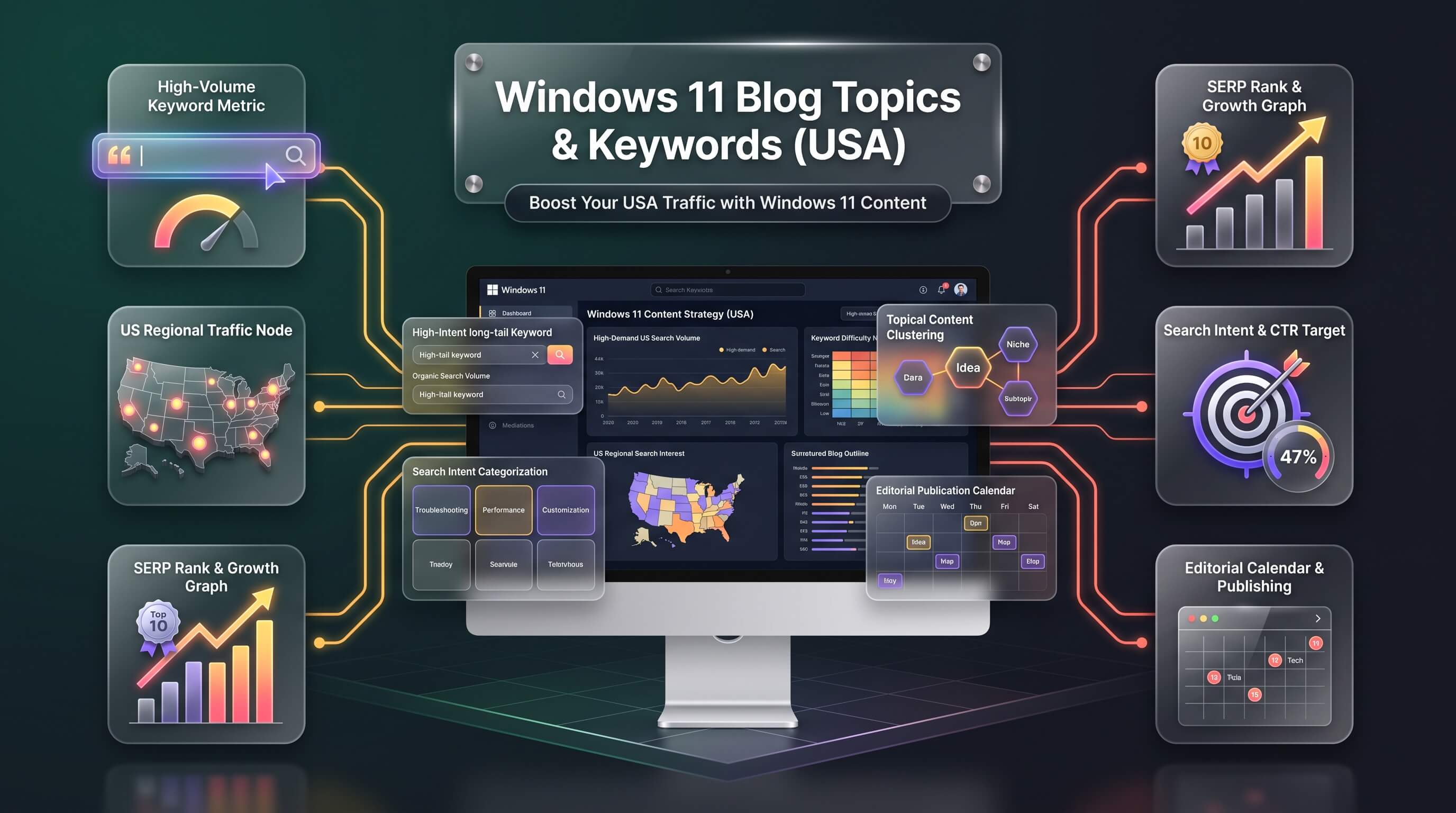
Building a Windows 11 content calendar works far better when it starts from real search demand instead of guesswork. The forty-six topic clusters below are organized around keyword research rather than opinion, covering everything from windows 11 download and windows 11 update through smaller but valuable corners like windows 11 arm and windows 11 copilot. Every entry names the keywords worth targeting, the reader who is actually typing that query, and the angle that satisfies both a human audience and a search algorithm.
This list is built for people who write Windows 11 content — bloggers, tech reviewers, YouTubers, and support-site editors — not as a finished set of articles. Treat each section as a brief: a working title, the keyword cluster behind it, and the content shape that tends to rank. Windows 11 25H2 is the version most PCs are currently running, and version 26H2 is scheduled to arrive as a low-drama enablement update in fall 2026, mainly to extend the support clock rather than add major features. That timing alone creates a wave of fresh search intent worth planning content around now, well before the update lands.
A quick note on approach: some of these topics are best served by long-form SEO guides, others answer a single question cleanly enough to win an AI Overview or a voice-assistant snippet (AEO), and a handful are shaped for generative engine visibility (GEO) — meaning they’re structured with clear definitions, comparison data, and direct answers that large language models can lift and cite. The format suggested for each topic reflects which of those outcomes it’s best suited for.
Quick-Look: The Highest-Opportunity Windows 11 Topics
If time only allows for a handful of posts before touching the full list, these are the topics carrying the largest search volume across the whole keyword set.
| Topic | Primary Keyword | Monthly Volume |
|---|---|---|
| Instagram Visual Content | windows11 | 246,000 |
| Download & Installation | windows 11 download | 165,000 |
| Update Guide (24H2/25H2/26H2) | windows 11 upgrade | 110,000 |
| Amazon: Laptops & Hardware | windows 11 key | 27,100 |
| Home vs Pro Comparison | windows 11 pro | 27,100 |
| Activation & Licensing | windows 11 key | 27,100 |
| Performance Optimization | windows 11 debloat | 12,100 |
| Amazon: Laptops & Hardware | windows 11 laptop | 12,100 |
| Activation & Licensing | windows 11 license | 9,900 |
| Start Menu & Taskbar | windows 11 start menu | 1,900 |
Cluster 1: Installation, Setup, Editions & Licensing
This cluster carries the heaviest search volume in the entire dataset because it covers the moment a reader is actually trying to get Windows 11 running. These topics convert well for affiliate links, software bundles, and product-key resellers, so they’re worth prioritizing early in a content calendar.
1. Windows 11 Download & Installation
This is the single biggest keyword opportunity on the list, anchored by windows 11 download at 165,000 monthly searches. A strong post walks through the Media Creation Tool, the Installation Assistant, and a manual windows 11 iso download, then breaks out separate short sections for windows 11 usb installer creation, windows 11 clean install versus windows 11 fresh install, and what to do when the windows 11 installation has failed midway through setup. Screenshots and a numbered checklist help this rank for both classic search and AI answer boxes.
2. Windows 11 System Requirements & Compatibility
Readers land here anxious about whether their PC qualifies, so lead with a direct answer before the explanation. Cover windows 11 system requirements, windows 11 tpm 2.0, windows 11 secure boot, and the windows 11 pc health check app, then list compatible processor generations. A short table naming minimum RAM, storage, and firmware requirements next to what most modern laptops already ship with turns this into a snippet-friendly reference page.
3. Windows 11 Home vs Pro
windows 11 home vs pro is a classic buyer’s-decision query, and it pairs naturally with windows 11 pro vs home for gaming and windows 11 home to pro upgrade. Structure this as a side-by-side comparison of BitLocker, Remote Desktop host access, Hyper-V, and group policy support, since those are the features that actually separate the editions rather than anything cosmetic.
4. Windows 11 Activation & Licensing
windows 11 key, windows 11 product key, and windows 11 digital license all point to the same underlying confusion: how activation actually works. Explain the difference between an OEM key, a retail key, and a digital entitlement tied to a Microsoft account, and address windows 11 activation free searches honestly by pointing to legitimate free trial and edition-upgrade paths rather than piracy.
5. Windows 11 Feature Updates: 24H2, 25H2 & 26H2
windows 11 26h2 currently carries an unusually high CPC, signaling strong commercial and informational intent as the fall 2026 rollout approaches. Since 26H2 ships as a small enablement package built on the same platform as 25H2, the honest angle is a support-lifecycle explainer: what changes, why the update matters even without flashy new features, and how it compares to windows 11 24h2 and windows 11 25h2 support end dates.
16. Installing Windows 11 Without a Microsoft Account
windows 11 without microsoft account and windows 11 bypassnro are two of the most persistent workaround searches in the whole dataset. A clean, numbered walkthrough of the local-account setup path — including the command-prompt bypass and what changes if there’s no internet connection during OOBE — earns strong retention because readers are following along step by step as they read.
17. Windows 11 on Unsupported Hardware
windows 11 on unsupported cpu and windows 11 bypass requirements searches come from owners of otherwise capable machines blocked by the TPM or CPU allowlist. Be upfront about the trade-offs — no official updates guarantee, potential future blocks — before walking through the registry and installation-media workarounds for windows 11 without tpm and windows 11 without secure boot.
18. Booting Windows 11 from USB & BIOS Setup
windows 11 how to enter bios pulls solid volume on its own, so pair it with windows 11 boot from usb and windows 11 boot menu in one practical guide. Because BIOS keys differ by manufacturer, a comparison table listing the entry key for Dell, HP, Lenovo, and Asus makes this page genuinely more useful than most competing results.
19. Windows 11 Virtualization & Emulation
windows 11 virtual machine, windows 11 hyper-v, and windows 11 wsl2 sit alongside high-CPC terms like windows 11 emulator, making this a good candidate for a developer-focused audience. Cover enabling virtualization in BIOS, setting up Hyper-V versus VirtualBox, and running Android apps through an emulator layer.
20. Windows 11 LTSC & Enterprise Editions
windows 11 ltsc and windows 11 iot carry surprisingly high CPC values, reflecting a business and IT-admin audience rather than home users. Explain what Long-Term Servicing Channel actually removes — Copilot, most Store apps, seasonal feature drops — and when that trade-off makes sense compared with windows 11 enterprise or windows 11 education.
26. Windows 11 on ARM
windows 11 arm and windows 11 arm64 searches come mostly from Snapdragon and Copilot+ PC shoppers weighing battery life against app compatibility. Cover which everyday programs still need emulation, how windows 11 arm64 apps performance compares to native x64 software, and where to get the correct windows 11 arm iso for that hardware.
27. Windows 11 Custom & Lightweight Builds
windows 11 debloated and windows 11 lite both post strong CPC, appealing to readers who want a leaner install without the preinstalled extras. Cover the reasoning behind community projects like Ghost Spectre and Tiny11, alongside a clear warning about the security and update risks of running a modified image rather than official Microsoft media.
| Topic | Primary Keyword | Volume |
|---|---|---|
| Download & Installation | windows 11 download | 165,000 |
| System Requirements | windows 11 requirements | 14,800 |
| Home vs Pro | windows 11 pro | 27,100 |
| Activation & Licensing | windows 11 key | 27,100 |
| Update Guide 24H2/25H2/26H2 | windows 11 update | 27,100 |
| Without Microsoft Account | windows 11 without microsoft account | 1,000 |
| Unsupported Hardware | windows 11 on unsupported hardware | 590 |
| Boot from USB & BIOS | windows 11 how to enter bios | 4,400 |
| Virtualization & Emulation | windows 11 virtual machine | 1,600 |
| LTSC & Enterprise | windows 11 ltsc | 4,400 |
| On ARM | windows 11 arm | 1,300 |
| Custom & Lightweight Builds | windows 11 debloated | 8,100 |
Cluster 2: Fixing Boot, Crash & Recovery Issues
These are high-intent, low-competition rescue searches. Readers arrive mid-emergency, so the winning format is short, numbered fixes rather than long narrative explanations.
6. Windows 11 Installation Errors & Fixes
windows 11 installation has failed is the anchor term here, backed by specific error-code searches like windows 11 error 0xc1900101 and windows 11 setup stuck at 46. A running list format — error code, likely cause, fix — outperforms a single narrative walkthrough because readers scan straight to their exact code.
7. Windows 11 Safe Mode & Recovery
windows 11 safe mode pulls 6,600 monthly searches, often from readers whose PC won’t boot normally. Cover every entry path — windows 11 safe mode from bios, from the sign-in screen, and from a windows 11 recovery usb — since the correct method depends entirely on how badly the system is stuck.
10. Windows 11 Troubleshooting & Common Problems
windows 11 troubleshooting carries the highest CPC in this cluster, and it works well as a hub page linking out to error-specific guides for windows 11 blue screen, windows 11 critical process died, and windows 11 system service exception. Treat it as the pillar page that the narrower crash-fix posts link back to.
39. Windows 11 Memory & RAM Management
windows 11 high memory usage and windows 11 memory integrity both reflect readers troubleshooting a sluggish system rather than a crashed one. Walk through Task Manager diagnosis, the Memory Diagnostic tool, and when disabling memory integrity actually helps performance versus when it just removes a security layer.
Cluster 3: Hardware & Peripheral Troubleshooting
Device-specific fix posts tend to have lower search volume individually but convert into repeat readers, since anyone troubleshooting one peripheral issue is likely to hit another eventually.
11. Windows 11 Wi-Fi & Networking Issues
windows 11 wifi not working posts the highest CPC in this group at over $12, making it worth featured-snippet targeting. Cover windows 11 no wifi option, windows 11 wifi driver reinstalls, and the network-reset command sequence as separate, clearly labeled fixes.
21. Windows 11 Audio & Sound Issues
windows 11 no sound and windows 11 microphone not working are both close to 500 monthly searches and pair naturally with driver-specific terms like windows 11 realtek audio driver. Include separate sections for playback issues, microphone detection, and Bluetooth audio pairing, since each has a different fix path.
22. Windows 11 Bluetooth Issues
windows 11 bluetooth driver and windows 11 bluetooth not working lead this cluster. Address the specific case of windows 11 bluetooth toggle missing separately, since it usually points to a disabled service rather than a hardware fault, which is a distinct fix from a standard driver reinstall.
23. Windows 11 Display & Monitor Issues
windows 11 screen flickering and windows 11 second monitor not detected are the strongest terms here. A multi-monitor setup guide that also covers windows 11 refresh rate and windows 11 hdr settings turns this into a broader reference rather than a single-symptom fix.
24. Windows 11 Storage & Disk Management
windows 11 disk cleanup and windows 11 disk management anchor this topic, with windows 11 storage sense as a strong secondary angle since most readers don’t know it exists. Cover partitioning, formatting an external drive, and mapping a network drive as distinct sub-sections.
35. Windows 11 Drivers & Updates
windows 11 bluetooth driver and windows 11 wifi driver already appear in device-specific posts, so position this as the general reference: how Windows Update handles drivers automatically, when to go to the manufacturer instead, and how to roll back a driver update that broke something, covering windows 11 driver update and windows 11 driver issues.
36. Windows 11 Printer Issues
windows 11 printer driver and windows 11 clear print queue are the standout terms. Cover windows 11 printer offline and windows 11 print spooler resets as the two fixes that resolve the large majority of printing complaints.
Cluster 4: Performance, Customization & Productivity
This cluster tends to have the longest average time on page, since readers are exploring rather than fixing an emergency, which makes it a strong fit for embedded video and step-by-step screenshots.
8. Windows 11 Performance Optimization
windows 11 debloat and windows 11 debloater together pull over 20,000 monthly searches, making this one of the strongest topics on the list. Balance the debloating angle with safer, official tweaks — disabling startup programs, adjusting visual effects, running disk cleanup — since not every reader wants a third-party script.
9. Windows 11 Customization & Personalization
windows 11 wallpaper alone brings in 5,400 searches, and windows 11 move taskbar to left is a surprisingly specific, high-intent query. Group this by area — desktop, taskbar, start menu, widgets — so each customization type gets its own scannable section.
12. Windows 11 Keyboard Shortcuts & Productivity
windows 11 screenshot at 5,400 searches is the biggest term here, closely tied to windows 11 snipping tool and windows 11 screenshot shortcut key. A downloadable or printable shortcut cheat sheet, referencing windows 11 keyboard shortcuts pdf, adds genuine utility beyond a plain list.
13. Windows 11 Gaming Performance & Features
windows 11 gaming pc and windows 11 optimize for gaming lead this cluster. Cover Game Mode, the Xbox Game Bar, and the specific settings that actually move frame rates, rather than repeating generic performance tips already covered under the optimization topic.
25. Windows 11 for Seniors & Beginners
windows 11 for dummies posts 720 searches with an approachable, low-jargon audience behind it. Keep sentences short, avoid assuming prior Windows knowledge, and use large, clearly labeled screenshots — this topic rewards plain writing more than any other on the list.
30. Windows 11 Power & Battery Settings
windows 11 hibernate vs sleep is the standout term at 1,600 searches, well above the more generic windows 11 power settings. Explain fast startup, battery saver thresholds, and how to read a windows 11 battery report to catch a failing battery early.
32. Windows 11 File Explorer Tips
windows 11 file explorer not responding is the practical, fix-oriented half of this topic, while windows 11 file explorer tabs and context-menu customization cover the productivity half. Splitting the post into “fixes” and “tips” sections serves both search intents in one page.
33. Windows 11 Start Menu & Taskbar
windows 11 start menu at 1,900 searches and windows 11 taskbar left at 1,600 make this one of the more reliable mid-volume topics. Cover windows 11 start menu not working as a troubleshooting section distinct from the customization advice, since those two intents shouldn’t be mixed in the same paragraphs.
38. Windows 11 Theme & Visual Customization
windows 11 themes leads at 2,400 searches, with windows 11 cursor posting a notably high CPC for a niche term. Cover accent colors, transparency effects, custom cursors, and where to safely download theme packs without bundled adware.
Cluster 5: Comparisons, Security & Modern AI Features
This smaller cluster covers decision-stage and forward-looking content — the posts that help a reader decide whether to upgrade, how exposed their system is, and what Microsoft is building next.
14. Windows 11 vs Windows 10
windows 11 vs windows 10 and windows 11 versus windows 10 together represent nearly 5,000 monthly searches from readers still deciding whether to upgrade. A side-by-side comparison table covering performance, support timelines, and hardware requirements answers the question faster than a narrative format and is well suited to an AI-generated summary box.
15. Windows 11 Privacy & Security Settings
windows 11 security carries a nearly $10 CPC, reflecting strong interest from a security-software audience. Cover windows 11 bitlocker, windows 11 core isolation, and windows 11 disable telemetry as separate, actionable sections rather than folding them into one general privacy overview.
41. Windows 11 Copilot & AI Features
windows 11 copilot at 590 searches is still growing, and windows 11 disable copilot already outpaces it at 2,400 — a clear signal that plenty of readers want to turn the feature off, not learn to use it. Cover both audiences: what Copilot actually does today, and the registry or Group Policy steps to disable it.
42. Windows 11 Insider Program
Volume is modest across windows 11 insider and windows 11 insider preview, but this audience is highly engaged and quick to comment and share. Explain the Dev, Beta, Release Preview, and Canary channels clearly, since confusing them is the most common mistake new Insiders make.
Cluster 6: Data, Accounts & Remote Work
These topics serve a more practical, workplace-adjacent reader — someone setting up a new PC, protecting files, or accessing a machine remotely.
28. Windows 11 Backup & Restore
windows 11 backup posts a strong $8.61 CPC, and windows 11 backup to external drive adds another 1,000 searches on top of it. Cover File History, a full system image backup, and cloud options side by side so readers can pick the method that matches how much they’re trying to protect.
29. Windows 11 Remote Desktop & Access
windows 11 remote desktop leads at 880 searches with a $4.26 CPC, appealing to both remote workers and IT support readers. Walk through enabling RDP, the edition limitation that Home users hit immediately, and secure setup for windows 11 remote desktop from outside network.
31. Windows 11 Apps & Software
windows 11 software at 880 searches and windows 11 apps at 390 cover a broad new-PC-setup audience. A curated “essential software” list combined with a short section on windows 11 default apps and windows 11 app permissions gives this page more staying power than a generic app roundup.
34. Windows 11 Search Issues
windows 11 search bar not working is the dominant term at 1,900 searches, well ahead of every related query in this topic. Focus most of the content on rebuilding the search index and restarting the Search service, since that resolves the majority of reported cases.
37. Windows 11 User Accounts & Profiles
windows 11 local account and windows 11 change user name are the two strongest terms here. Cover switching between a Microsoft account and a local one, adding a second user, and windows 11 password reset as distinct, clearly labeled procedures.
40. Windows 11 OneDrive Integration
windows 11 disable onedrive is by far the largest term in this topic at 1,900 searches, well above windows 11 onedrive itself — a clear sign most readers arriving here want it gone, not explained. Lead with the removal steps, then cover sync troubleshooting and Files On-Demand for the smaller audience that wants to keep it.
Cluster 7: Platform-Specific Content Angles
The same subject matter performs differently depending on where it’s published. These four entries repackage the topics above for the platforms where format matters as much as the keyword.
43. YouTube: Windows 11 Tutorials
windows 11 tutorial and windows 11 tips and tricks work best as a video series rather than a single long upload — break the installation, debloating, and customization topics above into individual 5 to 10 minute videos, each targeting one keyword cluster so the titles stay specific rather than generic.
44. TikTok: Windows 11 Tips & Viral Content
windows 11 hacks and windows 11 hidden features suit a fast, single-tip format — one shortcut, one setting, one visual trick per clip. windows 11 debloat and windows 11 wallpaper both translate well here since the payoff is visible on screen within the first few seconds.
45. Instagram: Windows 11 Visual Content
The hashtag windows11 alone reaches 246,000 in monthly volume, making it the single largest keyword in this entire dataset. Carousel posts pairing a wallpaper or theme with a short caption covering windows11customization and windows11aesthetic tend to outperform single-image posts on this platform.
46. Amazon: Windows 11 Laptops, PCs & Accessories
windows 11 laptop at 12,100 searches and windows 11 key at 27,100 both carry genuine commercial intent, making this the strongest topic for affiliate-style buyer’s guides. Segment by use case — windows 11 gaming laptop, windows 11 mini pc, windows 11 tablet — rather than publishing one undifferentiated “best laptops” list.
| Platform | Keyword Coverage |
|---|---|
| 500+ keywords | |
| Bing | 400+ keywords |
| YouTube | 300+ keywords |
| TikTok | 150+ keywords |
| 45+ hashtags | |
| Amazon | 80+ keywords |
How to Prioritize These 46 Windows 11 Topics
Search volume alone is a poor filter — pair it with CPC and competition before scheduling a post.
- High volume, low CPC (windows 11 download, windows 11 update) signals informational intent — write for depth and featured-snippet capture rather than monetization.
- Lower volume, high CPC (windows 11 wifi not working, windows 11 security, windows 11 troubleshooting) usually means less competition and a reader ready to act — these are efficient wins for newer sites.
- Rescue-intent topics such as installation errors, safe mode, and driver fixes stay evergreen and need only light annual updates once published.
- Version-specific topics like windows 11 26h2 need a refresh scheduled around the fall 2026 rollout window, since search demand for update guides spikes sharply in the weeks after release.
A practical starting order: publish the Download & Installation, System Requirements, and Home vs Pro guides first, since they anchor internal links for almost everything else on this list. Follow with the troubleshooting clusters, which tend to rank faster because competing pages are often outdated. Save the platform-specific adaptations for last, once the underlying long-form content already exists to repurpose.
Frequently Asked Questions
How do I decide which of these 46 Windows 11 topics to write first?
Start with topics that combine high search volume with a clear reader intent, such as windows 11 download, windows 11 requirements, and windows 11 home vs pro. These pillar topics generate the most internal linking opportunities for narrower posts published later, and they tend to have the broadest audience across both new and returning site visitors.
Do I need to include every keyword listed under a topic?
No. Each topic’s keyword list represents everything a search term could realistically map to, but a well-written post naturally covers the primary keyword plus a handful of the closest variations. Near-duplicate, near-zero-volume terms can be safely skipped in favor of natural, readable sentences.
How often should Windows 11 content be refreshed to stay ranked?
Version-dependent topics such as the update guide, system requirements, and activation posts should be revisited every time Microsoft ships a feature update, roughly once or twice a year. Troubleshooting and how-to content, like safe mode or printer fixes, stays accurate far longer and usually only needs a light annual check for outdated screenshots or menu names.
What’s the difference between SEO, AEO, and GEO for these topics?
SEO targets traditional search rankings through keyword-rich, well-linked pages. AEO, or answer engine optimization, focuses on structuring content so a single paragraph or table directly answers a question well enough to appear in a voice response or featured snippet. GEO, or generative engine optimization, goes a step further by making content clear and well-sourced enough for AI tools to summarize and cite accurately. Comparison-heavy topics like windows 11 vs windows 10 and requirement checklists tend to perform best across all three.