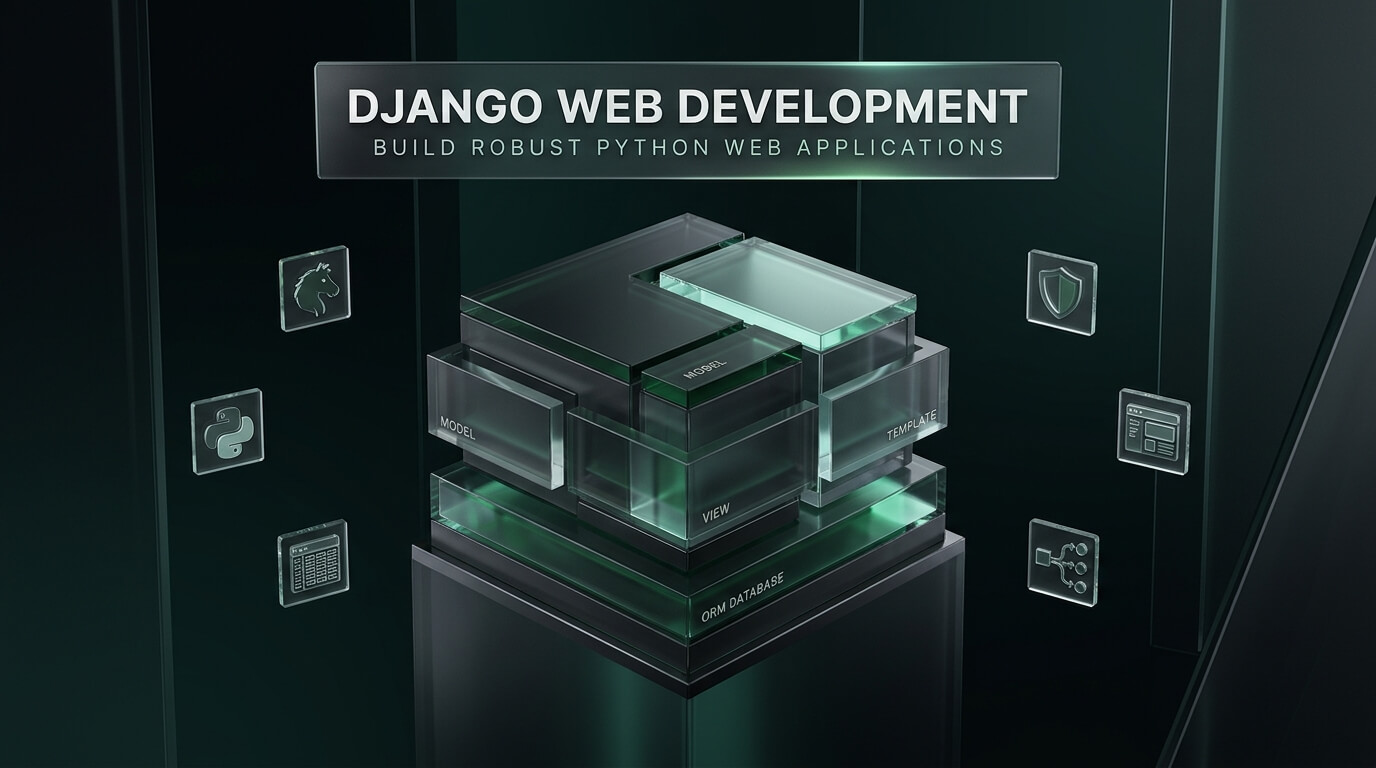
Django stands as the gold standard of high-level Python web frameworks, engineered specifically to help developers build secure, scalable applications in record time. With its batteries-included philosophy, modern django web development eliminates low-level configuration hurdles by supplying an Object-Relational Mapper, authentication system, and auto-generated admin interface out of the box. From rapid startup prototypes to multi-region enterprise platforms, teams trust Django for mission-critical software delivery. This comprehensive guide covers web development django architecture, API design, production deployment, and expert best practices.
Why Engineering Teams Choose Django for Web Development
When selecting a backend framework, engineering leaders evaluate developer velocity, long-term security, and architectural stability. The industry consistently turns to django for web development because it removes the cognitive burden of assembling disparate third-party modules. Everything needed to build an enterprise web application ships directly within the core framework.
Furthermore, web development with django enforces clean design patterns through its Model-View-Template (MVT) architecture. Engineers separate data persistence models from presentation templates and HTTP controller logic. This structured separation of concerns ensures that codebases remain clean, readable, and effortlessly maintainable even as development teams scale into dozens of engineers.
Includes an industry-grade ORM, complete user authentication system, automatic form validation, and admin dashboard immediately.
Provides automatic protections against SQL injection, cross-site scripting (XSS), cross-site request forgery (CSRF), and clickjacking.
Native ASGI support enables developers to handle WebSockets, background tasks, and streaming HTTP responses concurrently.
Adopting web development using django also unlocks Python’s rich ecosystem of artificial intelligence, data science, and analytics libraries. Teams can embed machine learning models directly into backend views without managing fragile inter-service network boundaries.
The Model-View-Template (MVT) Architecture Explained
To write idiomatic code in python django web development, developers must master the Model-View-Template architectural pattern. While similar to traditional Model-View-Controller (MVC) paradigms, Django adapts the terminology to reflect its server-side execution pipeline.
In Django, the Model represents the data layer, encapsulating database schemas, relationships, and validation logic. The View acts as the controller, executing business operations and retrieving model data. The Template serves as the presentation layer, rendering HTML markup using the Django Template Language (DTL).
| MVT Component | Core Responsibility | Typical Implementation File | Architectural Benefit |
|---|---|---|---|
| Model (Data Layer) | Defines database tables, field types, relational constraints, and table indexes. | models.py |
Automates database schema migrations and prevents SQL injection vulnerabilities. |
| View (Controller Layer) | Processes HTTP requests, runs business authorization, and returns HTTP responses. | views.py |
Encapsulates business operations cleanly within class-based or functional views. |
| Template (View Layer) | Renders dynamic HTML by evaluating context variables and template tags. | templates/*.html |
Separates user interface design from underlying Python backend code. |
| URL Dispatcher (Router) | Maps incoming HTTP request paths to corresponding view functions or classes. | urls.py |
Provides clean, REST-compliant URL routing and regex path matching. |
This organized architecture makes onboarding new engineers frictionless. Every developer understands exactly where models, queries, routes, and views reside across the project directory structure.
Selecting a Django Web Development Company or Agency
When organizations need to outsource a complex enterprise web application, partnering with a specialized django web development company ensures project success. Unlike generalist agencies, a dedicated shop possesses deep expertise in database query optimization, Celery task queuing, and multi-tenant SaaS architecture.
Full-service providers deliver end-to-end django web development services covering architecture planning, custom API design, frontend integration, and cloud DevOps infrastructure. They configure automated CI/CD deployment pipelines using Docker and Kubernetes, ensuring seamless staging-to-production workflows.
When reviewing agency code or building views, check database query counts. Careless ORM queries trigger the classic N+1 problem. Always use select_related() for foreign key relationships and prefetch_related() for many-to-many relationships to reduce database round-trips from hundreds to single queries.
Review the agency’s portfolio for high-throughput platforms. Look for implementations utilizing PostgreSQL connection pooling, Redis caching layers, and asynchronous event streaming.
Modern Django Backend Web Development & API Architecture
While traditional Django applications render HTML server-side, modern enterprise stacks increasingly utilize django backend web development patterns. In this decoupled architecture, Django serves as a robust API backend, while modern frontend frameworks like React, Vue, or Next.js handle client rendering.
By pairing Django with Django REST Framework (DRF) or Django Ninja, developers create high-performance RESTful APIs and OpenAPI documentation effortlessly. Django manages authentication, permission scopes, database transactions, and data serialization, allowing frontend teams to build dynamic user interfaces independently.
- Frontend Client Layer: Single Page Application built with Next.js, React, or mobile React Native clients.
- API Gateway & Reverse Proxy: Nginx or Cloudflare distributing incoming SSL requests and static media.
- Application Server: Django running on Gunicorn (WSGI) or Uvicorn (ASGI) inside Docker containers.
- Data Persistence: High-availability PostgreSQL database managed via the Django ORM and Alembic migrations.
- Asynchronous Task Workers: Celery worker nodes backed by Redis for background email and analytics processing.
This decoupled pattern delivers maximum flexibility. Engineering departments can update frontend user interfaces continuously without touching core backend database logic.
Curriculum of a Professional Django Web Development Course
Developers looking to level up their technical capabilities benefit greatly from a structured django web development course. Comprehensive professional programs go far beyond basic CRUD tutorials to teach enterprise system design and production engineering.
Master complex aggregations, window functions, custom querysets, subqueries, and database indexing strategies.
Build secure endpoints with Django REST Framework, JWT authentication tokens, OAuth2, and granular object permissions.
Integrate Django Channels for WebSockets, async views, background tasks, and real-time streaming architectures.
Containerize applications with multi-stage Dockerfiles, configure Gunicorn, set up automated tests, and deploy to AWS.
Graduates from rigorous training programs possess the real-world skills required to lead development initiatives and architect resilient web platforms.
Step-by-Step Django Web Development Tutorial: Building a REST API
To experience the efficiency of the framework, this practical django web development tutorial walks through creating a clean RESTful API endpoint using Django and Django REST Framework.
First, create your virtual environment and install Django and DRF:
django-admin startproject enterprise_core .
python manage.py startapp projects
Next, define the project data model in projects/models.py:
class Project(models.Model):
title = models.CharField(max_length=200)
description = models.TextField()
budget = models.DecimalField(max_digits=10, decimal_places=2)
is_completed = models.BooleanField(default=False)
created_at = models.DateTimeField(auto_now_add=True)
def __str__(self):
return self.title
Create a serializer in projects/serializers.py to convert model instances to JSON:
from .models import Project
class ProjectSerializer(serializers.ModelSerializer):
class Meta:
model = Project
fields = ‘__all__’
Finally, implement the API view in projects/views.py using DRF’s ModelViewSet:
from .models import Project
from .serializers import ProjectSerializer
class ProjectViewSet(viewsets.ModelViewSet):
queryset = Project.objects.all().order_by(‘-created_at’)
serializer_class = ProjectSerializer
With just a few lines of clean code, Django provides complete CRUD API endpoints, input validation, and an interactive browsable web API interface.
Top Django Web Development Tools Reviewed
Building production-ready software requires leveraging mature tools from the Django ecosystem. Here is an in-depth review of the eight leading platforms and packages driving professional Django engineering.
1. Django REST Framework
Django REST Framework (DRF) is the definitive toolkit for building web APIs in Django. It provides robust serialization that supports both ORM models and non-ORM data sources, coupled with flexible authentication policies.
DRF features an interactive browsable web API that allows engineers to test endpoints directly inside browser tabs. Its modular permission classes, pagination utilities, and throttling engines power APIs for world-class technology enterprises.
Key highlights include:
- Powerful serialization pipeline converting complex Python objects into JSON.
- Interactive browsable web API interface accelerating local testing and debugging.
- Comprehensive authentication policies including OAuth2, JWT, and session tokens.
- Extensive filtering, pagination, and rate-limiting modules built in.
2. Wagtail CMS
Wagtail is a leading open-source enterprise content management system built entirely on Django. Engineered with user experience in mind, Wagtail provides content editors with an elegant, streamlined administrative dashboard.
Developers love Wagtail for its StreamField feature, which allows editors to assemble rich page layouts from predefined structured content blocks. Organizations like Google, NASA, and the UK National Health Service trust Wagtail for large-scale digital publishing.
Key highlights include:
- StreamField architecture enabling modular, structured content creation.
- Fast and elegant administrative interface loved by editorial teams.
- Native support for headless deployments via the built-in Wagtail API.
- Deep integration with Elasticsearch for high-performance enterprise search.
3. Django Channels
Django Channels extends Django beyond standard synchronous HTTP to handle asynchronous protocols such as WebSockets, MQTT, and chat bots. It allows Django projects to maintain long-lived bidirectional connections effortlessly.
Channels integrates with the ASGI specification, combining Python’s native asyncio event loop with Django’s proven authentication and session frameworks. It is the framework of choice for live multiplayer games, collaborative documents, and real-time dashboard notifications.
Key highlights include:
- Native support for WebSockets, long-polling, and asynchronous protocols.
- Integration with Django’s existing authentication and session state layers.
- Channel layer abstraction backed by Redis for multi-worker message broadcasting.
- Full compatibility with asynchronous ASGI servers like Daphne and Uvicorn.
4. Celery
Celery is an asynchronous distributed task queue capable of processing millions of background jobs daily. Modern Django applications require Celery to handle slow operations such as sending emails, generating reports, and resizing images without blocking HTTP request cycles.
Celery integrates directly with Django settings via django-celery-results and django-celery-beat. Supported by message brokers like Redis and RabbitMQ, Celery delivers enterprise reliability and fault tolerance.
Key highlights include:
- Asynchronous background execution maintaining lightning-fast web response times.
- Periodic task scheduling with Celery Beat for routine database cleanup jobs.
- Robust error handling with automatic exponential backoff retries.
- Scalable distributed worker architecture deploying across cloud clusters.
5. Gunicorn
Gunicorn (Green Unicorn) is a battle-tested Python WSGI HTTP server designed for UNIX production environments. It uses a pre-fork worker model that distributes incoming network traffic across multiple operating system processes.
Gunicorn handles concurrency efficiently with low resource overhead. It serves as the standard production gateway between reverse proxies like Nginx and Django application workers across enterprise cloud deployments.
Key highlights include:
- Pre-fork worker model maximizing multi-core server CPU utilization.
- Minimal memory footprint and proven stability under extreme traffic surges.
- Flexible worker types supporting sync workers, gevent, and async eventlet.
- Seamless integration with Nginx, Docker, and systemd service managers.
6. Psycopg3
Psycopg3 is the modern, high-performance PostgreSQL database adapter for Python. Written in C and Python, it delivers blazing performance when connecting Django applications to enterprise PostgreSQL databases.
Psycopg3 natively supports asynchronous queries, binary parameters, and client-side connection pooling. Django 4.2+ features native support for Psycopg3, unlocking faster query execution and lower memory overhead.
Key highlights include:
- Native asynchronous database driver support integrated with Python asyncio.
- Built-in connection pooler eliminating the need for third-party pooling libraries.
- Fast binary data transfer reducing network serialization latency.
- First-class support for advanced PostgreSQL types such as JSONB and arrays.
7. Django Allauth
Django Allauth is the comprehensive authentication suite for Django applications. It handles local account registration, password resets, email verification, and social OAuth authentication with dozens of providers out of the box.
Allauth eliminates the security risks of writing custom login flows from scratch. It supports multi-factor authentication (MFA), passkeys, and single sign-on (SSO), making it indispensable for commercial SaaS products.
Key highlights include:
- Turnkey support for social logins including Google, GitHub, Apple, and Microsoft.
- Robust email verification and secure password reset workflows.
- Multi-Factor Authentication (MFA) and modern Passkey WebAuthn support.
- Highly customizable templates and view adapters for custom styling.
8. Django Debug Toolbar
Django Debug Toolbar is an essential development tool that displays configurable debug panels along the side of rendered browser pages. It provides instant visibility into database queries, template execution times, and cache hits.
Engineers use the toolbar to detect SQL bottlenecks, find duplicate queries, and inspect HTTP headers during local development. It is the premier tool for ensuring that code is optimized before deployment to production.
Key highlights include:
- Detailed SQL panel displaying exact queries, execution times, and EXPLAIN plans.
- Cache panel tracking cache hits, misses, and execution latencies.
- Template rendering panel highlighting context variables and include hierarchies.
- Performance timer panel profiling CPU and memory usage per request.
Comprehensive Comparison of Django Tools & Extensions
Selecting the right extensions ensures maximum stability and performance across your architecture. The comparison table below highlights key parameters across all reviewed platforms.
| Tool / Library | Category | Core Strength | Async Support | Target Environment |
|---|---|---|---|---|
| Django REST Framework | API Framework. | Serialization, browsable API, and auth policies. | Async view support in recent releases. | RESTful enterprise APIs and decoupled web apps. |
| Wagtail CMS | Content Management. | StreamField block architecture and editor UX. | Standard Django async compatibility. | High-scale publishing and enterprise content portals. |
| Django Channels | Async WebSockets. | Bidirectional communication and ASGI integration. | Native ASGI coroutine architecture. | Real-time chats, notifications, and telemetry. |
| Celery | Task Queue. | Distributed async workers and automated task retries. | Non-blocking distributed workers. | Heavy background calculations, emails, and reports. |
| Gunicorn | WSGI Server. | Pre-fork multi-process worker model with low memory. | Supports async worker classes. | Production Linux server deployments behind Nginx. |
| Psycopg3 | Database Driver. | Native connection pooling and binary parameters. | Full native async engine support. | High-performance PostgreSQL database persistence. |
| Django Allauth | Authentication. | Social OAuth, MFA, and passkey support out of the box. | Standard Django compatibility. | Commercial SaaS user registration and security. |
| Django Debug Toolbar | Developer Tooling. | SQL query analysis and performance profiling. | Development environment only. | Local database optimization and query profiling. |
Production Best Practices for Django Engineering
Deploying Django applications to enterprise production environments requires strict operational discipline. Adhering to these industry standards ensures continuous uptime, sub-second latency, and uncompromising security.
- Always Set DEBUG = False: Never run production servers with DEBUG mode enabled. Leaving DEBUG active exposes database credentials, secret keys, and file paths during unhandled exceptions.
- Enable HTTPS & Strict Transport Security: Set SECURE_SSL_REDIRECT = True and configure HTTP Strict Transport Security (HSTS) headers to force encrypted browser connections.
- Offload Static Assets to Object Storage: Use WhiteNoise for efficient containerized asset serving or offload static and media files to AWS S3 using django-storages.
- Configure Database Connection Pooling: Use CONN_MAX_AGE in database settings to reuse established connections, reducing TCP handshake overhead on high-traffic databases.
- Automate Health Checks & Monitoring: Implement health check endpoints for load balancers and integrate Sentry to capture stack traces and performance anomalies in real time.
Enforcing these architectural guidelines guarantees that your Django applications run with extraordinary reliability, protecting enterprise assets across global infrastructure.
Frequently Asked Questions
Is Django suitable for building modern decoupled Single Page Applications?
Yes, Django is exceptionally well-suited for building decoupled Single Page Applications when paired with Django REST Framework (DRF) or Django Ninja. Django acts as a secure, high-performance API backend handling business logic and database persistence, while modern frameworks like React or Next.js render client interfaces.
How does Django compare to FastAPI for Python web development?
Django is a comprehensive batteries-included framework that includes an ORM, an admin interface, and complete authentication out of the box, making it ideal for full-scale commercial web platforms. FastAPI is a minimalist, high-speed ASGI microframework specialized for high-concurrency microservices, machine learning model APIs, and lightweight services.
Why is Django considered one of the most secure web frameworks?
Django has security built into its core philosophy. It enables automatic defenses against SQL injection through its parameterized ORM, guards against Cross-Site Request Forgery (CSRF) on all POST requests, escapes HTML to prevent Cross-Site Scripting (XSS), and provides secure password hashing using PBKDF2 with SHA256.
Can Django scale to support millions of concurrent users?
Yes, Django powers some of the largest digital platforms in the world, including Instagram, Spotify, and Pinterest. When architected properly with database read replicas, Redis caching layers, Celery task workers, and stateless Docker containers behind load balancers, Django scales horizontally to handle hundreds of millions of users.