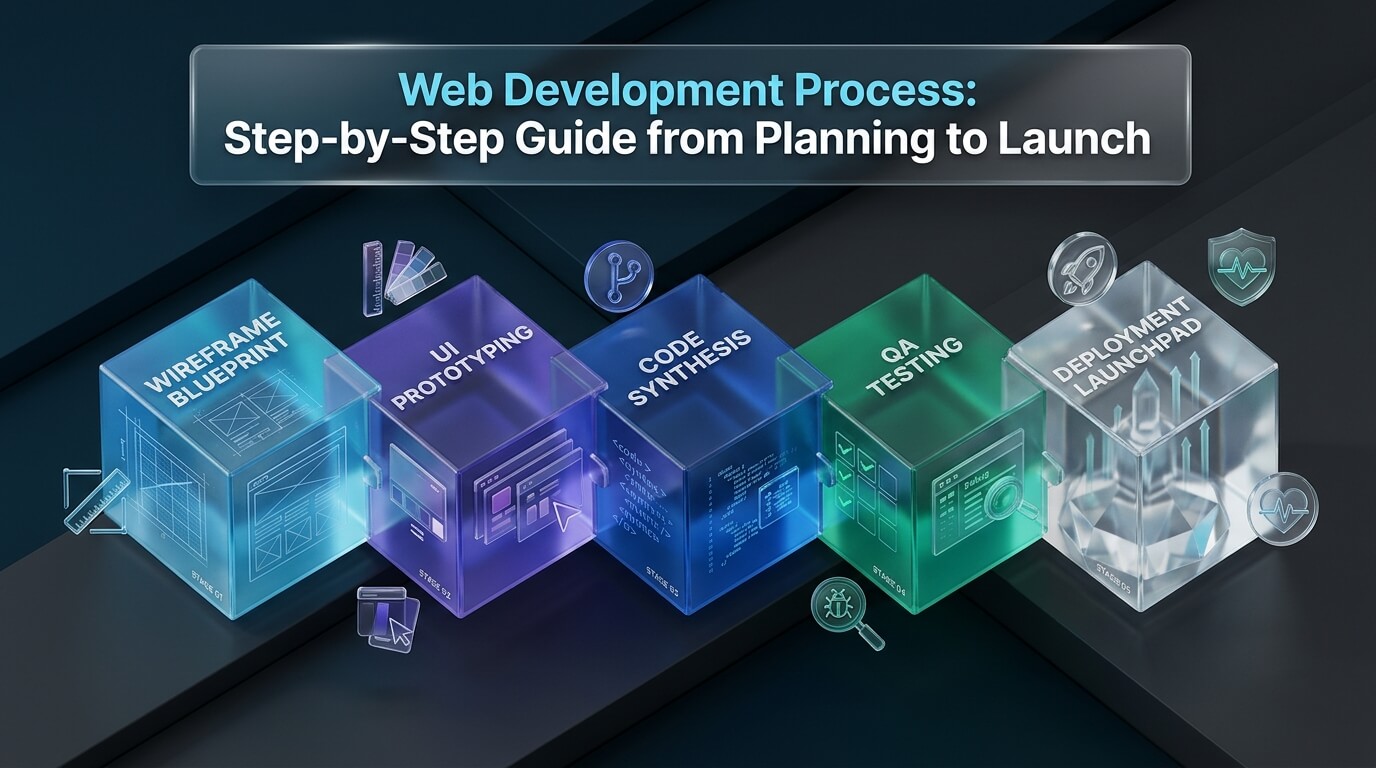
Delivering high-caliber digital products on time and within budget requires a disciplined engineering methodology. The modern web development process unites cross-functional teams across research, user interface design, iterative sprint coding, rigorous quality assurance, and automated cloud deployments. By adopting a structured web development lifecycle, organizations eliminate chaotic scope creep, prevent costly architectural rework, and ensure dependable release cadences. This comprehensive guide details all web development stages, agile methodologies, essential project management tools, and launch checklists.
The Importance of a Structured Web Development Process
Building complex internet software without a clear blueprint leads inevitably to missed deadlines and technical debt. Engineering leaders establish a standardized web development process to provide predictable milestones for stakeholders. Clear documentation and sprint cadences align business objectives directly with engineering output.
Furthermore, an organized web development workflow establishes accountability across cross-functional departments. Designers understand when wireframes must freeze for sprint planning. Quality assurance engineers write automated regression tests while backend developers write APIs. This synchronized collaboration prevents common bottlenecks and ensures smooth delivery.
Deconstruct massive software initiatives into focused two-week sprints with transparent burndown velocity and deliverable acceptance criteria.
Automate linting, type-checking, unit tests, and security scans in CI/CD pipelines before any code merges into production branches.
Identify third-party API dependencies, database scaling limits, and compliance requirements early during technical discovery.
Every dollar invested in thoughtful web development planning saves tenfold during production operations. Teams catch flawed assumptions on Figma whiteboards rather than patching live database outages after launch.
The 6 Essential Web Development Stages Explained
While specific development teams tailor practices to their corporate culture, the overarching web development lifecycle follows six standardized phases. Understanding these web development phases ensures everyone on the team knows what deliverable is required at each milestone.
| Phase | Phase Name | Primary Activities | Key Deliverables |
|---|---|---|---|
| Stage 1 | Discovery & Strategy | Stakeholder interviews, user persona mapping, technical feasibility, and competitive analysis. | Software Requirements Specification (SRS), project roadmap, and tech stack selection. |
| Stage 2 | UI/UX Design & Architecture | Information architecture, low-fidelity wireframing, high-fidelity prototypes, and design tokens. | Interactive Figma prototype, component style guide, and database entity relationship diagram. |
| Stage 3 | Sprint Development | Frontend markup styling, backend API engineering, database schema migrations, and Git branching. | Functional application source code, Docker container images, and pull requests. |
| Stage 4 | Testing & Quality Assurance | Automated unit testing, end-to-end user journey simulation, performance audits, and security pen-testing. | QA sign-off report, accessibility audit report (WCAG 2.1), and automated test suites. |
| Stage 5 | Deployment & Release | Staging environment validation, production database seeding, DNS cutover, and SSL provisioning. | Live production website, global CDN edge caching rules, and production deployment logs. |
| Stage 6 | Maintenance & Optimization | Error monitoring, uptime tracking, database query optimization, user analytics, and security updates. | Monthly SLA reports, automated dependency update PRs, and continuous feature sprints. |
Progressing through these web development steps methodically guarantees that all edge cases are addressed before actual launch day.
Choosing the Right Web Development Methodology
Selecting an effective web development methodology dictates how teams manage changing requirements, communication loops, and sprint deadlines. The two primary paradigms are Agile Scrum and Kanban, though traditional Waterfall remains applicable for fixed-contract public bids.
Modern engineering departments overwhelmingly favor Agile Scrum for product development. Scrum divides work into time-boxed iterations (usually two weeks) known as sprints. Teams hold daily stand-ups, sprint planning sessions, and retrospectives to reflect on velocity and remove blockers.
Establish a strict Definition of Done before kicking off sprint development. Require that all pull requests include unit test coverage, zero ESLint warnings, mobile responsiveness verification, and peer code review sign-off before merging into main branches.
For ongoing maintenance, continuous bug fixing, and DevOps workflows, teams frequently utilize Kanban. Kanban visualizes task flow on continuous boards without rigid sprint boundaries, focusing on limiting Work In Progress (WIP) to prevent developer burnout.
Strategic Web Development Project Management
Effective web development project management bridges the gap between commercial business goals and technical engineering execution. Experienced technical project managers establish communication norms that prevent misunderstanding and scope creep.
A successful web development strategy defines clear acceptance criteria for every user story. Instead of vague tickets like “Improve checkout page,” stories specify exact inputs, error states, and expected user outcomes. This clarity allows engineers to build features right the first time.
- Sprint Backlog Refinement: Prioritize tickets based on commercial impact and technical dependency trees.
- Velocity Tracking: Measure story points completed per sprint to forecast realistic product release milestones.
- Risk Escalation Protocols: Identify blocker items immediately in daily standups rather than waiting for sprint review.
- Stakeholder Demos: Present functional software demos at the conclusion of every sprint to validate alignment.
- Post-Mortem Retrospectives: Analyze past sprint friction points to continuously optimize engineering throughput.
Maintaining these disciplined routines transforms chaotic software development into a predictable, repeatable delivery machine.
Detailed Web Development Process Steps: From Git Branch to Production
To understand how code moves across the modern web development cycle, here is a detailed breakdown of the technical path a pull request takes from initial branch creation to live production deployment.
Developers create isolated Git branches following conventions like feature/user-auth or fix/cart-overflow.
Engineers run code inside containerized environments matching staging databases and redis instances.
GitHub Actions triggers linting, type-checking, unit tests, and Playwright end-to-end browser journeys.
Each pull request deploys a temporary preview environment for designers and product managers to verify live.
Senior engineers inspect architectural patterns, security bounds, and database query performance before approval.
New container releases warm up before traffic switches over, guaranteeing zero downtime for active users.
Automating these technical web development process steps eliminates human error, ensuring that broken code never reaches production users.
Pre-Launch Quality Assurance & Go-Live Checklist
Launching a website without a comprehensive checklist is a recipe for post-launch panic. Reviewing these critical verification items prior to DNS cutover guarantees a seamless go-live transition.
- SEO Metadata & Canonical Tags: Verify unique title tags, meta descriptions, Open Graph social cards, and canonical URLs on every page.
- Robots.txt & XML Sitemap: Ensure
robots.txtallows search crawlers and submit the updatedsitemap.xmlto Google Search Console. - SSL & Security Headers: Confirm valid SSL certificates and enforce HSTS, Content Security Policy (CSP), and X-Frame-Options headers.
- Forms & Payment Webhooks: Submit test transactions in sandbox modes, verify transactional confirmation emails, and check webhook responses.
- 404 Page & Redirect Rules: Configure custom 404 error pages and implement 301 redirects for legacy URLs to preserve search engine rank.
- Performance & Caching: Verify Gzip/Brotli compression, image optimization, edge CDN caching, and Core Web Vitals scores.
Executing this verification checklist ensures that marketing campaigns launch with total confidence and zero technical surprises.
Top Web Development Project Management & Lifecycle Tools Reviewed
Managing the software lifecycle requires modern tooling for tracking issues, designing interfaces, and automating deployments. Here is an in-depth review of the eight leading platforms powering modern web workflows.
1. Jira Software
Jira Software by Atlassian is the enterprise standard for agile project management. Built to support Scrum, Kanban, and hybrid frameworks, Jira allows teams to plan sprints, track issue dependencies, and report velocity metrics.
Jira integrates directly with GitHub, Bitbucket, and CI/CD pipelines. When developers reference ticket numbers in Git commit messages, Jira updates issue status, assigns pull requests, and displays deployment stages automatically.
Key highlights include:
- Advanced Scrum and Kanban board configurations for enterprise engineering teams.
- Deep integration with code repositories and CI/CD deployment pipelines.
- Comprehensive reporting suites including burndown charts and velocity trackers.
- Extensive automation rules for updating issue statuses based on pull requests.
2. Linear
Linear is a modern, high-speed issue tracking and project management tool designed specifically for fast-moving software startups. Known for its minimalist interface and keyboard shortcuts, Linear removes the clunky overhead of traditional tools.
Linear features bi-directional GitHub sync, automated project roadmaps, and cycle management. Engineers love Linear because creating, filtering, and moving issues takes milliseconds, keeping developers in their coding flow state.
Key highlights include:
- Near-instant keyboard-driven user interface for maximum developer speed.
- Automatic cycle management for organizing continuous two-week sprints.
- Bi-directional GitHub and GitLab integrations linking pull requests to issues.
- Clean visual roadmaps for tracking multi-quarter initiative milestones.
3. GitHub Actions
GitHub Actions is the premier continuous integration and continuous deployment (CI/CD) automation platform built directly into GitHub. It allows developers to automate testing, building, and deployment workflows directly on repository triggers.
With an extensive marketplace of pre-built actions, engineering teams configure automated pipelines in simple YAML files. GitHub Actions runs matrix tests across multiple operating systems, builds Docker images, and deploys to cloud providers effortlessly.
Key highlights include:
- Turnkey CI/CD pipelines configured via version-controlled YAML workflow files.
- Automated triggers on pull requests, branch pushes, issue creations, and schedules.
- Massive open-source action marketplace with thousands of pre-built integrations.
- Integrated secrets management for securing production API keys and credentials.
4. Figma
Figma is the collaborative cloud-based interface design tool that unites UX designers, product managers, and frontend developers. Its real-time multi-user editing allows teams to co-create wireframes and prototypes in a shared browser workspace.
Figma’s Dev Mode provides developers with instant CSS code snippets, component measurements, and design token exports. Designers create modular design systems that mirror React or Tailwind component libraries directly.
Key highlights include:
- Real-time collaborative interface design and interactive user journey prototyping.
- Dedicated Dev Mode delivering CSS tokens, assets, and component specifications.
- Design systems management with shared component libraries and typography tokens.
- Extensive plugin ecosystem for generating test data and exporting responsive code.
5. Docker
Docker is the containerization platform that transformed how software is developed, shipped, and run. By packaging applications and their dependencies into lightweight, portable containers, Docker eliminates the dreaded “it works on my machine” syndrome.
Teams use Docker Compose to replicate complex multi-container production environments locally, including web servers, PostgreSQL databases, and Redis caches. In production, Docker containers orchestrate seamlessly with Kubernetes and AWS ECS.
Key highlights include:
- Consistent environment replication across local laptops, staging, and production.
- Docker Compose for spinning up multi-container database and cache stacks locally.
- Multi-stage Docker builds delivering minimal, secure production container images.
- Universal compatibility across cloud providers and container orchestration engines.
6. Playwright
Playwright by Microsoft is the gold standard framework for automated end-to-end web testing. It enables reliable cross-browser testing across Chromium, WebKit (Safari), and Firefox with a single unified API.
Playwright features automatic waiting, trace recording, and video capture of failed test runs. Engineering teams run Playwright suites in CI/CD pipelines to simulate complete customer checkout flows, ensuring zero visual or functional regressions.
Key highlights include:
- Cross-browser testing across Chromium, Firefox, and WebKit on Windows, Linux, and macOS.
- Auto-wait mechanisms eliminating flaky tests caused by asynchronous network calls.
- Comprehensive trace visualizer for inspecting DOM state and network calls during failures.
- Native support for parallel test execution across multiple worker threads.
7. Sentry
Sentry is an essential application monitoring and error-tracking platform that gives engineering teams real-time visibility into production software health. It captures unhandled exceptions, JavaScript crashes, and API failures automatically.
Sentry aggregates errors with full stack traces, browser environment data, and breadcrumbs showing the user’s actions before the crash. Its performance monitoring features highlight slow database queries and high-latency HTTP endpoints.
Key highlights include:
- Real-time exception capture with complete source-mapped stack traces.
- User breadcrumb logging tracking user clicks and network calls preceding errors.
- Distributed tracing highlighting performance bottlenecks across microservices.
- Direct integration with Jira, GitHub, and Slack for automated incident alerts.
8. Datadog
Datadog is an enterprise observability and security platform providing comprehensive monitoring for cloud-scale applications. It correlates infrastructure metrics, application traces, and server logs in unified real-time dashboards.
Engineering teams use Datadog to monitor server CPU utilization, memory thresholds, DNS latencies, and synthetic user journeys. Its automated anomaly detection alerts on-call engineers before system slowdowns impact customers.
Key highlights include:
- Unified observability correlating infrastructure metrics, logs, and application traces.
- Real User Monitoring (RUM) tracking Core Web Vitals and user journey latencies.
- Automated machine-learning anomaly detection and proactive threshold alerts.
- Extensive cloud integration covering AWS, Google Cloud, Azure, and Kubernetes.
Comprehensive Comparison of Lifecycle & Management Tools
Evaluating tools against specific team workflows ensures optimal operational cadence. The comparison table below highlights key parameters across all reviewed platforms.
| Tool / Platform | Lifecycle Domain | Core Strength | Target User | Primary Output |
|---|---|---|---|---|
| Jira Software | Agile Project Management. | Enterprise Scrum boards, velocity metrics, and workflow rules. | Product managers, Scrum masters, enterprise teams. | Sprint backlogs, burndown charts, and roadmap milestones. |
| Linear | Issue & Cycle Tracking. | High-speed keyboard UX and seamless Git sync. | Software startups and modern product squads. | Streamlined issue backlogs and two-week cycles. |
| GitHub Actions | CI/CD Automation. | YAML workflows natively integrated with Git repositories. | DevOps engineers and full-stack developers. | Automated test suites, container builds, and deployments. |
| Figma | UI/UX Prototyping. | Collaborative browser design with Dev Mode token inspection. | UI/UX designers, frontend engineers, product leads. | Interactive wireframes and component design systems. |
| Docker | Environment Containerization. | Reproducible application containers eliminating setup friction. | Software engineers, system administrators, DevOps. | Portable container images and multi-container Compose stacks. |
| Playwright | End-to-End QA Automation. | Cross-browser automated journeys with trace recordings. | QA engineers and automated test developers. | End-to-end regression suites and visual validation logs. |
| Sentry | Error & Crash Reporting. | Real-time exception alerts with source-mapped traces. | On-call engineers and application developers. | Error telemetry alerts and incident triage tickets. |
| Datadog | Enterprise Observability. | Unified metrics, APM distributed traces, and log aggregation. | Site Reliability Engineers and enterprise architects. | Real-time health dashboards and SLA monitoring alerts. |
Post-Launch Maintenance: Ensuring Long-Term Website Health
The web development lifecycle does not conclude once code deploys to production. In many respects, launch day marks the beginning of the operational phase. Without proactive ongoing care, websites degrade over time due to unpatched security vulnerabilities and outdated dependencies.
Organizations should establish automated weekly maintenance routines. Tools like Dependabot or Renovate scan package.json or requirements.txt files for outdated packages, opening automated pull requests with test results. Routine database vacuuming and log rotation preserve server disk capacity and query response speeds.
- Weekly Automated Dependency Updates: Merge security patch pull requests after automated CI test suite verification.
- Daily Database Backups & Offsite Replication: Verify that automated daily snapshots replicate to geo-redundant cold storage buckets.
- Synthetic Uptime & API Monitoring: Configure heartbeat ping monitors that alert engineering channels if response latencies exceed two seconds.
- Quarterly Security & Penetration Audits: Conduct third-party vulnerability reviews to verify compliance with changing regulatory standards.
- Continuous User Analytics Reviews: Track heatmaps and drop-off funnels to identify friction points for ongoing iterative sprint improvements.
Investing in disciplined post-launch maintenance protects your digital assets, ensures continuous compliance, and maximizes long-term return on investment.
Frequently Asked Questions
How long does the typical web development process take from start to finish?
The timeline depends on project scope and complexity. A focused corporate brochure website typically requires four to eight weeks from discovery to launch. Complex custom web applications, e-commerce stores, or SaaS portals generally take three to six months to complete all design, sprint engineering, and quality assurance stages.
Why is the discovery phase so critical in web development planning?
The discovery phase defines technical specifications, user personas, database schemas, and business goals before any code is written. Skipping discovery frequently leads to severe scope creep, budget overruns, and costly architectural rework late in the development cycle. Thorough discovery prevents misunderstandings between clients and engineers.
What is the difference between Agile Scrum and Kanban in web development?
Agile Scrum organizes development into fixed time-boxed cycles (usually two-week sprints) with formal sprint planning, daily stand-ups, and retrospectives. Kanban is a continuous workflow model that focuses on visualizing tasks on boards and limiting Work In Progress (WIP) without fixed sprint deadlines, making it ideal for maintenance and support teams.
How does continuous integration (CI/CD) improve the web development workflow?
Continuous integration automatically tests, lints, and builds code whenever a developer pushes changes to a repository. This automated feedback loop catches syntax bugs, broken tests, and security vulnerabilities immediately. Continuous deployment automates releases to staging and production, eliminating error-prone manual server deployments.