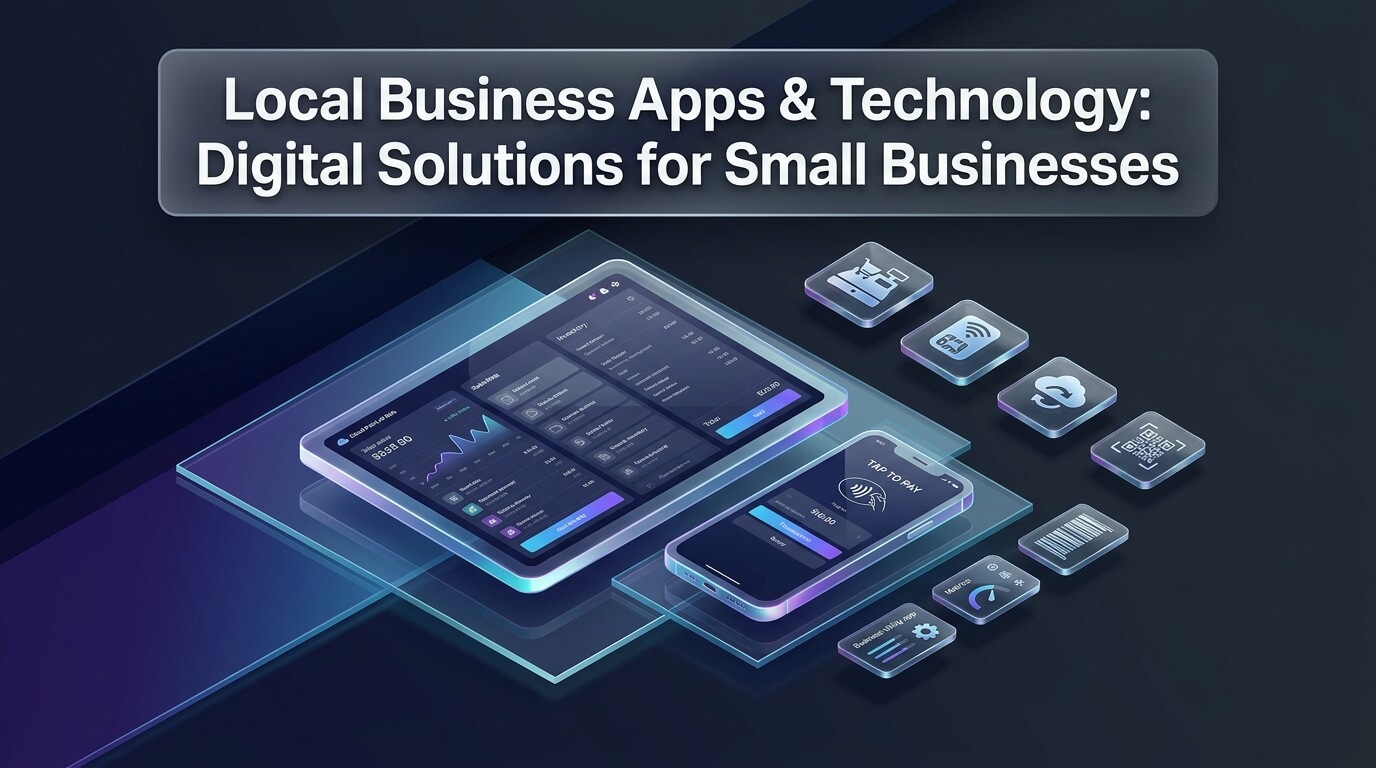
- Modern local business apps enable independent merchants to manage checkout, staff scheduling, and client communication directly from mobile devices.
- Integrated cloud technology reduces manual paperwork, eliminates double-entry bookkeeping, and accelerates client payment collections.
- Field service and appointment booking applications minimize customer no-shows through automated SMS reminders and online booking portals.
- Selecting software with offline transaction support ensures business operations continue during unexpected internet outages.
The Mobile Revolution for Neighborhood Merchants
Running an independent enterprise requires balancing inventory management, staff coordination, and customer hospitality. In the past, small firms relied on bulky registers, paper ledger books, and desktop software tethered to an office desk.
Adopting dedicated local business apps transforms mobile smartphones and tablets into complete commercial command centers. Whether you operate a neighborhood bakery, plumbing service, or boutique retail store, mobile software streamlines daily routines. Independent proprietors can issue estimates, process card payments, and monitor inventory from any location.
Modern consumers expect fast, convenient digital experiences from neighborhood merchants. Equipping your team with user-friendly mobile software boosts operational productivity and elevates customer satisfaction. This comprehensive guide reviews essential technology categories to help you select the ideal tools for your commercial needs.
Always verify that your mobile point of sale software supports offline transaction processing. Internet connectivity disruptions can halt retail sales unexpectedly. A dependable mobile app stores encrypted card payments locally and processes them automatically once your network connection restores.
Point of Sale and Mobile Payment Technologies
Fast, friction-free transactions are vital for positive retail and hospitality experiences. Traditional stationary cash registers take up valuable counter space and force customers to wait in slow lines.
Deploying a versatile local business app allows retail clerks and restaurant servers to accept payments anywhere in the store. Mobile card readers accept tap-to-pay transactions, mobile wallets like Apple Pay, and secure chip cards in seconds. Handheld checkout units reduce queue congestion during busy lunch rushes and weekend promotional events.
In addition, modern point of sale software integrates directly with real-time inventory databases. When an item sells on the retail floor, the application instantly updates stock levels across physical shelves and your online storefront. This synchronization prevents awkward stock shortages and over-selling errors.
Cloud-based point of sale systems also compile valuable sales data automatically. Business owners can review hourly revenue patterns, top-selling product categories, and staff sales performance through their mobile dashboards. These practical insights take the guesswork out of ordering seasonal inventory and scheduling shift labor.
Field Service Management and Scheduling Solutions
Service contractors, repair technicians, and personal care salons face unique scheduling challenges. Managing customer appointments on paper calendars frequently leads to double-booking mistakes and lost customer revenue.
Implementing specialized local business apps streamlines appointment booking for both your staff and your clients. Customers can view available openings and book services through your website or social media profiles twenty-four hours a day. Automated appointment reminders sent via text message drastically reduce costly client no-shows.
For mobile trades such as HVAC technicians, electricians, and plumbers, field management applications provide real-time GPS dispatching. Dispatchers can assign urgent service calls to the closest available technician, reducing fuel costs and travel delays. Technicians access client service histories, diagnostic notes, and equipment warranties on their mobile tablets before arriving at the job site.
Once on site, technicians generate professional digital estimates, capture customer authorization signatures, and collect card payments immediately upon job completion. Accelerating payment collection improves operational cash flow and eliminates the tedious task of mailing paper invoices.
Mobile Accounting, Payroll, and Expense Management
Maintaining financial accuracy is essential for commercial survival, yet administrative bookkeeping often consumes valuable evening hours. Mobile financial applications automate repetitive accounting tasks, allowing founders to focus on business growth.
Using a dedicated local business app for expense tracking lets managers photograph paper receipts immediately after purchasing supplies. The software extracts transaction dates, vendor names, and dollar totals automatically using intelligent optical character recognition. Receipts link directly to specific bank transactions, simplifying monthly account reconciliation.
Mobile payroll platforms simplify compensation management for hourly and salaried neighborhood employees. Staff members clock in and out using mobile tablets or smartphone GPS geofencing, preventing time-theft discrepancies. With a few taps on an executive smartphone, managers process payroll runs and distribute direct deposit wages.
In addition, automated payroll applications calculate, withhold, and remit federal, state, and municipal payroll taxes automatically. Timely tax remittances protect independent owners against expensive compliance penalties and year-end filing headaches.
Customer Loyalty and Custom Branded Mobile Applications
Acquiring a new customer costs five times more than retaining an existing patron. Implementing automated customer loyalty software turns occasional shoppers into devoted regular visitors.
Rather than distributing fragile paper punch cards that patrons routinely lose, progressive retailers deploy digital rewards programs. Shoppers check in at checkout using their mobile phone number to earn points, receive VIP discounts, and claim birthday rewards. Digital reward tracking provides clear visibility into customer visit frequency and average ticket sizes.
Some expanding neighborhood enterprises invest in building their own customized local business app. A branded mobile application gives your boutique, cafe, or fitness studio prime real estate on your customers’ smartphone home screens. Merchants can send targeted push notifications announcing weekend flash sales, upcoming workshops, or seasonal menu updates.
Branded mobile software also facilitates convenient mobile order-ahead and curbside pickup services. Neighborhood patrons appreciate skipping checkout lines during busy morning commutes, giving your local store a distinct competitive advantage over national corporate chains.
Cybersecurity, Data Privacy, and Payment Compliance
Small enterprises are frequent targets for automated cyberattacks and payment fraud. Implementing robust digital security protocols protects your business finances and preserves customer trust.
When selecting software, confirm strict compliance with Payment Card Industry Data Security Standards. Secure point of sale applications use end-to-end encryption and tokenization, ensuring sensitive credit card numbers never touch your local hardware or internal servers. In the event of a device theft, tokenized data remains completely useless to unauthorized criminals.
Require all employees to use unique login credentials and enforce multi-factor authentication across all commercial platforms. Multi-factor verification requires entering a one-time security code sent to a verified mobile device, preventing unauthorized access even if passwords become compromised.
In addition, schedule automated daily cloud backups for all customer databases and accounting records. Secure off-site cloud storage ensures your critical operational data can be restored within minutes following hardware failures or accidental file deletions.
Hardware Selection and Tablet Ecosystems
Selecting appropriate hardware is just as important as choosing the right software. Your operating hardware must withstand demanding commercial environments, spills, and continuous daily use.
Most modern local business apps run smoothly on commercial tablets like Apple iPad or Samsung Galaxy Tab devices. Equipping tablets with heavy-duty protective cases, secure locking counter stands, and durable screen protectors shields them from accidental drops and beverage spills in bustling retail or dining settings.
Ensure your hardware setup includes compatible peripheral accessories. Depending on your business model, you may require Bluetooth barcode scanners, high-speed thermal receipt printers, and secure cash drawers. Investing in enterprise-grade peripherals prevents device pairing glitches during busy checkout hours.
Establish a regular hardware maintenance schedule to keep equipment performing reliably. Clean touchscreen surfaces daily with approved electronic wipes, install operating system security updates weekly, and inspect charging cables for signs of physical wear.
Staff Device Policies and Bring-Your-Own-Device Standards
Many small enterprises allow employees to access scheduling and communication platforms using their personal smartphones. Establishing a clear Bring-Your-Own-Device policy protects sensitive commercial data while respecting staff privacy.
Require all personal devices accessing company networks to maintain active passcode locks, biometric verification, and automatic software updates. Clearly specify that commercial customer contacts, payment records, and internal messages belong exclusively to the business and may not be copied to personal storage accounts.
In addition, provide dedicated commercial tablets or mobile hardware for payment processing and inventory auditing whenever possible. Keeping financial checkout separate from personal employee devices eliminates potential data liability and provides a consistent customer checkout experience.
Artificial Intelligence and Automation Features in Small Business Tech
Modern commercial software increasingly incorporates practical automation capabilities designed to reduce staff burdens. These smart tools handle repetitive operational workflows without requiring technical expertise from owners.
Smart inventory management tools analyze seasonal purchasing trends and upcoming community events. The software automatically drafts purchase orders when stock levels dip below predefined thresholds. This proactive restocking prevents stockouts during busy weekends while avoiding over-ordering perishable goods.
In addition, intelligent shift-scheduling software optimizes weekly staff rosters based on historical customer foot traffic. Scheduling engines recommend optimal staffing levels for peak dining or retail hours, preventing understaffed shifts while controlling labor expenses.
Automated customer communication tools also handle routine customer inquiries around the clock. Digital chat widgets on company websites answer common questions regarding operating hours, parking directions, and current inventory availability. Prompt automated responses ensure potential clients receive immediate assistance even when staff members are busy serving in-store patrons.
Managing Software Subscription Costs and Preventing App Bloat
While software enhances operational productivity, accumulating dozens of separate subscription services quickly inflates overhead costs. Small business owners must manage their digital tool stack strategically to maximize profit margins.
Conduct a thorough quarterly audit of all recurring digital service fees. Review whether your staff actively utilizes every paid platform or if certain specialized features remain neglected. Canceling dormant software accounts and negotiating annual subscription discounts protects cash reserves.
Whenever practical, choose integrated all-in-one software suites over multiple disconnected applications. Comprehensive platforms that bundle checkout, appointment scheduling, and customer loyalty reduce technical friction and eliminate redundant per-user fees.
Be watchful for hidden software charges, including payment gateway surcharges, data export fees, and premium customer support add-ons. Requesting transparent fee schedules before signing commercial agreements prevents unexpected monthly billing spikes.
Balancing Digital Technology with Personal Neighborhood Hospitality
The distinctive charm of independent commerce lies in warm personal relationships and friendly neighborhood conversation. Over-automating your business can inadvertently strip away the personal touch that draws customers to local shops.
Use technology to handle back-office friction so your team has more time to engage directly with guests. Automated bookkeeping, inventory tracking, and scheduling free up valuable hours for face-to-face customer care. When administrative chores disappear into the background, staff can focus on greeting shoppers warmly and offering personalized product advice.
Always maintain alternative options for patrons who prefer traditional customer service. While many customers enjoy self-ordering kiosks and digital receipts, older residents or casual shoppers may prefer friendly verbal ordering and physical paper receipts. Honoring diverse customer preferences ensures your storefront remains welcoming and inclusive for all community members.
- Ease of Use: Can new employees learn primary checkout and scheduling functions within thirty minutes of training?
- Software Integrations: Does the platform sync smoothly with your existing accounting, banking, and marketing tools?
- Offline Functionality: Can the application continue processing sales and recording job data during internet outages?
- Transparent Pricing: Are all processing fees, monthly subscription rates, and hardware costs clearly documented?
- Responsive Support: Does the vendor provide 24/7 telephone or live chat customer service during your operating hours?
Best Tools and Platforms for Local Business Apps
Modern software marketplaces offer hundreds of digital applications designed for small business operators. The seven platforms reviewed below represent the most dependable, feature-rich solutions across retail, dining, field services, and professional administration.
1. Square
Square revolutionized mobile commerce by enabling anyone to accept credit card payments using a smartphone or tablet. The platform has expanded into a complete operating system offering point of sale software, inventory tracking, staff scheduling, and customer loyalty tools.
Its clean interface requires minimal staff onboarding, while transparent flat-rate payment processing makes budgeting straightforward. It is an exceptional foundation for boutique retail shops, cafes, personal service providers, and pop-up market vendors.
2. Toast
Toast is built specifically for the food and beverage industry, serving bakeries, casual cafes, and full-service restaurants. The platform integrates handheld tableside ordering devices, kitchen display screens, online ordering portals, and delivery driver dispatching.
Handheld ordering tablets allow servers to send orders directly to the kitchen line without leaving customer tables, dramatically speeding up table turnover rates. It is the premier technology solution for food service operators looking to modernize dining operations.
3. Jobber
Jobber provides an intuitive field service management platform tailored to home service contractors, landscapers, cleaning crews, and repair technicians. The application coordinates client quoting, job scheduling, dispatch routing, and mobile invoicing in one centralized dashboard.
Technicians in the field can access client property notes, upload before-and-after project photos, and collect credit card payments on site. Automated client notifications keep homeowners informed regarding technician arrival times, maximizing customer satisfaction.
4. Clover
Clover offers versatile point of sale hardware and an expansive third-party application marketplace. Its product line ranges from compact handheld mobile devices to comprehensive dual-screen countertop stations tailored for high-volume retail environments.
Merchants can customize their system by installing specialized software add-ons for employee commission tracking, detailed inventory alerts, and customer loyalty rewards. It provides outstanding adaptability for established merchants with specialized operational workflows.
5. Housecall Pro
Housecall Pro is a leading cloud management platform engineered for residential trade professionals, including HVAC, plumbing, electrical, and roofing specialists. The application streamlines online booking, technician dispatching, mobile estimating, and digital payment processing.
Its visual drag-and-drop dispatch calendar makes managing complex multi-technician schedules effortless. Built-in postcard marketing and automated service reminder features help trade contractors generate steady repeat business from past residential clients.
6. Gusto
Gusto provides a modern, people-first payroll, benefits, and human resources platform designed for growing small enterprises. The software automates payroll calculations, direct deposit transfers, and federal, state, and local tax filings with complete accuracy.
Employees enjoy access to a mobile self-service portal where they can view pay stubs, manage benefits, and update tax withholdings. Built-in onboarding checklists and time-tracking integrations make managing team administration simple and stress-free.
7. QuickBooks Online
QuickBooks Online is the industry benchmark for small business accounting and financial management. The mobile application allows business owners to create professional invoices, photograph expense receipts, track billable mileage, and review profit-and-loss statements on the go.
The software integrates with virtually every major point of sale and banking institution, automatically downloading and categorizing daily commercial transactions. Its comprehensive reporting tools ensure your accountant has audit-ready financials during annual tax preparation.
Local Business App Platform Comparison
Selecting the right technology stack depends on your specific trade focus, hardware preferences, and business size. The comparison table below highlights core specializations, key capabilities, and typical pricing structures across leading platforms.
| Platform | Primary Specialty | Key Strengths | Best Used For | Pricing Model |
|---|---|---|---|---|
| Square | All-in-One POS & Payments | Free starter software, simple setup, flat processing | Retail boutiques, cafes, service pros | Free software, per-transaction fee |
| Toast | Restaurant Management & POS | Handheld ordering, kitchen display, delivery sync | Restaurants, bars, bakeries, food trucks | Starter free tier, hardware packages |
| Jobber | Field Service Management | Mobile quoting, GPS dispatch, client portal | Home services, cleaners, landscapers | Monthly subscription plans |
| Clover | Customizable POS & App Store | Versatile hardware line, third-party app ecosystem | High-volume retail, dining, salons | Hardware purchase plus monthly fee |
| Housecall Pro | Trade Contractor Operations | Visual scheduling, automated follow-ups, mobile invoicing | HVAC, electricians, plumbers, roofers | Tiered monthly subscriptions |
| Gusto | Small Business Payroll & HR | Automated tax filing, benefits, employee portal | Growing teams, service firms, shops | Base monthly fee plus per-employee fee |
| QuickBooks Online | Accounting & Financial Tracking | Universal bank sync, receipt capture, tax reports | All commercial sectors, accountants | Monthly software subscription |
Building an Integrated Application Architecture
Operating disconnected software applications creates frustrating data silos and requires tedious duplicate data entry. A cohesive technology architecture connects your point of sale, accounting, and marketing software into a unified workflow.
When selecting software, prioritize platforms offering direct, pre-built integrations or open application programming interfaces (APIs). For instance, connecting your Square or Toast register directly to QuickBooks Online ensures daily sales summaries, credit card processing fees, and sales tax liabilities sync automatically every midnight.
Similarly, linking your point of sale software with your email marketing platform allows customer contact details to flow automatically into segmented subscriber lists. Patrons who purchase specialty items automatically receive invitations to related workshops or product release parties.
Eliminating manual data transfer between systems saves dozens of administrative hours each month. In addition, automated synchronization eliminates human typing errors, ensuring your financial records and customer records remain completely accurate.
Step-by-Step Technology Rollout Plan for Local Teams
Introducing new software can cause operational friction if staff members feel overwhelmed or unprepared. Following a structured rollout plan ensures a smooth transition without interrupting customer service.
Begin by conducting an operational workflow audit. Identify specific bottlenecks in your current routines, such as slow register checkout times, missed appointment inquiries, or delayed invoice payments. Focus your initial technology investment on solving your single biggest operational pain point.
Next, designate a tech-savvy staff member as your internal software champion. Allow this team member dedicated time to evaluate the platform, configure settings, and practice test transactions before rolling it out to the wider team. Your software champion can provide immediate peer guidance when colleagues encounter questions.
Finally, run new software in parallel with your existing systems during a quiet mid-week shift. Testing the platform during low-pressure hours allows staff to build muscle memory and identify configuration adjustments safely. Once your team operates the software with confidence, retire outdated manual processes permanently.
Measuring Return on Investment for Business Technology
Every commercial application represents an ongoing investment of subscription fees and staff training time. Tracking key performance indicators ensures your digital tools deliver tangible financial benefits.
Measure operational time savings across primary administrative workflows. Calculate how many hours managers save each week on manual bookkeeping, inventory counts, and payroll calculations. Reinvesting reclaimed administrative hours into customer hospitality and commercial marketing drives business expansion.
In addition, track customer conversion and retention improvements. Monitor whether mobile appointment reminders reduce appointment cancellation rates, and track how quickly clients pay digital invoices compared to traditional paper bills. Faster payment collections improve cash liquidity, allowing you to seize commercial growth opportunities.
Finally, review software utilization quarterly. If your team consistently ignores advanced features or maintains redundant software subscriptions, consolidate your tool stack. Pruning unused digital services keeps overhead costs lean while maximizing the value of your core applications.
Frequently Asked Questions About Local Business Apps
How much does it cost to implement local business apps?
Implementation costs vary depending on industry requirements and hardware needs. Basic point of sale platforms like Square offer free starter software with pay-as-you-go processing rates of around 2.6% plus ten cents per transaction. Specialized field management or restaurant systems typically charge monthly subscription fees ranging from thirty to one hundred fifty dollars per location, plus initial tablet hardware investments.
Can small businesses use consumer tablets instead of proprietary POS hardware?
Yes, most modern business applications operate exceptionally well on standard Apple iPad or Android tablets. Using consumer tablets paired with Bluetooth card readers and protective locking stands provides a modern, cost-effective alternative to expensive proprietary registers. Consumer hardware is easily replaceable and allows staff to use familiar touchscreen interfaces.
What happens to cloud-based apps if the store loses internet connection?
High-quality commercial applications include offline processing modes that activate automatically during internet outages. Staff can continue ringing up cash transactions, printing kitchen tickets, and queuing encrypted card payments locally. Once your internet connection restores, the software securely uploads and settles all offline transactions automatically.
How long does it take to train employees on a new business app?
Modern mobile business applications feature intuitive touchscreen interfaces similar to everyday smartphone apps. Most employees learn core checkout, scheduling, and invoicing functions within thirty to sixty minutes of hands-on practice. Providing short video tutorials and running mock practice transactions ensures full operational confidence before live customer shifts.
Is customer data safe when stored in cloud business applications?
Yes, reputable cloud business platforms employ enterprise-grade security protections, including multi-factor authentication, SSL encryption, and dedicated server redundancy. Because sensitive cardholder data is tokenized and stored on secure remote servers rather than local hardware, your business remains fully compliant with PCI-DSS data standards and protected against local hardware loss.
How do I migrate historical customer data when switching to a new app?
Most commercial software platforms support standard CSV spreadsheet data imports for customer contact lists, catalog items, and vendor details. Prior to switching platforms, export your existing database, clean up duplicate records, and map data fields to the new system’s specifications. Leading software vendors also provide specialized onboarding specialists to oversee technical data migration safely.
Final Thoughts on Adopting Local Business Technology
Adopting dedicated local business apps is one of the most effective strategies for increasing operational efficiency and delighting neighborhood patrons. Modern mobile technology eliminates tedious paperwork, accelerates invoice collections, and empowers small teams to deliver world-class service.
Start by identifying your most pressing operational bottleneck and selecting a proven software platform to solve it. Involve your staff in the transition process, establish clear digital security habits, and ensure your core platforms share data smoothly.
In addition, maintaining clear technical documentation and standard operating procedures ensures staff turnover does not disrupt operations. When digital manuals outline primary app routines clearly, new team members adapt quickly, keeping customer service consistently exceptional.
Every digital upgrade you introduce strengthens the operational foundation of your enterprise. Embracing modern technology allows independent merchants to outmaneuver bureaucratic corporate competitors while preserving the warm, personalized hospitality that defines neighborhood commerce.