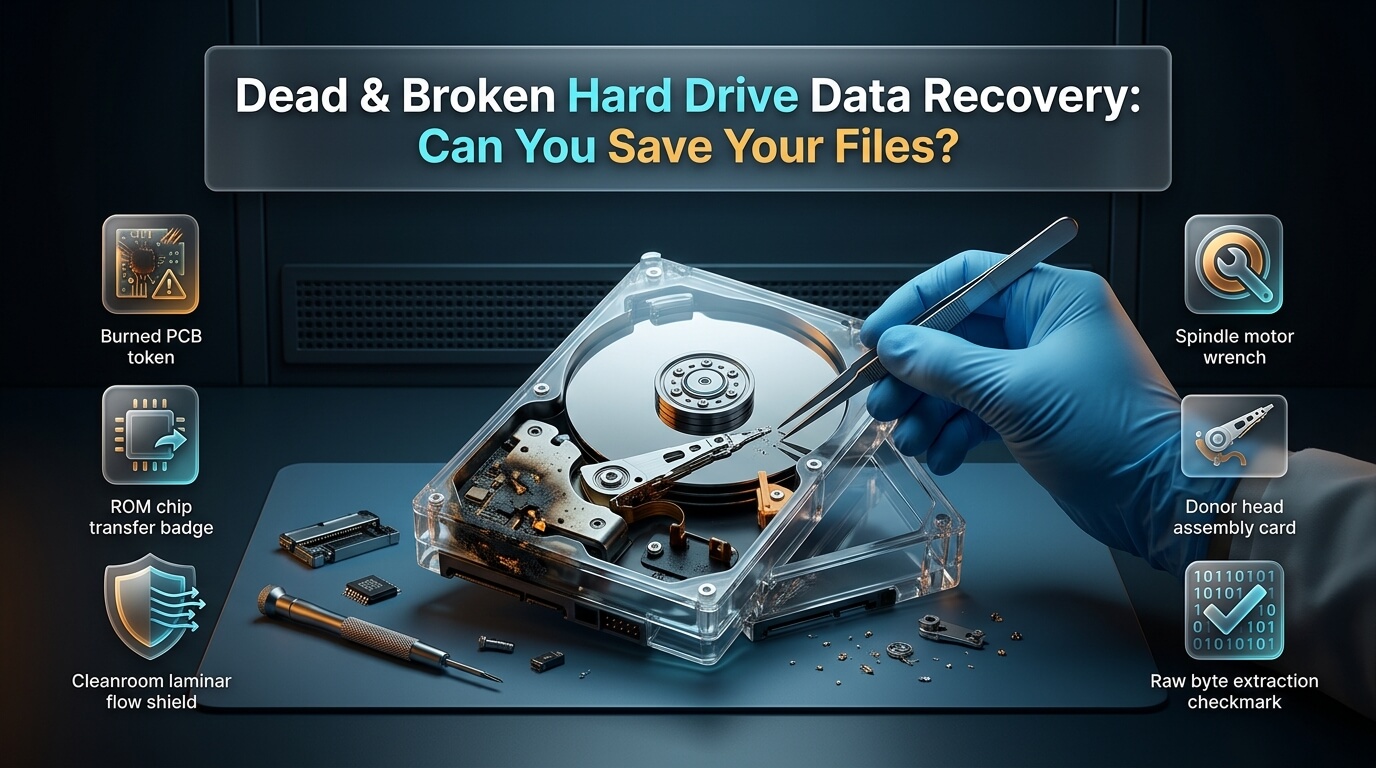
Few technology failures cause more immediate dread than a hard drive that suddenly refuses to work. You push the power button on your computer or plug in an external storage drive, but nothing happens. The drive remains completely silent, emits repetitive mechanical clicking sounds, or freezes the operating system during boot. When essential business documents, financial ledgers, and irreplaceable family archives disappear, understanding your options for dead hard drive data recovery is the difference between complete restoration and permanent data loss.
A dead storage drive is rarely a hopeless case. In the vast majority of incidents, the actual magnetic platters or flash memory cells holding your files remain intact. What has failed is an external circuit component, a mechanical read/write head assembly, or the internal motor bearing. By following proper diagnostic protocols and avoiding destructive home remedies, you can safely extract your files. This comprehensive guide explains why hard drives die, breaks down cleanroom restoration mechanics, compares DIY software feasibility against professional laboratories, analyzes repair costs, and outlines an emergency survival blueprint.
- Power Down Immediately: A hard drive that makes clicking, scraping, or grinding noises must be unplugged instantly. Running a mechanically failing drive grinds read heads into platters, destroying data forever.
- Software Cannot Fix Broken Hardware: No recovery software on earth can communicate with a drive whose spindle motor does not spin or whose read heads are physically snapped off.
- The Freezer Myth Destroys Media: Freezing a dead drive introduces internal condensation when returned to room temperature. Moisture shorts circuit boards and glues read heads to platters.
- Cleanroom Surgery Has High Success: Professional cleanroom engineers routinely replace damaged head assemblies and transplant platter packs to rescue 100% of files from broken media.
What Does “Dead” Really Mean? Triage and Symptoms
When users state that a storage drive is dead, they usually describe one of four distinct technical failure modes. When critical files vanish, attempting data recovery from a dead hard drive requires knowing the root failure mode. Accurately identifying the symptom directs the proper recovery approach:
1. Electronic Circuit Board Failure (No Spin, Complete Silence)
When you connect the drive to power, nothing happens. There are no vibrations, no indicator lights, and no sound. This symptom indicates a failure of the external Printed Circuit Board (PCB). Power surges, static discharge, or failing power supply units often blow the board’s transient voltage suppression (TVS) diodes or scorch the motor controller chip.
Fortunately, electronic failures leave internal magnetic platters untouched. However, modern drives cannot be fixed by simply swapping the PCB with an identical board from eBay. Every modern drive stores unique factory calibration data inside an on-board 8-pin ROM or EEPROM chip. A technician must desolder this ROM chip and transplant it onto a donor circuit board to match head alignments.
2. Mechanical Head Assembly Failure (The “Click of Death”)
When powered on, the drive spins up, but immediately produces a rhythmic ticking, clicking, or knocking sound (often repeating five to ten times) before powering down. Executing successful clicking hard drive data recovery requires cleanroom intervention.
This clicking occurs because the read/write heads have suffered physical trauma or electronic preamplifier failure. The drive sweeps the heads across the platters searching for firmware service area tracks. When the heads cannot read the tracking data, the actuator arm snaps back against the parking stop, generating the characteristic clicking noise. Continuing to run a clicking drive scratches the magnetic coating away.
3. Spindle Motor Bearing Seizure (Buzzing or Whining)
When powered, the drive emits a quiet buzzing, humming, or high-pitched electronic whine, but the platters do not rotate. This failure occurs frequently on portable external drives and laptops that suffered a physical drop. The mechanical shock bends the central spindle motor shaft or wedges the read heads directly onto the platter surface (head stiction).
Cleanroom technicians use specialized rotary unsticking tools to lift heads safely back onto the ramp, or transfer the entire platter pack into a donor chassis using specialized platter clamps.
4. Firmware and Service Area Corruption
The hard drive spins up smoothly and sounds healthy, but the computer displays a hard drive not recognized data recovery error in Windows Disk Management or macOS Disk Utility. In other cases, users encounter an external hard drive not detected data recovery prompt where the drive appears with a capacity of 0 bytes or shows generic controller text.
This indicates corruption within the drive’s Service Area (SA). The Service Area is a hidden, reserved zone on the platters containing defect lists (G-list and P-list), servo calibrations, and translator modules. When firmware modules corrupt, the drive enters an internal panic state and refuses to negotiate host data transfers. Specialists use hardware diagnostic consoles like the PC-3000 to repair firmware modules directly.
Many external hard drives that appear dead have healthy internal drives. The cheap USB-to-SATA bridge chip inside the plastic casing often fails first. Removing the drive from its external shell (shucking) and connecting it directly to a computer via an internal SATA cable can instantly restore access. Note that Western Digital My Passport drives feature native USB ports integrated directly onto the PCB, requiring specialized SATA conversion boards.
Device-Specific Failure Scenarios
Different storage form factors encounter distinct physical hazards during everyday use.
Broken External Hard Drives
External desktop and portable drives are vulnerable to cable snags, desktop tumbles, and accidental liquid spills. Performing broken external hard drive data recovery often involves addressing broken USB ports, damaged enclosure power supplies, or platter shock. When users seek dead external hard drive data recovery, technicians first test the external bridge controller before diagnosing the internal mechanical assembly.
If you require data recovery from dead external hard drive hardware, never shake the enclosure or attempt to bend bent USB pins with tweezers, as this can short out power lines and destroy the drive controller.
Dead Laptop Hard Drives
Laptops endure constant motion, thermal cycling, and sudden impacts. When a laptop experiences a hard fall while running, active spinning platters slap against suspension arms. Performing dead laptop hard drive data recovery requires disassembling the laptop chassis, extracting the 2.5-inch drive, and testing it on write-blocking diagnostic hardware.
Dead Solid-State Drives (SSDs)
While mechanical drives fail mechanically, solid-state drives fail electronically. Performing data recovery dead ssd operations is fundamentally different. When an SSD dies, it usually disappears from the system completely without warning. This silent death is caused by shorted power management ICs, corrupted NAND translation tables (FTL), or flash controller firmware lockups. Recovering data requires putting the SSD controller into technological factory mode to dump raw NAND flash blocks.
Regardless of whether your media is an internal desktop drive, external drive, or SSD, successful broken hard drive data recovery depends on matching the correct recovery technique to the specific physical failure.
Can Software Recover Data from a Dead Hard Drive?
A frequent question asked by panicked users is whether they can download dead hard drive data recovery software to rescue their files at home. The answer depends strictly on whether the storage failure is logical or physical.
Recovery software is designed to parse file systems, rebuild directory catalogs, and carve deleted file signatures. However, software requires a functional physical communication channel. If a drive does not spin up, or if its read heads cannot read tracking servos, the computer operating system cannot communicate with the disk controller. If Disk Management cannot detect the drive with its correct physical capacity, recovery software is completely useless.
Worse, running recovery software on an unstable, clicking drive is the fastest way to make your data permanently unrecoverable. Software utilities aggressively query bad sectors, forcing dying read heads to hammer against the platters for hours. This abrasive friction scratches away the microscopic magnetic layer, converting your data into dust. Software is only safe on mechanically healthy drives with logical partition issues.
How Certified Cleanrooms Rescue Data from Dead Drives
When physical hardware fails, professional cleanroom laboratories execute delicate surgical repairs that allow data to be imaged safely. Performing data recovery dead hard drive procedures follows a rigorous engineering sequence:
Step 1: Cleanroom Inspection (ISO Class 5 Environment)
Engineers unseal the drive inside a certified Class 100 or ISO Class 5 cleanroom. These environments filter out microscopic airborne dust particles. A single particle of dust in regular room air is larger than the flight gap between a read head and the spinning platter. Opening a drive in unrated air guarantees platter contamination.
Step 2: Head Gimbal Assembly (HGA) Replacement
If read heads are bent, burnt, or clicked, engineers use precision micro-tools to remove the damaged head stack. They source an identical donor hard drive matching the patient drive’s model number, country of origin, manufacturing date, and micro-code revision. The pristine donor head assembly is transplanted into the patient drive.
Step 3: Spindle Motor and Platter Pack Transplants
If the drive suffered a seized motor bearing, technicians do not attempt to hammer or force the motor shaft. Instead, they use specialized precision platter clamps to lock all magnetic platters in their exact rotational alignment. The entire platter pack is transferred into a working donor chassis.
Step 4: Firmware Stabilization and Forensic Imaging
Once mechanical integrity is restored, the drive is connected to a forensic diagnostic imager like the PC-3000. Engineers disable automatic defect reallocation, adjust read head gain parameters, and configure soft resets to bypass remaining damaged sectors. The drive is cloned sector-by-sector to a fresh target drive. Once the image is complete, files are extracted from the clone without stressing the fragile original hardware.
Through these specialized cleanroom methods, engineers executing data recovery from dead hard drive hardware achieve success rates exceeding ninety percent.
Dead Hard Drive Recovery Cost: What to Expect
One of the primary concerns for consumers and small business owners is understanding dead hard drive recovery cost. Professional recovery pricing is based on the required engineering hours, cleanroom equipment usage, and donor parts sourcing.
Industry-standard pricing models fall into clear failure categories:
- Tier 1: Logical & Minor Firmware Recovery ($200 to $450): The drive spins normally and has no mechanical defects. Files are inaccessible due to accidental formatting, corrupted partition tables, or minor firmware lockups. This work does not require cleanroom disassembly.
- Tier 2: Electronic PCB Repair & ROM Swap ($350 to $700): The drive is completely silent due to blown TVS diodes or burnt board components. Technicians repair circuit traces or solder the original ROM chip onto a donor board.
- Tier 3: Cleanroom Mechanical Reconstruction ($1,000 to $2,500+): The drive has clicked read/write heads, a seized spindle motor, or severe physical drop damage. Technicians must open the drive inside an ISO Class 5 cleanroom, source rare donor parts, transplant delicate components, and image platters under controlled speeds.
- Enterprise Multi-Disk RAID Servers ($2,500 to $7,000+): Failed enterprise server arrays requiring cleanroom mechanical repairs across multiple member drives before virtual parity reconstruction can begin.
- Beware of Per-Gigabyte Pricing: Cleanroom mechanical repair requires the exact same labor to fix a drive holding ten gigabytes as it does for a drive holding two terabytes. Legitimate labs charge for engineering labor, not per gigabyte.
- Demand a “No Data, No Fee” Policy: Reputable laboratories evaluate your drive and guarantee that if critical files cannot be recovered, you pay zero cleanroom labor fees.
- Never Pay Thousands Upfront: Honest cleanroom providers charge nominal or free diagnostic evaluations. Never pay non-refundable recovery fees before a successful extraction is verified.
- Confirm Cleanroom Verification: If a local storefront claims they will open your drive in their back office, walk away immediately. Proper cleanroom facilities must hold verified ISO certifications.
Top 8 Professional Data Recovery Labs & Hardware Tools Reviewed
When searching for reliable dead hard drive data recovery near me or seeking specialized diagnostic software for responsive drives, choosing an accredited provider is essential. Here is our review of eight leading industry solutions.
1. DriveSavers Cleanroom Hard Drive Recovery
Founded in 1985, DriveSavers is widely regarded as the gold standard for cleanroom mechanical hard drive salvage. Operating certified ISO Class 5 cleanroom laboratories, DriveSavers has rescued data from thousands of catastrophic mechanical, fire, and flood disasters.
Their facility maintains a multi-million-dollar inventory of donor hard drives spanning every major manufacturer and historical production batch. This vast parts inventory ensures that their mechanical engineers can locate exact donor head assemblies without weeks of shipping delays.
DriveSavers operates on a strict “No Data, No Recovery Fee” guarantee. They hold official authorizations from Western Digital, Seagate, Toshiba, Apple, and Dell, ensuring that opening drives inside their cleanroom will not void your original hardware warranty.
- Cleanroom Standard: Certified ISO Class 5 Cleanroom
- Security: SOC 2 Type II, HIPAA, FERPA, high-level government clearance
- Parts Inventory: Extensive global inventory of donor head assemblies and motor parts
- Turnaround: 24 to 48 hours for emergency priority; 5 to 7 days for standard service
- Best Use Case: Clicking, dropped, burned, or completely dead mechanical hard drives
2. Ontrack Hard Drive Recovery Service
Ontrack, a division of KLDiscovery, is an international pioneer in data recovery and legal computer forensics. With state-of-the-art cleanroom laboratories situated throughout North America, Europe, and Asia, Ontrack handles the most complex enterprise and consumer storage failures.
Ontrack’s engineering team developed proprietary mechanical micromanipulators and custom platter transfer rigs that allow them to unseize multi-platter server drives without disturbing critical rotational alignments. They also offer Remote Data Recovery (RDR) for non-mechanical logical volume corruption over encrypted connections.
Their customer portal provides an interactive file-tree preview showing the exact directories and documents recovered before final payment is requested, giving clients total transparency.
- Cleanroom Standard: Certified Class 100 / ISO Class 5 facilities
- Security Certifications: ISO 27001, SOC 2 Type II certified
- Capabilities: Proprietary tape migration, mechanical platter transplants, cleanroom head swaps
- Availability: 24/7/365 emergency lab dispatch
- Best Use Case: Enterprise server hard drives, complex multi-drive RAID failures, critical business storage
3. Secure Data Recovery Services
Secure Data Recovery Services maintains one of the largest physical footprints in the country, boasting hundreds of local partner drop-off offices across virtually every state. This widespread availability makes it exceptionally easy to hand-deliver a dead drive locally for expedited transfer to their central lab.
The company was the first in the data recovery industry to achieve an ISO Class 4 cleanroom certification, providing an ultra-clean air environment that exceeds typical Class 100 standards. Their engineers specialize in SSD controller bypasses, monolithic memory extraction, and mechanical disk reconstruction.
They provide transparent online tracking portals where customers can monitor their case progress in real time. Secure Data Recovery operates on a no-recovery, no-service-fee policy and provides upfront flat-rate diagnostics following physical inspection.
- Cleanroom Standard: Certified ISO Class 4 Cleanroom
- Security Compliance: SSAE 18 SOC 1, 2, and 3 certified, HIPAA, PCI-DSS compliant
- Network: Over 250 local drop-off partner locations nationwide
- Turnaround: 48 hours for expedited; 7 to 12 business days for standard service
- Best Use Case: Convenient local drop-offs, advanced flash memory recovery, dead external drives
4. Gillware Data Recovery
Based in Madison, Wisconsin, Gillware Data Recovery is famous for its in-house mechanical engineering talent and highly competitive pricing models. Founded by software and mechanical engineers, Gillware created custom data recovery firmware platforms that minimize stress on fragile disk platters.
Instead of relying solely on manual donor head swaps, Gillware uses proprietary magnetic read/write software to target only the critical sectors containing user files. This targeted approach prevents failing drives from burning out before essential data can be copied.
Gillware offers completely free inbound shipping labels from anywhere in the United States and never charges diagnostic evaluation fees. If they cannot retrieve your targeted critical files, there is zero charge for the service.
- Cleanroom Standard: ISO Class 5 laminar flow workstations
- Security Compliance: SOC 2 Type II audit certified
- Unique Advantage: In-house developed data-mining software and targeted platter imaging
- Typical Turnaround: 3 to 5 business days for standard cases
- Best Use Case: Cost-effective consumer hard drive recovery, dropped portable disks, small business storage
5. SalvageData Recovery
SalvageData Recovery has provided professional recovery services since 2003, earning a strong reputation among small businesses, educational institutions, and residential clients. They operate regional labs and certified drop-off locations in dozens of metropolitan centers.
The provider offers free in-lab evaluations and detailed diagnostic reports before requiring customer commitment. SalvageData holds ISO-9001 quality management certifications and utilizes cleanroom workstations for mechanical drive rebuilding and donor head transplants.
Their customer portal provides an intuitive file-tree preview showing the exact directories and documents recovered before final payment is requested. This transparency gives clients complete confidence in the integrity of their retrieved files.
- Cleanroom Standard: Certified ISO Class 5 clean bench environments
- Security Compliance: SOC 2 Type III, HIPAA compliant, GSA contract holder
- Evaluation Policy: 100% Free in-lab diagnostic evaluation
- Typical Turnaround: 2 to 3 days for priority; 5 to 10 days for economy service
- Best Use Case: Small business server crashes, external hard drives, family photo archives
6. WeRecoverData
Headquartered in New York City with cleanroom facilities and drop-off depots throughout major global cities, WeRecoverData caters heavily to enterprise organizations, university medical centers, and government clients.
WeRecoverData maintains an active research and development laboratory dedicated to developing recovery algorithms for proprietary enterprise storage controllers and emerging NVMe protocols. Their team is frequently retained for high-profile litigation recovery and complex hardware forensics.
They provide twenty-four-hour emergency response services and will dispatch on-site field technicians for mission-critical storage failures across major metropolitan areas.
- Cleanroom Standard: Certified Cleanroom Class 100
- Security Compliance: HIPAA, SOC 2 compliance, government-cleared personnel
- Service Options: On-site emergency dispatch, remote network recovery, in-lab cleanroom service
- Typical Turnaround: 24 hours for emergency; 4 to 8 days for standard service
- Best Use Case: Complex corporate SAN/NAS failures, legal dispute forensics, enterprise flash arrays
7. R-Studio Data Recovery
While cleanroom labs handle mechanical surgery, R-Studio by R-Tools Technology is the premier software tool for recovering files from drives with minor bad sectors, damaged partition tables, or corrupted file systems.
If your drive is recognized by your computer but displays a RAW filesystem or freezes during standard file copy operations, R-Studio provides advanced sector-by-sector disk imaging capabilities. It allows technicians to create an exact image of healthy sectors while skipping unstable clusters, minimizing stress on the hardware.
Once the image is created, R-Studio parses complex file systems including NTFS, ReFS, ext4, XFS, and APFS, reconstructing nested directories and carving raw file signatures without touching the original media.
- Supported File Systems: NTFS, ReFS, FAT, exFAT, ext2/3/4, XFS, Btrfs, HFS+, APFS, UFS
- Key Advantage: Granular control over read timeouts and raw byte-by-byte image creation
- Platform: Windows, macOS, Linux
- Limitation: Requires the drive to spin up and be recognized by the host controller
- Best Use Case: Technicians imaging unstable drives with soft bad sectors and logical corruption
8. HDDSuperClone
HDDSuperClone is an advanced, specialized open-source disk cloning utility designed specifically for recovering data from failing, unstable hard drives with bad sectors. Developed for Linux, it provides hardware-assisted cloning capabilities that rival expensive commercial imaging hardware.
Unlike standard operating system copy commands that crash when encountering a bad sector, HDDSuperClone uses multi-phase cloning algorithms. In Phase 1, it sweeps through the drive reading all healthy sectors at maximum speed. In subsequent phases, it carefully trims and scrapes around bad sectors, using soft and hard software resets to prevent the drive from locking up.
When used with a compatible USB relay or direct SATA connection, HDDSuperClone can automatically power-cycle a drive that freezes during reads, allowing unattended cloning of failing media. It is completely free and open-source.
- Tool Type: Specialized Linux Disk Cloning and Sector Scraping Utility
- Licensing: Free and Open-Source
- Key Capability: Multi-phase cloning designed specifically to handle bad sectors and drive timeouts
- Hardware Support: Direct SATA passthrough, virtual disk imaging, USB relay power-cycling
- Best Use Case: Tech-savvy users cloning failing hard drives with read instability before cleanroom failure
Comparison of Leading Dead Hard Drive Recovery Solutions
The following comparison table summarizes essential platform characteristics, cleanroom ratings, hardware capabilities, and best use cases across all eight reviewed solutions.
| Solution | Type | Cleanroom Standard | Physical Hardware Repair | No Data No Fee | Best Use Case |
|---|---|---|---|---|---|
| DriveSavers | Cleanroom Lab | ISO Class 5 | Full Head & Platter Surgery | Yes | Clicking, dropped, and severely damaged mechanical drives |
| Ontrack | Cleanroom Lab | ISO Class 5 | Full Mechanical & Firmware | Yes | Enterprise SAN/NAS arrays, mission-critical server drives |
| Secure Data Recovery | Cleanroom Lab | ISO Class 4 | Full Mechanical & Chip-Off | Yes | Convenient local drop-offs across over 250 partner locations |
| Gillware | Cleanroom Lab | ISO Class 5 | Mechanical & Targeted Read | Yes | Cost-effective consumer drive recovery with free shipping |
| SalvageData | Cleanroom Lab | ISO Class 5 | Full Mechanical Surgery | Yes | Free in-lab diagnostic evaluations for small business drives |
| WeRecoverData | Cleanroom Lab | Class 100 | Full Cleanroom Surgery | Yes | Government, legal forensics, and on-site emergency dispatch |
| R-Studio | Software | N/A (Software) | No (Logical Only) | Free Preview | Imaging responsive drives with soft bad sectors |
| HDDSuperClone | Open-Source Tool | N/A (Software) | No (Cloning Only) | 100% Free | Advanced multi-phase disk imaging for failing drives on Linux |
Emergency Protocol: What to Do When Your Drive Dies
When you suspect a hard drive has died, your immediate actions dictate whether cleanroom engineers can rescue your files. Follow this four-step survival protocol:
- Disconnect Power Immediately: Unplug the drive from the wall or disconnect the internal SATA cable. If the drive is clicking, do not keep power connected hoping it will suddenly read. Every rotation risks irreversible platter scoring.
- Do Not Open the Drive Casing: Never remove the metal cover screws of a hard drive. Opening a hard drive in regular room air allows airborne dust particles to settle across the platters, guaranteeing head crashes the moment it spins up.
- Avoid Destructive Internet Myths: Do not put the drive in the freezer. Do not hit the drive with a screwdriver handle. Do not bake the circuit board in an oven. These myths introduce moisture, shatter ceramic suspension arms, and destroy electronic chips.
- Package the Drive Securely for Shipment: Place the drive inside an anti-static bag to prevent electrostatic discharge. Wrap the drive in at least two to three inches of heavy bubble wrap on all sides. Place it inside a rigid corrugated cardboard box. Never ship storage drives in padded envelopes.
Frequently Asked Questions
Can I replace the circuit board (PCB) on my dead hard drive myself?
On modern hard drives manufactured after 2004, simple PCB swapping does not work. Hard drive circuit boards contain an 8-pin ROM or EEPROM chip holding unique, factory-calibrated head alignment maps and servo parameters. If you install an identical donor PCB without transferring this original ROM chip, the drive will spin up but will not recognize tracks or communicate with the computer. Swapping boards requires micro-soldering the ROM chip from the patient board onto the donor board.
Why does my hard drive click repeatedly when I plug it in?
The clicking noise, known as the “Click of Death,” occurs when the read/write heads are physically damaged, misaligned, or cannot read the drive’s firmware tracks in the Service Area. The drive sweeps the actuator arm back and forth across the platter seeking servo calibration data. When reading fails, the arm resets to the parking stop with a mechanical click and retries. Clicking indicates severe mechanical failure that requires cleanroom head replacement.
Can data be recovered from a hard drive that does not spin at all?
Yes, non-spinning hard drives usually suffer from electronic PCB failures or seized motor bearings. In electronic failure cases, the magnetic platters inside are completely undamaged. Cleanroom technicians either repair the blown TVS diodes on the board, perform an EEPROM transfer to a matching donor board, or unseize the spindle motor bearings using specialized cleanroom clamps, achieving high recovery success rates.
Why does freezing a hard drive ruin data recovery chances?
The “freezer trick” was an old workaround from the 1990s where thermal contraction could temporarily unstick primitive motor bearings. On modern high-density hard drives, placing a drive in a freezer introduces microscopic water condensation inside the sealed chamber when returned to room temperature. This moisture shorts out delicate electronics and causes spinning read heads to adhere to the platters, permanently destroying the recording layer.
How do I know if my external hard drive failure is the enclosure or the drive?
External hard drive enclosures contain a USB-to-SATA bridge board that translates SATA signals into USB protocol. If the bridge board burns out, the drive will not power on or show up on your computer. If you have an external desktop drive, a technician can safely extract the internal hard drive from the plastic casing and connect it directly to a computer via SATA to test if the drive itself functions normally.
Conclusion: Saving Your Data from the Brink
A dead or broken hard drive is an alarming crisis, but it does not mean your files are gone forever. The critical factor is resisting destructive DIY fixes, powering down the hardware immediately, and avoiding aggressive recovery software on physically clicking drives. By partnering with certified cleanroom laboratories equipped with ISO-certified clean benches, donor parts libraries, and experienced micro-mechanical engineers, you can safely rescue your irreplaceable records from catastrophic hardware death.