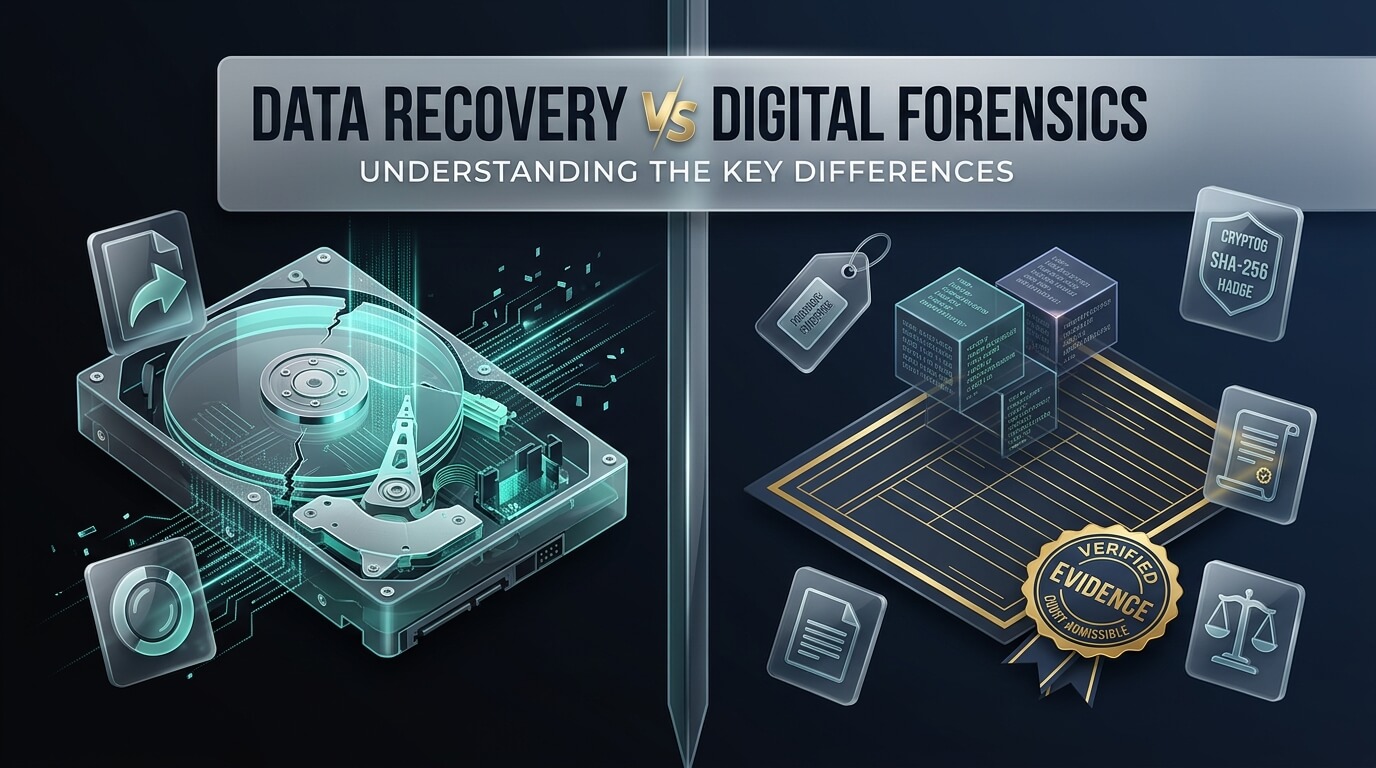
In modern corporate investigations, criminal litigation, and everyday technological emergencies, extracting hidden information from digital storage devices is a routine requirement. When critical files vanish from a server or an employee damages a laptop before departing a firm, decision-makers often use the terms “data recovery” and “digital forensics” interchangeably. However, conflating these two disciplines can lead to catastrophic legal errors, evidence spoliation, and wasted financial resources. Understanding the distinction between data recovery vs digital forensics is essential for IT directors, attorneys, law enforcement officers, and business executives.
While both fields operate on storage media such as solid-state drives, smartphones, mechanical disks, and virtualized RAID arrays, their end objectives, methodologies, and legal standards are entirely different. Data recovery focuses purely on file extraction and operational continuity. In contrast, digital forensics is a scientific branch of forensic science dedicated to the identification, preservation, extraction, and documentation of digital evidence for court proceedings. Navigating data recovery and digital forensics requires recognizing when to prioritize rapid file salvage and when to enforce rigid evidentiary integrity.
Whether you are dealing with an accidental deletion, a corporate IP theft case, or a heavily damaged mobile device, knowing which process to deploy prevents permanent loss. This comprehensive guide breaks down the core distinctions between data recovery vs computer forensics, covers forensic write-blocking and chain of custody rules, explains specialized forensic tools, and reviews leading software platforms and lab services.
- The Primary Objective: Data recovery aims to return functional files to a user as quickly as possible. Digital forensics aims to prove who, what, when, where, and how an event occurred to withstand judicial scrutiny.
- Chain of Custody Is Non-Negotiable: Forensics demands a verifiable, unbroken paper trail documenting every individual who handled the evidence, backed by cryptographic MD5 or SHA-256 hash verifications.
- Hardware Write-Blockers: Forensic investigators never connect evidence drives to an operating system without a physical write-blocker. Normal OS connections automatically write hidden indexing files, altering critical metadata.
- Beyond Active Files: Data recovery searches for missing user documents. Digital forensics scrutinizes unallocated disk space, volume slack, RAM artifacts, Windows Registry hives, and hidden system logs.
- The Forensic Data Recovery Bridge: When evidence media is physically burned, crushed, or submerged, technicians must employ data recovery micro-soldering and cleanroom methods while maintaining strict forensic custody.
Core Differences: Purpose, Philosophy & Output
The philosophical divide between data recovery vs forensic analysis shapes every action an engineer or investigator takes when handling storage hardware.
1. Goal and Motivation
The sole purpose of commercial data recovery is file utility. A client brings a failing external hard drive to a technician and asks: “Can you save my QuickBooks accounting database and family photo albums?” The technician does not care who created the files, whether the files contain illegal contraband, or if file creation timestamps were modified during the extraction process. Success is measured solely by the percentage of readable files delivered to the client.
In contrast, digital forensics is driven by truth and accountability. A corporate legal team hands an investigator a laptop and asks: “Did our former vice president copy customer lists to an unauthorized USB stick on the night of November 12th?” The investigator cares deeply about metadata, deletion artifacts, operating system event logs, and user intent. The recovered file itself is merely one piece of a broader investigative timeline.
2. The Integrity of the Original Storage Media
In standard data recovery, technicians are legally and operationally free to modify the physical storage media. If an SSD has damaged firmware, the technician may reflash the controller. If a mechanical hard drive has bad sectors, the technician may write zero-byte patches to the partition table or bypass failing sectors. If a circuit board is dead, they solder temporary jumper wires across power rails. As long as the user receives their documents, modifying the storage drive is standard practice.
In data recovery forensic investigations, altering the original storage media in any way is considered evidence tampering or spoliation. Under courtroom evidence standards (such as Federal Rule of Evidence 702 and the Daubert standard), any unexplained byte modification can lead a judge to throw out the evidence entirely. Forensic examiners must work exclusively on exact, bit-stream disk images while the original physical drive rests securely in a tamper-evident evidence locker.
3. Reporting and End Deliverables
A data recovery engagement concludes with delivering recovered files on an external USB hard drive or cloud download link. The client inspects the files, verifies that their spreadsheets and folders open, and pays the invoice.
A digital forensics engagement produces a comprehensive, legally defensible forensic report. The report details the hardware serial numbers, firmware revisions, acquisition hashing algorithms, software version numbers, tool validation tests, and step-by-step methodologies used. The forensic examiner must be prepared to sit in a witness stand as an expert witness, undergo cross-examination, and defend their analytical findings under oath.
Never connect a suspect storage drive to a standard Windows or Mac workstation to “take a quick look.” The moment you plug in a drive, modern operating systems automatically write volume information, update “Last Accessed” timestamps, and create hidden indexing files like `thumbs.db` or `.Spotlight-V100`. These automatic operating system writes contaminate evidence and can compromise a court case.
The Legal Framework: Chain of Custody & Cryptographic Hashing
The legal boundary separating digital forensics and data recovery rests upon rigorous custodial protocols and mathematical verification.
What Constitutes a Chain of Custody?
Chain of Custody is a chronological, unbroken legal document that tracks the physical custody, transfer, and disposition of digital evidence from the instant it is seized until its presentation in court. A valid chain of custody log records:
- Seizure Details: Date, exact timestamp, location, case number, and identity of the seizing investigator.
- Physical Description: Device manufacturer, model number, capacity, and unique serial numbers.
- Packaging Status: Tamper-evident tape serial numbers, anti-static Faraday shielding bags (to block remote wipe commands on mobile devices), and secure lockbox identifiers.
- Custodial Sign-Offs: Every transfer between investigators, laboratory technicians, forensic analysts, and evidence vaults must be signed and dated by both parties.
If an organization uses standard consumer data recovery shops for internal legal investigations, the chain of custody is broken immediately. Without certified custodial handling, the resulting files will likely be ruled inadmissible in civil or criminal litigation.
Cryptographic Bit-Level Hashing: MD5, SHA-1 & SHA-256
How does a court know that a digital file presented by an investigator is identical to the file that rested on a suspect’s laptop six months ago? The answer lies in cryptographic hash functions.
During forensic acquisition, specialized software reads the source disk bit-by-bit and calculates a cryptographic hash (typically SHA-256 or MD5). This hash is a unique 64-character alphanumeric string representing the exact mathematical state of the storage media. If a single bit out of four trillion bits changes, the resulting hash changes completely (known as the avalanche effect).
Once the investigator creates a bit-stream disk image (such as an Expert Witness E01 file or raw DD image), they compute the hash of the image. If the verification hash matches the acquisition hash, the court has mathematical certainty that the forensic copy is an exact, unadulterated replica of the original evidence.
Hardware and Software Write-Blockers
To ensure that the host computer cannot write a single byte of data to the target disk, forensic examiners use dedicated write-blockers. Hardware write-blockers (such as Tableau, WiebeTech, or CRU devices) sit physically between the evidence drive and the forensic workstation. The write-blocker’s internal controller intercept all write commands (like `WRITE_SECTOR` or `FLUSH_CACHE`) and permits only read commands to pass through to the workstation.
Software write-blockers operate within specialized forensic Linux distributions (such as CAINE or SANS SIFT Workstation) by mounting block devices with strict read-only kernel flags. Consumer data recovery tools rarely enforce hardware write-blocking by default.
Technical Methodologies Compared: Scope of Analysis
The analytical scope of data recovery forensics extends far beyond recovering deleted Microsoft Word documents.
1. File System Slack Space and Unallocated Sectors
When a file is deleted in a typical operating system, the file system simply clears the file’s index entry in the Master File Table (MFT) or file allocation table. The clusters where the data resides become “unallocated space.” Commercial data recovery software searches unallocated space for file headers and footers to carve missing documents.
Digital forensics goes much further by analyzing “slack space.” File systems allocate storage in fixed cluster sizes (typically 4,096 bytes). If a file contains only 1,500 bytes of data, the remaining 2,596 bytes in that cluster represent file slack. File slack often contains fragments of previously deleted documents, email snippets, or chat messages that resided on the platter years earlier. Forensic examiners routinely extract evidence from slack space that consumer recovery software ignores.
2. Operating System Artifacts and User Activity Reconstruction
A forensic analyst reconstructs what a user did leading up to a security incident or crime. This involves parsing deep operating system artifacts:
- Windows Registry Analysis: Examining `UserAssist` keys to prove which applications were executed, `ShimCache` records to track deleted binaries, and `RecentDocs` to track viewed files.
- USB Device History: Interrogating `SYSTEM\CurrentControlSet\Enum\USBSTOR` registry hives to identify every USB flash drive or external hard drive ever connected to the computer, complete with drive serial numbers and first/last connection timestamps.
- LNK Files and Jump Lists: Analyzing shortcut files that prove a specific document was opened from an external USB drive, even after the USB drive has been physically disconnected and destroyed.
- Shellbags: Parsing folder view settings that prove a user navigated into specific directories, even if those directories were later wiped or resided on network shares.
- Browser History and Web Cache: Recovering SQLite database tables to trace visited URLs, search queries, cloud file uploads, and session cookies.
3. Anti-Forensic Detection and Memory Analysis
When sophisticated actors attempt to hide their tracks, they employ anti-forensic techniques such as secure file shredders (like Eraser or BleachBit), timestamp tampering (timestomping), or steganography (hiding secret files inside image pixels). Forensic examiners utilize advanced mathematical algorithms to detect statistical anomalies in disk entropy, exposing attempted cover-ups.
In live system investigations, examiners also perform volatile memory (RAM) acquisitions using tools like Volatility. Capturing RAM allows investigators to retrieve unencrypted BitLocker keys, decrypted TrueCrypt volumes, running malware processes, and unsaved chat messages that never touched physical disk storage.
Specialized Disciplines: Hard Drives & Mobile Device Forensics
Different storage media present distinct investigative challenges, requiring specialized hardware and software configurations.
Forensic Hard Drive Data Recovery
When performing forensic hard drive data recovery, examiners must look beyond standard user partitions. Modern hard drives contain hidden sectors intentionally placed outside the reach of the operating system:
- Host Protected Area (HPA): A reserved area of the drive created using ATA commands (`SET_MAX_ADDRESS`) that the operating system cannot see. Malicious actors and malware can store unauthorized partitions or stolen data inside an HPA. Forensic tools issue specialized low-level ATA commands to remove the HPA boundary and image the hidden sectors.
- Device Configuration Overlay (DCO): Another hidden disk region configured by manufacturers that hides drive capacity. Forensic imaging software detects and reads DCO blocks to ensure zero hidden data escapes acquisition.
- Bad Sector and G-List Carving: When sectors fail, hard drive controllers reallocate them to a spare track list (the Grown Defect List, or G-List). Specialized forensic hardware consoles (such as ACE Laboratory PC-3000) can read retired G-list sectors to retrieve fragments of data written immediately before the sector was retired.
Forensic iPhone Data Recovery
Modern mobile investigations present extreme cryptographic hurdles. Apple iPhones utilize hardware-backed File-Based Encryption (FBE) managed by the Secure Enclave processor. Standard commercial iPhone backup extractors can only read whatever files an unlocked iPhone chooses to export via iTunes backup APIs.
In contrast, forensic iphone data recovery employs state-of-the-art forensic hardware suites (such as Cellebrite UFED, Magnet GrayKey, or Oxygen Forensic Detective). These tools utilize specialized bootloader exploits to achieve physical or Full File System (FFS) extractions. Forensic mobile extraction retrieves:
- Encrypted SQLite databases from WhatsApp, Signal, Telegram, and Apple iMessage.
- Deleted SMS conversations carved from database Write-Ahead Logs (`.wal` files).
- Consolidated location databases (`consolidated.db`) recording GPS coordinates, Wi-Fi access points, and cell tower connections.
- System knowledge stores and screen-time artifacts that prove when an iPhone was physically held and unlocked by a user.
- Extracted iOS Keychains containing stored Wi-Fi passwords, email tokens, and application credentials.
The Intersection: When Data Recovery Meets Digital Forensics
What happens when a critical storage device is both physically destroyed and urgently needed for a legal investigation? This is where the two fields unite into forensic data recovery.
The Hardware Crisis in Legal Investigations
In criminal cases and high-stakes corporate sabotage, evidence media is rarely handed to investigators in pristine, working condition. Suspects routinely drop smartphones into lakes, smash hard drives with hammers, snap USB thumb drives in half, or set fire to corporate servers. A digital forensics examiner sitting at a workstation with software tools cannot image a dead drive.
If an untrained forensics officer attempts to power on a clicking hard drive, they will gouge the platters and permanently destroy evidence. Conversely, if an evidence custodian sends the drive to a consumer computer repair shop, the repair technicians will likely break the chain of custody, alter firmware structures, and contaminate evidence.
The Forensic Data Recovery Protocol
To bridge this gap, organizations turn to specialized forensic data recovery services. When corporate counsel or law enforcement agencies search for forensic data recovery near me, choosing an accredited laboratory equipped with certified ISO Class 5 cleanrooms and forensic examiners ensures evidentiary integrity. These specialized facilities (such as DriveSavers or state police crime labs) follow a strict hybrid protocol:
- Formal Evidence Intake: The damaged device is logged with chain of custody paperwork, photographed from all angles, and assigned a secure evidence tracking barcode.
- Cleanroom Hardware Stabilization: In an ISO Class 5 cleanroom, micro-soldering engineers perform precision mechanical surgery. They replace damaged read/write head assemblies, clean liquid corrosion in ultrasonic alcohol baths, or transplant NAND flash chips onto donor boards.
- Hardware-Level Read-Only Extraction: The repaired drive is connected to a hardware write-blocker console (such as PC-3000). The engineers do not boot the operating system. Instead, they extract an exact bit-stream physical image directly to a sterile forensic evidence container.
- Forensic Verification & Documentation: The acquisition hash is calculated and verified. Detailed engineering bench notes documenting every component replacement are signed and attached to the legal evidence file.
- Return to Forensic Investigators: The stabilized original drive is returned to the evidence vault, while the verified bit-stream image is delivered to digital forensic analysts for timeline reconstruction and courtroom presentation.
Top 8 Tools & Platforms: Data Recovery & Digital Forensics
To help organizations evaluate the right software and services for their specific needs, we have evaluated eight leading solutions spanning digital forensics investigation suites, file carving utilities, mobile acquisition hardware, and certified forensic cleanroom laboratories. Deploying dedicated forensic data recovery software allows investigators to parse raw disk images without altering underlying bit structures. Unlike consumer utilities, specialized data recovery forensic tools and advanced forensic data recovery tools prioritize hardware write-blocking, cryptographic validation, and court-admissible reporting.
1. EnCase Forensic
Developed by OpenText (formerly Guidance Software), EnCase Forensic is one of the most established and courtroom-accepted digital forensic platforms in global law enforcement and corporate security.
EnCase pioneered the industry-standard `.E01` (Expert Witness Format) evidence container, which stores bit-stream disk images alongside embedded cryptographic hashes, examiner notes, and acquisition metadata. EnCase offers deep file system analysis, timeline building, and artifact parsing across Windows, macOS, Linux, and mobile operating systems. Its advanced search algorithms allow investigators to search through massive multi-terabyte datasets using complex regular expressions.
The platform generates comprehensive, audit-ready forensic reports that have withstood judicial cross-examination in federal, state, and international courts for decades.
- Category: Complete Digital Forensic Investigation Suite
- Evidence Format: Native Expert Witness Format (.E01 / .Ex01) and raw image support
- Core Specialty: Deep enterprise and criminal forensic investigations with court-admissible evidence reporting
- Target Audience: Law enforcement agencies, military investigators, enterprise corporate security teams
- Best Use Case: Formal legal disputes, regulatory investigations, and criminal evidence processing requiring unquestioned court admissibility
2. Autopsy Forensic Browser
Autopsy is the premier open-source digital forensics platform, built on top of The Sleuth Kit (TSK) library. It is widely used by law enforcement, incident responders, and universities worldwide as an accessible yet powerful investigative tool.
Autopsy provides an intuitive graphical interface that simplifies complex forensic analysis. It automatically extracts web browser activity, user communications, EXIF geolocation metadata from images, recent documents, and registry artifacts. Autopsy includes integrated file carving engines, keyword indexing via Apache Solr, and automated timeline analysis that displays events in an interactive visual timeline.
Because Autopsy is open-source, extensible via Python and Java plugins, and completely free of licensing fees, it represents the gold standard for budget-conscious organizations and education.
- Category: Open-Source Digital Forensics Platform
- License: 100% Free Open-Source Software (Apache 2.0 License)
- Supported Images: Raw/DD, E01, VHD, VMDK, ISO, and live triage drives
- Key Capabilities: Timeline analysis, EXIF geotag mapping, hash lookup sets (NSRL integration), automated file carving
- Best Use Case: Internal corporate investigations, academic training, and small law enforcement departments seeking powerful forensics without licensing costs
3. FTK (Forensic Toolkit) by Exterro
Forensic Toolkit (FTK), developed by Exterro (formerly AccessData), is an enterprise-class digital investigations suite celebrated for its multi-threaded processing power and massive database architecture.
Unlike single-threaded forensic utilities that struggle with large disk images, FTK utilizes a centralized PostgreSQL database architecture that distributes indexing tasks across multiple computer cores and network nodes. It indexes data upfront, meaning searches across millions of documents, emails, and chat logs return results in fractions of a second. FTK is particularly renowned for its advanced memory analysis (parsing live RAM dumps) and specialized password decryption engines.
FTK Imager, its companion utility, is the industry-standard free tool used worldwide for creating forensically sound E01 and raw DD disk images with hardware write-blockers.
- Category: Enterprise Digital Investigation Platform & Database Suite
- Core Engine: Centralized PostgreSQL database for multi-threaded distributed processing
- Special Capabilities: Volatile memory (RAM) analysis, integrated password recovery, upfront keyword indexing
- Companion Tool: FTK Imager (Free, ubiquitous forensic acquisition utility)
- Best Use Case: Large-scale corporate investigations, law firms handling e-discovery, and government agencies analyzing multi-terabyte evidence pools
4. Cellebrite UFED
Cellebrite Universal Forensic Extraction Device (UFED) is the undisputed global leader in mobile device forensics, utilized by police departments, intelligence agencies, and military forces in over one hundred and fifty countries.
Modern mobile phones present extreme encryption barriers that standard computer recovery tools cannot touch. Cellebrite UFED bypasses hardware lock screens and Secure Enclave protections on thousands of Apple iOS and Android smartphones. It performs deep physical and Full File System (FFS) acquisitions, extracting deleted chat databases, encrypted WhatsApp and Signal histories, cloud-synced tokens, Wi-Fi association logs, and hidden application containers.
Its companion analytical software, Cellebrite Physical Analyzer, parses and visualizes complex mobile data, mapping suspect travel routes and timeline events with surgical accuracy.
- Category: Dedicated Mobile Device Forensic Hardware and Software Suite
- Supported Devices: Thousands of Apple iOS, Google Android, feature phones, and GPS navigation units
- Capabilities: Lock screen bypass, bootloader exploit extraction, Full File System carving, deleted chat database recovery
- Target Market: Certified law enforcement agencies, military intelligence, licensed private forensic examiners
- Best Use Case: High-stakes mobile smartphone investigations requiring passcode bypass and deep physical extraction from locked devices
5. Magnet AXIOM
Developed by Magnet Forensics, Magnet AXIOM has rapidly emerged as a favorite investigation suite for modern forensic laboratories, celebrated for its artifact-centric approach to evidence discovery.
While legacy forensic tools focus heavily on raw file system structures, Magnet AXIOM focuses on “artifacts”—the actual human activity stored on devices. AXIOM seamlessly integrates data acquired from computers, mobile devices, and cloud repositories (such as Google Drive, Microsoft 365, iCloud, and social media) into a single unified investigative case file. Its powerful analytical modules automatically parse communications, picture geolocation data, and web browser histories into intuitive visual dashboards.
AXIOM includes advanced machine learning tools that can automatically identify and categorize illicit imagery, weapons, drugs, and financial documents across millions of recovered files.
- Category: Artifact-Centric Complete Digital Investigation Platform
- Data Sources: Computer disks, smartphones, cloud accounts, memory dumps, IoT devices
- Special Features: Cloud API extraction, automated artifact parsing, machine learning image categorization
- Interface: Modern, highly visual dashboard with cross-evidence timeline mapping
- Best Use Case: Comprehensive investigations spanning multiple devices, where investigators need to correlate phone chats, computer files, and cloud storage into a single timeline
6. R-Studio Technician
R-Studio by R-Tools Technology occupies a unique and powerful position at the direct intersection of commercial data recovery and technical forensic disk imaging.
While R-Studio is primarily known as an advanced data recovery utility, its “Technician” edition includes features built specifically for forensic examiners. R-Studio Technician can create forensically sound raw disk images and compressed E01 image files. It includes a multi-pass imaging engine that handles failing storage drives with bad sectors by skipping degraded areas and returning in reverse passes to maximize data extraction without destroying the drive. It also features a built-in hexadecimal editor and virtual RAID reassembly tools.
For organizations needing an affordable tool that handles both everyday data recovery emergencies and technical forensic disk imaging, R-Studio Technician is an exceptional value.
- Category: Advanced Hybrid Data Recovery and Forensic Disk Imaging Platform
- Capabilities: Multi-pass disk imaging for bad sectors, virtual RAID reconstruction, hex editor, E01 container export
- Supported File Systems: Comprehensive support for NTFS, ReFS, FAT, exFAT, Ext2/3/4, HFS+, APFS, UFS
- Pricing: Affordable commercial licensing compared to enterprise forensic suites
- Best Use Case: IT departments and forensic examiners needing advanced disk cloning, RAID recovery, and damaged sector extraction at a reasonable price point
7. X-Ways Forensics
X-Ways Forensics is a lightweight, ultra-fast integrated computer forensics environment developed in Germany. It is celebrated among senior forensic practitioners for its speed, resource efficiency, and deep technical transparency.
Unlike massive enterprise platforms that require dedicated database servers and consume gigabytes of RAM, X-Ways Forensics is a compact executable that runs directly from a USB stick without installation. It processes multi-terabyte disk images in fractions of the time required by competing tools. X-Ways gives examiners complete low-level control over raw sector inspection, file slack carving, MFT record parsing, and metadata extraction.
Its strict adherence to scientific accuracy and complete avoidance of “black-box” automation makes it a favorite among experienced forensic examiners testifying in high-level court cases.
- Category: High-Performance Technical Computer Forensics Environment
- Resource Footprint: Ultra-lightweight (portable executable under 50MB, requires zero database setup)
- Strengths: Blazing-fast disk indexing, raw sector inspection, thorough file slack and unallocated space analysis
- Platform: Windows (runs seamlessly on live triage laptops or forensic workstations)
- Best Use Case: Senior forensic analysts, law enforcement examiners, and incident response teams requiring maximum speed, portability, and low-level sector control
8. DriveSavers Forensic Services
When physical hardware failure prevents digital forensics tools from communicating with evidence media, standard software cannot help. DriveSavers is the industry leader for physical forensic data recovery.
Operating certified ISO Class 5 cleanroom laboratories, DriveSavers maintains dedicated legal and forensic engineering teams trained in strict chain of custody protocols. Their cleanroom engineers perform micro-soldering, component replacement, cleanroom head transplants, and firmware repairs on mechanically dead, burned, or water-damaged evidence drives. Every step of the physical recovery process is documented on legal custody logs and recorded with high-resolution photography.
Once the physical hardware is stabilized, DriveSavers extracts bit-stream forensic images directly to encrypted E01 evidence files with verifiable acquisition hashes, providing expert witness testimony when required.
- Service Type: Certified Cleanroom Physical Hardware Recovery & Forensic Laboratory
- Special Capabilities: Micro-soldering, cleanroom head transplants, water/fire damage triage, chip-off extraction
- Evidentiary Compliance: Strict chain of custody documentation, tamper-evident handling, verified E01 image deliverables
- Legal Support: Experienced expert witness testimony and detailed courtroom-ready technical affidavits
- Best Use Case: Critical legal cases where the primary evidence drive is physically smashed, burned, submerged, or clicking, requiring cleanroom surgery before forensic analysis can begin
Comparison: Data Recovery vs. Digital Forensics
The table below summarizes the key operational differences across objectives, evidentiary standards, write-blocking rules, and typical deliverables between data recovery and digital forensics.
| Dimension | Standard Data Recovery | Digital Forensics | Forensic Data Recovery (Hybrid) |
|---|---|---|---|
| Primary Objective | Restore access to files for normal user operations | Investigate who, what, when, and how an event occurred for legal proceedings | Physically repair damaged evidence to extract bit-stream forensic images |
| Chain of Custody | Not maintained; simple customer repair work order | Strict, unbroken paper trail with tamper-evident evidence logs | Mandatory legal chain of custody logged inside certified cleanroom |
| Write-Blocking | Rarely used; read/write access to media is common | Strictly mandatory (Hardware or certified software write-blockers) | Mandatory; read-only extraction following hardware stabilization |
| Hash Verification | Optional or not performed (file validity checked manually) | Mandatory cryptographic verification (MD5, SHA-1, SHA-256) | Mandatory bit-level hash verification recorded in bench notes |
| Target Data Scope | Active files, recently deleted folders, user documents | Full disk image, slack space, unallocated sectors, registry, RAM, logs | Complete bit-stream physical image (.E01 or raw .DD) |
| Courtroom Testimony | Not provided; technicians do not testify as expert witnesses | Standard deliverable; expert witness testimony and formal affidavits | Detailed laboratory affidavits and cleanroom procedure testimony |
| Hardware Modification | Permitted (board swaps, firmware patching, jumper wires) | Strictly forbidden (causes evidence spoliation) | Permitted only for physical stabilization; exhaustively documented |
| Typical Deliverable | External USB drive containing extracted folders and files | Comprehensive forensic report, timeline analysis, and evidence disks | Verified forensic image file (.E01), bench logs, and preserved original hardware |
Step-by-Step Decision Framework: Which Service Do You Need?
When faced with a data loss incident or an emerging investigation, follow this six-step decision framework to choose the correct protocol:
- Evaluate Potential Legal Exposure: Ask: Is this matter likely to result in civil litigation, employment termination, regulatory reporting, or criminal prosecution? If the answer is yes, halt all standard IT troubleshooting immediately and treat the media as digital evidence.
- Quarantine and Protect the Physical Device: Power down the device safely. For mobile phones, place the handset into a Faraday shielding bag or disconnect all network connections to prevent remote wipe commands. Document the serial numbers and place the device in a secure, access-controlled locker.
- Determine if Hardware Failure Exists: If the storage drive makes clicking, buzzing, or grinding sounds, do NOT attempt software imaging. Running software on a mechanically damaged drive causes irreversible platter gouging. Route the device to a cleanroom laboratory that provides certified forensic services.
- Acquire a Forensically Sound Image: If the hardware is functional, connect the media through a certified hardware write-blocker to a forensic imaging tool (such as FTK Imager or Guymager). Create an E01 or raw DD bit-stream image and verify matching SHA-256 acquisition hashes.
- Select the Appropriate Software Suite: For standard data retrieval on non-legal matters, run consumer utilities (like EaseUS or Disk Drill). For legal and investigative matters, load the forensic image into an investigation suite (such as Autopsy, EnCase, or Magnet AXIOM) for timeline reconstruction.
- Generate Detailed Technical Documentation: For commercial data recovery, verify file integrity with the client. For legal forensics, compile an audit-ready forensic report detailing all methodologies, hash verifications, and analytical conclusions for legal counsel.
- Do Not Browse the Suspect System: Never open files, click folders, or browse websites on a suspect computer. Doing so alters volatile system state and metadata.
- Never Run Antivirus or Cleanup Tools: Running tools like CCleaner, disk defragmenters, or antivirus scanners permanently deletes temporary files and unallocated evidence.
- Document Everything in Real Time: Record the date, time, system state (screen on, off, sleeping), and all connected peripherals before touching the hardware.
- Pull the Plug on Desktops, Not Laptops: For standard desktop computers running Windows, pulling the power plug from the back instantly freezes volatile RAM state (if RAM capture is not available). For laptops, do not close the lid; keep the machine in its current state until a trained investigator arrives.
- Maintain Single-Custodian Transfer: Keep evidence in the possession of a single designated custodian until formal handoff to an accredited forensic laboratory.
Frequently Asked Questions
What is the main difference between data recovery and digital forensics?
The main difference lies in the objective and legal standards applied. Data recovery focuses solely on retrieving functional files so a user or business can regain access to their data, with no regard for legal evidence rules or chain of custody. Digital forensics is an investigative science that extracts, verifies, and analyzes digital evidence specifically for legal proceedings, enforcing strict hardware write-blocking, cryptographic hashing, and chain of custody documentation to guarantee court admissibility.
Can standard data recovery software be used for legal evidence in court?
Standard data recovery software is rarely acceptable for court evidence. Consumer recovery tools do not enforce hardware write-blocking, modify file timestamps during scanning, fail to create verified cryptographic bit-stream image containers, and do not track chain of custody. Opposing counsel can easily file a motion to suppress evidence by demonstrating that standard recovery software contaminated file metadata or altered original disk sectors.
What is a write-blocker, and why is it mandatory in forensic data recovery?
A write-blocker is a specialized hardware device or validated software bridge that intercepts all write commands sent from a computer operating system to a storage drive, permitting only read commands to pass through. When a drive is connected to an operating system without a write-blocker, the OS automatically writes background indexing files, updates file access timestamps, and writes system logs. A write-blocker guarantees that the original evidence remains completely unmodified down to the individual bit.
How does forensic iPhone data recovery differ from standard consumer iPhone backup tools?
Consumer iPhone backup extractors simply read standard iTunes or iCloud backup archives that the phone’s operating system voluntarily exports. In contrast, forensic iPhone tools (such as Cellebrite UFED or Magnet GrayKey) utilize low-level bootloader exploits to bypass passcodes and extract a Full File System (FFS) image. This allows forensic examiners to retrieve encrypted messaging databases (WhatsApp, Signal), deleted SMS records from SQLite write-ahead logs, system knowledge stores, and historical GPS location databases that consumer tools cannot access.
Why is digital forensics significantly more expensive than standard data recovery?
Digital forensics requires certified expert analysts (holding credentials like EnCE, CCE, or GIAC), specialized enterprise software licenses that cost thousands of dollars annually, accredited forensic lab environments, and meticulous evidence custody handling. In addition, forensic engagements involve hundreds of hours analyzing operating system artifacts, reconstructing user behavior timelines, compiling comprehensive forensic reports, and providing expert witness testimony in court.
Conclusion: Choosing the Right Discipline for Your Needs
Understanding the fundamental distinction between data recovery and digital forensics protects your digital assets and safeguards your legal standing. If an accidental deletion or failing hard drive threatens your business operations, commercial data recovery offers a fast, practical path to file restoration. However, when security breaches, intellectual property theft, or legal litigation arise, engaging certified digital forensic examiners guarantees that evidence is preserved with cryptographic precision and unquestioned courtroom admissibility.