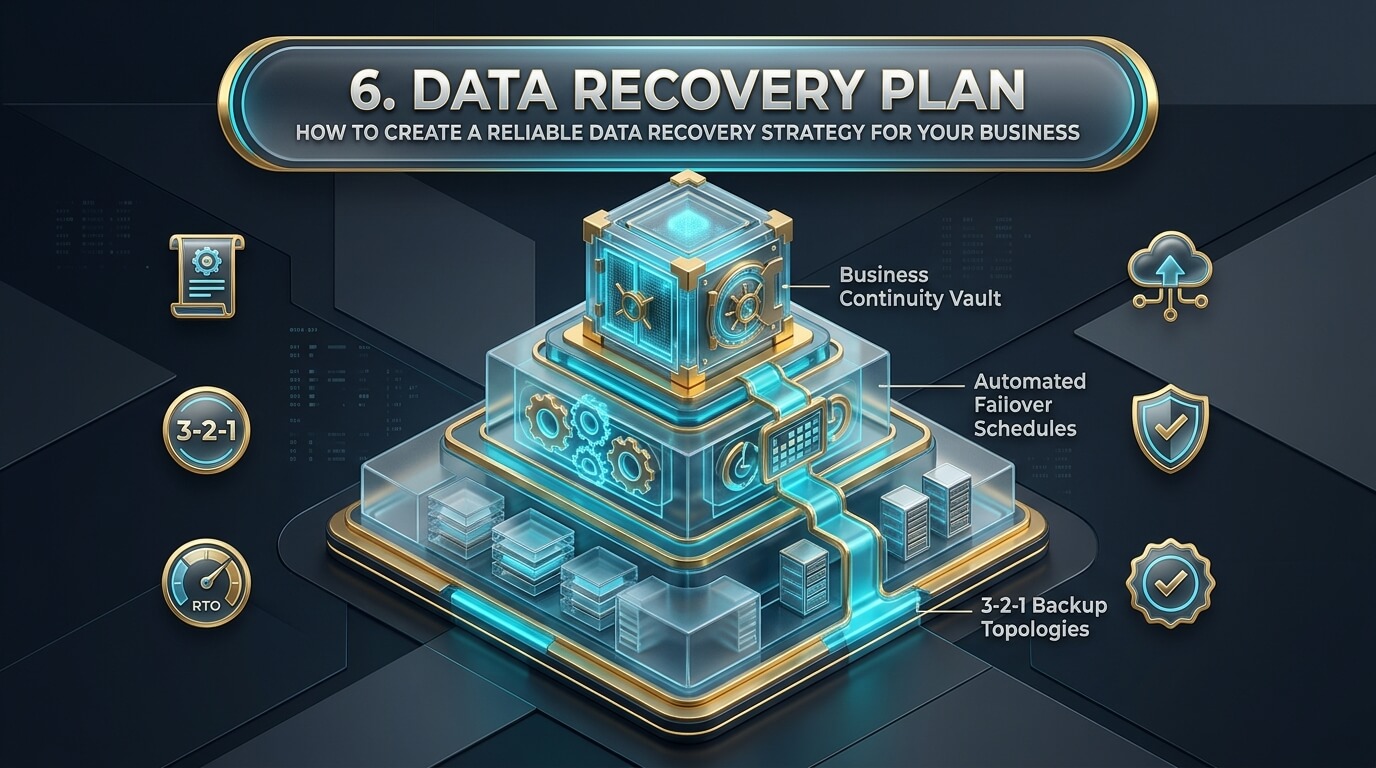
Modern enterprises operate in an environment where continuous access to data dictates commercial survival. From processing real-time customer credit card transactions and routing manufacturing supply chains to maintaining patient medical records, digital infrastructure powers every operational workflow. Yet threats to corporate data lurk around every corner. Malicious ransomware syndicates, hardware storage controller failures, human errors, power outages, and natural disasters can take down production systems without warning. In these critical moments, an organization without a documented data recovery plan faces catastrophic downtime, financial ruin, and lasting reputational damage.
Many business leaders assume that simply having an automated cloud backup is enough. This assumption is dangerous. A backup is merely a static copy of raw data resting on a server. A comprehensive data recovery strategy is the actionable operational playbook that details who responds, how systems are restored, what order applications boot, and how data integrity is verified under extreme pressure. Structured data recovery planning transforms a potential corporate collapse into a managed, orderly restoration event.
Whether you manage IT infrastructure for a growing mid-sized company or lead digital governance for an international enterprise, establishing a tested recovery blueprint is essential. This in-depth guide covers the foundational pillars of business recovery, walks through a complete data recovery plan outline, presents a realistic data recovery plan example, and reviews leading enterprise recovery platforms and orchestration tools.
- Backups Are Not a Strategy: Storing data copies is useless if your team does not have documented runbooks explaining how to reconstruct virtual machines, mount storage pools, and verify databases.
- RTO and RPO Govern Architecture: Clear Recovery Time Objectives (acceptable downtime) and Recovery Point Objectives (acceptable data age) dictate hardware selection and backup frequency.
- Enforce the 3-2-1-1-0 Rule: Maintain three copies of business data across two media formats, with one copy offsite, one immutable or air-gapped, and zero restoration errors.
- Store Out-of-Band Copies: Always keep physical printed copies and air-gapped digital copies of your recovery plan outside the corporate network. If ransomware encrypts your servers, an online PDF plan is inaccessible.
- Test Through Drills, Not Assumptions: Unannounced tabletop simulations and parallel sandbox restorations identify configuration bottlenecks before real disasters strike.
Why Organizations Require Formal Data Recovery Planning
Every commercial entity, regardless of size or vertical market, requires documented recovery protocols to safeguard financial stability, satisfy regulatory mandates, and maintain client trust.
The Real Financial Impact of Downtime
The cost of system downtime extends far beyond the hourly fee paid to emergency IT consultants. Downtime cascades through every department of an enterprise:
- Direct Revenue Interruption: E-commerce websites cannot process orders, point-of-sale systems freeze at retail registers, and customer billing cycles halt immediately.
- Employee Productivity Bleed: Hundreds of salaried staff sit idle, unable to access email, internal enterprise resource planning (ERP) systems, or client files.
- Customer Churn and Brand Damage: Clients abandon businesses that cannot fulfill service level agreements (SLAs), defecting permanently to competitors during prolonged outages.
- Legal and Regulatory Liabilities: Regulatory frameworks (such as GDPR, HIPAA, and PCI-DSS) impose statutory fines when business interruptions compromise customer access or violate data protection rules.
Compliance and Cyber Insurance Requirements
Modern regulatory frameworks mandate formal disaster recovery testing. Healthcare organizations governed by HIPAA must document data contingency plans. Financial institutions regulated by FINRA and GLBA must prove operational resilience during regional crises.
In addition, the commercial cyber insurance marketplace has hardened dramatically. Underwriters no longer issue policies without auditing an organization’s disaster recovery documentation. Insurance carriers require evidence of immutable backups, multi-factor authentication across backup storage, and verified quarterly recovery test results before approving claims.
Eliminating Chaos and Panic During Incidents
When an emergency occurs at two o’clock on a Sunday morning, technical staff experience intense stress. Without clear documentation, engineers make emotional decisions. They initiate risky RAID rebuilds that corrupt parity or restore outdated snapshots that erase days of active accounting records. A structured plan removes guesswork by providing numbered checklists, predetermined authority chains, and clear technical instructions.
Never store your disaster recovery documentation solely on your internal corporate file server, SharePoint portal, or shared Google Drive. If ransomware encrypts your network or an identity provider outage locks your cloud accounts, you cannot view your recovery plan. Always maintain updated, laminated physical binders in access-controlled offsite locations and encrypted offline USB drives held by designated incident coordinators.
Core Pillars of a Resilient Business Recovery Strategy
A dependable recovery framework is built upon three foundational engineering concepts: quantitative business metrics, modern tiered backup storage, and asset prioritization.
Defining Recovery Metrics: RTO, RPO & MTD
Before selecting backup software or architecting secondary data centers, executive leadership and IT architects must define three numerical thresholds:
- Recovery Time Objective (RTO): The targeted duration of time and service level within which a business process must be restored after a disruption. For critical customer payment portals, an RTO of fifteen minutes is common. For internal staff training portals, an RTO of forty-eight hours may be acceptable.
- Recovery Point Objective (RPO): The maximum acceptable amount of data loss measured in time. An RPO of zero seconds requires continuous synchronous replication, ensuring that no transaction is lost if power fails. An RPO of twenty-four hours indicates that a company can tolerate losing a single day of data by restoring from the previous night’s backup.
- Maximum Tolerable Downtime (MTD): The absolute maximum time an organization can survive without its core systems before irreversible financial collapse occurs. MTD sets the outer ceiling that your RTO cannot exceed under any circumstance.
The Modern 3-2-1-1-0 Backup Architecture
Standard consumer backup methods are wholly inadequate against modern cybercrime. The enterprise-grade standard for business continuity is the 3-2-1-1-0 framework:
- 3 Copies of Core Data: Maintain one primary production volume and at least two distinct backup copies.
- 2 Different Media Formats: Store backups across diverse media types, such as high-speed NVMe flash arrays and magnetic LTO tape or enterprise cloud object storage.
- 1 Off-Site Location: House at least one backup tier in a geographically distant data center or public cloud region to survive localized natural disasters and regional grid failures.
- 1 Immutable or Air-Gapped Copy: Ensure at least one backup repository enforces Write-Once-Read-Many (WORM) storage. Once written, immutable data cannot be altered, encrypted, or deleted by any administrative account or ransomware cipher for a set retention period.
- 0 Restoration Errors: Execute automated synthetic recovery tests daily to guarantee that backup images boot without operating system blue screens or database corruption.
Business Asset Classification and Application Tiering
Attempting to restore every corporate server simultaneously during a disaster causes network congestion and resource exhaustion. Applications must be categorized into distinct restoration tiers:
- Tier 1 (Mission-Critical): Core infrastructure services required for anything else to operate, including Active Directory, DNS, firewall controllers, and core transactional SQL databases. RTO: Under 30 minutes. RPO: Near zero.
- Tier 2 (Business-Essential): Systems required for ongoing business operations, including customer portals, ERP platforms, communication tools, and supply chain applications. RTO: 2 to 4 hours. RPO: Under 1 hour.
- Tier 3 (Non-Urgent / Operational): Internal development environments, historical file archives, training portals, and non-customer-facing tools. RTO: 24 to 72 hours. RPO: 24 hours.
The Comprehensive Data Recovery Plan Outline
A complete, audit-ready plan follows a standardized structure recognized by global compliance frameworks like ISO 22301 and NIST SP 800-34.
Section 1: Executive Summary & Governance
This introductory section outlines the plan’s purpose, scope, and management sign-off. It defines who authorizes plan activation, outlines legal disclosure obligations, and designates succession authority if primary leaders are unreachable.
Section 2: Asset Inventory & Dependency Mapping
An exhaustive inventory listing every hardware server, virtual machine host, network appliance, cloud LUN, and external SaaS subscription. Crucially, this section maps dependencies. For example, it notes that before restoring the customer billing portal, the database server and Active Directory domain controllers must be online.
Section 3: Incident Response Roles & Communication Matrix
Details the specific personnel responsible for executing recovery. It includes primary and secondary telephone numbers, secure out-of-band communication channels (such as Signal or satellite phones), and exact duties:
- Incident Commander: Directs overall response, liaises with executive leadership, and authorizes budget expenses.
- Lead Storage Engineer: Mounts backup repositories, manages virtual LUN provisioning, and executes storage failovers.
- Database Administrator: Validates database integrity, mounts transaction logs, and runs consistency scripts.
- Public Relations Officer: Manages customer communications, media inquiries, and website status updates.
- Legal & Compliance Counsel: Handles regulatory reporting requirements and coordinates with cyber insurance adjusters.
Section 4: Disaster Classification & Escalation Thresholds
Provides objective criteria to classify incidents:
- Severity Level 1 (Localized Incident): A single disk in a RAID array fails, or an individual virtual machine crashes. Handled by standard internal IT staff within normal operating procedures.
- Severity Level 2 (Major Disruption): A critical storage area network goes offline, or multiple production servers fail. Triggers formal plan activation, notifying the Incident Commander.
- Severity Level 3 (Catastrophic Event): Facility fire, widespread ransomware attack, or severe data center destruction. Triggers full disaster recovery mode, automated secondary site failover, and executive crisis management.
Section 5: Detailed Technical Runbooks
Step-by-step technical instructions written in plain language. A runbook should be detailed enough that a junior engineer can execute it if senior architects are unavailable. Includes command-line syntax, IP configurations, credentials locations, and validation scripts.
Section 6: Testing, Auditing & Maintenance Protocols
Establishes mandatory schedules for drills, defines metrics for test success, and outlines change-management procedures to update documentation whenever infrastructure changes occur.
Real-World Data Recovery Plan Example: Mid-Sized Enterprise
To understand how these concepts function in practice, review this concrete scenario for a mid-sized e-commerce and logistics firm.
Company Profile & Infrastructure Baseline
Apex Logistics manages fifty distribution warehouses across the nation. Its core infrastructure consists of VMware ESXi clusters hosted across a primary on-premises data center, paired with an immutable secondary backup tier hosted in Microsoft Azure.
Incident Trigger: At 03:15 AM, automated monitoring alerts detect widespread unauthorized file encryption across on-premises production LUNs. Ransomware notes appear across administrative virtual machine consoles.
Hour 0 to 1: Containment & Declaration
- 03:20 AM: On-call engineer notifies Incident Commander. Commander formally declares Severity Level 3 Disaster.
- 03:25 AM: Network operations team severs core data center switches and disables edge VPN routers to isolate the primary facility.
- 03:40 AM: Incident Response team convenes on out-of-band Signal channel. Legal counsel and cyber insurance adjusters are notified.
Hour 1 to 3: Immutable Baseline Verification
- 04:30 AM: Lead Storage Engineer logs into Azure using hardware security keys. Confirms that Azure Blob storage with Object Lock was untouched by malware.
- 05:00 AM: The most recent clean immutable snapshot (captured at 02:00 AM) is identified, providing an actual RPO of one hour and fifteen minutes.
- 05:30 AM: Storage team provisions clean virtual network subnets in Azure Site Recovery to prevent re-infection.
Hour 3 to 6: Staged Virtual Recovery
- 06:15 AM: Tier 1 services (Active Directory, DNS, SQL Cluster) are spun up in the isolated Azure sandbox.
- 07:00 AM: Database Administrator runs `DBCC CHECKDB` on the SQL database. Zero errors reported; transactional integrity confirmed.
- 08:30 AM: Security team runs automated malware scans on restored virtual disks to ensure no dormant persistence mechanisms remain.
Hour 6 to 8: Production Cutover & Validation
- 09:15 AM: Public DNS records are updated to point customer traffic toward the Azure secondary failover site.
- 09:45 AM: Warehouse management portals are brought online. Dispatch scanners successfully authenticate.
- 10:30 AM: Full operational status restored. Total downtime: 7 hours and 15 minutes (Well within the corporate RTO of 8 hours).
Testing, Validation and Drills: Making the Plan Actionable
A disaster recovery document that sits untested on a shelf is merely an illusion of safety. Regular validation ensures that your recovery blueprint functions smoothly during real crises.
The Four Tiers of Recovery Testing
Organizations should implement a structured testing hierarchy throughout the calendar year:
- Paper Checklist Audit (Monthly): Team leads review contact directories, verify that newly provisioned servers are included in backup policies, and confirm software license renewals.
- Tabletop Simulation Exercise (Quarterly): The Incident Response team meets in a conference room. A facilitator introduces a simulated catastrophe (e.g., “A water main broke above Server Room B”). The team talks through their exact responses, identifying gaps in communication or authority.
- Parallel Sandbox Failover (Biannually): Technical teams spin up virtual machine backups inside isolated network sandboxes using automated tools (like Veeam SureBackup or Zerto). The sandbox verifies that operating systems boot, services start, and databases mount without impacting live production traffic.
- Full Production Cutover Drill (Annually): The ultimate test of operational resilience. Production traffic is actively failed over to the secondary data center or cloud facility during a scheduled maintenance window. This validates network routing, DNS propagation, and real-world employee workflows under true operational load.
Top 8 Enterprise Platforms for Data Recovery Planning & Orchestration
To automate data protection, test failovers, and minimize manual intervention during disasters, organizations rely on specialized enterprise orchestration software.
1. Veeam Recovery Orchestrator
Veeam Recovery Orchestrator provides automated disaster recovery orchestration, dynamic documentation generation, and non-disruptive testing for enterprise virtual and physical environments.
Veeam Orchestrator automates the complex multi-step processes required to failover enterprise applications. Administrators build detailed disaster recovery plans through a visual policy editor, setting application boot dependencies, IP reconfigurations, and pre/post-migration scripts. The platform automatically generates audit-ready documentation that updates dynamically whenever virtual machine configurations change.
Its automated scheduling runs scheduled disaster recovery tests in isolated virtual environments, generating detailed compliance readiness reports that satisfy external auditors and insurance underwriters.
- Category: Automated Disaster Recovery Orchestration & Compliance Engine
- Key Capabilities: Automated failover testing, dynamic DR documentation, one-click site recovery
- Integration: Native integration with Veeam Backup & Replication and production storage arrays
- Compliance: Generates audit-ready PDF reports demonstrating RTO/RPO attainment
- Best Use Case: Enterprises already utilizing Veeam who need automated failover execution and continuous compliance documentation
2. Zerto Disaster Recovery
Zerto, a Hewlett Packard Enterprise company, is an industry-leading disaster recovery and continuous data protection (CDP) platform built for virtualized and cloud environments.
Unlike traditional snapshot-based backup tools that run once a day, Zerto utilizes continuous, hypervisor-based replication. It captures write operations continuously, delivering RPOs of seconds and RTOs of minutes. Zerto groups related virtual machines into Virtual Protection Groups (VPGs), ensuring that complex multi-tier applications maintain transactional consistency during recovery.
Zerto allows administrators to conduct complete, non-disruptive failover tests in isolated sandboxes during regular business hours without impacting production workloads or replication streams.
- Architecture: Continuous Data Protection (CDP) with journal-based recovery
- RPO Performance: Sub-minute RPOs with second-by-second recovery point granularity
- Cross-Platform Support: VMware, Hyper-V, AWS, Microsoft Azure, Google Cloud
- Testing: 100% non-disruptive failover testing with push-button automation
- Best Use Case: Mission-critical enterprise applications where even minutes of data loss or prolonged recovery downtime are unacceptable
3. Datto SIRIS BCDR
Datto SIRIS is a comprehensive Business Continuity and Disaster Recovery (BCDR) appliance tailored heavily toward Managed Service Providers (MSPs) and small-to-mid-sized enterprises.
Datto SIRIS combines local physical backup appliances with automated cloud replication. In the event of a server breakdown, SIRIS can instantly virtualize the failed server directly on the local Datto appliance hardware in seconds. If the physical building suffers fire or flood damage, the entire infrastructure can be virtualized in the Datto Cloud.
The platform features automated screenshot verification, automatically booting backup images every night and emailing administrators a visual photograph of the operating system login screen to confirm backup integrity.
- Deployment: Hybrid Cloud Appliance (On-premises hardware appliance paired with secure cloud replication)
- Unique Feature: Instant local and cloud virtualization with automated screenshot verification
- Ransomware Defense: Automated ransomware scanning on incoming backup snapshots
- Target Audience: Managed Service Providers (MSPs) and mid-market organizations
- Best Use Case: Mid-sized businesses seeking an all-in-one hardware and cloud recovery appliance with zero complex configuration
4. Acronis Cyber Protect Cloud
Acronis Cyber Protect Cloud combines enterprise backup and disaster recovery with integrated cybersecurity and endpoint management in a unified platform.
Acronis provides complete business continuity orchestration for hybrid environments. When a disaster occurs, administrators can spin up production workloads in the Acronis Cloud with automated runbook execution. Acronis includes AI-powered anti-ransomware protection that terminates malicious encryption processes in real time and automatically recovers affected files from memory caches.
Its centralized cloud dashboard allows IT teams to monitor backup health, test recovery points, and execute site-wide failovers from any web browser worldwide.
- Category: Unified Cybersecurity, Backup & Disaster Recovery Platform
- Failover Engine: Cloud-based disaster recovery with automated network extension and IP mapping
- Cybersecurity: Behavioral heuristic anti-malware, vulnerability assessment, patch management
- Scalability: Protects physical servers, virtual machines, cloud instances, and Microsoft 365 / Google Workspace
- Best Use Case: Distributed businesses and MSPs needing an integrated cyber protection and cloud disaster recovery platform
5. Commvault Disaster Recovery
Commvault Disaster Recovery is an enterprise-scale replication and disaster recovery software suite engineered to protect complex, heterogeneous corporate environments.
Commvault provides automated, policy-driven replication across on-premises data centers, public clouds, and edge locations. It supports continuous data protection for mission-critical databases and scheduled replication for general workloads. Commvault includes automated failover and failback orchestration, allowing organizations to migrate production workloads between different hypervisors and cloud platforms smoothly.
Its advanced compliance auditing tools verify that recovery time and recovery point objectives are met consistently across thousands of servers globally.
- Platform: Enterprise Disaster Recovery & Continuous Replication Suite
- Flexibility: Cross-hypervisor and cross-cloud conversion (e.g., VMware to AWS or Azure)
- Orchestration: Customizable recovery runbooks with automated testing and verification
- Scalability: Proven in multi-petabyte global enterprise data centers
- Best Use Case: Large enterprises with complex multi-cloud and legacy database environments requiring high-scale disaster recovery orchestration
6. Rubrik Orchestrated Recovery
Rubrik Security Cloud delivers cyber resilience and disaster recovery through a zero-trust architecture designed to defeat modern ransomware threats.
Rubrik isolates backup snapshots in an immutable, append-only repository that completely blocks unauthorized deletion, modification, or encryption. Its orchestrated recovery engine maps dependencies across applications, allowing administrators to restore entire application environments in exact sequence. Rubrik’s sensitive data scanning tools scan backups to ensure that compliance data is not restored to unencrypted production environments.
Its automated blast radius analytics identify the exact files and accounts compromised during a cyberattack, enabling targeted, surgical restoration rather than destructive broad rollbacks.
- Architecture: Zero-Trust Cyber Recovery with native immutable storage
- Threat Analytics: Automated ransomware blast radius mapping and sensitive data classification
- Recovery Modes: Mass automated recovery, surgical file-level rollback, cloud failover
- Security Standards: Built-in multi-party authorization to block rogue administrative actions
- Best Use Case: Highly regulated enterprises requiring absolute ransomware protection and automated, clean cyber disaster recovery
7. Microsoft Azure Site Recovery
Azure Site Recovery (ASR) is Microsoft’s native Disaster Recovery as a Service (DRaaS) solution, built directly into the Microsoft Azure public cloud infrastructure.
ASR delivers low-cost, high-reliability business continuity for physical servers, VMware virtual machines, and Hyper-V clusters. It replicates on-premises workloads directly into Azure storage. During normal operations, organizations only pay for minimal Azure storage costs. When a disaster strikes, ASR automatically orchestrates the creation of live Azure virtual machines, establishing network connectivity and restoring business services in minutes.
ASR includes built-in recovery plans that allow administrators to sequence application startups and test failovers without impacting on-premises production operations.
- Model: Cloud-Native Disaster Recovery as a Service (DRaaS)
- Target Workloads: On-premises VMware, Hyper-V, physical Windows/Linux servers, and Azure-to-Azure cross-region failover
- Cost Efficiency: Pay only for compute instances when an active failover occurs
- Testing: Non-disruptive disaster recovery testing directly inside isolated Azure virtual networks
- Best Use Case: Organizations utilizing Microsoft infrastructure seeking an affordable, scalable cloud disaster recovery target without maintaining a secondary physical data center
8. AWS Elastic Disaster Recovery
AWS Elastic Disaster Recovery (AWS DRS) is Amazon Web Services’ flagship business continuity service designed to minimize downtime and data loss across enterprise workloads.
AWS DRS operates by continuously replicating block-level storage from on-premises servers or other cloud providers into a low-cost staging area inside an AWS region. In the event of a disaster, AWS DRS automatically launches thousands of compute instances in minutes, executing custom post-launch automation scripts to configure networking, licenses, and services.
It provides non-disruptive recovery drills, allowing IT staff to test business continuity readiness regularly while maintaining continuous replication in the background.
- Category: Cloud-Based Block-Level Disaster Recovery Platform
- Replication Engine: Continuous block-level replication with sub-second RPOs
- Staging Economy: Replicates into cost-effective Amazon EBS storage, only launching full EC2 compute instances during failovers
- Failback: Automated failback capabilities to return workloads back to on-premises servers once physical repairs conclude
- Best Use Case: Enterprises seeking continuous replication to the AWS cloud with rapid, automated failover capabilities and cost-effective standby storage
Comparison of Disaster Recovery Orchestration Platforms
The comparison table below summarizes deployment formats, automation capabilities, non-disruptive testing, and ideal environments across all eight reviewed platforms.
| Platform | Deployment Type | RPO / Replication Method | Non-Disruptive Testing | Documentation Engine | Best Use Case |
|---|---|---|---|---|---|
| Veeam Orchestrator | Software Orchestrator | Snapshot & CDP Replication | Yes (Automated SureBackup) | Yes (Dynamic audit PDF) | Automating multi-tier failovers and generating audit-ready compliance reports |
| Zerto | Hypervisor Software | Continuous CDP (Seconds RPO) | Yes (Zero production impact) | Yes (Reporting dashboards) | Mission-critical virtualized workloads requiring near-zero RPOs and sub-minute RTOs |
| Datto SIRIS | Hardware & Cloud Appliance | Scheduled Snapshot (Hourly) | Yes (Screenshot verification) | Yes (Portal reporting) | Mid-market businesses and MSPs needing instant local and cloud virtualization |
| Acronis Cyber Protect | Cloud & Agent Suite | Continuous & Snapshot | Yes (Cloud runbooks) | Yes (Integrated console) | Combining cybersecurity, behavioral ransomware rollback, and cloud DR failover |
| Commvault DR | Enterprise Software | CDP & Block Replication | Yes (Isolated sandboxes) | Yes (Compliance auditing) | Global multi-cloud enterprises with complex heterogeneous operating systems |
| Rubrik Security Cloud | Zero-Trust Platform | Continuous Snapshot WORM | Yes (Automated orchestration) | Yes (Blast radius audit) | Security-focused enterprises requiring immutable ransomware defense and clean recovery |
| Azure Site Recovery | Cloud DRaaS Service | Continuous Replication | Yes (Azure test networks) | Yes (Azure Monitor / Logs) | Cost-effective disaster recovery to the Azure cloud with zero secondary data center costs |
| AWS Elastic DR | Cloud DRaaS Service | Continuous Block-Level | Yes (Non-disruptive drills) | Yes (AWS CloudWatch) | Continuous real-time replication to AWS cloud with automated compute instantiation |
Step-by-Step Implementation: Building Your Company Recovery Plan
Follow this standardized, six-step roadmap to establish an audit-ready, reliable recovery strategy for your business:
- Execute a Comprehensive Business Impact Analysis (BIA): Interview department heads across sales, accounting, operations, and human resources. Identify every critical workflow, document the cost of downtime per hour, and establish firm RTO and RPO benchmarks.
- Inventory and Tier All Corporate Data Assets: Catalogue all on-premises servers, hypervisors, cloud storage buckets, databases, and SaaS subscriptions. Group applications into Tier 1 (Mission-Critical), Tier 2 (Business-Essential), and Tier 3 (Non-Urgent).
- Deploy Tiered and Immutable Storage Infrastructure: Implement the 3-2-1-1-0 architecture. Ensure primary backups store fast local snapshots, secondary backups replicate offsite, and at least one copy is hardened with WORM immutability to block ransomware destruction.
- Draft Granular, Step-by-Step Technical Runbooks: Write clear, numbered restoration runbooks for each application tier. Include server names, IP addresses, credential vault locations, service startup sequences, and validation commands.
- Establish Out-of-Band Incident Command Structures: Designate incident commanders, technical leads, legal advisors, and communication liaisons. Ensure team members have emergency contact details stored in secure offline channels and maintain laminated physical plan copies in offsite locations.
- Institute Continuous Testing and Plan Maintenance: Schedule quarterly tabletop simulations, execute biannual automated sandbox restorations, and conduct an annual full production cutover drill. Update documentation immediately whenever infrastructure changes occur.
- Executive Authority Sign-Off: Document signed by executive leadership authorizing plan invocation and emergency financial expenditures.
- Detailed Dependency Diagrams: Visual network maps documenting infrastructure prerequisites for core business applications.
- Vendor SLAs & Emergency Escalation Details: Contact details and contract account numbers for cloud providers, hardware vendors, and cleanroom labs.
- Regulatory Breach Notification Templates: Pre-drafted customer and regulatory notification templates approved by corporate legal counsel.
- Post-Incident Review Procedures: Standardized forensic debriefing frameworks to evaluate response performance and update recovery runbooks.
Frequently Asked Questions
What is the difference between a disaster recovery plan and a data recovery plan?
While often used interchangeably, a disaster recovery plan (DRP) is a broad organizational strategy that encompasses physical facility safety, employee relocation, emergency power, telecommunications, and overall business operations during a catastrophe. A data recovery plan is a focused, technical subset of disaster recovery that concentrates specifically on retrieving, verifying, and restoring digital databases, virtual machines, storage LUNs, and application data to operational status.
How often should a business test its data recovery plan?
Industry best practices and regulatory compliance standards mandate testing throughout the year. Organizations should perform paper checklist audits monthly, tabletop simulation exercises quarterly, automated non-disruptive sandbox restorations biannually, and a full production failover drill annually. In addition, plans should be tested and updated immediately following major infrastructure upgrades, data center migrations, or key personnel changes.
What is the single most critical metric in data recovery planning?
The Recovery Time Objective (RTO) and Recovery Point Objective (RPO) are equally critical because they dictate technical architecture. RTO defines the maximum acceptable downtime before catastrophic financial damage occurs, dictating how fast systems must restore. RPO defines the maximum acceptable age of restored data, dictating how frequently backups must execute. Without clearly defined RTO and RPO metrics, technical teams cannot design appropriate storage and replication infrastructure.
Can cloud backups replace a formal data recovery plan?
No, cloud backups cannot replace a formal recovery plan. Storing files in the cloud merely provides raw data storage. Without documented runbooks explaining which virtual networks to configure, what order to boot dependencies, how to authenticate encrypted volumes, and how to verify database consistency, having cloud data will not prevent prolonged downtime during an emergency. Cloud storage is a tactical tool; a recovery plan is the operational strategy.
Who should be included in a company’s data recovery response team?
A resilient recovery team extends beyond technical engineers. It must include an Incident Commander (to direct response and authorize spending), Lead Storage and Systems Architects (to execute technical runbooks), a Database Administrator (to validate data integrity), Legal Counsel (to manage compliance reporting and regulatory liabilities), and a Public Relations Coordinator (to manage customer and partner communications).
Conclusion: Transforming Vulnerability into Enterprise Resilience
Data disasters are an inevitable reality of the modern digital economy, but severe business downtime is entirely preventable. By treating data recovery as a strategic business discipline rather than a passive IT routine, forward-thinking organizations insulate their operations against catastrophe. Establishing clear RTO and RPO thresholds, deploying automated immutable storage architectures, drafting granular technical runbooks, and rigorously validating recovery plans through regular drills ensures that your business will survive, recover, and thrive under any challenge.