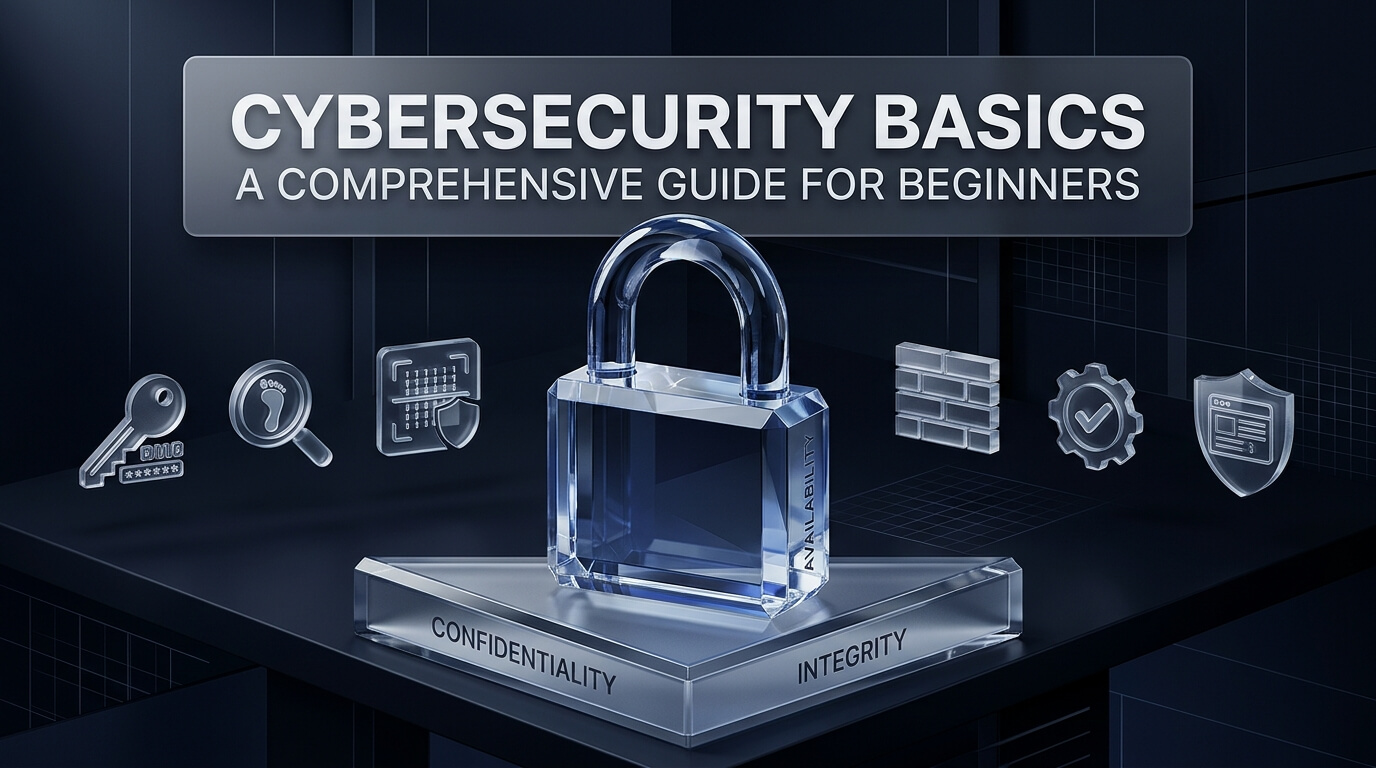
Digital technology powers every aspect of modern daily life. We manage bank accounts on smartphones, store confidential medical histories in cloud portals, and control home appliances through wireless routers. However, this deep digital connectivity creates unprecedented opportunities for criminal exploitation. Understanding cybersecurity basics is essential for protecting your identity, family, and organization from digital harm.
Newcomers frequently ask fundamental questions: what is cybersecurity and what does cybersecurity do? At its core, the formal cybersecurity definition refers to the practice of protecting connected systems, networks, software, and electronic data from unauthorized digital attacks. Grasping what does cybersecurity mean helps individuals realize that security is not just an IT task. It is a daily discipline that safeguards our physical and digital lives.
Evaluating the broader cybersecurity meaning reveals that modern digital defense extends far beyond firewalls and antivirus programs. It involves human behavior, sound risk policies, and technical controls working together. Whether you are looking for an accessible cybersecurity for dummies overview or beginning professional cybersecurity 101 studies, mastering foundational concepts builds long-term digital resilience.
This comprehensive cybersecurity overview provides a structured cybersecurity introduction designed for non-technical readers and aspiring defenders. We examine core cybersecurity fundamentals, clarify complex terminology, and provide practical security habits you can apply immediately.
Key Takeaways: Cybersecurity Fundamentals
- Cybersecurity protects hardware, software, and sensitive electronic data from unauthorized digital intrusion.
- The CIA Triad—Confidentiality, Integrity, and Availability—serves as the foundational cornerstone for all defensive security design.
- Human error remains the primary driver of cyber incidents, making personal security hygiene and multi-factor authentication indispensable.
- Anyone can build a rewarding career in security by mastering computer networking basics, Linux commands, and hands-on lab environments.
Core Concepts & The CIA Triad: The Bedrock of Digital Security
Every defensive security architecture rests upon a core set of cybersecurity principles. Without structured guidelines, security teams would react randomly to endless technological threats. Formal principles establish clear objectives for protecting sensitive information assets across complex computing networks.
The most famous framework in digital defense is the CIA Triad. This model organizes security objectives into three complementary pillars: Confidentiality, Integrity, and Availability. Every defensive control, encryption algorithm, and access rule exists to support one or more of these three pillars.
1. Confidentiality: Confidentiality ensures that sensitive data is accessible only to authorized individuals, applications, and systems. It prevents unauthorized parties from viewing proprietary intellectual property, financial records, or medical files. Organizations protect confidentiality through robust data encryption, strong access control lists, and multi-factor authentication.
2. Integrity: Integrity guarantees that digital information remains accurate, authentic, and untampered with throughout its lifecycle. If an adversary alters numbers in an accounting ledger or tampers with patient medication dosage records, system integrity is lost. Defenders preserve integrity using cryptographic hashing, digital signatures, and strict audit logging.
3. Availability: Availability ensures that authorized users have reliable, timely access to computing systems and data when needed. If a hospital emergency room cannot access patient medical charts due to a ransomware attack, availability fails completely. Organizations maintain availability through redundant power supplies, load-balanced servers, and immutable data backups.
The AAA Framework: Authentication, Authorization, and Accounting
Alongside the CIA Triad, the AAA framework governs identity and access control across enterprise networks. Mastering these foundational cybersecurity concepts empowers beginners to evaluate access security effectively.
Authentication: Authentication validates the declared identity of a user or system. Common authentication methods include passwords, digital certificates, biometrics, and security tokens.
Authorization: Once identity is authenticated, authorization determines the specific permissions and resources the user can access. A junior staff member may view client contact details but cannot modify billing ledgers.
Accounting: Accounting records and tracks what users do while accessing corporate systems. Continuous logging and session auditing ensure that any unauthorized actions are captured for forensic analysis.
The Defense-in-Depth Model
Another fundamental concept is Defense-in-Depth, also known as layered security. Relying on a single defensive barrier creates a single point of failure. If an adversary bypasses your perimeter firewall, an unprotected internal network allows immediate catastrophic compromise.
Defense-in-Depth arranges protective layers like the skin of an onion. The outer layer contains perimeter firewalls and email spam filters. The middle layer includes network microsegmentation and identity access controls. The inner layer protects endpoints through antivirus software and file-level data encryption. If one defensive layer fails, subsequent layers halt the attacker.
Essential Cybersecurity Glossary: Key Terms and Definitions
Navigating the technology sector requires learning specialized vocabulary. This comprehensive cybersecurity glossary defines essential cybersecurity terms and provides clear cybersecurity definitions for beginners.
Malware: Short for malicious software, malware encompasses any code designed to damage, disrupt, or gain unauthorized access to computing devices. Common categories include viruses, worms, trojans, spyware, and ransomware.
Ransomware: A specialized form of malware that encrypts victim files, rendering systems unusable until the victim pays an extortion fee. Modern ransomware groups also threaten to publish stolen corporate records publicly.
Phishing: A social engineering attack where adversaries impersonate trusted entities through deceptive emails, text messages, or phone calls. Attackers manipulate human psychology to trick victims into revealing passwords or downloading malware.
Social Engineering: The psychological manipulation of individuals into performing actions or divulging confidential information. Rather than finding software bugs, attackers exploit human trust, fear, or urgency.
Denial of Service (DoS & DDoS): A cyberattack designed to overwhelm a target server, website, or network with a flood of malicious traffic, causing the service to crash and denying access to legitimate users.
Vulnerability: A software flaw, design weakness, or misconfiguration that adversaries can exploit to bypass security boundaries. Software vendors issue regular security patches to eliminate known vulnerabilities.
Threat vs. Risk: A threat is any potential circumstance or event that could harm an asset, such as a malicious hacker group. Risk is the likelihood of a threat exploiting a vulnerability multiplied by the resulting operational damage.
Firewall: A network security barrier that monitors and filters incoming and outgoing traffic based on predetermined security rules. Firewalls block unauthorized connections between public Internet servers and private internal networks.
Zero Trust: A modern security architecture governed by the philosophy of “never trust, always verify.” Every user, device, and network transaction must be authenticated, authorized, and continuously validated before access is granted.
Encryption: The mathematical process of encoding plain text into unreadable ciphertext. Only individuals possessing the correct cryptographic key can decode and view the original information.
Foundational Security Habits: Everyday Cybersecurity Essentials
Implementing effective digital defense does not require expensive enterprise software suites. Adopting personal cybersecurity essentials provides powerful protection against ninety percent of common digital attacks. Small, consistent security habits create resilient barriers against automated adversary tools.
The foundation of personal defense begins with strong credential management. Using simple, recycled passwords across multiple online accounts invites credential stuffing attacks. When one service suffers a data breach, automated bots test those stolen passwords across thousands of other websites in seconds. Utilizing a dedicated password manager allows you to generate long, unique, and complex passwords for every platform effortlessly.
Enabling Multi-Factor Authentication (MFA) is the single most effective action any individual can take. Multi-factor authentication requires two or more verification factors before granting access: something you know (your password), something you have (an authenticator app or hardware security key), or something you are (a fingerprint scan). Even if an attacker steals your password, they cannot breach your account without physical access to your authentication device.
Regular software patching is another non-negotiable security habit. Operating systems, web browsers, and mobile applications receive frequent security updates that fix newly disclosed vulnerabilities. Enabling automatic updates ensures that your devices receive critical security patches immediately, closing doors before cybercriminals exploit them.
Pro-Tip: Hardening Your Home Wi-Fi Router
Log into your home Wi-Fi router management portal and change the default administrative password immediately. Update the router firmware to the latest manufacturer version, disable remote management features, and configure wireless encryption to WPA3 or WPA2-AES with a strong, twenty-character passphrase.
Learning Pathways: Courses, Training, and Starter Guides
Entering the cybersecurity field offers exciting career trajectories, competitive compensation, and excellent job stability. However, aspiring defenders often struggle with information overload. Finding structured cybersecurity basics for beginners resources helps learners progress systematically without feeling overwhelmed.
Beginning students frequently start their journey by downloading a foundational cybersecurity for beginners pdf guide or reviewing an accessible cybersecurity for dummies pdf summary. Many university programs and security organizations also distribute a concise cybersecurity 101 pdf reference sheet covering key network ports, command-line syntax, and core security frameworks.
While reading guides provides theoretical context, real skill development requires hands-on practice. Enrolling in an accredited cybersecurity fundamentals course or participating in structured cybersecurity fundamentals training introduces students to real-world defensive workflows. Aspiring analysts learn how to inspect network packets, analyze system event logs, and configure security access rules.
Beginners should also consider enrolling in a dedicated cybersecurity 101 course or completing interactive cybersecurity 101 training labs. Platforms that provide browser-based virtual machines allow learners to practice ethical hacking, web defense, and digital forensics safely without damaging their personal computers. Combining a comprehensive cybersecurity introduction for beginners with active lab experimentation builds practical competence rapidly.
Core Technical Foundations Every Beginner Must Learn
To succeed in digital defense, beginners should cultivate three essential technical foundations before moving into advanced specializations.
Computer Networking Basics: Understanding how computers communicate is the ultimate prerequisite for security. Beginners must learn the OSI model, TCP/IP protocols, IP addressing, DNS resolution, and common port numbers like HTTP (80), HTTPS (443), and SSH (22).
Linux Command-Line Mastery: The vast majority of cloud servers, security tools, and forensic environments run on Linux operating systems. Learning basic terminal navigation, file permissions, and process management gives you immediate comfort across security tool sets.
Scripting with Python: Python is the most versatile programming language in cybersecurity. Writing basic Python scripts enables beginners to automate repetitive tasks, parse complex log files, and interact with web APIs effortlessly.
In-Depth Reviews: Top 8 Beginner Cybersecurity Tools & Platforms
Developing practical competence requires working with real industry tools. The following eight platforms and tools represent essential starting points for anyone learning cybersecurity fundamentals.
1. Wireshark
Wireshark is the world’s most popular open-source network protocol analyzer. It allows users to capture and interactively browse the traffic running on a computer network in microscopic detail. Wireshark is an indispensable learning tool for understanding networking fundamentals.
Beginners use Wireshark to inspect packet headers, watch TCP three-way handshakes occur in real time, and observe the stark difference between unencrypted HTTP traffic and encrypted HTTPS streams. By visualizing how data travels across network wires, students gain deep technical intuition that textbooks cannot provide.
Wireshark features rich color-coding rules, advanced filtering syntax, and protocol reassembly capabilities. It runs natively across Windows, macOS, and Linux, serving as a standard tool in enterprise security operations centers and academic classrooms alike.
2. Nmap
Nmap, short for Network Mapper, is an iconic open-source utility for network auditing and vulnerability scanning. Created by Gordon Lyon, Nmap enables administrators and security analysts to audit local networks, identify active computing hosts, and map running network services.
For beginners, Nmap provides an ideal introduction to port scanning and service detection. Learning how to send SYN scan packets, detect underlying operating system versions, and execute Nmap Scripting Engine (NSE) scripts teaches fundamental offensive and defensive network concepts.
Nmap is completely free, highly flexible, and supported by a massive global community. Mastering basic Nmap command-line flags is a mandatory skill for every entry-level security analyst and penetration tester.
3. Bitwarden
Bitwarden is an industry-leading, open-source password management solution that exemplifies personal cybersecurity hygiene. It provides zero-knowledge, end-to-end encrypted storage for logins, credit card details, and secure text notes across all mobile and desktop devices.
Bitwarden teaches beginners the practical importance of password uniqueness and cryptographic security. The platform includes a robust password generator that creates random, cryptographically secure credentials, completely eliminating the dangerous temptation to reuse passwords across multiple websites.
Bitwarden offers fully featured free accounts for individual users, alongside paid enterprise subscriptions for corporate teams. Its source code undergoes regular independent security audits, ensuring transparent, peer-reviewed protection for user credentials.
4. Have I Been Pwned
Have I Been Pwned is a free public resource created by renowned security researcher Troy Hunt. The platform aggregates billions of compromised email addresses and passwords leaked in corporate data breaches, allowing users to verify whether their personal credentials have been compromised.
For beginners, visiting Have I Been Pwned provides an eye-opening introduction to the real-world scale of corporate data breaches. Users search their personal email addresses to identify specific breach incidents and view which categories of data were stolen.
The platform also features the Pwned Passwords service, allowing users to check whether specific passwords have appeared in previous credential dumps. By showing students how stolen credentials circulate across hacker forums, the platform reinforces the vital need for multi-factor authentication.
5. VirusTotal
VirusTotal is a free online service owned by Google that analyzes suspicious files, domains, IP addresses, and URLs to detect malware and cyber threats. It aggregates scanning results from over seventy leading antivirus engines and threat intelligence tools.
VirusTotal serves as a fantastic educational laboratory for beginners learning about malware analysis and threat detection. Users can upload suspicious file attachments to inspect antivirus detection ratios, view cryptographic file hashes (MD5, SHA-256), and review behavioral sandbox execution reports.
The platform provides instant visibility into how different security vendors classify malware samples. It teaches beginners how threat intelligence works and demonstrates why relying on a single antivirus vendor is rarely sufficient for comprehensive defense.
6. TryHackMe
TryHackMe is a gamified, hands-on cybersecurity training platform designed specifically for beginners and intermediate practitioners. The platform delivers bite-sized, interactive learning rooms that cover networking, Linux, web application defense, and ethical hacking.
TryHackMe eliminates technical barriers by providing fully configured, browser-accessible virtual machines. Students can immediately start hacking or defending simulated environments without installing complex virtualization software or risking their personal computers.
The platform features structured learning pathways such as “Complete Beginner,” “Pre-Security,” and “SOC Level 1.” Clear explanatory text, embedded challenge questions, and an active online community make TryHackMe one of the most effective launching pads for aspiring cybersecurity professionals.
7. OverTheWire
OverTheWire is a beloved, free collection of educational security wargames designed to teach Linux command-line mechanics, basic exploitation, and fundamental computer security concepts through hands-on terminal puzzle solving.
Its flagship game, Bandit, is universally recommended for absolute beginners. Players connect to remote Linux servers via SSH, solving progressively challenging command-line puzzles to uncover the password for the next level. In doing so, players naturally master essential commands like grep, find, cat, and file permissions.
OverTheWire features no advertisements, requires no account registration, and costs nothing to play. It fosters curiosity, independent problem-solving, and command-line fluency, giving beginners the foundational technical grit needed to excel in cybersecurity.
8. CISA Cybersecurity Basics
The Cybersecurity and Infrastructure Security Agency (CISA) is the operational lead for federal cybersecurity and infrastructure resilience in the United States. CISA provides free public guidance, cybersecurity awareness resources, and defensive toolkits for citizens and organizations.
CISA publishes authoritative educational resources outlining foundational security practices. Its “Secure Our World” initiative educates the public on four simple actions: using strong passwords, enabling multi-factor authentication, recognizing phishing attempts, and updating software regularly.
CISA also provides free vulnerability scanning services, security advisories, and the Known Exploited Vulnerabilities (KEV) catalog. Reviewing CISA publications helps beginners stay informed regarding active adversary campaigns and federal cybersecurity standards.
Beginner Cybersecurity Tools Comparison Matrix
Building a practical toolkit requires understanding the specific learning objective of each platform. The matrix below compares top beginner resources across focus area, cost, and skill requirements.
| Platform / Tool | Primary Educational Focus | Interface Type | Cost | Target Learning Level |
|---|---|---|---|---|
| Wireshark | Packet analysis & network protocols | Desktop GUI & CLI (TShark) | 100% Free / Open-source | Beginner to advanced |
| Nmap | Port scanning & service detection | Command-line interface (CLI) | 100% Free / Open-source | Beginner to intermediate |
| Bitwarden | Credential management & hygiene | Browser extension, mobile & web app | Free tier available | Absolute beginner |
| Have I Been Pwned | Breach verification & credential leaks | Web browser portal | 100% Free | Absolute beginner |
| VirusTotal | Malware inspection & threat intelligence | Web browser portal & API | Free for community use | Beginner to analyst |
| TryHackMe | Interactive virtual labs & guided lessons | In-browser virtual machine | Free tier & low-cost subscription | Beginner to intermediate |
| OverTheWire | Linux terminal mechanics & security games | Remote terminal via SSH | 100% Free | Beginner |
| CISA Basics | Federal security standards & hygiene | Web articles, guides & PDFs | 100% Free | All audiences |
Actionable Roadmap: Moving from Beginner to Practitioner
Transitioning from a curious beginner to a capable cybersecurity practitioner requires disciplined study and structured milestone achievements. Following a clear roadmap prevents burnout and ensures you master fundamental concepts before tackling complex attack simulations.
Start by configuring a dedicated learning environment on your personal computer. Free virtualization software like VirtualBox or VMware Workstation Player allows you to run Linux distributions such as Ubuntu or Kali Linux in isolated virtual sandboxes. Building your own home lab provides an authentic playground for practicing networking, command-line scripting, and software vulnerability testing safely.
Pursuing an entry-level professional certification validates your technical knowledge to prospective employers. The CompTIA Security+ certification is widely regarded as the gold standard benchmark for entry-level security jobs, covering network threats, cryptography, identity governance, and risk compliance. Other excellent entry credentials include the Google Cybersecurity Professional Certificate and the Cisco Certified Support Technician (CCST) Cybersecurity certification.
Checklist: 10-Step Cybersecurity Starter Checklist
- Install a Password Manager: Deploy Bitwarden or a similar password manager to generate unique, twenty-character passwords for every online account.
- Enable Multi-Factor Authentication: Configure an authenticator app (such as Google Authenticator or Aegis) on your email, banking, and primary social media profiles.
- Automate Device Software Updates: Ensure your computer operating system, smartphone, and web browsers install security patches automatically.
- Play OverTheWire Bandit: Complete the first ten levels of Bandit to build muscle memory with Linux terminal navigation and file operations.
- Analyze a Packet Capture in Wireshark: Download a sample pcap file from Wireshark’s public wiki and inspect HTTP requests, DNS queries, and TCP flags.
- Run an Nmap Scan on a Home Lab: Set up a local virtual machine and practice basic SYN scans and service version detection using Nmap.
- Complete the Pre-Security Path on TryHackMe: Work through fundamental rooms covering networking basics, web architecture, and defensive security concepts.
- Check Breached Records on Have I Been Pwned: Verify whether your email has appeared in leaked corporate databases and update compromised credentials immediately.
- Study for CompTIA Security+: Review official exam objectives and study materials to prepare for your first industry-recognized security certification.
- Engage with the Security Community: Follow reputable cybersecurity blogs, listen to security podcasts like Darknet Diaries, and join local DEF CON or OWASP groups.
Frequently Asked Questions: Cybersecurity Basics for Beginners
Here are detailed answers to the most common questions newcomers ask when beginning their cybersecurity journey.
Can I learn cybersecurity with no prior technical background?
Yes, thousands of successful security professionals started with zero technical experience. While having an IT or coding background is helpful, anyone with curiosity, problem-solving skills, and a dedication to hands-on practice can learn cybersecurity fundamentals from scratch.
Do I need to be good at advanced mathematics for cybersecurity?
No, advanced mathematics like calculus is not required for the vast majority of cybersecurity careers. While specialized cryptographic researchers rely on complex mathematical proofs, standard roles in security operations, ethical hacking, and incident response focus primarily on logic, networking, and system configurations.
What is the best programming language for cybersecurity beginners?
Python is universally recommended as the best starting programming language. Python features clean, readable syntax and boasts extensive security libraries for network analysis, script automation, and vulnerability assessment. Learning basic Bash scripting for Linux is equally valuable.
Why is Linux considered essential in cybersecurity?
Linux is the operating system powering the vast majority of cloud infrastructure, enterprise servers, and security testing platforms. Familiarity with the Linux command line gives defenders the ability to inspect system logs, automate security pipelines, and navigate server environments comfortably.
How long does it take to learn cybersecurity fundamentals?
With consistent daily study of one to two hours, most beginners can master core networking, Linux basics, and security fundamentals within three to six months. Earning an entry-level certification like CompTIA Security+ typically requires two to three months of focused preparation.
What is the difference between cybersecurity and ethical hacking?
Cybersecurity is the broad umbrella discipline dedicated to protecting systems, networks, and data through defensive and offensive measures. Ethical hacking, also called penetration testing, is a specific offensive subset of cybersecurity where authorized professionals legally simulate attacks to uncover vulnerabilities before malicious hackers exploit them.
Do I need a university degree to land an entry-level cybersecurity job?
A university degree is not mandatory. Many employers value practical hands-on experience, demonstrated home lab projects, and recognized industry certifications over four-year diplomas. Building a public portfolio of GitHub scripts and TryHackMe rankings proves technical capability to hiring managers.
What are the most common security mistakes beginners make?
The most common beginner mistakes include jumping directly into complex hacking tools without understanding basic networking protocols, neglecting personal password hygiene, and failing to practice command-line fundamentals. Building a strong foundation in networking and operating systems ensures lasting success.
How do I set up a free home lab for practicing cybersecurity?
You can build a free home lab using Oracle VirtualBox on your existing laptop. Download free Linux distributions like Ubuntu Server or Kali Linux, and practice configuring firewalls, setting up vulnerable testing machines like Metasploitable, and capturing network traffic with Wireshark in an isolated virtual network.
Final Verdict: Taking Your First Steps in Cyber Defense
The world of cybersecurity is dynamic, challenging, and profoundly impactful. In our deeply interconnected society, protecting digital infrastructure is not merely a technical job. It is a vital societal necessity that preserves privacy, secures economies, and defends critical public services from malicious disruption.
Beginning your cybersecurity journey does not require expensive degrees or complex software licenses. By mastering foundational principles like the CIA Triad, adopting disciplined personal security habits, and experimenting with free open-source tools like Wireshark and Nmap, you build the practical muscle memory of a true security practitioner.
Stay curious, embrace continuous learning, and never hesitate to ask questions. Every world-renowned security researcher and Chief Information Security Officer started exactly where you are today: learning the basics, running their first command-line scripts, and experiencing the thrill of digital defense. Take your first step today and help build a safer digital future.