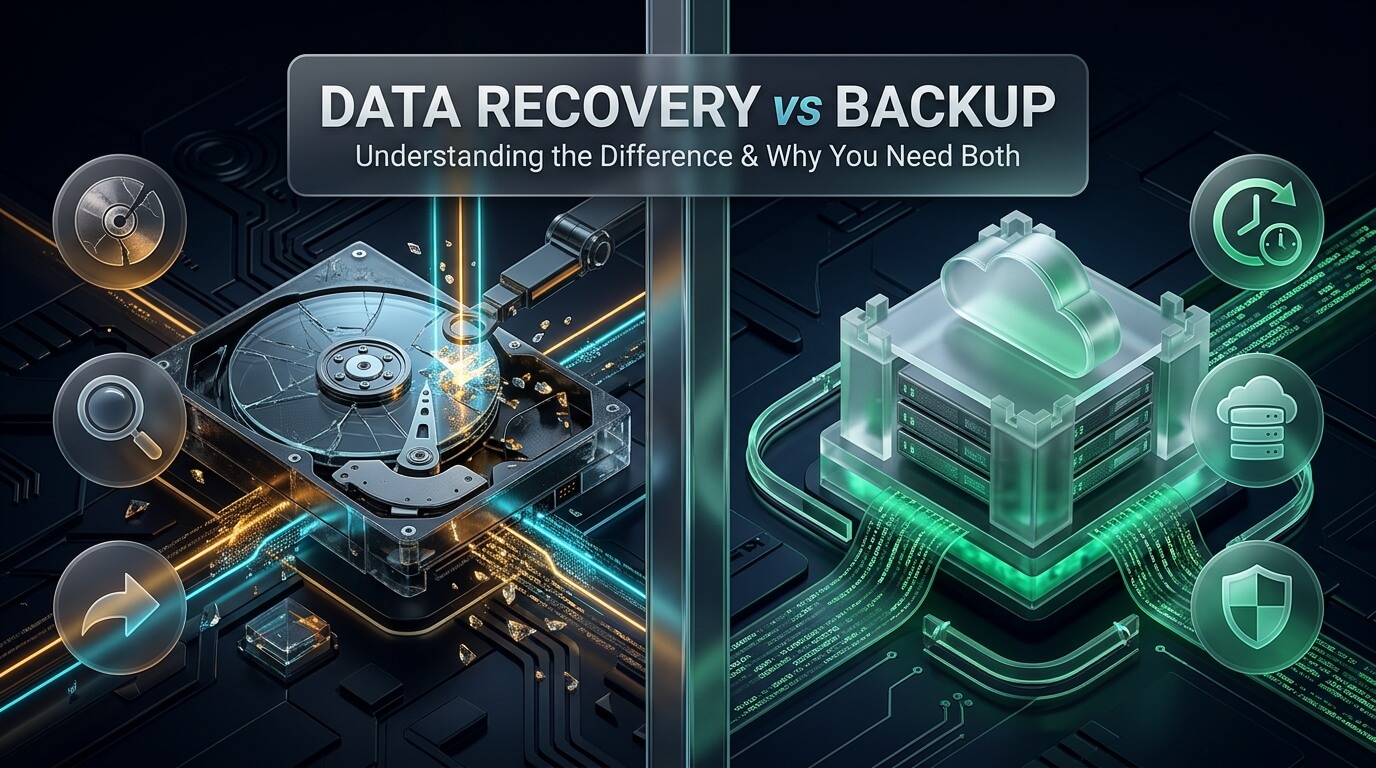
Every business and individual relies on digital data to operate. Financial ledgers, family photos, source code repositories, and customer records live on physical storage drives. When hardware crashes or ransomware strikes, people often confuse two distinct disciplines: backups and data recovery. Many assume that having an external hard drive means they never need to understand recovery mechanics. Conversely, others believe specialized recovery tools make regular backups unnecessary. Developing a resilient strategy for data backup and recovery requires understanding how these two critical safeguards work together.
Backups and data recovery represent opposite sides of the same data protection coin. Backup is a proactive defense designed to prevent data loss before catastrophe occurs. Data recovery is a reactive rescue operation executed after primary systems fail. Relying exclusively on one discipline leaves your digital assets vulnerable to hardware decay, human mistakes, and cyberattacks. This comprehensive guide clarifies the differences between both approaches, examines cloud computing implications, reviews leading software solutions, and details an effective defense blueprint.
- Proactive vs. Reactive: A backup creates redundant copies before disaster strikes. Data recovery reconstructs damaged original files when no viable backup exists.
- Cost and Predictability: Backups represent predictable, low-cost maintenance through automated software. Data recovery involves emergency cleanroom labor and forensic software costing thousands of dollars.
- Guaranteed vs. Variable Results: Restoring an uncorrupted backup delivers a 100% complete dataset. Data recovery yields variable outcomes depending on physical platter and flash memory health.
- The Golden Rule: Both disciplines are essential. Modern IT environments require unified backup and data recovery plans to withstand zero-day malware and simultaneous hardware crashes.
What is a Data Backup? The Proactive Safety Net
A data backup is a duplicate copy of active files, databases, or operating systems stored on a separate physical or virtual medium. The primary purpose of a backup is operational continuity. If an active file is accidentally deleted, modified incorrectly, or locked by malware, you can restore a previous healthy version within minutes.
Modern organizations implement diverse backup methodologies to balance storage costs with operational speed. Full backups copy entire storage volumes, providing complete recovery points at the expense of storage capacity. Incremental backups copy only blocks that changed since the last backup job, minimizing network bandwidth and daily storage consumption. Differential backups capture all changes made since the last full baseline backup, streamlining the restoration path.
Backup architectures depend on two fundamental metrics: Recovery Point Objective (RPO) and Recovery Time Objective (RTO). RPO defines the maximum tolerable age of files to be recovered from backup storage for normal operations to resume. RTO defines the maximum acceptable duration of system downtime after an outage occurs. High-performance data backup and recovery solutions combine local high-speed appliances with off-site cloud repositories to satisfy strict RPO and RTO mandates.
What is Data Recovery? The Reactive Rescue Operation
Data recovery is the specialized engineering process of extracting inaccessible, lost, corrupted, or deleted information from damaged primary storage media. Unlike backups, which pull clean files from a secondary repository, recovery focuses entirely on the original, damaged storage device. It is an emergency salvage operation initiated when operational backups are absent, outdated, or corrupted.
Data recovery divides into two technical categories: logical recovery and physical mechanical repair. Logical recovery addresses software-level corruption. This includes damaged partition tables, formatted file systems, broken directory trees, and accidental file deletions where the physical hard drive or solid-state drive remains electrically sound. Engineers use specialized forensic software to parse raw hex sectors and reassemble fragmented file clusters.
Physical recovery addresses catastrophic hardware failure. When mechanical hard drives develop clicked read/write heads, seized spindle motor bearings, or burnt circuit boards, software cannot help. Engineers must take the drive inside a certified ISO Class 5 cleanroom, disassemble the delicate mechanical assembly, and transplant matching donor components. In solid-state drives and smartphones, physical recovery involves micro-soldering corroded traces or bypassing failed memory controller chips. This high-touch labor is why professional backup data recovery intervention commands premium emergency pricing.
Backups can fail silently for months if automated alerts are misconfigured. Silent corruption, disconnected network shares, and expired cloud tokens frequently leave administrators with empty backup archives. When primary hardware fails and backups prove defective, emergency data recovery backup specialists must reconstruct original production drives to rescue corporate assets.
Direct Comparison: Key Differences Between Both Disciplines
While people often use the terms interchangeably, examining their technical, operational, and financial differences clarifies why each discipline serves a unique purpose.
1. Timing and Operational Strategy
Backups are strictly proactive. You schedule them hourly, daily, or weekly before any failure occurs. You configure automated rules, verify backup logs, and manage version retention policies. Data recovery is entirely reactive. You only initiate recovery after disaster strikes, alarms trigger, and primary systems drop offline without a working restore point.
2. Financial Predictability and Cost
The cost of maintaining backups is predictable and budget-friendly. You pay a consistent monthly subscription for cloud storage or purchase backup hard drives upfront. Data recovery, however, carries unexpected and volatile expenses. Cleanroom mechanical donor head swaps and multi-day engineering sessions easily cost several thousand dollars per drive, with rush emergency fees pushing invoices higher.
3. Data Completeness and Integrity
When you restore a validated backup, you receive a guaranteed, perfect replica of your files as they existed at the exact moment of the backup run. Data recovery offers no guaranteed outcome. If a hard drive platter has suffered circular magnetic scoring from crashed read heads, or if flash NAND memory cells have degraded, some files will be permanently lost or partially corrupted.
4. Time Required for Restoration
Restoring files from a local backup takes minutes or hours, depending on total volume size and network connection speed. Physical cleanroom data recovery takes days or weeks. Engineers must locate rare matching donor parts, perform microscopic mechanical repairs, stabilize read speeds, and image damaged platters sector by sector before file extraction can even begin.
5. Hardware Requirements
Backups require separate destination storage devices, such as network-attached storage (NAS) units, external USB drives, magnetic tape libraries, or cloud buckets. Data recovery focuses directly on the original failed media. It requires specialized diagnostic hardware bridges, write-blockers, oscilloscope stations, and cleanroom laminar flow benches.
Data Recovery and Backup in Cloud Computing
The rapid shift to cloud infrastructure has transformed enterprise storage architecture. Many users assume that storing assets in Amazon Web Services (AWS), Microsoft Azure, Google Cloud Platform (GCP), or Software-as-a-Service (SaaS) tools like Microsoft 365 removes the need for independent backups. This assumption represents a dangerous misunderstanding of cloud architecture.
Major cloud providers operate under the Shared Responsibility Model. The cloud vendor guarantees infrastructure availability, power redundancy, physical data center security, and hardware uptime. However, the customer remains strictly responsible for data classification, account security, access permissions, and independent backups. If an employee accidentally purges a corporate SharePoint library, or if an administrator deletes an AWS S3 bucket, the cloud provider will not restore your files.
In addition, cloud environments face unique modern threats. Sophisticated ransomware strains now compromise cloud administrative credentials, deleting snapshot archives and encrypting connected cloud storage simultaneously. Implementing comprehensive data recovery and backup in cloud computing requires creating immutable backups. Immutable storage utilizes Write-Once-Read-Many (WORM) policies that prevent anyone, including root administrators, from modifying or deleting backup objects for a predetermined retention window.
Multi-cloud and hybrid architectures provide additional safety. Storing primary workloads in Microsoft Azure while streaming immutable daily backups to Backblaze B2 or Amazon S3 Glacier ensures that a localized platform outage or regional account lockout cannot destroy organizational memory.
Why Modern Organizations Require Both Disciplines
Thinking that backups replace data recovery, or vice versa, creates dangerous blind spots. Real-world business environments produce complex disaster scenarios where relying on only one safeguard leads to catastrophic failure.
When Backups Alone Fail You
Consider a scenario where an enterprise NAS array experiences a double drive failure in a RAID 5 pool. The IT team discovers that the automated backup script crashed three weeks prior due to an authentication certificate expiration. The backup repository contains outdated, unusable data. In this common crisis, cleanroom data recovery and backup technicians must intervene to physically repair the failed RAID drives, extract fresh sectors, and restore operational continuity.
Similarly, ransomware operators actively target backup repositories first. Cybercriminals compromise domain controllers, locate network backup shares, wipe volume shadow copies, and encrypt primary databases. If your backups are connected directly to the primary network without an air gap, they will be encrypted alongside production files. In these severe breaches, forensic data recovery software offers the only path to carve deleted snapshot headers and reconstruct unencrypted database fragments.
When Data Recovery Alone is Insufficient
Relying exclusively on data recovery as a safety net is reckless. If an office building suffers a catastrophic structural fire, physical storage media can be reduced to ash. No cleanroom laboratory on earth can retrieve data from completely incinerated platters or cracked silicon wafers. Similarly, if laptops or storage servers are stolen during a commercial burglary, physical media is gone forever.
Only robust, automated, off-site backups protect against physical destruction, natural disasters, theft, and widespread file encryption. Maintaining resilient data recovery and backup solutions ensures that whether the crisis is a dropped laptop or a multi-rack server room fire, your organization possesses an actionable recovery route.
The Modern 3-2-1-1-0 Data Protection Framework
To eliminate vulnerabilities and build true digital resilience, modern IT architects expand upon the traditional backup rule. The modern standard is the 3-2-1-1-0 data protection framework:
- Maintain 3 Copies of Data: Always keep one primary production copy and at least two separate backup copies.
- Use 2 Different Storage Media Types: Store copies on different physical media, such as local enterprise solid-state drives and high-capacity magnetic tapes or cloud storage pools.
- Keep 1 Copy Off-Site: Store at least one backup replica in a geographically distant location to survive local office fires, floods, or power grid collapses.
- Store 1 Copy Offline or Immutable: Ensure at least one backup copy is completely air-gapped from the network or locked with immutable WORM policies to prevent ransomware tampering.
- Verify 0 Errors with Automated Testing: Regularly execute automated restore drills and integrity verifications to ensure backup files mount cleanly without corruption.
Top 8 Backup and Data Recovery Solutions Reviewed
To help you establish an impenetrable storage defense, we have evaluated eight leading platforms across enterprise backup software, automated cloud tools, forensic recovery utilities, and certified cleanroom labs.
1. Veeam Backup & Replication
Veeam Backup & Replication is widely acknowledged as the premier enterprise platform for virtual, physical, and cloud workload protection. Designed for mid-market and large enterprise environments, Veeam delivers comprehensive backup, restore, and disaster recovery orchestration.
The platform supports VMware vSphere, Microsoft Hyper-V, Nutanix AHV, Linux, Windows, and major public cloud architectures. Veeam includes Instant VM Recovery, allowing administrators to boot a failed virtual machine directly from a compressed backup file in seconds, dramatically reducing RTO metrics.
Veeam excels at ransomware protection through native hardened Linux repositories that enforce immutable storage. Its automated verification engine, SureBackup, tests every virtual machine backup in an isolated sandbox to confirm that applications boot and databases respond without human intervention.
- Category: Enterprise Backup & Disaster Recovery Platform
- Supported Workloads: VMware, Hyper-V, Windows, Linux, AWS, Azure, Google Cloud, Microsoft 365
- Ransomware Defense: Immutable hardened Linux repositories, S3 Object Lock support
- Recovery Speed: Instant VM Recovery mounts production VMs directly from backup storage
- Best Use Case: Mid-sized and enterprise IT environments managing virtualized infrastructure
2. Acronis Cyber Protect
Acronis Cyber Protect uniquely integrates enterprise-grade backup with native artificial intelligence-powered anti-malware and endpoint security. This unified approach eliminates the friction of managing separate security agents and backup platforms.
Acronis creates full sector-by-sector disk images, allowing users to restore complete operating systems, application configurations, and user profiles to dissimilar hardware. Its Active Protection module monitors endpoint activity in real time, stopping unauthorized ransomware encryption and automatically restoring any affected files from a local cache.
The solution caters to residential users with Acronis True Image and managed service providers with Acronis Cyber Protect Cloud. Its flexible management console coordinates local NAS backups, cloud vaults, and remote endpoint recovery through a single pane of glass.
- Category: Unified Backup and Cybersecurity Platform
- Core Features: Complete disk image backups, bare-metal restore to dissimilar hardware
- Security Integration: Real-time AI ransomware blocking and automated file remediation
- Deployment: Cloud console, on-premises server, endpoint agent
- Best Use Case: Distributed workforces and small-to-midsize businesses seeking combined security and backup
3. Datto SIRIS BCDR
Datto SIRIS is an all-in-one Business Continuity and Disaster Recovery (BCDR) appliance engineered specifically for managed service providers and commercial enterprises. It combines purpose-built on-site hardware appliances with secure cloud virtualization.
Datto takes continuous block-level snapshots of protected servers using proprietary Inverse VDR technology. If a client server suffers a hardware failure, the administrator can virtualize the entire server locally on the Datto appliance within minutes, keeping the business operational while new hardware is sourced.
In the event of a catastrophic site disaster, Datto can spin up the protected network inside the secure Datto Cloud. Automated screenshot verification boots backups daily and emails visual confirmation showing the server operating system login screen.
- Category: Turnkey BCDR Hardware Appliance and Cloud Service
- Virtualization: Instant local virtualization on-appliance and cloud failover
- Verification: Automated daily screenshot boot testing
- Target Audience: Managed Service Providers (MSPs) and commercial enterprises
- Best Use Case: Organizations requiring near-zero RTO and automated off-site disaster recovery
4. Backblaze B2 & Computer Backup
Backblaze is celebrated throughout the industry for offering straightforward, cost-effective, and exceptionally reliable cloud storage. It offers two distinct tiers: automated computer backup for individual workstations and Backblaze B2 cloud storage for enterprise data pools.
Backblaze Computer Backup provides unlimited automated cloud backup for macOS and Windows computers at a low flat monthly fee. It continuously uploads changed documents, photos, and project files silently in the background, offering version history retention windows up to one year or indefinitely.
For enterprise servers and NAS enclosures, Backblaze B2 offers S3-compatible cloud object storage at a fraction of the cost of traditional hyperscalers. B2 supports S3 Object Lock, providing robust immutable storage for platforms like Veeam and Synology Hyper Backup with zero egress fee penalties under standard partner integrations.
- Category: Cloud Backup and S3-Compatible Object Storage
- Pricing Model: Low-cost flat rate for endpoints; highly competitive per-gigabyte pricing for B2
- Immutability: Full S3 Object Lock support for ransomware protection
- Rapid Restore: Option to receive a physical encrypted hard drive via courier for rapid local restore
- Best Use Case: Cost-conscious consumer endpoint backup and scalable enterprise cloud repositories
5. Commvault Cloud Backup & Recovery
Commvault Cloud is a recognized powerhouse for large-scale enterprise data management, hybrid cloud governance, and multi-petabyte disaster recovery. It is designed to service complex multinational IT ecosystems across on-premises data centers, private clouds, and multi-tenant SaaS applications.
The platform provides unified policy management across virtual machines, structured relational databases, Kubernetes containers, and unstructured file shares. Commvault uses advanced deduplication algorithms that drastically reduce network transport requirements and storage consumption across global data centers.
Its Metallic security architecture incorporates proactive cyber deception tools, early threat warning systems, and automated air-gapped cloud vaults that protect mission-critical enterprise workloads against targeted cyberwarfare and nation-state ransomware attacks.
- Category: Global Enterprise Data Management and Cyber Resilience
- Scalability: Built to manage multi-petabyte datasets across thousands of endpoints and servers
- Workloads: Hybrid cloud, Kubernetes, enterprise databases (Oracle, SAP HANA, SQL), Microsoft 365
- Security: AI-powered threat detection, cyber deception, and automated isolated recovery vaults
- Best Use Case: Fortune 500 enterprises and government agencies with complex compliance requirements
6. EaseUS Todo Backup & Data Recovery
EaseUS offers an approachable ecosystem that bridges consumer and small-business backup with forensic data recovery software. Their product catalog features both EaseUS Todo Backup and EaseUS Data Recovery Wizard.
EaseUS Todo Backup allows users to create automated system image backups, clone hard drives directly to new solid-state drives, and backup specific partitions to network shares or cloud storage. It includes smart backup scheduling that tracks file modifications without consuming system resources.
When backups are missing, users can launch EaseUS Data Recovery Wizard to scan raw hard drives, formatted SD cards, and lost partitions. The software guides users through an intuitive three-step recovery process, making it an accessible starting package for residential users seeking both software tools under one brand.
- Category: Consumer & Small Office Backup and Software Data Recovery
- Ease of Use: User-friendly graphical interface with guided recovery wizards
- Capabilities: Hard drive cloning, scheduled system backups, deleted file unformatting
- Platform: Windows, macOS
- Best Use Case: Home users, freelancers, and small offices needing accessible backup and file undelete tools
7. R-Studio Data Recovery
When automated backup systems fail and corrupt original drives must be investigated, R-Studio by R-Tools Technology is the premier technical recovery utility for IT professionals. Unlike backup software, R-Studio is an advanced forensic data carving and virtual filesystem reconstruction engine.
R-Studio can parse heavily damaged, reformatted, and encrypted partitions across NTFS, ReFS, ext4, XFS, Btrfs, APFS, and UFS. It features a sophisticated virtual RAID builder that allows engineers to reconstruct collapsed RAID 0, RAID 5, and RAID 6 arrays from raw member disk images.
The program includes a built-in hex editor and pattern visualizer that enables technicians to inspect raw disk sectors, verify filesystem superblocks, and evaluate file integrity before initiating extraction. It operates directly on raw disk images, protecting patient drives from write modifications.
- Category: Advanced Forensic Data Recovery Software
- Filesystem Support: NTFS, ReFS, FAT, exFAT, ext2/3/4, XFS, Btrfs, HFS+, APFS, UFS
- Key Advantage: Hex editor, virtual RAID reconstruction, raw disk image parsing
- Platform: Windows, Linux, macOS
- Best Use Case: IT professionals salvaging data from corrupted partitions, failed arrays, and deleted volumes
8. DriveSavers Cleanroom Recovery
When physical storage hardware fails catastrophically, no software platform on earth can help. DriveSavers is the industry standard for mechanical cleanroom data recovery, operating certified ISO Class 5 cleanrooms to salvage physically destroyed storage media.
Founded in 1985, DriveSavers employs specialized mechanical engineers who open clicking hard drives, unseize motor bearings, transplant donor read/write head assemblies, and reconstruct fire-damaged solid-state drives. They maintain extensive cleanroom facilities and hold SOC 2 Type II and HIPAA security compliance certifications.
They operate on a strict “No Data, No Recovery Fee” guarantee. If your files cannot be rescued, you pay nothing for the recovery attempt. For organizations whose physical drives have crashed and whose backups have failed, DriveSavers represents the ultimate last line of defense.
- Category: Certified Cleanroom Physical Data Recovery Service
- Cleanroom Standard: Certified ISO Class 5 Cleanroom
- Security Compliance: SOC 2 Type II, HIPAA, FERPA, high-level government clearance
- Policy: No Data, No Recovery Fee policy with upfront flat-rate diagnostics
- Best Use Case: Mechanically clicking hard drives, water-damaged laptops, burned servers, failed enterprise storage
Comparison of Leading Backup and Data Recovery Solutions
The following comparison table summarizes essential platform characteristics, operational focus, automation capabilities, and ideal use cases across all eight reviewed solutions.
| Solution | Discipline | Deployment | Ransomware Defense | Primary Target | Best Use Case |
|---|---|---|---|---|---|
| Veeam | Backup / BCDR | Software / Hybrid | Hardened Immutable Repositories | Enterprise IT | Virtual machine protection, instantaneous failover |
| Acronis | Backup & Security | Agent / Cloud | Active AI Anti-Ransomware Agent | SMBs & MSPs | Unified endpoint security and bare-metal imaging |
| Datto SIRIS | BCDR Appliance | Hardware Appliance | Air-gapped Cloud Virtualization | MSPs & Enterprises | Near-zero RTO through local and cloud virtualization |
| Backblaze | Cloud Storage | Direct Cloud / API | S3 Object Lock Immutability | Consumers & IT | Affordable cloud archiving and unlimited endpoint backup |
| Commvault | Enterprise Backup | SaaS / Hybrid | Cyber Deception & Air-Gapped Vaults | Global Enterprise | Multi-cloud governance and multi-petabyte datasets |
| EaseUS Todo | Backup & Recovery | Desktop Software | Security Zone Partitions | Home & Small Office | Drive cloning, basic file undelete, local imaging |
| R-Studio | Data Recovery | Forensic Software | Read-Only Raw Disk Parser | Forensic Engineers | Hex-level file carving, virtual RAID reconstruction |
| DriveSavers | Data Recovery | ISO 5 Cleanroom Lab | Chain-of-Custody Vaulting | All Storage Users | Physical head replacement, water/fire damage salvage |
Cost Analysis: Routine Backup Subscriptions vs. Emergency Recovery Invoices
Examining financial models demonstrates why proactive backups are far more cost-effective than relying on emergency data recovery. Deploying high-grade data backup and recovery software represents an operational investment that protects balance sheets from unpredictable catastrophic expenditures.
Consider standard pricing tiers across both disciplines:
- Routine Cloud and Local Backup ($60 to $500 per year): Unlimited personal computer backup through providers like Backblaze costs approximately $99 per computer annually. A high-capacity 8TB external hard drive for local snapshot storage costs roughly $150 upfront. Small business backup licenses for tools like Veeam or Acronis range from $300 to $800 annually for multiple virtual machines. The expenditure is predictable, manageable, and fully deductible as routine IT overhead.
- Software Data Recovery Licenses ($70 to $300 one-time): If backups fail and files are deleted logically, purchasing a professional software license for tools like R-Studio or EaseUS costs between $70 and $300. This is a modest cost, but it requires technical labor hours to scan and rebuild file structures.
- Cleanroom Physical Hardware Recovery ($1,000 to $3,500+ per drive): If an internal mechanical hard drive crashes without a backup, cleanroom engineering labor, donor micro-parts sourcing, and precision platter imaging typically cost between $1,200 and $2,500 for consumer drives. For enterprise multi-drive RAID servers, recovery invoices frequently range from $3,000 to over $10,000.
- Business Downtime Losses ($5,000 to $100,000+ per day): Beyond direct cleanroom invoices, the true cost of relying on recovery is operational paralysis. Waiting two weeks for cleanroom technicians to extract an unbacked-up customer database stalls billing, disrupts customer service, and damages business reputation.
- Automate All Backup Routines: Never rely on employees to manually drag and drop files to external drives. Use automated agents that run silently on schedules.
- Enforce Immutable Cloud Storage: Configure WORM policies on your cloud repositories to guarantee backups cannot be encrypted or deleted by compromised administrative accounts.
- Separate Administrative Credentials: Ensure your backup infrastructure utilizes multi-factor authentication with credentials completely isolated from your primary Active Directory domain.
- Conduct Semi-Annual Disaster Drills: Practice restoring critical servers from bare metal to temporary virtual environments to verify that recovery procedures work before an emergency strikes.
Frequently Asked Questions
If I have a cloud storage service like Dropbox or Google Drive, do I have a backup?
Cloud file synchronization services like Dropbox, OneDrive, and Google Drive are collaboration tools, not true backups. These tools synchronize changes instantly across all connected computers. If ransomware encrypts your local files, or if a user accidentally deletes a critical directory, the synchronized cloud copies are corrupted or deleted simultaneously. While these services offer limited version history, they do not replace dedicated, immutable system backups.
Can data recovery software recover files that were overwritten by new data?
No, once storage sectors are overwritten with new binary data, the original information is permanently gone. On modern solid-state drives, the operating system executes the TRIM command when files are deleted, actively zeroing out flash memory blocks to prepare them for new writes. This makes file recovery after deletion nearly impossible on SSDs without an existing backup. Backups remain the only reliable protection against overwritten data.
Why should I pay for cleanroom data recovery if I can download free software?
Data recovery software is only safe when the underlying storage hardware is physically healthy and mechanically stable. If a hard drive makes clicking sounds, grinds, or drops offline repeatedly, running software forces the damaged read heads to drag across the spinning magnetic platters. This abrasive friction scratches away the microscopic magnetic layer, turning your data into airborne dust. Physical failures require cleanroom mechanical repair before any software reading can occur.
What is the difference between RPO and RTO in disaster recovery planning?
Recovery Point Objective (RPO) refers to the maximum acceptable amount of data loss measured in time. For example, if you back up your files once every twenty-four hours at midnight, your maximum RPO is twenty-four hours. Recovery Time Objective (RTO) refers to the maximum acceptable time it takes to restore systems and resume business operations after a failure occurs. High-availability organizations invest in continuous replication to achieve near-zero RPO and RTO.
How often should an organization test its data recovery procedures?
Organizations should test basic file restores monthly and execute full bare-metal disaster recovery drills at least twice a year. An untested backup strategy is merely a hypothesis. Periodic sandbox restoration tests ensure that backup files are uncorrupted, encryption keys function properly, network bandwidth is sufficient for large restores, and staff know the exact steps to follow during an emergency.
Conclusion: Bridging Prevention and Salvage for Complete Security
Understanding the distinction between backups and data recovery is the foundation of modern data protection. Relying solely on backups leaves you stranded when silent corruption or ransomware strikes your secondary repositories. Relying solely on data recovery exposes your business to astronomical cleanroom expenses, prolonged operational downtime, and the permanent risk of physical media destruction. By deploying automated, immutable backups and partnering with certified data recovery specialists when physical failure occurs, you guarantee that your digital life remains secure and accessible under any circumstance.