Selecting legal practice management software is a defining strategic milestone in a law firm’s growth. Law firms of different sizes operate in entirely different operational realities. A solo litigator working from a home office requires speed, simplicity, and low overhead. In contrast, an Am Law firm with hundreds of partners demands enterprise data governance, complex financial ledgers, and strict ethical walls.
Attempting to force an enterprise enterprise resource planning system onto a three-attorney boutique creates crippling administrative paralysis. Conversely, managing an eighty-attorney multi-office practice on entry-level billing software leads to accounting discrepancies, missed court deadlines, and billing chaos. Choosing software that matches your firm’s specific developmental stage protects profitability and client relationships.
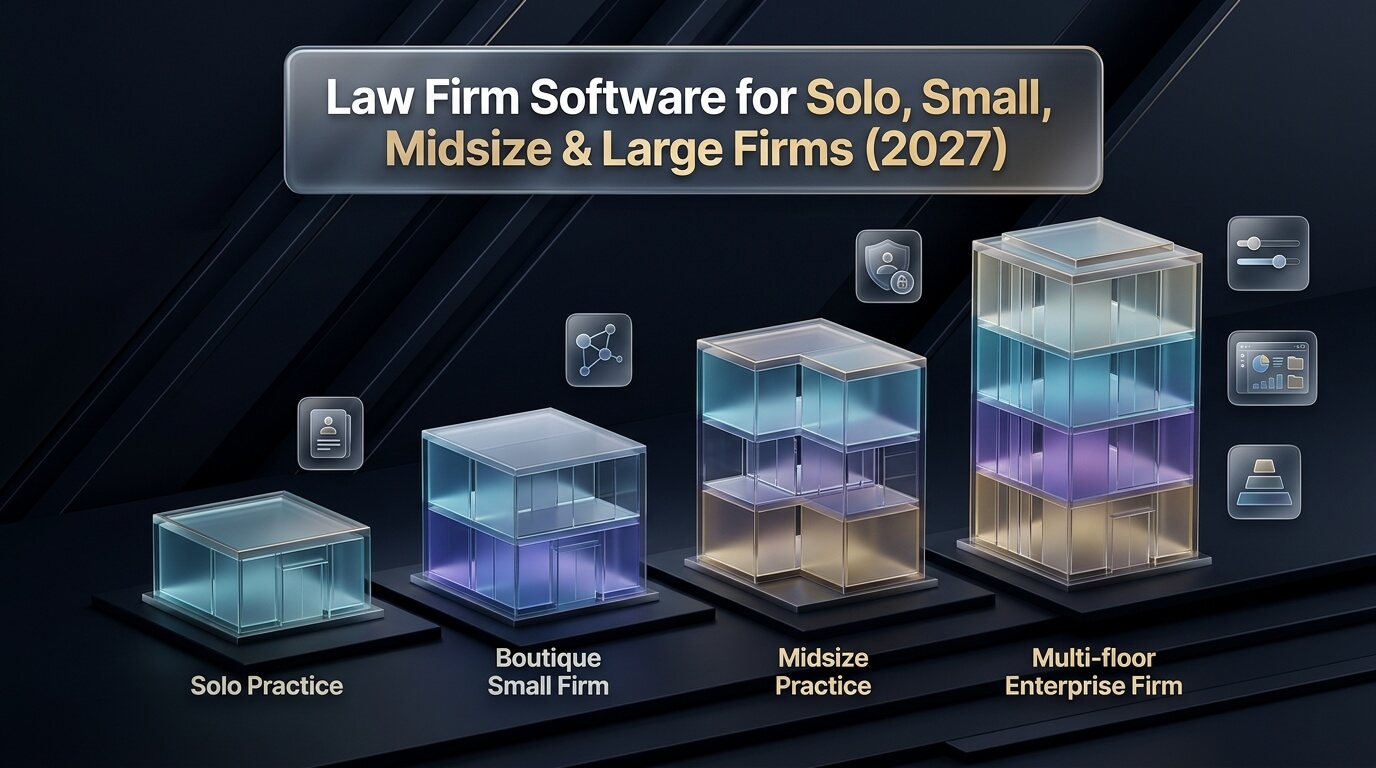
In this guide, we evaluate practice management systems across four distinct organizational tiers: solo practices, small boutique firms, midsize regional practices, and large enterprise institutions. We examine operational priorities, billing mechanics, document automation, and security requirements at each stage of firm evolution.
Whether you are launching an independent solo practice or modernizing technology across an established commercial partnership, this guide provides practical, actionable insights. By aligning software capabilities with your firm’s exact size and casework complexity, your team can eliminate administrative friction and build a thriving legal practice.
Key Takeaways: Matching Legal Technology to Firm Size
- Solo attorneys thrive on agile cloud platforms that combine intake, calendaring, and mobile billing in one application.
- Small firms require shared calendars, task assignment workflows, and secure client communication portals.
- Midsize firms depend on departmental reporting, partner pre-bill editing workflows, and LEDES 1998B electronic billing.
- Large enterprise firms require multi-entity double-entry accounting ledgers, ethical information barriers, and business intelligence analytics.
Solo Law Practices: Agility, Mobility, and Low Administrative Overhead
Operating as a solo practitioner is an exercise in extreme administrative discipline. Solo attorneys do not have dedicated IT directors, billing coordinators, or paralegal pools. The attorney personally conducts legal research, meets prospective clients, drafts court pleadings, and generates monthly client invoices. Under these demanding conditions, software must serve as a tireless virtual office manager.
Investing in dependable solo law firm software enables independent lawyers to handle high case volumes without burning out. The right platform eliminates repetitive clerical typing and automates routine client interactions. Instead of spending weekend hours preparing paper bills, attorneys can generate and send digital invoices in minutes.
Financial management represents the primary operational vulnerability for independent practitioners. Deploying dedicated solo law firm billing software ensures that every billable minute is captured contemporaneously. When attorneys log calls, meetings, and research directly from their smartphones, unrecorded billable hours drop dramatically. Modern billing tools also support credit card and eCheck processing, accelerating client payments and reducing accounts receivable.
Comprehensive law firm software for solo practitioners also incorporates automated client onboarding workflows. Prospective clients complete digital intake questionnaires directly on the firm website. The software verifies contact information, conducts automated conflict checks, and dispatches electronic retainer agreements. This rapid onboarding response impresses prospective clients and secures new business ahead of competing firms.
Solo attorneys also benefit from robust mobile applications. Cloud software allows independent litigators to access complete case histories, court schedules, and client contact details while waiting in courtrooms. Encrypted cloud backups ensure that client data remains safe from computer hardware failures, office theft, or localized weather emergencies.
In addition, solo attorneys require predictable software costs with zero hidden infrastructure expenses. Modern software as a service subscriptions include hosting, automatic security updates, and live customer support in a single monthly fee. Predictable technology overhead gives solo lawyers peace of mind while building their client base.
Small Law Firms: Team Collaboration, Workflow Delegation, and Cash Flow
When a legal practice expands from a solo practitioner to a small boutique of two to ten attorneys, operational dynamics change completely. Work is no longer confined to a single attorney’s memory or personal calendar. The firm now employs associate attorneys, paralegals, and legal assistants who must collaborate on active matters simultaneously.
Selecting the right small law firm software becomes essential for preventing administrative chaos during this critical growth stage. As case files multiply, attorneys need instant visibility into matter deadlines, assigned tasks, and court filings. Without standardized digital workflows, small firms risk missed deadlines, duplicate effort, and inconsistent work product.
Modern small law firm management software provides centralized matter hubs where team members share notes, track case progress, and manage documents. When a paralegal uploads a newly filed motion, all assigned team members receive instant notifications. Standardized task templates ensure that every new client matter follows the firm’s approved procedural steps from intake through final resolution.
Client communication is another area where small firms require specialized tools. Leading platforms incorporate secure client portals and two-way text messaging channels. Clients can check case milestones, upload requested tax documents, and pay outstanding invoices directly from their phones. Providing modern communication tools reduces repetitive phone calls and elevates client satisfaction.
Trust accounting compliance also becomes more complex as client retainer balances increase. Small firms must maintain strict separation between client funds and firm operating capital to satisfy state bar ethics rules. Practice management platforms enforce real-time trust ledger balances, prevent trust overdrafts, and generate automated three-way reconciliation reports to protect the firm during bar audits.
In addition, small law firms benefit from direct accounting integrations. Synchronizing practice management platforms with QuickBooks Online or Xero eliminates double data entry for invoices and vendor expenses. Clean financial synchronization gives managing partners an accurate picture of firm profitability, overhead costs, and cash reserves.
Midsize Law Firms: Departmental Controls, LEDES Billing, and Advanced Accounting
Midsize law firms employing eleven to fifty attorneys face unique management challenges. These firms often operate across multiple practice groups, such as commercial litigation, corporate transactions, real estate, and employment law. Managing partners must balance departmental autonomy with firm-wide financial controls, standardized billing guidelines, and regulatory compliance.
Implementing specialized midsize law firm software enables firm leadership to oversee complex departmental operations without micromanagement. These platforms provide sophisticated role-based permission settings that restrict file access to authorized practice groups. Granular security controls protect sensitive client data and prevent internal conflicts of interest.
Financial management in midsize practices demands advanced electronic billing capabilities. Midsize firms frequently represent corporate clients, insurance carriers, and municipal bodies that require electronic invoices formatted to Legal Electronic Data Exchange Standards. Leading platforms generate compliant LEDES 1998B and XML files with complete Uniform Task-Based Management System activity coding.
Outside Counsel Guideline compliance is equally critical for midsize firm profitability. When corporate clients impose strict billing rules, software must flag non-compliant entries before invoices leave the office. Advanced billing tools detect block billing, vague task descriptions, and unauthorized research hours, preventing costly invoice rejections and payment deductions.
Midsize practices also require structured pre-bill distribution and review workflows. Monthly draft bills are routed electronically to originating and billing partners for review. Partners adjust hours, edit descriptive narratives, and apply fee discounts directly within the software before billing coordinators generate final client invoices. This digital pre-bill workflow saves hundreds of administrative hours each billing cycle.
In addition, midsize firm platforms provide comprehensive financial reporting dashboards. Managing partners can analyze attorney realization rates, monitor accounts receivable aging, and evaluate practice group profitability in real time. Data-driven management insights empower leadership to reward productive attorneys, address billing bottlenecks, and make strategic hiring decisions.
Large and Enterprise Law Firms: Global Governance, Multi-Entity Ledgers, and Information Barriers
Large law firms and national legal enterprises operate on a vast scale. Employing fifty to several thousand attorneys across multiple offices and jurisdictions, these organizations function as major commercial corporations. Their technological requirements encompass global financial governance, high-volume transactional throughput, and bulletproof security protocols.
Selecting large law firm software involves deploying enterprise-grade technology capable of supporting thousands of simultaneous users. These platforms must manage millions of matter records, process tens of thousands of daily time entries, and coordinate document archives across distributed international offices. System architecture must guarantee zero downtime and continuous data synchronization.
Financial architecture represents a primary distinction in large law firm accounting software. Enterprise legal platforms feature powerful multi-currency, multi-entity general ledgers. These engines manage international tax compliance, inter-office accounting transfers, and multi-tier partner equity distributions. They handle complex billing arrangements, including split-fee billing, volume discounts, alternative fee structures, and phased project budgets.
Information barriers, commonly known as ethical walls, are mandatory for large practices. In Am Law firms representing competing corporate conglomerates, software must enforce strict electronic partitions. The software prevents unauthorized attorneys and staff from viewing conflicting client matters, accessing shared documents, or seeing billing ledgers. Comprehensive audit logs track every attempt to access restricted files, providing verifiable evidence of ethical compliance for court proceedings.
Enterprise firms also invest heavily in modern enterprise law firm software equipped with advanced business intelligence analytics. Data warehouses integrate practice management data with human resources, business development, and legal research platforms. Managing committees use predictive modeling to forecast annual revenues, evaluate lateral partner profitability, and price complex corporate litigation matters accurately.
Large enterprise platforms also feature extensive application programming interfaces that connect with proprietary firm databases. Firms integrate document management systems like iManage or NetDocuments, corporate intake platforms, and artificial intelligence contract review engines into a unified digital ecosystem. Dedicated database hosting and continuous failover architecture ensure uninterrupted operations worldwide.
Key Evaluation Criteria Across Practice Sizes: Deployment, Security, and Scalability
When legal technology committees evaluate software platforms, they must assess architectural suitability alongside feature checklists. A platform designed for a five-attorney office may lack the database horsepower required by a fifty-attorney firm. Conversely, enterprise systems impose training requirements and configuration overhead that overwhelm smaller practices.
Deployment architecture is a critical initial decision. Solo and small practices overwhelmingly favor multi-tenant cloud platforms. Cloud software requires zero internal server hardware, updates automatically, and provides instant mobile access. Midsize and large firms often choose between dedicated private cloud hosting and hybrid deployments that combine cloud databases with local processing power for high-speed document drafting.
Cybersecurity benchmarks must correspond with the sensitivity of firm client records. All practices must demand SOC 2 Type II certification, TLS 1.3 encryption in transit, and AES 256-bit encryption at rest from vendor data centers. Larger practices also require granular role-based permissions, single sign-on integration via SAML 2.0, and automated session timeouts to prevent unauthorized physical workstation access.
Data portability and vendor lock-in protections are essential for firms of all sizes. Software contracts must state explicitly that the law firm retains exclusive legal ownership of all client files, matter records, and financial ledgers. Vendors must provide automated data extraction tools that export records in standard open formats without penalty fees if the firm decides to transition to another provider.
Pro-Tip: Avoiding the Premature Enterprise Software Trap
Small and growing firms should avoid purchasing enterprise software suites before reaching operational maturity. Enterprise tools require dedicated administrators and complex custom configurations that drain resources. Focus on agile, intuitive platforms that solve current operational bottlenecks, then transition to enterprise systems as your user count and financial complexity warrant.
Total Cost of Ownership (TCO) Across Practice Tiers
Evaluating the true cost of legal practice software requires auditing expenses far beyond the monthly per-user subscription price. Unanticipated implementation fees, data migration costs, and payment processing charges can significantly inflate technology budgets over a three-year operating lifecycle.
For solo attorneys, total cost of ownership is generally transparent and straightforward. Most cloud platforms charge between thirty-nine and eighty-nine dollars per month per user. Setup fees are minimal, and data import tools allow attorneys to import contact spreadsheets independently. Solo lawyers should pay close attention to payment processing rates, selecting platforms that offer competitive transaction fees for credit cards and eChecks.
Small boutique firms face modest onboarding costs alongside subscription fees. Vendors frequently charge between five hundred and two thousand dollars for professional data migration from legacy billing programs. Small firms must also budget for staff downtime during training sessions. Selecting an intuitive platform with a shallow learning curve minimizes lost billable hours during staff onboarding.
Midsize and large enterprise firms incur substantial upfront implementation investments. Deploying an enterprise financial suite involves data mapping, custom report building, and workflow engineering by certified legal IT consultants. Implementation fees for midsize firms typically range from five thousand to twenty-five thousand dollars, while enterprise Am Law deployments often exceed one hundred thousand dollars in professional services.
Ongoing maintenance and software integration costs also scale with firm size. Large firms must budget for internal system administrators, API connector licenses, and recurring database tuning. Conducting a thorough three-year total cost of ownership analysis ensures that firm leadership budgets accurately for long-term technology success.
Checklist: Evaluating Software by Law Firm Size
- Audit your current attorney and support staff headcount to determine your exact operational tier.
- Identify non-negotiable compliance requirements, including IOLTA accounting, LEDES billing, or ethical walls.
- Evaluate internal IT capacity to choose between managed cloud hosting and on-premises server architecture.
- Calculate total three-year expenditure, including licensing, data migration, consultant fees, and staff training.
- Test mobile applications and client portals to verify user experience on iOS and Android devices.
In-Depth Reviews: Top 8 Platforms Across Practice Sizes
We evaluated eight market-leading legal practice management systems across solo, small, midsize, and enterprise tiers. We analyzed their functional strengths, architectural design, pricing structures, and ideal user profiles.
1. Clio Manage
Clio Manage is the global benchmark for cloud-based legal practice management, serving over one hundred fifty thousand legal professionals worldwide. Built on an agile, secure web architecture, Clio provides comprehensive tools for matter management, contact organization, court deadline calendaring, and time billing. Its open API connects with over two hundred fifty third-party legal applications, creating the industry’s most versatile software marketplace.
The platform is exceptionally well-suited for solo practitioners and small to mid-sized law firms. Clio Manage simplifies contemporaneous time tracking with intuitive mobile apps and floating desktop timers. Built-in Clio Payments enables practices to accept credit cards and eChecks with automatic trust accounting compliance, routing earned fees to operating accounts and retainers to trust accounts.
Clio pairs smoothly with Clio Grow for client intake and relationship management, creating a complete digital front door for growing practices. Managing partners appreciate Clio for its modern interface, dependable uptime, and rapid staff onboarding. Clio provides scalable practice productivity that grows alongside your firm.
Pricing operates on transparent monthly or annual subscription tiers ranging from thirty-nine to one hundred forty-nine dollars per user monthly. Clio remains an outstanding choice for solo lawyers and ambitious small firms seeking modular flexibility without administrative overhead.
2. MyCase
MyCase, an AffiniPay company, is an intuitive all-in-one cloud practice management platform built specifically for solo practitioners and small law firms. The platform unifies case management, client communication, scheduling, document assembly, and legal billing into a clean, accessible interface with virtually zero learning curve.
Client communication is MyCase’s defining competitive advantage. The platform features native two-way text messaging and a secure client portal. Clients can review case documents, pay invoices, and send direct messages from a dedicated mobile app on their smartphones. Built-in lead management tools capture prospective client inquiries directly from firm websites, converting leads into active matters with a single click.
The software includes automated task workflows, legal document generation, passive time tracking, and built-in trust accounting tools. Integrated MyCase Payments allows firms to process client retainers and invoice payments smoothly. Pricing starts at thirty-nine dollars per user monthly for basic tiers, scaling to eighty-nine dollars for advanced workflow and accounting features.
Solo litigators and growing law offices praise MyCase for its quick deployment and responsive customer support. Staff members can master daily scheduling, document sharing, and billing in a few hours. MyCase delivers dependable practice productivity without administrative overhead.
3. PracticePanther
PracticePanther, part of the Paradigm legal technology family, is an agile cloud practice management application known for its modern interface, custom workflow triggers, and security controls. The platform serves fast-growing litigation, transactional, and solo practices seeking intuitive practice automation.
The software features customizable intake questionnaires, automated task checklists, native electronic signatures, and PantherPayments online processing. PracticePanther synchronizes with Microsoft Outlook, Google Workspace, and QuickBooks Online in real time. Subscriptions range from forty-nine to eighty-nine dollars per user monthly on flexible terms.
Automated workflow triggers represent PracticePanther’s standout capability. Users can create custom rules that automatically schedule deadlines, assign tasks to paralegals, and email confirmation letters when a matter stage changes. Built-in electronic signature tools allow clients to sign retainer agreements instantly on their mobile phones.
Firms appreciate PracticePanther for its visual dashboard and customizable reporting tools. Managing partners can view team productivity, monitor outstanding accounts receivable, and track court milestones from a single screen. PracticePanther combines fast payment processing with dependable daily practice automation.
4. Smokeball
Smokeball is a premier hybrid cloud productivity and practice management platform renowned for its proprietary AutoTime automated time tracking technology. Built specifically for small to mid-sized law firms, Smokeball combines local desktop speed with secure cloud data synchronization. The software specializes in eliminating manual time entry entirely for busy attorneys and paralegals.
Smokeball’s AutoTime feature works quietly in the background, monitoring all digital casework completed across Microsoft Word, Outlook, and case files. The system records the exact duration spent drafting motions, reviewing discovery documents, reading client emails, and conducting legal research. The software automatically attributes this time to the appropriate client matter and creates detailed billing entries ready for review.
The platform maintains an expansive library of pre-configured court forms and automated document templates. In addition to automated time capture, Smokeball provides integrated legal trust accounting, client communication portals, and team productivity dashboards. Managing partners gain complete visibility into actual matter profitability, even when billing under fixed-fee or contingency arrangements.
Attorneys who struggle with manual timekeeping value Smokeball for its ability to recover hours of lost billable revenue automatically. The platform requires annual licensing agreements, typically ranging from one hundred forty-nine to two hundred nineteen dollars per user monthly. Smokeball is an ideal solution for drafting-intensive litigation and transactional firms.
5. CosmoLex
CosmoLex is an all-in-one cloud practice management system that combines practice management, legal billing, and full general ledger accounting into a single application. Designed specifically to eliminate the need for third-party accounting software like QuickBooks, CosmoLex provides complete financial and operational management for small to mid-sized law firms.
The platform features a built-in double-entry accounting engine that handles business operating accounts, accounts payable, check printing, and bank reconciliations natively. CosmoLex maintains strict separation between client trust accounts and firm operating funds, providing real-time compliance safeguards and automated three-way reconciliation reports that satisfy state bar audit standards.
In addition to financial accounting, CosmoLex provides matter management, time tracking, calendaring, and secure client communication portals. CosmoLexPay allows practices to process online credit card and eCheck payments with automated trust deposit routing. Pricing operates on a flat rate of eighty-nine dollars per user monthly on annual terms.
Law firms choose CosmoLex for its complete financial integrity and elimination of data synchronization errors between separate billing and accounting programs. By managing all firm bookkeeping natively, CosmoLex simplifies financial audits and saves legal teams hundreds of hours in bookkeeping reconciliations.
6. Tabs3
Tabs3 Software is a trusted legal billing and financial management institution that has provided reliable practice accounting tools to law firms for over four decades. Designed specifically for mid-sized law practices, Tabs3 combines precision timekeeping, general ledger accounting, trust management, and accounts payable into a unified system.
The platform features fast, keyboard-friendly time entry tools that allow billing coordinators and attorneys to enter high-volume billing records rapidly. Tabs3 includes comprehensive Outside Counsel Guideline validation, flagging non-compliant billing entries, prohibited words, and improper task codes before invoices are generated. The software provides complete support for LEDES 1998B electronic billing formats.
Tabs3 includes automated pre-bill routing workflows that streamline monthly partner invoice reviews. Partners edit narratives, adjust hours, and approve bills electronically from their desks or mobile tablets. The software maintains strict double-entry accounting ledgers and generates comprehensive three-way trust reconciliation reports that satisfy state bar audit requirements.
Mid-sized law firms value Tabs3 for its bulletproof financial integrity, deep audit reporting, and dependable desktop and cloud hybrid options. Licensing options include flexible subscription tiers and traditional on-premises installations. Tabs3 is the premier choice for established firms demanding enterprise-grade legal accounting controls.
7. Aderant Expert
Aderant Expert is a market-leading enterprise practice management and financial ERP system built specifically for large regional, national, and Am Law law firms. Designed to support hundreds of simultaneous attorneys across global offices, Aderant Expert delivers enterprise data governance, financial controls, and litigation docketing on a massive scale.
The platform features an advanced multi-entity, multi-currency general ledger that handles international tax compliance, inter-company billing transfers, and multi-tier partner compensation formulas. Aderant Expert integrates sophisticated Outside Counsel Guideline automation, validating electronic billing entries in real time to prevent corporate client fee deductions. It also features automated court rules docketing that tracks statutory deadlines across federal, state, and international courts.
Aderant provides specialized business intelligence dashboards that deliver real-time insights into matter realization, attorney utilization, and client profitability. Its modular architecture allows enterprise firms to configure custom workflows, ethical information barriers, and automated conflict check routines that protect firm reputation. Aderant Expert scales smoothly to accommodate thousands of legal practitioners.
Due to its enterprise scope, Aderant Expert requires structured professional implementation and dedicated internal administration. Pricing operates on enterprise licensing contracts customized to firm scale and module selection. Aderant Expert is a premier technology foundation for large commercial law firms demanding global operational control.
8. Thomson Reuters Elite 3E
Thomson Reuters Elite 3E is the flagship enterprise resource planning platform powering the world’s largest commercial and multinational law firms. Built on an advanced web-services architecture, Elite 3E coordinates financial management, legal billing, trust accounting, and business analytics for global legal institutions employing thousands of professionals.
The system features enterprise-grade multi-currency and multi-language capabilities, allowing international partnerships to manage financial ledgers across diverse jurisdictions seamlessly. Elite 3E includes automated rate management engines that calculate complex alternative fee arrangements, volume discounts, and client-specific pricing structures. Sophisticated ethical walls restrict matter access, ensuring strict confidentiality across competing institutional clients.
Elite 3E incorporates deep business analytics tools that extract actionable operational metrics from active casework and financial ledgers. Managing committees analyze historical case profitability, model future partner distributions, and optimize staffing models for complex litigation. The platform’s open application programming interface integrates with leading document management systems and artificial intelligence review engines.
Deploying Elite 3E represents a major corporate investment, involving extensive data migration and custom workflow engineering by certified enterprise consultants. Pricing is tailored on an enterprise contract basis. Elite 3E remains the ultimate enterprise benchmark for Am Law 100 firms and global legal organizations.
Comprehensive Feature and Sizing Comparison Matrix
Evaluating legal practice platforms across organizational tiers requires comparing target headcounts, architectural models, financial engines, and electronic billing capabilities. The matrix below summarizes key operational specifications across the eight reviewed systems.
| Platform | Target Firm Size | Architecture | Financial Engine | LEDES Billing | Deployment Speed | Core Strength |
|---|---|---|---|---|---|---|
| Clio Manage | Solo, Small, Midsize | 100% Cloud Web | Trust Billing + QBO Sync | Full LEDES 1998B | 1 – 3 Weeks | 250+ App Marketplace & Mobility |
| MyCase | Solo & Small (1-10) | 100% Cloud Web | Built-In Trust + QBO Sync | Standard Formats | 1 – 2 Weeks | Client Portal & Two-Way SMS |
| PracticePanther | Solo & Small (1-15) | 100% Cloud Web | PantherPayments + QBO | Full LEDES 1998B | 1 – 2 Weeks | Workflow Triggers & E-Signatures |
| Smokeball | Small & Midsize (2-30) | Hybrid Desktop & Cloud | Built-In Trust + QBO Sync | UTBMS & LEDES | 2 – 4 Weeks | Passive AutoTime & Court Forms |
| CosmoLex | Solo, Small, Midsize (1-25) | 100% Cloud Web | Full Native General Ledger | Full LEDES 1998B | 2 – 4 Weeks | All-in-One Accounting (No QBO) |
| Tabs3 | Midsize & Large (10-100) | Desktop / Cloud Hybrid | Full Native General Ledger | Advanced LEDES & Audits | 4 – 8 Weeks | Mid-Market Financial Integrity |
| Aderant Expert | Large & Enterprise (50-2,000+) | Private Cloud / Enterprise | Global Multi-Entity ERP | Advanced Automated Rules | 3 – 9 Months | Global Governance & BI Analytics |
| Thomson Reuters Elite 3E | Global Enterprise (100-5,000+) | Enterprise Web Services | Global Multi-Currency ERP | Global Standard LEDES/XML | 6 – 12 Months | Am Law Enterprise Architecture |
Step-by-Step Migration and Change Management Playbook by Firm Size
Migrating to a new software platform requires careful planning tailored to your firm’s organizational complexity. A solo practitioner can switch platforms over a holiday weekend, while a fifty-attorney firm requires a phased rollout spanning several months. Following a structured change management playbook ensures continuous casework without operational disruption.
Phase one begins with a comprehensive data audit. Review active client matter files, contact directories, and historical billing ledgers. Archive closed matters and purge duplicate contact records before exporting data. Clean data ensures that your new platform operates with pristine accuracy from day one.
Phase two involves sandbox testing and field mapping. Work with vendor implementation specialists to migrate a representative sample of active matters and trust account balances. Billing coordinators must verify that unbilled time entries and client retainers match legacy balances to the penny before proceeding.
Phase three focuses on role-based staff training. Conduct specialized training sessions tailored to specific job responsibilities. Train attorneys on mobile time capture and court calendaring, paralegals on document assembly and task templates, and accounting staff on invoice generation and bank reconciliations.
Phase four executes the live system cutover. Choose a cutover date at the beginning of a new billing period to simplify accounts receivable reconciliation. Run parallel systems for one billing cycle if necessary to verify that electronic invoices and general ledger entries reconcile perfectly.
Phase five establishes ongoing system optimization. Schedule review meetings at thirty, sixty, and ninety days to address staff feedback and refine automated workflows. Continuous training and configuration tuning ensure that your practice extracts maximum productivity from your technology investment.
Frequently Asked Questions: Law Firm Software for Specific Firm Sizes
Here are clear answers to common questions managing partners ask when evaluating legal practice management systems across practice sizes.
What software is best for a brand-new solo law firm?
Clio Manage, MyCase, or PracticePanther are ideal choices for new solo practitioners. They provide all-in-one cloud access, mobile time tracking, client intake, and payment processing without server hardware or complex IT maintenance.
When should a growing law firm switch from QuickBooks to a native legal accounting system?
Firms typically transition to native legal accounting platforms like CosmoLex or Tabs3 when managing multiple trust accounts or handling complex LEDES billing. Native legal ledgers eliminate synchronization errors and provide automated three-way trust reconciliations.
What is the primary difference between small firm and enterprise legal software?
Small firm software focuses on rapid deployment, intuitive team collaboration, and all-in-one simplicity. Enterprise software provides global multi-currency ledgers, ethical information barriers, custom business intelligence modeling, and dedicated database hosting for hundreds of users.
Why is automated time tracking valuable for small law practices?
Automated time tracking tools like Smokeball’s AutoTime passively record digital casework in Word, Outlook, and case files. This automated capture recovers hours of billable time that attorneys often forget to record during busy workdays.
How do midsize law firms handle corporate Outside Counsel Guidelines?
Midsize firm platforms like Tabs3 and TimeSolv incorporate automated compliance checks. The software audits draft time entries against client billing rules, flagging non-compliant task descriptions and block billing before invoices are finalized.
What are ethical walls and why do large law firms require them?
Ethical walls are digital security partitions that prevent unauthorized attorneys from viewing conflicting client files or billing ledgers. Large firms use automated ethical barriers to prevent disqualifying conflicts of interest across institutional corporate clients.
How long does it take to implement new legal software across different firm sizes?
Solo and small firms typically deploy cloud platforms within one to three weeks. Midsize firms require four to eight weeks for data migration and staff training, while enterprise Am Law deployments require three to twelve months.
Can law firms migrate historical billing data when upgrading software?
Yes, reputable legal software providers offer professional data migration services to extract client contacts, matter records, unbilled time, and historical financial ledgers from legacy applications into the new platform.
What security certifications should law firms require from cloud software providers?
Firms of all sizes should insist on SOC 2 Type II certified data centers, TLS 1.3 data encryption in transit, AES 256-bit encryption at rest, multi-factor authentication, and explicit contractual guarantees of firm data ownership.
How do client communication portals improve law firm profitability?
Client portals allow clients to review case documents, check scheduled court dates, and pay invoices online. Providing self-service access reduces administrative phone calls, shortens billing collection cycles, and elevates client satisfaction.
What is LEDES 1998B electronic billing and which firms need it?
LEDES 1998B is a standardized digital invoice file format required by corporate legal departments and insurance carriers. Midsize and large firms serving institutional clients must use software that generates compliant LEDES files with UTBMS task coding.
How do third-party integration marketplaces benefit growing practices?
Integration marketplaces allow law firms to connect specialized applications for court rules calendaring, legal research, and digital signatures directly to their practice management hub, creating a flexible custom technology ecosystem.
Final Verdict: Strategic Technology Roadmap by Firm Size
Selecting legal practice management software is an investment that shapes your firm’s daily efficiency, financial stability, and long-term growth potential. Relying on outdated manual tools or forcing an ill-fitting enterprise platform onto a boutique practice creates administrative friction and limits billable output. Partnering with a software provider tailored to your exact firm size provides the foundation needed to build a profitable, resilient legal practice.
Solo attorneys and small boutique practices achieve the highest operational return by adopting agile cloud platforms like Clio Manage, MyCase, or PracticePanther. These systems minimize overhead, accelerate client intake, and capture billable hours effortlessly. Drafting-intensive boutiques gain immense leverage from Smokeball’s automated time capture and pre-configured court forms. Midsize practices demanding deep financial controls excel with Tabs3 or CosmoLex, while large commercial enterprises require the global governance and multi-entity power of Aderant Expert or Thomson Reuters Elite 3E.
Begin your technology modernization journey by auditing your practice’s current operational bottlenecks and data structure. Involve attorneys, paralegals, and billing staff in vendor demonstrations to test your firm’s typical casework scenarios. Selecting a platform that aligns with your firm’s developmental stage ensures high user adoption, compliant trust accounting, and lasting practice profitability.