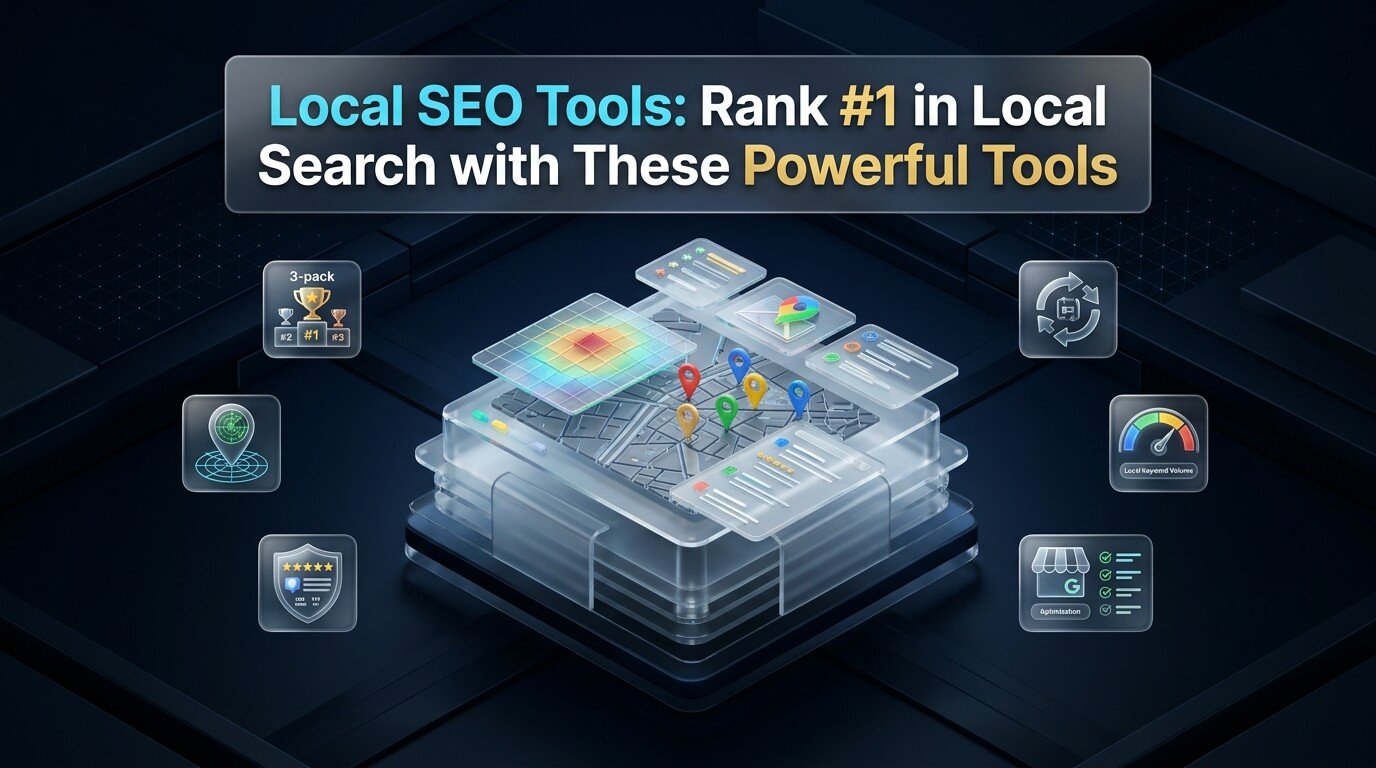
Local customers search for nearby services on Google every day. They want plumbers, dentists, legal advisers, and restaurants close to their homes. When someone searches for a business near them, Google shows the local map pack. Securing a spot in this top map pack brings steady phone calls and store visits. Winning these top positions requires the right local seo tools.
Local search differs greatly from national search engine optimization. Traditional rankings focus on domain power and backlink numbers. Local rankings depend on physical proximity, directory consistency, and customer reviews. Without dedicated tools, tracking your rank across different street corners is very difficult. Manual citation audits take dozens of hours each month.
Modern local search software automates citation building and rank tracking. These tools monitor customer reviews across platforms like Google Maps and Yelp. They also scan directory listings to find wrong phone numbers or outdated addresses. Whether you manage one retail shop or dozens of client accounts, software simplifies your work. This guide reviews the best local seo tools to help your business dominate local search results.
Key Takeaways for Local Search Growth
- Local map pack rankings drive the highest conversion rates in modern search marketing.
- Consistent name, address, and phone number data across all web directories builds search engine trust.
- Geo-grid rank tracking shows your exact visibility neighborhood by neighborhood.
- Automated review collection software increases customer feedback and improves search signals.
- Choosing the best local seo tools for small business depends on your branch count and reporting needs.
Understanding Local Search and Map Pack Mechanics
Google evaluates three core pillars to decide which businesses rank in the map pack. These three pillars are relevance, distance, and prominence. Relevance measures how well your business profile matches what the user typed. Distance calculates the physical gap between your office and the searcher’s phone. Prominence reflects how well-known and trusted your business is across the web.
Proximity is often the heaviest factor in local search. A customer standing two blocks away sees different map results than someone five miles away. Because distance changes by neighborhood, standard rank trackers give inaccurate data. Local rank software uses geo-grid pins to test visibility from specific coordinates. This testing shows where your business ranks across your entire service town.
Prominence relies heavily on mentions of your company across the internet. These mentions are called citations or directory listings. Search algorithms scan business directories to verify that your business details match everywhere. When directories show conflicting phone numbers or old addresses, search engines lose confidence. Specialized software helps you audit and fix these listings quickly.
Customer reviews also shape prominence and local conversion rates. Search engines read your review count, star rating, and review velocity. Frequent positive feedback sends strong signals that your company is active and dependable. Modern local platforms send automated review requests by text message and email. These workflows help you collect authentic reviews without manual follow-up.
On-page local signals complete the local search equation. Your website needs dedicated city pages and localized content. Schema markup tells search engine bots your exact operating hours, coordinates, and accepted payments. The right local software audits your website code to ensure local schema data is complete.
Core Components of Local SEO Software
Selecting local search software requires understanding the features that move the needle. Not all platforms offer the same balance of features. Some specialize in citation cleanup, while others focus on geo-grid maps. Here are the core modules you should expect from top software.
1. Listing and Citation Management
Citation management tools find every mention of your company online. They scan major data aggregators like Data Axle, Foursquare, and Neustar Localeze. They also check popular consumer sites like Yelp, YellowPages, and Apple Maps. The tool highlights duplicate listings, missing suite numbers, and wrong phone numbers. Some tools let you push automatic updates to dozens of directories at once.
2. Google Business Profile Optimization and Auditing
Your Google Business Profile is the foundation of local visibility. Local tools audit your profile categories, operating hours, and photo counts. They also schedule Google Posts and track profile search views. Advanced tools alert you whenever Google or third-party users suggest unwanted edits to your profile data.
3. Geo-Grid Local Rank Tracking
Traditional rank trackers check rankings from a single data center. Geo-grid trackers check search terms from a visual grid of coordinates laid across your city. You can see your rank on a map with colored pins from 1 to 20. This grid reveals ranking drops when moving away from your physical office address. Pinpointing weak areas shows you where to focus your local marketing efforts.
4. Review Generation and Reputation Monitoring
Reviews influence buyer decisions and search rankings alike. Review tools generate short links and QR codes to request reviews from customers. They send automated SMS messages right after a purchase or completed service. The software monitors incoming ratings across Google, Facebook, and industry review sites. Fast alerts let you respond to customer feedback within minutes.
5. Local Citation and Competitor Benchmarking
Understanding why competitors outrank you is vital for growth. Competitor citation tools show which directories list rival businesses but omit yours. Closing these citation gaps helps match competitor authority in your market. These tools also monitor competitor review growth rates and primary business categories.
Why Small Businesses Need Dedicated Local Software
Many business owners wonder if general search tools are sufficient for local marketing. General search suites track organic search links and national search volume. However, they lack the tools needed to manage physical directory profiles. They cannot update business data across hundreds of consumer navigation apps. They also lack direct integrations with Google Business Profile APIs.
Manual directory submission is slow and prone to human errors. Submitting your business info to fifty directories by hand takes dozens of hours. If your company moves or updates its telephone number, manual editing becomes a nightmare. Dedicated software updates your records across the ecosystem with a few clicks. This automation saves time and prevents confusing conflicting data.
Tracking rank across multiple neighborhoods without software is nearly impossible. Searching Google on your mobile phone gives skewed results based on your personal search history. Local search software queries search engines through clean local proxies. This delivers objective ranking positions from every corner of your trade area. You can see real progress as your optimization efforts take hold.
Reputation management also demands real-time software alerts. Unhappy customers sometimes leave negative reviews without warning. If you do not notice the review for weeks, other prospective buyers see an unanswered complaint. Fast review software notifies your team immediately when new reviews appear. Quick, professional replies show prospects that your company values customer satisfaction.
Review of the 8 Best Local SEO Tools
Finding the best local seo tools helps you pick software that fits your budget and team size. We tested the leading platforms across listing accuracy, rank reporting, review tools, and ease of use. Below are comprehensive reviews of the eight best tools available for local businesses and marketing agencies.
1. BrightLocal
BrightLocal is one of the most respected platforms in the local marketing sector. It provides an all-in-one suite designed specifically for independent stores and agencies. Its core features include local search rank tracking, citation audits, and reputation management. The platform also includes a visual Local Search Grid tool to monitor neighborhood rankings.
One major benefit of BrightLocal is its manual citation building service. Instead of forcing you into recurring listing subscriptions, they offer pay-as-you-go manual submissions. Their team creates and claims listings on trusted local directories by hand. You retain ownership of all created listings even if you cancel your monthly software subscription. BrightLocal also offers white-label reporting options for marketing agencies.
The user dashboard is intuitive and easy to navigate. You can connect your Google Business Profile and social media accounts in minutes. Automated audit reports highlight missing citations, duplicate profiles, and local ranking shifts. BrightLocal offers competitive pricing plans, making it an excellent choice for businesses of any size.
2. Whitespark
Whitespark is a pioneer in local search citation research and link building. Founded by local search expert Darren Shaw, the platform focuses on high-impact local authority. Its standout tool is the Local Citation Finder. This tool scans the web to find where your competitors have business listings.
Whitespark allows you to compare your citation profile directly against top-ranking rivals. The software assigns a domain authority score to each directory opportunity. This prioritization helps you focus on high-quality directories that pass genuine search value. Whitespark also offers professional citation building services carried out by trained local specialists.
Beyond citations, Whitespark features a Local Rank Tracker and a Reputation Builder tool. The rank tracker tracks local pack results, map rankings, and organic links. It supports multiple languages and checks rankings down to exact zip codes. Whitespark is ideal for businesses that want laser focus on citation authority and review generation.
3. Semrush Listing Management
Semrush is a premier name in digital marketing and search optimization. Its Listing Management tool provides a streamlined solution for local business listings. Powered by Yext network integrations, it pushes your business data to over seventy top directories automatically. You enter your company details once, and the software syncs them across the web.
The platform constantly checks your listings to prevent unauthorized edits. If a third party suggests a change, Semrush automatically restores your correct business information. The tool also tracks review ratings across platforms and lets you reply directly inside the Semrush interface. Premium plans offer voice search distribution to Amazon Alexa, Apple Siri, and Google Assistant.
Semrush also includes a Map Rank Tracker feature. This tool visualizes your local pack rankings across an interactive map grid. Because Semrush combines local features with comprehensive keyword and backlink tools, it provides great value. Teams managing both local search and national organic campaigns find this integration especially helpful.
4. Moz Local
Moz Local focuses on automated listing distribution and continuous data cleansing. The tool syncs your business information directly with major data aggregators and directories. It submits your details to Data Axle, Foursquare, and leading navigation systems. This network ensures that connected apps display accurate address and contact information.
The software assigns an overall Listing Score to your business profiles. This score reflects listing completeness, duplicate presence, and data accuracy across directories. Moz Local constantly monitors for duplicate listings and merges or removes them automatically. Removing duplicate profiles removes confusion and consolidates your search engine authority.
Moz Local also includes basic review management and social posting capabilities. You can publish updates directly to Google and Facebook from your dashboard. While Moz Local has fewer custom reporting features than BrightLocal, its automated listing syndication is dependable. It is a solid option for multi-location brands seeking set-and-forget directory management.
5. Yext
Yext is an enterprise-grade digital knowledge management platform. It uses direct API partnerships to maintain business data across hundreds of publishers worldwide. When you change your phone number or business hours in Yext, the update reflects on partner apps in real time. This instant synchronization is a major advantage for large national brands.
Yext locks your directory listings against unauthorized third-party modifications. This prevents competitors or confused users from changing your operating hours on external sites. The platform also manages site search, review generation, and local landing pages. Enterprise brands with hundreds of store locations rely on Yext for centralized location governance.
The main drawback of Yext is its cost and listing lock-in model. Yext charges premium annual fees per physical location. In addition, if you cancel your subscription, your listings lose their API connection. Some directories may eventually revert to unverified public data over time. Yext remains the top platform for large franchises, but smaller shops often prefer more affordable tools.
6. BirdEye
BirdEye is a comprehensive customer experience and reputation management platform. While it includes listing management, its primary power lies in customer reviews and messaging. The platform helps local businesses generate a steady stream of authentic reviews. Automated workflows send review invites via text message, email, and web chat widgets.
BirdEye consolidates customer communications into a single unified inbox. Your team can answer incoming customer messages from Google, Facebook, and website chat in one place. The software also uses artificial intelligence to draft personalized review responses. Responding quickly to customer feedback boosts engagement and builds local trust.
The platform also offers local SEO audit tools and custom landing page builders. You can publish review widgets on your website to showcase positive testimonials to visitors. BirdEye is best suited for service businesses, healthcare practices, and law firms that rely heavily on reputation and patient trust.
7. GeoRanker
GeoRanker is a specialized local SEO platform built for deep geo-targeted rank tracking. Unlike broad marketing tools, GeoRanker focuses on hyper-local search data. Its heatmap rank tracker tests search queries from thousands of GPS coordinates. This delivers granular data on how your business ranks block by block.
The software generates visual color-coded heatmaps showing your exact ranking pins. Green pins represent top-three map pack rankings, while orange and red pins indicate lower visibility. GeoRanker also offers a local citation finder that uncovers local directory opportunities by city and country. It tracks rankings across both Google Maps and local organic search results.
GeoRanker is widely used by SEO professionals who need technical ranking data. Marketing agencies use its visual heatmaps to demonstrate ranking improvements to prospective clients. The platform also offers data mining APIs for teams building custom reporting software. If your main priority is precise geo-coordinate rank tracking, GeoRanker is an outstanding tool.
8. Google Business Profile Manager
Google Business Profile Manager is the foundational platform for every local business. Best of all, it is completely free to use. Provided directly by Google, it gives you complete control over your official map listing. You can update business categories, add photos, set operating hours, and list products.
The dashboard provides built-in performance insights for your listing. You can see how many people found your profile through search queries versus map browsing. The platform also shows customer actions, including phone calls, website clicks, and direction requests. You can publish Google Posts to share special offers and updates directly on search results.
While Google Business Profile Manager does not manage third-party directories, it is the most critical tool in your arsenal. Every third-party local SEO tool relies on data from this profile. Starting with a fully verified and optimized Google profile is the first step toward ranking in local search. It serves as the baseline for all other local marketing efforts.
Local SEO Software Comparison Table
Choosing the right software depends on your company size, technical goals, and software budget. The table below compares the eight reviewed tools across key operational criteria. Review these details to find the best match for your local marketing workflow.
| Tool Name | Best For | Free Tier / Trial | Starting Price | Primary Core Strength |
|---|---|---|---|---|
| BrightLocal | Agencies & Small Businesses | 14-Day Free Trial | $39 / month | Manual citation building and local rank grids |
| Whitespark | Citation Gap Research | Free Limited Version | $33 / month | In-depth competitor citation research |
| Semrush Listing Management | Full-Stack Search Marketers | 7-Day Free Trial | $20 / location / mo | Automated listing syndication and voice search |
| Moz Local | Hands-Off Directory Sync | Free Directory Audit | $14 / location / mo | Data aggregator push and duplicate suppression |
| Yext | Large Enterprise Franchises | Free Listing Scan | Custom Quote | Real-time API sync and listing lock security |
| BirdEye | Reputation & Review Growth | Free Demo Available | $299 / month | Automated SMS reviews and multi-channel inbox |
| GeoRanker | Geo-Targeted Heatmap Audits | Free Limited Queries | $99 / month | Pinpoint coordinate tracking and local heatmaps |
| Google Business Profile | Every Local Business | 100% Free Forever | $0 | Direct control over official Google Maps listing |
Choosing Local SEO Tools: Small Business vs Agency Needs
Every organization has distinct requirements when managing local search visibility. A local bakery with one shop needs different software than a digital marketing agency handling fifty client accounts. Understanding these differences helps you avoid paying for features you will never use.
Best Local SEO Tools for Small Business
Independent shop owners and service contractors operate with limited time and marketing budgets. When looking for the best local seo tools for small business, simplicity is essential. Small business operators need intuitive dashboards that do not require technical training. They need fast tools to monitor reviews and check weekly local rankings.
For single-location operations, platforms like BrightLocal or Moz Local provide ideal solutions. They handle citation submissions without complex setup procedures. Combining one of these platforms with Google Business Profile Manager gives you comprehensive coverage. You can monitor customer calls, clean up directories, and respond to reviews within twenty minutes per week.
In addition, small businesses should take advantage of free local seo tools before purchasing expensive plans. Google Business Profile Manager provides foundational tracking at zero cost. Whitespark also offers a free version of its citation finder for quick checks. Testing these tools helps you understand your baseline visibility before upgrading to paid software.
Local SEO Tools for Agencies
Digital marketing agencies face entirely different operational challenges. Agencies need local seo tools for agencies that support multi-location accounts and team workflows. Client reporting is a top priority for agency software. Dashboards must generate automated white-label reports featuring the agency logo and brand colors.
Agencies also require bulk location management and role-based staff access. Updating business hours or phone numbers across fifty client locations by hand wastes hours. Platforms like BrightLocal, Semrush, and Yext allow agency teams to push updates across multiple clients simultaneously. Agency software must also support API access for exporting ranking data into custom reporting tools like Looker Studio.
Competitor benchmarking is another critical agency requirement. When pitching new clients, agencies need visual geo-grid heatmaps. Heatmaps from GeoRanker or BrightLocal clearly demonstrate local ranking gaps to business owners. Visual evidence of ranking drops makes it much easier to justify local marketing budgets.
When selecting local seo tools for small businesses or enterprise brands, assess your reporting needs carefully. Small teams should prioritize automation and ease of use. Agencies should prioritize client white-labeling, bulk updates, and granular rank tracking.
Free Local SEO Tools vs Paid Platforms
Budget constraints often influence software purchasing decisions. Many small business owners want to know whether they can achieve top rankings using free software alone. The short answer is yes, but manual effort increases significantly. Understanding what free and paid options offer helps you make an informed choice.
What Free Local SEO Tools Can Do
Several high-quality free tools provide essential local marketing capabilities. With local seo tools free of charge, you can establish a strong local presence without upfront software expenses. Here are the most effective free tools available:
- Google Business Profile Manager: Claim and optimize your primary map listing, upload photos, post weekly updates, and monitor customer engagement metrics.
- Google Search Console: Track the exact search queries visitors use to find your website pages, monitor mobile usability, and check indexing status.
- Whitespark Free Citation Checker: Run limited daily citation searches to reveal top directory listings in your industry.
- Moz Free Domain Analysis: Check your website domain authority and analyze external backlinks pointing to your local landing pages.
- PlePer Local SEO Tools: A free browser extension that displays Google Business Profile categories, review counts, and place IDs directly on map results.
Using free local seo tools gives budget-conscious entrepreneurs a strong start. You can claim your major profiles and manually submit your company info to top directories like Yelp and Facebook. For brand-new businesses, this manual approach keeps startup costs low.
When to Upgrade to Paid Software
While free tools handle basic tasks, they lack automated ongoing maintenance. As your business grows, tracking ranks across dozens of neighborhoods manually becomes impossible. Manually checking directory accuracy across seventy websites wastes valuable operational hours. This is when investing in paid software pays dividends.
Paid platforms provide continuous monitoring and instant notifications. If a directory changes your phone number, the software alerts you immediately. Paid tools also automate review collection through SMS workflows, increasing your monthly review count. The return on investment from gaining two or three extra customer calls easily covers monthly software costs.
Step-by-Step Local Citation Audit and Cleanup Playbook
Name, address, and phone number consistency forms the bedrock of local search optimization. Industry experts refer to this core data as your NAP profile. When search engines find contradictory phone numbers or street names, your local authority drops. Follow this step-by-step playbook to audit and clean your citations using local search software.
Local Citation Cleanup Checklist
- Establish one standardized address format, including exact suite numbers and abbreviations.
- Run a full citation scan using tools like BrightLocal, Whitespark, or Moz Local.
- Identify and document all duplicate listings on Google Maps, Yelp, and Facebook.
- Submit corrections to primary data aggregators: Data Axle, Foursquare, and Neustar Localeze.
- Claim and update top tier directories including Apple Maps, Bing Places, and YellowPages.
- Monitor your citation health score monthly to suppress new unauthorized duplicates.
Step 1: Standardize Your Core Business Information
Before touching any directory, define your master business information. Decide whether you write “Street” or “St.” and whether you write “Suite 100” or “#100.” Pick a primary local telephone number rather than an 800 toll-free number. Always use this exact spelling and format across every website submission. Consistency prevents software algorithms from flagging minor spelling differences as separate businesses.
Step 2: Run a Comprehensive Citation Scan
Use an automated citation tool to scan the web for your business. Enter your business name, primary phone number, and physical postal code. The tool returns a list of existing listings, missing profiles, and data inconsistencies. Export this list into a tracking sheet so you can monitor cleanup progress.
Step 3: Update Primary Data Aggregators
Data aggregators supply business information to hundreds of smaller directories and mobile apps. If an aggregator holds outdated data, it continuously distributes errors across the internet. The three major aggregators in North America are Data Axle, Foursquare, and Neustar Localeze. Submitting updated information directly to these aggregators fixes dozens of secondary directories automatically.
Step 4: Claim and Correct High-Authority Tier 1 Directories
Tier 1 directories generate direct consumer traffic and pass significant search prominence. These include Google Maps, Apple Maps, Bing Places, Yelp, and Facebook. Log into each profile and ensure all data fields are completely filled out. Add high-resolution photos, select accurate primary and secondary categories, and write a thorough company description.
Step 5: Identify and Suppress Duplicate Profiles
Duplicate listings confuse search engines and split customer reviews across multiple URLs. Duplicates often happen when a business changes locations or updates its legal name. Use your local SEO software to identify duplicate profiles. Submit removal or merge requests through each directory’s support system. Consolidating all reviews onto one verified profile strengthens your local authority.
Review Generation and Online Reputation Strategy
Customer reviews directly influence local search algorithms and consumer buying habits. A business with two hundred five-star reviews consistently outranks a competitor with only ten reviews. Beyond star ratings, search engines analyze review frequency and review keywords. Having customers naturally mention your specific services in their reviews boosts keyword relevance.
Pro-Tip: Boost Review Velocity Without Friction
Send your review request text message within one hour of completing a service. Short SMS messages containing a direct link to your Google review modal convert 35% higher than delayed email requests. Keep the message friendly and personal to encourage quick responses.
Automating the Review Request Workflow
Relying on staff to remember to ask for reviews rarely yields consistent results. Using reputation management tools like BirdEye or BrightLocal automates this process. You can connect your customer management system or point-of-sale software directly to the review platform. When a job is marked complete, the software automatically sends a polite SMS request.
Timing plays a critical role in review conversion rates. Requesting feedback immediately after a positive experience catches the customer while satisfaction is highest. If the customer does not respond, a gentle reminder three days later captures additional reviews. Steady, continuous review growth looks natural to search engines and prevents sudden ranking fluctuations.
Responding to Customer Reviews
Responding to every review demonstrates professionalism to prospective clients. Search engine algorithms also favor businesses that actively engage with their customers. Thank happy reviewers for their business and mention the specific service provided. Mentioning services naturally reinforces your keyword relevance on your profile.
Negative reviews require prompt, calm, and constructive responses. Never argue with a dissatisfied customer in a public forum. Acknowledge their frustration, apologize for the inconvenience, and provide an offline contact method. Moving the conversation to email or telephone prevents public escalation. Prospective customers respect companies that handle difficult situations with maturity and care.
Mastering Geo-Grid Rank Tracking for Local Dominance
Traditional rank trackers give a single ranking position for an entire metropolitan area. However, local search results change every few hundred meters. A business might rank #1 directly in front of its building, but fall to #8 four blocks away. Geo-grid rank tracking solves this blind spot by providing visual neighborhood data.
How Geo-Grid Map Tracking Works
Geo-grid software creates an overlay grid of coordinate points across a digital map. The user sets the grid size, such as a 7×7 or 9×9 pin layout, and specifies the radius distance. The software queries Google Maps from each coordinate pin simultaneously. It records your exact ranking position at each spot and displays the results with colored markers.
A green marker indicates a top-three rank within the lucrative map pack. Yellow and orange markers indicate rankings between four and ten. Red markers show where your listing drops off the first page of results. Reviewing this visual map shows you the true physical boundaries of your search influence.
Using Geo-Grid Data to Expand Your Reach
Once you identify areas where your rankings drop, you can take targeted action. If your rankings drop toward the north side of town, examine what competitors in that area are doing. You may need localized landing pages targeting that specific neighborhood or suburb. Building localized links from community blogs or sponsoring sports clubs in that area also helps expand your ranking radius.
Geo-grid tracking also helps test optimization changes over time. When you update your Google profile categories or launch a citation campaign, monitor the map grid. Watching orange pins turn to green across new neighborhoods confirms that your optimization strategy is succeeding.
Frequently Asked Questions About Local SEO Tools
Here are answers to the most common questions business owners and marketers ask about local search optimization tools.
What are the best local seo tools for small business owners?
BrightLocal and Moz Local are two of the best platforms for small businesses. They offer simple interfaces, affordable pricing, and reliable listing management. Combining one of these tools with Google Business Profile Manager gives you complete control over your local search presence.
Can I improve local rankings using only free local seo tools?
Yes, you can achieve strong local rankings using free tools alone. Claiming your Google Business Profile and manually submitting your information to major directories builds a solid foundation. However, paid software saves significant time as your business grows by automating rank tracking and citation maintenance.
How long does it take for local SEO tools to show ranking results?
Most businesses notice initial ranking improvements within four to eight weeks after fixing citations and optimizing profiles. Directory aggregators take time to distribute updated data across their partner networks. Consistent review generation and local link building produce steady, long-term ranking gains over three to six months.
What are the most effective local seo tools for agencies?
Agencies benefit most from platforms like BrightLocal, Semrush Listing Management, and GeoRanker. These tools support multi-client management, bulk location updates, and custom white-label client reports. They also feature visual geo-grid heatmaps that help agencies demonstrate real search progress to clients.
Why do my local map rankings change depending on where I stand?
Google uses proximity as a primary local ranking factor to deliver relevant nearby results to mobile users. As the physical distance between the user and your business changes, Google adjusts the map pack accordingly. Using geo-grid rank trackers allows you to see how your visibility shifts across different neighborhood coordinates.
Final Thoughts on Choosing Local Search Software
Dominating local search results requires consistent effort, clean business data, and active reputation management. The right local software removes the guesswork and automates repetitive tasks. Whether you need automated citation cleanup, visual geo-grid tracking, or fast review generation, there is a tool built for your needs.
Start by claiming and optimizing your free Google Business Profile. Then, evaluate your team budget and location count to choose the right supporting platform. Small shops benefit from straightforward tools like BrightLocal and Moz Local. Large agencies and multi-location brands gain more from Semrush, Yext, or GeoRanker. Equipping your business with the right local search tools positions your brand at the very top of your local market.