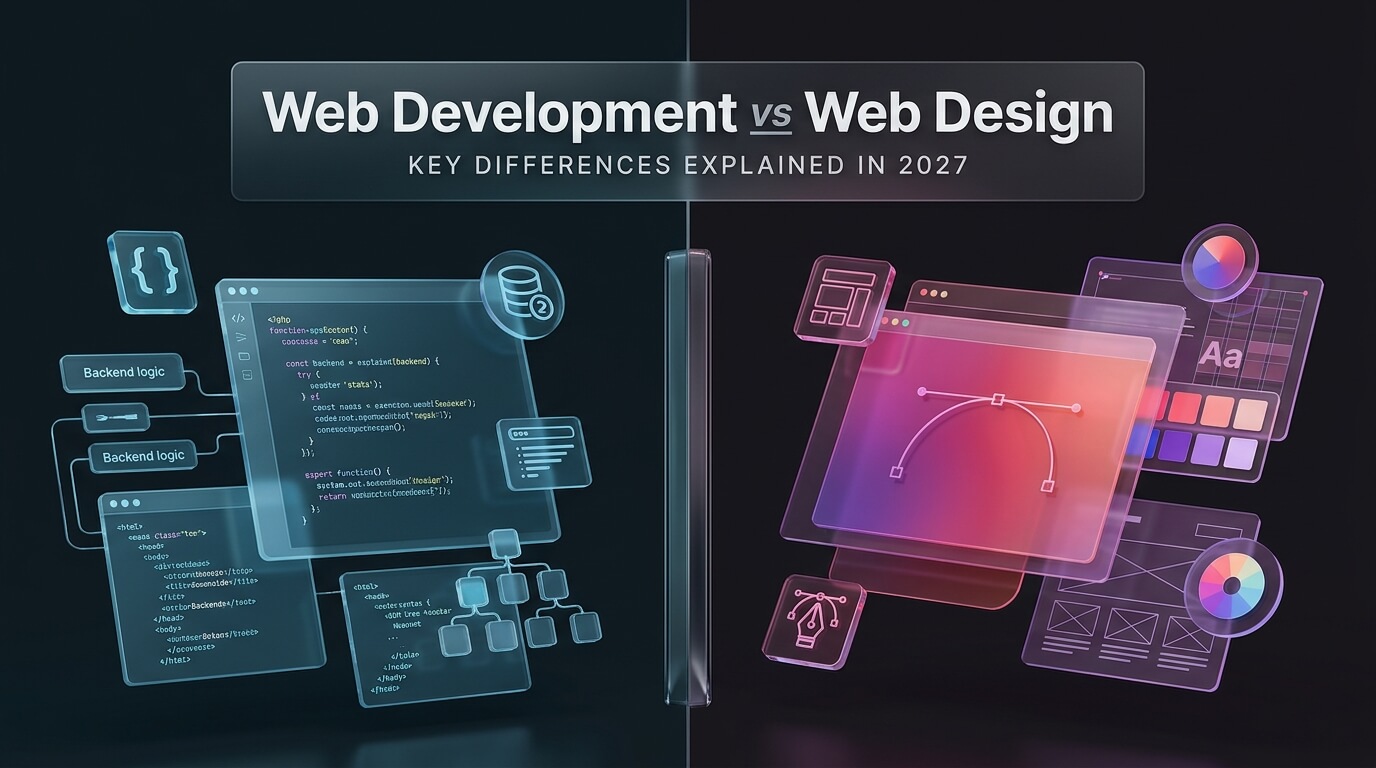
Understanding the web development vs web design difference is essential for anyone entering the technology field or planning a new digital product. Exploring web development vs web designing reveals how creative artboards transform into functioning digital software. While web designers craft the visual identity, layouts, and user experiences, web developers write the code that brings those concepts to life. This comprehensive guide breaks down the core distinctions, required technical skills, salary expectations, and collaboration workflows between both disciplines.
What Is the Difference Between Web Development and Web Design?
At the highest level, the web design vs web development distinction separates visual conception from functional programming. Think of building a house: the architect plans the aesthetic layout, room flow, and lighting fixtures, while the structural engineers and builders construct the foundation, plumbing, and electrical grid.
Web design focuses on aesthetics, usability, and brand emotional impact. Designers decide where buttons sit, which color palettes inspire trust, and how typography guides human reading flow. Their primary goal is crafting intuitive, frictionless digital journeys for human users.
In contrast, web development turns static graphic mockups into interactive, production-ready software. Developers write clean code that executes in browsers and on cloud servers. They connect databases, validate user inputs, optimize network data transfers, and protect applications from security vulnerabilities.
While both roles require creative problem-solving, their daily tools, methodologies, and mental models differ significantly. Let us examine the specific responsibilities of each craft.
Core Responsibilities of a Web Designer
Professional web designers combine artistic creativity with behavioral psychology to solve human interface challenges. Their core duties typically encompass three specialized domains.
User Experience (UX) Design
UX designers research user behaviors, interview customers, and map customer journey funnels. They create low-fidelity wireframes that establish logical information architecture. By identifying user pain points early, UX designers ensure websites are intuitive and easy to navigate.
User Interface (UI) Design
UI designers focus on visual styling and micro-interactions. They select typography scales, define spacing grids, design button hover states, and create cohesive design systems in Figma. Their work establishes the visual personality and emotional credibility of the brand.
Visual and Interaction Design
Visual designers create custom iconography, vector illustrations, and dynamic transition animations. They ensure interfaces communicate feedback instantly, such as subtle loading spinners or smooth modal expansions. Every visual element reinforces brand consistency across desktop and mobile screens.
Core Responsibilities of a Web Developer
Web developers translate visual prototypes into performant, secure, and accessible software. Development divides into three primary engineering disciplines.
Frontend Engineering
Frontend developers take designer mockups and write semantic HTML, modern CSS, and JavaScript. They use frameworks like React, Vue, or Next.js to build interactive user interfaces. Frontend engineers prioritize cross-browser rendering, Core Web Vitals performance, and mobile touch responsiveness.
Backend Engineering
Backend developers construct the server-side architecture that powers digital applications behind the scenes. They design relational database schemas, write REST and GraphQL API endpoints, implement user authentication, and configure cloud servers on AWS or Google Cloud.
Full Stack Engineering
Full stack developers bridge both domains. They understand how browser interfaces communicate with server databases. Full stack engineers can architect an entire feature independently, from initial database migration to final frontend component styling.
Pro-Tip: The most successful digital projects occur when web development and web design teams collaborate from day one. Designers should consult developers during early wireframing to confirm technical feasibility, while developers should respect design system spacing rules during implementation.
Deep Dive: Web Development vs Design Across Key Dimensions
Comparing web development versus web design across specific operational categories clarifies where the two disciplines diverge.
Mindset and Problem-Solving Approach
Designers approach problems through a visual, empathetic lens. They ask: How does this screen make the user feel? Is the text legible? Is the call-to-action obvious? Developers approach problems through a logical, algorithmic lens. They ask: How fast will this database query run? Does this input break under edge-case data? Is this API endpoint secure against attacks?
Primary Tools and Workspaces
Designers spend their working days inside creative software like Figma, Adobe XD, Sketch, and Illustrator. Their output consists of interactive prototypes, vector assets, and design system tokens. Developers live inside code editors like Visual Studio Code, command line terminals, browser developer consoles, and Git version control repositories.
Mathematical and Algorithmic Rigor
While web design requires spatial awareness, color theory, and typographic balance, it rarely demands complex mathematics. Web development, particularly on the backend, frequently involves data structures, algorithmic complexity, cryptographic hashing, and state logic machines.
Top 8 Tools Powering Web Development and Design
Modern digital production relies on specialized tools for both creative design and software engineering. Here are eight industry-standard tools that define the modern web development and design ecosystem.
1. Figma
Figma is the undisputed global standard for collaborative interface design and prototyping. Operating entirely in the cloud, it allows multiple designers, product managers, and developers to collaborate on the same canvas in real time.
Figma features powerful tools like Auto Layout, reusable design components, and design tokens that mirror modern CSS flexbox rules. Its built-in Dev Mode provides developers with instant CSS values, asset exports, and component documentation, dramatically streamlining design handoff.
From solo freelancers to enterprise design systems at Microsoft and Uber, Figma is the central design hub of modern web creation.
2. Adobe XD
Adobe XD is Adobe’s dedicated user experience design and prototyping platform. It integrates tightly with the broader Adobe Creative Cloud ecosystem, including Photoshop and Illustrator.
The platform offers intuitive voice prototyping, repeat grids, and responsive resize features. Designers who work extensively with vector illustrations and raster brand assets appreciate its seamless asset synchronization.
While Figma dominates cloud collaboration, Adobe XD remains a reliable prototyping tool within enterprise corporate environments that hold existing Creative Cloud enterprise agreements.
3. Sketch
Sketch pioneered the modern era of component-based digital UI design on macOS. It introduced native vector artboards, symbol libraries, and export presets that replaced older photo editing software.
Sketch provides a blazing-fast native Mac application paired with collaborative cloud workspaces. Its mature plugin ecosystem allows teams to extend functionality with specialized prototyping, accessibility auditing, and asset generation utilities.
It remains a beloved choice among Apple-focused product design studios and independent creative agencies.
4. Visual Studio Code
Visual Studio Code (VS Code) is Microsoft’s free, open-source code editor and the dominant workstation environment for web developers worldwide.
VS Code offers built-in Git version control, an integrated terminal, intelligent code completion via IntelliSense, and an enormous extension marketplace. Developers customize their workspace with linters, syntax highlighters, and debugger tools for any programming language.
Its lightweight performance and rich community support make it the essential daily workspace for modern frontend and backend engineers.
5. GitHub
GitHub is the world’s largest software development platform, hosting over one hundred million developers and hundreds of millions of code repositories.
It enables engineering teams to track code changes, collaborate on branches, review pull requests, and manage continuous integration pipelines via GitHub Actions. Version control protects codebases from data loss and ensures multiple programmers can work on the same codebase simultaneously without conflict.
Maintaining an active GitHub profile is also the premier way for web developers to showcase their portfolio to hiring managers globally.
6. Webflow
Webflow is a revolutionary visual development platform that bridges the gap between web development or web design. It allows designers to build completely custom, production-ready websites using a visual canvas that translates directly into clean semantic HTML, CSS, and JavaScript.
Unlike basic website builders, Webflow gives creators granular control over the CSS box model, responsive breakpoints, flexbox, and 3D interactions. It includes a built-in content management system (CMS) and managed global hosting on AWS.
Marketing teams and freelance designers use Webflow to launch polished commercial websites without writing manual code.
7. Chrome DevTools
Google Chrome DevTools is built directly into every Chrome browser, providing an indispensable suite of inspection and diagnostic utilities for developers and designers alike.
Through the Elements panel, designers can inspect and tweak CSS properties, test font pairings, and simulate mobile screen resolutions in real time. Developers use the Console, Network, and Performance tabs to debug JavaScript execution, inspect API responses, and eliminate page rendering lag.
It is free, ubiquitous, and essential for validating design implementation in real browser environments.
8. Framer
Framer is a modern website design and publishing platform that empowers designers to ship interactive, responsive websites with extraordinary visual polish.
It feels familiar to Figma users while producing real, live websites with automated SEO optimization, localized translations, and instant global publishing. Framer features physics-based scroll animations and fluid layout controls that make websites feel dynamic and alive.
It has quickly become the favorite tool for startups, creative studios, and solo creators looking to publish landing pages rapidly.
Comparison of Web Development vs Web Design
Here is an exhaustive side-by-side comparison illustrating the key differences between web design vs web development across daily duties, tools, and career trajectories.
| Feature / Dimension. | Web Design. | Web Development. |
|---|---|---|
| Primary Purpose. | Visual aesthetics, user experience & branding. | Functional implementation, logic & architecture. |
| Primary Work Tools. | Figma, Adobe XD, Sketch, Photoshop, Framer. | VS Code, Terminal, Git, GitHub, Chrome DevTools. |
| Languages Used. | Design tokens, basic HTML/CSS knowledge helpful. | HTML, CSS, JavaScript, TypeScript, Python, SQL. |
| Core Success Metrics. | User engagement, retention, aesthetic beauty, NPS. | Page speed, uptime, security, bug-free execution. |
| Average Entry Salary. | $55,000 – $75,000 annually. | $65,000 – $85,000 annually. |
| Average Senior Salary. | $110,000 – $160,000 annually. | $130,000 – $190,000 annually. |
| Key Deliverables. | Wireframes, Figma prototypes, design systems. | Deployed applications, APIs, database schemas. |
| Best Personality Fit. | Visual, empathetic, intuitive, artistic thinkers. | Analytical, systematic, detail-oriented problem solvers. |
Salary and Career Growth: Comparing the Trajectories
Both career paths offer lucrative compensation and high job security, though compensation trends slightly higher on the engineering side due to the technical barrier of entry.
Entry-level web designers typically earn between $55,000 and $75,000 per year. As designers build specialized experience in product design, design systems, and design research, salaries rise to $90,000 to $130,000. Principal product designers and creative directors frequently earn upwards of $160,000 at major technology firms.
Junior web developers command starting salaries between $65,000 and $85,000. Mid-level software engineers earn between $100,000 and $140,000, while senior architects, tech leads, and engineering directors easily earn between $150,000 and $220,000 plus equity compensation.
However, compensation also depends heavily on your industry niche. A creative UI designer who understands conversion rate optimization and branding can out-earn a generalist coder, particularly when operating as an independent design consultant.
The Hybrid Role: The Rise of the Design Engineer
In recent years, the boundary between web development and design has blurred with the emergence of the Design Engineer or UI/UX Developer.
A Design Engineer is a hybrid professional who designs beautiful interfaces in Figma and writes production-ready React or CSS code to implement them. They possess strong visual taste paired with deep technical literacy.
Companies love hiring hybrid specialists because they eliminate the friction of traditional design handoff. They understand how design system tokens translate into CSS variables, ensuring pixel-perfect fidelity between mockup and production. If you enjoy both visual creativity and logical coding, positioning yourself as a Design Engineer offers tremendous career leverage.
Should You Choose Web Development or Web Design?
- Choose Web Design if: You love visual arts, typography, color palettes, psychological user research, and crafting intuitive human experiences.
- Choose Web Development if: You enjoy mathematical logic, debugging code puzzles, building database systems, and understanding how computers execute instructions.
- Choose Both if: You want to build full digital products independently using visual builders like Webflow or become a high-demand Design Engineer.
Best Practices for Smooth Designer-Developer Collaboration
Friction between design and development teams can derail projects and cause budget overruns. Adopting proven collaboration practices ensures harmonious teamwork.
Implement a unified design system early. Establishing shared naming conventions for colors, spacing units, and typography styles prevents misunderstandings. When a designer says spacing-medium, the developer knows it maps to precisely sixteen pixels.
Involve developers during early concept brainstorming. Developers can identify technical constraints, API latency limitations, or accessibility concerns before designers spend weeks perfecting static layouts.
Conduct live design handoff walkthroughs. Instead of simply sending a Figma link over Slack, designers should walk developers through interactive user flows, edge cases, and empty states. Clear verbal communication builds mutual respect and delivers superior software.
Conclusion: Two Essential Halves of Digital Creation
Understanding the web design and web development difference reveals that neither discipline can thrive without the other. Exceptional digital products require both stunning aesthetic design and robust engineering execution.
Whether you choose to master web design, pursue web development, or bridge the gap as a hybrid creator, both career paths offer immense creative freedom and rewarding professional growth. Choose the path that matches your natural curiosity, commit to daily practice, and start building today.
The Historical Evolution: Web Development vs Web Designing Over Two Decades
The relationship between web development and design has shifted dramatically over the past twenty years. In the early days of the internet, a single webmaster handled every task, from writing table-based HTML layouts to creating basic graphic banners in Photoshop.
As internet speeds increased and browsers gained modern CSS capabilities, specialized roles emerged. Web designing became focused on branding, user interface aesthetics, and visual hierarchy. Simultaneously, web engineering split into frontend client logic, backend databases, and cloud infrastructure.
Today, web design and development operate as complementary pillars of digital product creation. Rather than working in isolated silos, modern teams build shared design systems where Figma components correspond directly to production React or Vue code blocks.
The Design Handoff Process: From Design Tokens to CSS Variables
The design handoff is the critical bridge where creative mockups become working software. In traditional workflows, this phase was fraught with misunderstandings, spacing discrepancies, and missing font styles.
Modern product teams eliminate handoff friction using design tokens. Design tokens are platform-agnostic variables that store visual design attributes like hex color codes, spacing units, shadow definitions, and font sizes.
Designers define these tokens once in Figma. Automated build scripts export the tokens directly into CSS variables, Tailwind configurations, or JSON theme files. When a designer updates a primary brand color, the change propagates across the entire code repository automatically.
Accessibility Standards: Where Design Meets Code
Digital accessibility is the shared responsibility of both designers and developers. Creating an accessible web application ensures people of all physical and cognitive abilities can consume your content.
Designers lead visual accessibility by ensuring sufficient color contrast between text and background elements. According to Web Content Accessibility Guidelines (WCAG), standard body text must maintain a contrast ratio of at least 4.5:1. Designers also select clear font weights and avoid conveying information solely through color cues.
Developers implement technical accessibility by writing semantic HTML5 elements like nav, main, article, and footer. They ensure interactive elements support keyboard navigation with visible focus indicators. Developers also apply accessible ARIA attributes to custom modals, dropdown menus, and tabs so screen readers can announce dynamic state changes.
Portfolio Expectations: How Designers and Developers Showcase Work
Hiring managers evaluate design candidates and development applicants using completely different criteria. Tailoring your professional portfolio to your chosen field is crucial for career success.
A web design portfolio should showcase detailed visual case studies. Include low-fidelity sketches, wireframe iterations, user research findings, and polished interactive prototypes. Explain the commercial problem you aimed to solve and showcase how your design decisions improved user engagement metrics.
In contrast, a web developer portfolio must showcase live, functioning applications paired with public GitHub source code repositories. Highlight clean component architecture, automated test suites, database schema migrations, and lighthouse performance scores. Employers want to inspect the actual code you wrote and verify that your deployed apps run smoothly without errors.
How Artificial Intelligence Is Impacting Both Fields
The rapid emergence of artificial intelligence is transforming both web design and web engineering. Understanding how AI tools augment each role helps professionals stay ahead of industry trends.
In web design, generative AI tools assist with rapid moodboarding, color palette generation, and automated vector asset creation. Designers use AI to generate realistic placeholder imagery and prototype variations in minutes, allowing them to focus more time on deep user research and brand emotional connection.
In web development, AI coding assistants like GitHub Copilot and Cursor accelerate boilerplate code generation, automate unit test writing, and assist with debugging complex syntax errors. However, human engineers remain essential for high-level system architecture, security auditing, and business logic validation.
Client Communication: Presenting Design Concepts vs Demonstrating Code
Client stakeholder management differs notably between design and engineering phases. Knowing how to present work effectively ensures smooth approvals and minimal rework.
During the design phase, clients evaluate emotional feel, branding resonance, and layout flow. Designers guide clients through interactive Figma prototypes, explaining the psychological rationale behind color choices and navigation structures. Effective designers anchor visual recommendations in user data rather than subjective personal tastes.
During development sprints, engineers demonstrate functional software increments in staging environments. Instead of static pictures, clients interact with real forms, live database queries, and dynamic filters. Developers present sprint progress through working demos, explaining performance benchmarks, security validations, and cloud hosting architecture.
Freelance Rates and Commercial Business Models
Both web designers and web developers enjoy lucrative opportunities in independent contracting and agency consulting. However, their monetization structures often follow different commercial models.
Freelance web designers frequently package services into fixed-fee project bundles, such as a complete Brand and Website Redesign Package. Experienced design consultants charge between $5,000 and $25,000 per brand sprint. Many designers also offer monthly design retainers, providing ongoing graphic assets and landing page optimizations for high-growth e-commerce merchants.
Freelance web developers often bill on an hourly or daily sprint basis, with rates ranging from $75 to $175 per hour for specialized framework engineering. Developers also generate recurring revenue by offering monthly website maintenance contracts, managing server uptime, security patching, and automated off-site database backups.
How Developers Can Learn Design (and Designers Can Learn Code)
Expanding your skills into your counterpart’s domain provides immense career leverage. You do not need to become a master in both fields; gaining basic cross-disciplinary literacy is enough to set you apart.
For developers wanting to improve design taste, study Refactoring UI by Adam Wathan and Steve Schoger. Learn the fundamentals of visual hierarchy, generous white space, and subtle color contrast. Practice recreating beautiful Dribbble shots in HTML and Tailwind CSS to develop an instinct for polished aesthetics.
For designers wanting to learn code, start with modern CSS Flexbox and Grid. Understanding the box model demystifies how web browsers render layouts. Next, learn basic JavaScript and explore component libraries like React or tools like Webflow. Understanding how code executes transforms you into a far more effective digital architect.
Case Study: Redesigning a SaaS Platform from Concept to Code
Examining an actual digital product build illustrates how web development and design collaborate in practice throughout a typical commercial project lifecycle.
In the discovery phase, the lead UX designer conducts customer interviews with fifty active platform users. The designer maps out user drop-off points, identifies friction in the onboarding flow, and produces low-fidelity wireframes that reorganize navigation menus into a cleaner, four-step onboarding sequence.
During the UI design phase, the visual designer establishes an updated design system in Figma. They select accessible typography pairings, define responsive grid layouts, and craft interactive prototypes demonstrating micro-animations on form submissions. The lead developer attends weekly design reviews to evaluate backend data feasibility and suggest optimal caching strategies.
In the engineering sprint, frontend developers convert the approved Figma components into modular React components styled with Tailwind CSS. Backend engineers build performant database queries and configure JWT authentication tokens. The project launches on schedule, resulting in a thirty-two percent lift in user signups and zero production downtime.
The Role of Continuous Feedback Loops in Modern Product Teams
Following product launch, the collaboration between design and development continues through iterative optimization cycles. Analytics tools like Hotjar, Google Analytics, and Mixpanel provide granular data on how real visitors interact with the live site.
When heatmap data reveals that users are abandoning checkout on a specific step, designers analyze interface clarity and formulate A/B test hypotheses. Developers implement feature flags to serve alternative UI variants to split traffic. By measuring behavioral changes continuously, hybrid teams maximize customer retention and commercial revenue over time.
Frequently Asked Questions
Is web development harder than web design?
Neither is inherently harder; they require completely different cognitive skill sets. Web development demands deep algorithmic logic, debugging patience, and database knowledge. Web design requires refined visual taste, empathy, user research skills, and typography mastery.
Do web designers need to learn how to code?
Web designers do not need to write complex backend code, but understanding basic HTML and CSS is enormously beneficial. Knowing how browser layout engines work helps designers create realistic mockups that developers can build cleanly.
Who earns more: a web designer or a web developer?
On average, web developers earn slightly higher salaries due to the technical complexity of backend architecture and system security. However, senior UX directors and top freelance brand designers frequently earn comparable or superior compensation.
Can one person do both web development and web design?
Yes. Professionals who master both skills are called Design Engineers or Full-Stack Creators. They design user interfaces in tools like Figma and write the frontend code in React or Vue, making them exceptionally valuable to fast-moving startups.