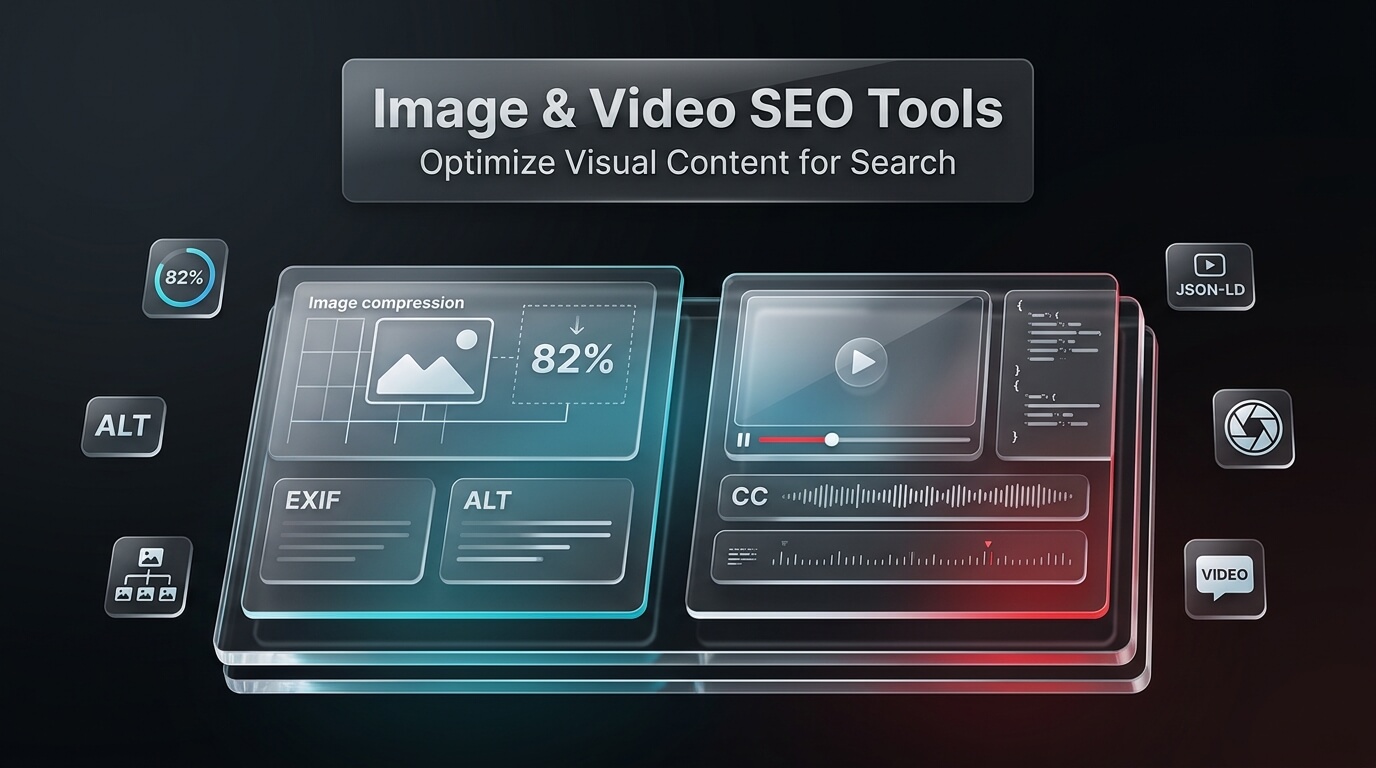
Visual assets define how audiences experience your website. High-resolution product photos, informative infographics, and engaging video tutorials keep visitors engaged on your pages longer. However, unoptimized media files can severely harm your website performance. Heavy images slow down page load times, damage Core Web Vitals scores, and push bounce rates upward.
At the same time, visual search is expanding rapidly. Search engines like Google rely on artificial intelligence models to understand the content of photos and videos. If your visual media lacks proper file naming, responsive compression, and structured schema markup, search crawlers cannot understand your content. That is why modern marketing teams rely on dedicated image seo tools alongside specialized video optimization platforms.
When selecting specialized seo tools image compression and resizing features should be top priorities. Marketing teams also rely on seo tools image search features to audit where their media appears across the web. In this comprehensive guide, we review leading image optimization software, explain reverse image search engines, evaluate video SEO suites, and outline proven optimization workflows.
Key Takeaways for Visual Content SEO
- Compressing images to modern WebP or AVIF formats reduces file size by up to eighty percent without visible quality loss.
- Search engines rely on descriptive file names, surrounding text, and descriptive alt text to index visual assets.
- Using dedicated seo tools reverse image search utilities helps identify copyright infringements and uncredited brand mentions.
- The small seo tools image search utility allows creators to query visuals across multiple search engines from one simple interface.
- Video optimization requires accurate video schema markup, closed captions, and engaging custom thumbnails to earn rich search snippets.
- Combining automated image compression plugins with robust video hosting platforms creates a fast, accessible user experience.
Why Image and Video SEO Is Critical for Organic Growth
Search engines no longer index only text. Google Images and Google Video deliver massive organic referral traffic to websites that optimize their media assets properly.
Understanding the impact of visual optimization helps marketing teams justify investments in dedicated software and automated workflows.
1. Improving Core Web Vitals and Page Speed
Images and videos account for the majority of downloaded bytes on average web pages. When webmasters upload raw, uncompressed photographs, browsers struggle to render content quickly. This delay inflates Largest Contentful Paint (LCP) times and triggers poor user experience scores. Fast-loading pages achieve better search rankings and higher conversion rates.
2. Capturing High-Intent Image Search Traffic
Consumers searching for products, design inspiration, or technical diagrams frequently start their search on Google Images. When your images rank at the top of image search results, users click directly through to your landing pages. This visual referral traffic often converts at higher rates because users have already previewed your product.
3. Earning Video Rich Snippets in Search Engine Result Pages
Google frequently displays rich video carousels directly in universal search results. Websites that implement proper video structured data, chapter timestamps, and transcripts earn high-visibility video snippets. These rich snippets command higher click-through rates than plain blue text links.
4. Protecting Intellectual Property and Earning Backlinks
Original infographics, custom illustrations, and proprietary photography get copied across the web. Using seo tools reverse image lookup systems allows you to find websites using your visual assets without attribution. You can then reach out politely to request an authoritative editorial backlink.
Pro-Tip: Turn Visual Stolen Assets into High-Authority Backlinks
Whenever you publish an original infographic or custom research chart, wait two to four weeks. Then run your graphic through reverse image search seo tools. When you find publishers hosting your graphic without credit, send a friendly email thanking them for sharing your graphic. Politely request that they add an attribution link back to your original source article. This outreach tactic generates some of the highest link conversion rates in search marketing.
Core Capabilities to Look for in Image SEO Tools
Not all image software performs the same functions. Some platforms focus strictly on lossless file compression, while others handle reverse image lookups and metadata auditing.
When assembling your visual optimization toolkit, look for these essential capabilities:
1. Next-Generation Format Conversion
Legacy file formats like JPEG and PNG are being replaced by WebP and AVIF. These modern formats provide superior compression algorithms while preserving transparency and sharp details. Quality image optimization software automatically converts uploaded files to WebP and serves the optimal format based on user browser support.
2. Lossless and Lossy Compression Algorithms
Lossless compression reduces file size by stripping redundant camera metadata, color profiles, and unneeded EXIF data without changing image pixels. Lossy compression slightly reduces color data to achieve dramatic file size reductions of sixty to eighty percent. Leading tools offer adjustable compression levels so you can balance image clarity with rapid load times.
3. Automated Responsive Resizing
Displaying a massive 4,000-pixel desktop photograph on a small mobile smartphone wastes bandwidth. Responsive image tools automatically create multiple scaled dimensions for every upload. They generate HTML srcset attributes, ensuring that mobile devices download only the exact dimensions required.
4. Automated Alt Text and Title Generation
Alternative text (alt text) is essential for screen readers and search engine crawlers. Modern artificial intelligence platforms scan images and generate descriptive, context-aware alt text drafts. This saves marketing teams hundreds of hours when managing large ecommerce catalogs.
Understanding Reverse Image Search & Visual Lookups
Reverse image search represents a powerful branch of visual search technology. Instead of typing keywords into a search bar, users upload an image or provide an image URL. The search algorithm analyzes the visual patterns, colors, and compositions to locate identical or similar graphics across the web.
Search marketers use reverse search utilities for several strategic purposes:
1. Identifying Image Plagiarism and Copyright Infringements
Photographers, artists, and digital brands use reverse image lookups to identify unauthorized commercial use of their visual assets. Spotting unauthorized use helps protect brand reputation and enforce copyright licensing.
2. Uncovering Link Building Opportunities
When third-party blogs publish your proprietary charts or graphs, they frequently forget to include a source link. Reverse image tools pinpoint these instances instantly, turning uncredited shares into valuable backlink targets.
3. Verifying Authenticity and Source Credibility
Journalists and research teams use reverse visual lookups to verify the authenticity of photographs. Identifying the original publication date and source website prevents spreading doctored images or outdated graphics.
Reviews of the 8 Best Image & Video SEO Tools
To help you select the ideal platforms for your visual media strategy, we evaluated the leading software tools available today. Below are comprehensive reviews of the eight top platforms.
1. SmallSEOTools
SmallSEOTools is a versatile online utility platform that provides a broad collection of free digital marketing tools. It offers specialized modules for reverse image search, face search, image compression, and media downloading.
The small seo tools reverse image search engine queries major search engines simultaneously, including Google, Bing, and Yandex. Users can upload an image from their local computer, paste an image URL, or fetch images directly from cloud storage. The platform also offers the small seo tools face search utility, which helps identify public profile matches across the web. In addition, the small seo tools video downloader helps creators archive video assets for offline review and transcription.
- Core Focus: Multi-Engine Reverse Image Search, Media Download Utilities, and File Compression.
- Best Features: Multi-engine visual lookup, face search utility, batch image resizer, and online video downloader.
- Strengths: Completely web-based; requires zero software installation; accessible for quick diagnostic lookups.
- Limitations: Ad-supported free tier can feel cluttered; limited automated bulk API features.
- Pricing: Free to use with advertisements; premium ad-free plans start from $9.80 per month.
2. TinyPNG
TinyPNG is one of the most popular online image compression tools in the world, utilized by millions of developers and designers. It uses smart lossy compression techniques to drastically reduce file sizes while maintaining crystal-clear visual quality.
By selectively decreasing the number of colors in an image, fewer bytes are required to store the data. The effect is nearly invisible to the human eye, but it results in a sixty to seventy percent reduction in file size. TinyPNG supports WebP, PNG, and JPEG files. It also offers a robust developer API and integrations with Photoshop, WordPress, and ecommerce platforms.
- Core Focus: Smart Lossy Image Compression for WebP, PNG, and JPEG Formats.
- Best Features: Drag-and-drop web interface, automated metadata stripping, and developer REST API.
- Strengths: Exceptional compression quality; preserves alpha transparency; fast processing speeds.
- Limitations: Web interface handles up to twenty images per batch on the free tier.
- Pricing: Free for up to 500 API compressions per month; paid API usage costs fractions of a cent per image.
3. ShortPixel
ShortPixel is an automated image optimization platform engineered specifically for WordPress websites and web applications. It compresses existing media libraries and automatically optimizes new image uploads in the background.
ShortPixel offers three compression algorithms: Lossy, Glossy, and Lossless. Glossy is tailored for professional photographers who demand high color fidelity, while Lossy offers maximum file size reduction for commercial websites. ShortPixel automatically converts images to WebP and AVIF formats and serves them dynamically using lightweight picture tags. It also optimizes PDF documents and creates local backups of all original assets.
- Core Focus: Automated WordPress Image Compression and Next-Gen Format Delivery.
- Best Features: Background media library optimization, WebP and AVIF conversion, and Cloudflare CDN integration.
- Strengths: Set-and-forget automation; preserves original backups; lightweight plugin footprint.
- Limitations: High-volume image websites require ongoing monthly credit subscriptions.
- Pricing: Free tier includes 100 credits per month; paid plans start at $4.99 per month for 10,000 credits.
4. VidIQ
VidIQ is an artificial intelligence video optimization suite designed to help creators and brands maximize their organic visibility on YouTube. It provides deep keyword intelligence, competitor tracking, and real-time optimization scoring.
When drafting video titles and descriptions, VidIQ provides keyword search volumes, competition scores, and predictive view forecasts. Its AI Thumbnail Generator and Thumbnail Inspector help creators design clickable, high-contrast visual previews that boost click-through rates. VidIQ also audits channel tags, video cards, and end screens to ensure videos satisfy search engine ranking criteria.
- Core Focus: YouTube Video SEO Optimization, Keyword Research, and Thumbnail Analytics.
- Best Features: Daily video topic ideas, SEO scorecard, keyword search volume inspector, and competitor alerts.
- Strengths: Certified YouTube integration; excellent actionable keyword data; useful browser extension.
- Limitations: Primarily tailored to YouTube rather than self-hosted website video optimization.
- Pricing: Basic plan is free; Pro plan starts at $7.50 per month; Boost plan starts at $39 per month.
5. TubeBuddy
TubeBuddy is a leading video management and optimization extension that integrates directly into YouTube web interface. It gives video creators a complete set of tools to optimize metadata, test thumbnails, and streamline publishing.
One of TubeBuddy standout capabilities is its Thumbnail A/B Testing tool. Creators can upload two different thumbnail designs, and the software automatically rotates them every twenty-four hours to measure which graphic earns a higher click-through rate. TubeBuddy also includes a Tag Explorer, automated video title suggestions, and best practice checklists to verify that all on-page video SEO requirements are met prior to publishing.
- Core Focus: Video Metadata Optimization, Tag Exploration, and Thumbnail A/B Testing.
- Best Features: Thumbnail A/B testing suite, Tag Explorer, bulk video processing, and search rank tracker.
- Strengths: Deep integration within YouTube studio; powerful split-testing capabilities for thumbnails.
- Limitations: Interface can feel dated; features vary widely between subscription tiers.
- Pricing: Free plan with limited features; Pro plan starts at $4.99 per month; Legend plan starts at $28.99 per month.
6. TinEye
TinEye is the web original dedicated reverse image search engine, powered by advanced image recognition algorithms. Unlike search engines that rely on file names or metadata, TinEye creates unique digital fingerprints of images based on visual characteristics.
TinEye matches modified versions of an image, including cropped photos, color-adjusted graphics, and resized illustrations. Its enterprise solution, MatchEngine, allows digital publishers, stock photo agencies, and brands to monitor visual copyright infringements across billions of web pages. For search marketers, TinEye provides an unmatched tool for uncovering where brand graphics are being utilized across the web.
- Core Focus: Algorithmic Reverse Image Search, Digital Fingerprinting, and Copyright Tracking.
- Best Features: Visual pattern matching, browser extension lookups, sorting by most changed or oldest, and API integration.
- Strengths: Industry-leading visual fingerprinting; detects heavily cropped and edited versions of images.
- Limitations: Smaller overall web index compared to Google visual search index.
- Pricing: Free for individual web searches; commercial API plans start from $200 for 5,000 searches.
7. Google Lens
Google Lens is Google state-of-the-art visual search technology, built directly into Google Search, Chrome browsers, and mobile operating systems. Powered by machine learning and multimodal artificial intelligence, it identifies objects, landmarks, text, and products in seconds.
When users search with Google Lens, the algorithm matches visual attributes against Google massive web index of indexed images and ecommerce products. For SEO professionals, analyzing how Google Lens interprets product photography provides vital clues into how search crawlers understand visual entity relationships. It also serves as a rapid reverse visual lookup tool accessible directly inside desktop Chrome browsers.
- Core Focus: Multimodal AI Visual Search, Product Recognition, and Entity Identification.
- Best Features: Real-time visual entity detection, optical character recognition (OCR), and smooth browser integration.
- Strengths: Powered by the largest web index in the world; completely free; deeply integrated into Google ecosystem.
- Limitations: Consumer-facing tool without bulk programmatic API options for search marketers.
- Pricing: 100% Free to use across mobile devices and desktop web browsers.
8. Vimeo
Vimeo is a professional video hosting and marketing platform tailored for businesses, agencies, and enterprise brands. While YouTube excels as a social discovery engine, Vimeo is optimized for embedding clean, high-speed videos directly on commercial landing pages.
From an SEO perspective, Vimeo automatically generates and injects VideoObject schema markup into embedded video pages. This structured data signals video duration, upload dates, thumbnails, and descriptions directly to Google crawlers, helping web pages earn video rich snippets. Vimeo also provides fast global content delivery, adaptive bitrate streaming, and comprehensive audience engagement analytics.
- Core Focus: High-Definition Business Video Hosting, Automated Video Schema, and Fast Embedding.
- Best Features: Automated VideoObject structured data, customizable ad-free video players, and engagement metrics.
- Strengths: Professional presentation; zero third-party ads; automated schema markup for search engines.
- Limitations: Bandwidth limits apply to lower subscription tiers; higher cost than free consumer video hosts.
- Pricing: Free basic plan; Starter plan starts at $12 per month; Standard plan starts at $20 per month.
Comparison of the Top Image & Video SEO Tools
To help you compare features, primary functions, and pricing at a glance, the comparison table below outlines the eight leading visual optimization platforms.
| Tool Name | Primary Category | Key Optimization Feature | Best Suited For | Starting Price |
|---|---|---|---|---|
| SmallSEOTools | Visual Search Utility | Multi-engine reverse image lookup & video downloader | Content Researchers & Marketers | Free or from $9.80/month |
| TinyPNG | Image Compression | Smart lossy WebP, PNG, and JPEG compression | Web Developers & Graphic Designers | Free web tool / API pricing |
| ShortPixel | Automated Plugin | Background library optimization & AVIF conversion | WordPress Site Owners & Publishers | Free or from $4.99/month |
| VidIQ | Video SEO Suite | Keyword search volume & AI thumbnail generator | YouTube Creators & Video Teams | Free or from $7.50/month |
| TubeBuddy | Video SEO Suite | Thumbnail A/B testing & video tag exploration | YouTubers & Channel Managers | Free or from $4.99/month |
| TinEye | Reverse Image Search | Digital fingerprinting & image copyright tracking | Brands, Photographers & Agencies | Free web search / API plans |
| Google Lens | Multimodal AI Search | Entity detection & product visual search matching | General Users & Search Marketers | 100% Free |
| Vimeo | Video Hosting & Schema | Automated VideoObject schema & high-speed player | Commercial Businesses & SaaS Brands | From $12.00/month |
Step-by-Step Optimization Workflow for Images
Establishing a standardized workflow ensures that every media asset uploaded to your website contributes to high search rankings and fast load times. Follow these five practical steps for image optimization:
Step 1: Assign Descriptive, Keyword-Rich File Names
Never upload images with generic camera names like IMG_4920.jpg or screenshot-12.png. Rename files before uploading to describe the specific subject matter using hyphens between words. For example, use blue-leather-office-chair.webp. Clear file naming helps search engine crawlers understand image content immediately.
Step 2: Resize Images to Exact Display Dimensions
Scale image dimensions to match the maximum width of your website content container. If your blog article layout is 800 pixels wide, there is zero benefit to uploading an image that is 3,000 pixels wide. Resizing dimensions beforehand saves massive bandwidth and server processing power.
Step 3: Compress Files Using Next-Gen Formats
Pass your images through compression tools like TinyPNG or ShortPixel. Convert assets to WebP or AVIF formats to reduce file sizes below 100 kilobytes whenever possible. Maintain visual sharpness while eliminating redundant color data and metadata.
Step 4: Write Accurate, Descriptive Alternative Text
Add descriptive alt text to every informative image. Alt text serves two critical purposes: it allows visually impaired visitors using screen readers to understand the image, and it provides search engines with explicit topical context. Describe what is depicted in the graphic naturally without keyword stuffing.
Step 5: Implement Image Schema and XML Image Sitemaps
Ensure your WordPress SEO plugin generates an XML image sitemap that lists all your visual assets. For featured diagrams or infographics, add ImageObject structured data markup to help search engines present your graphics in visual rich snippets.
Step-by-Step Optimization Workflow for Videos
Video optimization requires addressing both technical video hosting elements and on-page content relevance. Follow these four steps to optimize video content for organic search:
Step 1: Host Videos on Reliable, Search-Friendly Platforms
Avoid uploading heavy video files directly to your web hosting server, as this consumes server bandwidth and slows down page delivery. Instead, host video tutorials on YouTube or Vimeo. Both platforms offer fast worldwide streaming and support automated schema structured data.
Step 2: Design High-Contrast, Engaging Custom Thumbnails
Thumbnails serve as the visual book cover of your video. Custom thumbnails featuring bold text, clear focal points, and expressive human faces earn significantly higher click-through rates. Use tools like TubeBuddy to split-test different thumbnail graphics.
Step 3: Provide Full Transcripts and Closed Captions
Search engine spiders cannot listen to audio files directly. Providing a full text transcript directly below an embedded video allows crawlers to read and index every spoken keyword. In addition, uploading SRT caption files enhances accessibility and viewer retention.
Step 4: Implement VideoObject Schema Markup
Add VideoObject schema markup to the page hosting your embedded video. Specify the video title, description, thumbnail URL, upload date, duration, and embed URL. Structured data signals to search engines that your page contains an authoritative video asset eligible for rich video carousels.
Common Visual Media Optimization Mistakes to Avoid
Avoid these five frequent visual optimization pitfalls that hurt organic search performance:
1. Stuffing Alternative Text with Repetitive Keywords
Treating alt text fields as keyword storage damages accessibility and triggers search engine spam filters. Alt text must accurately describe the graphic for someone who cannot see it. Keep descriptions concise, informative, and natural.
2. Embedding Heavy Raw Images Directly from Digital Cameras
Modern smartphone cameras produce photos larger than ten megabytes. Uploading these raw files directly to a web page destroys page speed metrics. Always compress and resize graphics before inserting them into your website layout.
3. Forgetting to Set Explicit Width and Height Attributes
When web browsers download images without explicit width and height attributes in the HTML, the page layout shifts abruptly as images load. This layout shift triggers severe Cumulative Layout Shift (CLS) penalties in Google Core Web Vitals. Always define aspect ratios in your templates.
4. Hosting Videos Locally on Budget Shared Servers
Attempting to stream video files directly from standard web hosting servers leads to buffering and server timeouts. Multiple concurrent video viewers will quickly exhaust server memory. Use professional video hosting platforms like YouTube or Vimeo to deliver smooth streaming.
5. Neglecting Reverse Visual Audits for Proprietary Assets
Creating valuable infographics requires substantial design investment. If you never run reverse visual searches, you miss out on high-authority backlink opportunities from blogs that republish your graphics. Make reverse image audits a regular monthly marketing habit.
Essential Technical Checklist for Visual SEO Audits
Before launching a new content hub or major website redesign, run your visual assets through this technical audit checklist. Ensuring that both images and videos adhere to these standards prevents technical debt and protects search rankings.
Image Technical Audit Checklist
- All photographic assets are converted to modern WebP or AVIF formats.
- File sizes for standard content images remain strictly below 100 kilobytes.
- Descriptive, hyphenated file names reflect page topic without keyword stuffing.
- Every informational image features accurate, helpful alternative text.
- Decorative background images use empty alt attributes to keep screen readers focused.
- Explicit width and height dimensions are specified on all image elements to prevent CLS shifts.
- Lazy loading attributes are applied to all below-the-fold graphics.
- Original graphics are routinely monitored using reverse image search seo tools to detect uncredited usage.
Video Technical Audit Checklist
- Videos are hosted on high-speed infrastructure like YouTube or Vimeo rather than local origin servers.
- Custom high-contrast thumbnails are designed and uploaded for every video asset.
- Accurate VideoObject schema markup is validated using Google Rich Results Test.
- Full text transcripts are provided directly beneath embedded videos for search crawler indexation.
- SRT closed caption files are uploaded to ensure video accessibility for hearing-impaired viewers.
- Video titles and descriptions are optimized with relevant target keywords.
- Researchers use the small seo tools image search and small seo tools reverse image search tools to track thumbnail graphics.
- Security and public profile checks leverage the small seo tools face search utility when verifying video interview sources.
Frequently Asked Questions About Visual SEO
What is the best modern file format for website images?
WebP is currently the best balance of universal browser support and high compression efficiency. WebP files are typically twenty-five to thirty-five percent smaller than equivalent JPEGs while retaining sharp details. AVIF offers even higher compression ratios, although older legacy browsers may still require WebP or JPEG fallbacks.
How does reverse image search help with search engine optimization?
Reverse image search allows webmasters to find external websites that have republished their original photos, charts, or infographics. You can then contact those site owners to request an attribution link back to your original source page, earning valuable editorial backlinks.
What is the ideal file size for images on a blog post?
For standard blog graphics and inline photos, aim to keep file sizes under 100 kilobytes. Large hero header images and intricate infographics should ideally stay under 200 kilobytes. Keeping files within these boundaries ensures fast page loading across mobile networks.
Does adding video to a web page directly improve search rankings?
Video content indirectly boosts search rankings by increasing dwell time, lowering bounce rates, and making your page more helpful. In addition, implementing VideoObject schema markup makes your page eligible for video rich snippets in Google search results.
What tools can I use to download online videos for analysis?
Utilities like the small seo tools video downloader allow content researchers to download video assets from supported platforms. Researchers use downloaded videos to create transcripts, study competitor editing styles, and archive reference material for offline content creation.