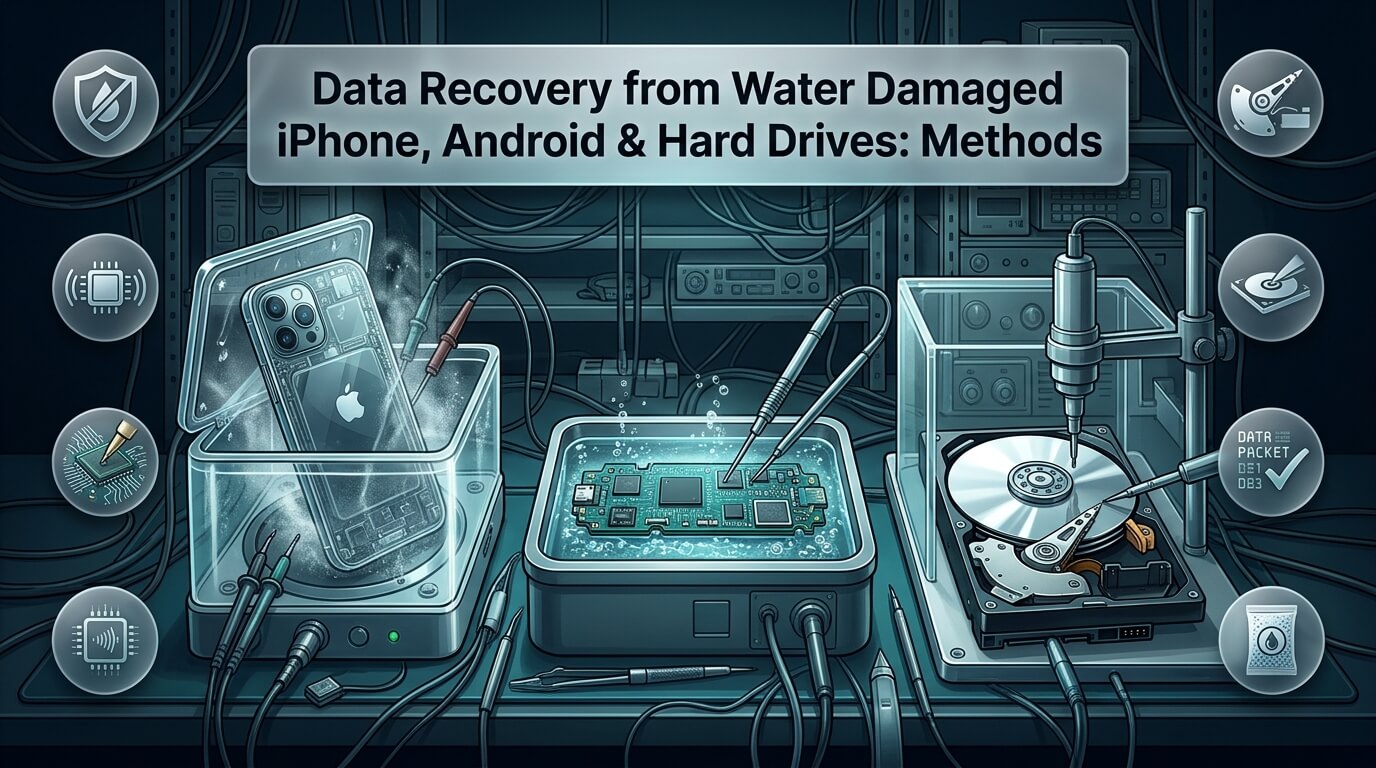
Dropping an iPhone into a swimming pool, spilling coffee across an Android workstation, or finding an external backup hard drive submerged in a flooded basement causes instant panic. Liquid accidents happen in fractions of a second. However, the actions you take during the first sixty minutes determine whether your photos, financial records, and contacts survive. Executing proven techniques for data recovery water damaged phone scenarios prevents permanent component destruction and rescues vital files.
A widespread misconception is that water alone permanently destroys digital memory. In reality, clean water does not instantly wipe flash storage chips or magnetic platters. The true culprits are electric short circuits and corrosive mineral oxidation. When an electrical current flows through mineral-rich water, rapid galvanic corrosion dissolves microscopic copper traces and fries power capacitors. This comprehensive guide outlines the physics of liquid damage, explores micro-soldering repairs for iOS and Android motherboards, details cleanroom hard drive decontamination, reviews top recovery labs, and debunks hazardous myths.
- Never Connect to Power: Plugging a wet phone or submerged external drive into a charger triggers fatal short circuits across delicate silicon chips.
- Rice is a Dangerous Myth: Raw rice does not extract internal moisture from sealed motherboards. It deposits abrasive starch dust into ports and allows galvanic corrosion to eat copper traces in secret.
- Keep Submerged Drives Damp: If a mechanical hard drive was submerged in dirty floodwater, never let it dry out before sending it to a cleanroom. Drying mineral crust permanently destroys magnetic platters.
- Encrypted Phones Require Board Repair: Modern smartphones cannot be recovered by pulling the memory chip. The original logic board must be brought back to life to decrypt user files.
The Science of Liquid Damage: How Water Destroys Hardware
To rescue data from a submerged device, you must understand what happens inside the chassis when liquid enters. Pure distilled water is actually an electrical insulator. However, tap water, pool water, rain, ocean water, and beverages contain dissolved mineral salts, chlorine, and acids. These dissolved minerals transform liquid into an active electrical conductor.
When liquid bridges two electrical contacts with differing voltage levels, electrolysis occurs. Positively charged copper ions travel through the liquid toward negative ground pins. Within minutes, copper traces that measure mere micrometers across are completely eaten away. At the same time, microscopic ceramic surface-mount capacitors crack and short to ground. Once a main power rail shorts out, the central processor cannot boot.
Liquid type directly dictates the urgency of intervention:
- Tap and Rain Water: Moderate mineral content. Allows a narrow window of several days before severe corrosion eats through solder pads, provided power is disconnected immediately.
- Chlorinated Pool Water: High chemical reactivity. Chlorine accelerates oxidation of tin and lead solder joints, causing component pins to crumble within twenty-four to forty-eight hours.
- Saltwater and Ocean Surf: Extreme emergency. Sodium chloride creates aggressive galvanic cells that dissolve circuit traces within hours. Salt residue leaves conductive crusts that short components permanently.
- Acidic Beverages (Coffee, Soda, Juice): Sugar creates sticky insulating barriers, while phosphoric and citric acids actively etch through silicon conformal coatings and chip packaging.
Data Recovery from Water Damaged iPhones
Apple manufactures modern iPhones with tight water-resistant rubber gaskets. However, everyday drops bend aluminum frames, degrade adhesive seals, and crack glass panels. Once liquid bypasses the perimeter gasket, specialized data recovery water damaged iphone engineering is mandatory.
Older devices permitted chip-off recovery, where technicians desoldered memory chips and read raw data with an external programmer. Modern iPhones make this completely impossible. Starting with the iPhone 5s, Apple integrated the Secure Enclave processor. All data stored on the NAND flash memory is encrypted using hardware-bound AES-256 keys. These encryption keys are permanently fused inside the CPU and Secure Enclave. If you remove the NAND chip and place it on a donor board, the data remains unreadable static noise.
Consequently, professional data recovery iphone water damage requires repairing the patient motherboard until it can boot into iOS and accept your lock-screen passcode. Experienced technicians focus on three common failure areas:
- Shorted Primary Power Rails (VDD_MAIN / VDD_BOOST): Liquid ingress almost always shorts a tiny decoupling capacitor on the primary power bus. Technicians use thermal imaging cameras and bench power supplies to spot glowing shorted capacitors, remove them with micro-tweezers, and restore clean power.
- Sandwich Board Separation: From iPhone X through iPhone 16, Apple stacks two motherboard layers joined by an interposer ring. Water often seeps between the sandwich layers, corroding hundreds of microscopic solder balls. Specialists must heat the board on an infrared preheater, split the layers, clean corrosion, and reball the interposer.
- CPU and EEPROM Transplants: If the original motherboard PCB is cracked or burned beyond repair, technicians perform the ultimate salvage procedure. They desolder the CPU, NAND flash, EEPROM, and baseband chips, reball them with fresh solder, and transplant the entire encrypted cluster onto a functioning donor board.
By executing these surgical repairs, engineers achieve remarkable success rates in iphone data recovery water damage cases, even on phones dropped in oceans or left in rivers for weeks.
Data Recovery from Water Damaged Android Phones
Android smartphones from Samsung, Google, Motorola, and OnePlus face similar technical hurdles. Modern Android operating systems enforce File-Based Encryption (FBE). Just like Apple’s architecture, cryptographic keys are tied to the device’s hardware security module, such as Samsung Knox or Google Titan M2.
When users seek data recovery from water damaged phone hardware, the priority is preventing battery discharge and chemical erosion. Many Android devices suffer liquid entry through the exposed USB-C charging port or loudspeaker grilles. Moisture around the USB-C controller triggers a continuous short circuit that convinces the power management IC (PMIC) to enter a protective shutdown state.
Professional labs executing water damage phone data recovery follow a precise chemical restoration workflow. Technicians disassemble the phone completely, remove shielding cans from the logic board, and immerse the board in an ultrasonic cleaning bath filled with 99.9% electronic-grade isopropyl alcohol. Ultrasonic sound waves create cavitation bubbles that strip away mineral deposits beneath surface-mount microchips. Once thoroughly cleaned and dried under vacuum heat, technicians diagnose component shorts using multi-meter diode mode testing.
Many water-damaged smartphones are fully functional internally, but their OLED display or backlight driver was destroyed by liquid. If your phone vibrates, chimes when plugged in, or is recognized by a computer, do not pay for expensive board repairs. A local repair shop can temporarily connect a test display to enter your passcode and complete a full computer backup within twenty minutes.
Data Recovery from Water Damaged Mechanical Hard Drives
While smartphones run on solid-state silicon chips, external hard drives and desktop NAS drives rely on spinning magnetic platters. Floods, burst pipes, and storm surges present unique dangers for spinning media. Performing successful data recovery water damaged hard drive procedures requires cleanroom intervention.
Hard drives are not hermetically sealed units. They feature a breather hole equipped with a chemical air filter to equalize internal air pressure with barometric changes. When an external hard drive is submerged under several feet of water, water pressure forces liquid past the breather filter and perimeter rubber gaskets directly into the internal head-disk assembly (HDA).
Inside the drive, magnetic platters spin at 5,400 to 7,200 revolutions per minute. The read/write heads fly on a microscopic cushion of air mere nanometers above the magnetic surface. If liquid enters the chamber, dirty water coats the platters with silt, minerals, and sewage bacteria.
The most important rule in flooded hard drive management is counter-intuitive: never let a submerged hard drive dry out! If silt and minerals dry on the polished platter surfaces, they form hardened mineral crusts. When an inexperienced user plugs the dried drive into a computer, the spinning platters collide with mineral deposits. This instantly rips the delicate read heads off their suspension arms, gouging deep rings into the magnetic recording layer and destroying data forever.
Instead, follow these cleanroom field instructions for submerged hard drives:
- Keep the Drive Damp: Rinse the outside of the drive gently with clean tap water to remove mud. Wrap the damp drive in a clean plastic Ziploc bag with moist paper towels. This prevents internal mineral drying during shipping.
- Cleanroom Platter Decontamination: Certified cleanroom technicians open the drive inside an ISO Class 5 environment. They disassemble the spindle motor, remove each platter individually, and wash them in automated spin-rinse dryers using heated deionized water and chemical surfactants.
- Donor Head and PCB Swaps: The original read/write head assembly is discarded because liquid ruins the delicate copper coils and slider pads. Technicians transplant a brand-new donor head assembly, swap the corroded exterior PCB with a firmware-adapted replacement, and image the magnetic platters on a forensic imager.
By following proper cleanroom washing protocols, certified facilities salvage files from submerged mechanical drives with exceptional success rates.
The Rice Myth Debunked: Why It Destroys Devices
Placing a wet smartphone in a bowl of uncooked white rice is one of the most persistent and damaging myths in consumer technology. While rice absorbs loose surface water on kitchen counters, it cannot draw moisture out from beneath metal electromagnetic shields soldered to a smartphone motherboard.
Relying on rice causes severe harm in three specific ways:
- It Wastes Vital Actionable Time: Leaving a phone in rice for forty-eight hours gives trapped moisture ample time to corrode copper pins and solder joints. While you wait, active electrolysis eats away power rails.
- Starch Dust Ingress: Raw rice is covered in fine, powdery starch. This powder mixes with water around the charging port, microphone mesh, and headphone jack, forming a thick, conductive paste that clogs ports and shorts connectors.
- False Confidence: Sometimes a phone powers on after sitting in rice because water temporarily evaporated from a non-critical area. However, corrosive mineral deposits remain trapped beneath microchips. Weeks later, humidity activates these residual salts, causing sudden, permanent board failure.
Emergency First Response: What to Do Immediately
If your device encounters liquid, the immediate steps you take determine whether your files can be rescued. Follow this certified first-response protocol:
- Power Down the Device Instantly: If the screen is still active, turn off the device immediately. If the device has already shut down, do not attempt to turn it on to see if it still works.
- Disconnect All Cables: Unplug charging cords, headphones, and external accessories. Never plug a wet device into a wall charger or computer USB port.
- Remove the Battery if Possible: If your device features a removable battery, pop it out immediately to cut electrical current to the motherboard.
- Remove Exterior Cases and SIM Trays: Strip away silicone protective cases, screen protectors, and remove the SIM card tray. This allows trapped liquid around edges to escape.
- Gently Dry the Exterior: Pat the outside of the device with a dry microfiber cloth or paper towel. Do not shake the device violently, as shaking forces liquid deeper into internal speaker cavities and motherboard crevices.
- Avoid Heat Sources: Never use a hair dryer, microwave, oven, or direct radiator heat. Excessive heat melts internal waterproof adhesives, warps delicate display panels, and accelerates chemical oxidation.
Top 8 Professional Water Damage Recovery Providers & Tools Reviewed
When liquid damage occurs, selecting an accredited laboratory or specialized software tool ensures the highest probability of complete file salvage. Here is our review of eight leading industry solutions.
1. iPad Rehab Micro Soldering
Founded by industry pioneer Jessa Jones, iPad Rehab is globally celebrated as the premier micro-soldering laboratory for water-damaged iPhones, iPads, and Android smartphones. Operating out of upstate New York and accepting mail-in cases worldwide, iPad Rehab excels where ordinary repair shops fail.
Their engineering team specializes exclusively in board-level component repair. They utilize high-powered stereo microscopes, infrared thermal diagnostic cameras, and custom board schematics to locate and replace shorted capacitors and corroded power ICs. They are industry leaders in separating and reballing multi-layer iPhone sandwich motherboards and executing full CPU transplants.
iPad Rehab operates on a transparent “No Data, No Recovery Fee” policy. If they cannot repair your logic board to a point where your files can be extracted, you pay nothing for the recovery labor.
- Specialty: Component-level micro-soldering and motherboard circuit reconstruction
- Supported Hardware: iPhones, iPads, MacBooks, Samsung, Google Pixel, Android devices
- Cleanroom Standard: Specialized electronics diagnostic and ultrasonic cleaning lab
- Pricing Policy: Strict No Data, No Recovery Fee guarantee
- Best Use Case: Dead, unbootable smartphones with severe liquid corrosion and shorted power rails
2. DriveSavers Water Damage Recovery
DriveSavers is an internationally recognized pioneer in mechanical hard drive and enterprise storage recovery. Operating since 1985, DriveSavers possesses certified ISO Class 5 cleanrooms equipped to handle catastrophic water and flood disasters.
Their engineers have rescued data from hard drives submerged in hurricane floodwaters, marine shipwrecks, and municipal fire hose flooding. DriveSavers maintains dedicated ultrasonic spin-rinse drying equipment that decontaminates silt-covered platters without scratching magnetic surfaces.
They maintain authorized partnerships with major drive manufacturers, ensuring that opening drives inside their cleanroom does not void original hardware warranties. They provide round-the-clock emergency support and direct courier pickups for urgent cases.
- Specialty: Submerged mechanical hard drives, enterprise RAID arrays, and flood salvage
- Cleanroom Standard: Certified ISO Class 5 Cleanroom
- Compliance: SOC 2 Type II, HIPAA, FERPA, high-level government clearance
- Policy: No Data, No Recovery Fee policy with upfront flat-rate diagnostics
- Best Use Case: External hard drives and desktop servers submerged in muddy floodwaters or sewage
3. Ontrack Mobile & Hard Drive Recovery
Ontrack, a division of KLDiscovery, is one of the largest data recovery and computer forensics providers in the world. With cutting-edge laboratories across North America, Europe, and Asia, Ontrack offers immense engineering resources for water-damaged media.
Ontrack combines specialized chemical decontamination stations for mechanical drives with advanced micro-soldering benches for mobile flash storage. Their team developed proprietary software tools capable of rebuilding corrupted filesystems once damaged hardware is stabilized.
They provide transparent tracking through an online customer portal, allowing clients to review case notes, approve donor head transplants, and view file-tree previews before making final payments.
- Specialty: Large-scale commercial disaster recovery, enterprise NAS/SAN, water-damaged laptops
- Cleanroom Standard: Certified Class 100 cleanrooms worldwide
- Security Certifications: ISO 27001, SOC 2 Type II certified
- Turnaround: 24-hour emergency response available 365 days a year
- Best Use Case: Commercial enterprises facing flood damage across multiple workstations and servers
4. Secure Data Recovery Services
Secure Data Recovery Services maintains an extensive network of drop-off offices across the United States. This physical footprint makes it easy to submit water-damaged devices locally for expedited shipping to their central engineering facility.
The company was the first in the industry to achieve certified ISO Class 4 cleanroom status, providing an ultra-pure air environment that exceeds standard requirements. Their technicians specialize in resolving liquid corrosion on monolithic flash memory, encrypted solid-state drives, and smartphone motherboards.
Secure Data Recovery provides detailed diagnostic reports and transparent flat-rate pricing models. They adhere strictly to a no-recovery, no-service-fee policy, giving customers complete financial peace of mind.
- Specialty: Rapid local drop-off intake, monolithic flash salvage, cleanroom HDD decontamination
- Cleanroom Standard: Certified ISO Class 4 Cleanroom
- Security: SSAE 18 SOC 1, 2, and 3 certified, HIPAA compliant
- Network: Over 250 local drop-off partner locations nationwide
- Best Use Case: Users seeking convenient local drop-off for water-damaged external drives and laptops
5. SalvageData Recovery
Operating since 2003, SalvageData Recovery has built a strong reputation for residential, small business, and municipal data restoration. They maintain full-service cleanroom laboratories equipped to treat oxidized hard drive assemblies and liquid-damaged electronics.
SalvageData offers completely free in-lab evaluations. Their technicians inspect the extent of liquid ingress, test printed circuit board resistance, and provide an all-inclusive quote before any irreversible work begins.
Their proprietary customer portal allows clients to inspect an interactive file-tree preview showing the exact directories and documents recovered before issuing payment, ensuring that essential records are intact.
- Specialty: Consumer external drives, small business NAS boxes, family photo recovery
- Cleanroom Standard: Certified ISO Class 5 clean bench environments
- Evaluation Policy: 100% Free diagnostic evaluations
- Certifications: ISO 9001 certified quality management system
- Best Use Case: Cost-conscious consumers needing verified cleanroom recovery for water-soaked external drives
6. Gillware Data Recovery
Based in Madison, Wisconsin, Gillware Data Recovery is famous for its in-house mechanical engineering talent and innovative software-assisted recovery methods. Founded by mechanical engineers, Gillware created custom equipment designed specifically to address platter contamination.
When dealing with water-damaged hard drives, Gillware utilizes proprietary burnishing tools that gently buff microscopic mineral haze off platters without scratching magnetic tracks. Their targeted platter reading software extracts critical files first, preventing unstable drives from failing prematurely.
Gillware provides free inbound shipping from anywhere in the United States and never charges evaluation fees. If they cannot salvage your targeted critical files, there is zero charge for cleanroom labor.
- Specialty: Platter burnishing, PCB board repair, targeted read-head imaging
- Cleanroom Standard: ISO Class 5 laminar flow workstations
- Shipping: Free prepaid inbound shipping labels nationwide
- Advantage: Proprietary platter-cleaning technology and no evaluation fee policy
- Best Use Case: Mechanical hard drives exposed to dirty floodwaters requiring delicate platter burnishing
7. Tenorshare UltData
Tenorshare UltData is a widely used consumer software recovery tool designed for iOS devices. It is important to emphasize that software tools cannot repair a physically dead, unpowered smartphone. However, if your water-exposed iPhone still boots, connects to a computer, but suffers from a black screen or broken touch digitizer, UltData is an invaluable tool.
UltData communicates directly with iOS system daemons over a USB connection. It allows users to extract contacts, SMS conversations, WhatsApp messages, photos, and voice memos directly from the device to a PC or Mac without needing to interact with the broken touchscreen.
The software also provides tools to repair common software boot-loop crashes that occur when minor liquid corrosion causes iOS update interruptions.
- Tool Type: Consumer Desktop Software Utility
- Platform: Windows, macOS
- Capabilities: Direct device scanning, iTunes backup extraction, iCloud parsing
- Requirement: The iPhone must be electrically functional and recognized over USB
- Best Use Case: Responsive iPhones with liquid-damaged, unresponsive touchscreens
8. Wondershare Dr.Fone Data Recovery
Wondershare Dr.Fone is an all-in-one mobile toolkit that includes dedicated data extraction modules for both Android and iOS devices. Like UltData, Dr.Fone requires the underlying phone hardware to power on and negotiate a USB data handshake.
For compatible older Samsung smartphones, Dr.Fone includes a specialized “Recover from Broken Phone” module. This module can bypass broken touchscreens and extract contacts, call logs, messages, and gallery photos directly to your computer without requiring USB debugging authorization.
For modern devices, Dr.Fone provides an intuitive visual interface that previews recoverable photos and documents before purchasing a software license, making it a reliable first software step for semi-responsive devices.
- Tool Type: Multi-platform Consumer Recovery Software
- Supported Systems: Android, iOS, Windows, macOS
- Features: Broken screen extraction, WhatsApp backup export, deep media carving
- Limitation: Cannot communicate with dead or shorted motherboards
- Best Use Case: Semi-responsive Android and iOS devices needing rapid file transfer to a computer
Comparison of Leading Water Damage Recovery Solutions
The following comparison table summarizes essential capabilities, hardware specialization, cleanroom standards, and pricing policies across the top eight providers.
| Provider / Tool | Solution Type | Specialty | Cleanroom / Lab | No Data No Fee | Best Use Case |
|---|---|---|---|---|---|
| iPad Rehab | Lab Service | Micro-Soldering | Electronics Lab | Yes | Dead, shorted, or water-logged iPhones and Androids |
| DriveSavers | Lab Service | Submerged HDDs & RAIDs | ISO Class 5 | Yes | Catastrophic flood and hurricane submerged storage |
| Ontrack | Lab Service | Enterprise & Mobile | Class 100 | Yes | Commercial enterprise storage and multi-drive servers |
| Secure Data Recovery | Lab Service | Flash & Hard Drives | ISO Class 4 | Yes | Convenient local drop-off with certified cleanroom |
| SalvageData | Lab Service | Consumer External Disks | ISO Class 5 | Yes | Free in-lab evaluations for external hard drives |
| Gillware | Lab Service | Platter Burnishing | ISO Class 5 | Yes | Mechanical hard drives with mineral platter residue |
| Tenorshare UltData | Desktop Software | iOS File Extraction | N/A (Software) | Free Trial | Responsive iPhones with damaged touchscreens |
| Wondershare Dr.Fone | Desktop Software | Android & iOS Transfer | N/A (Software) | Free Trial | Semi-responsive Android devices needing rapid export |
What Does Water Damage Data Recovery Cost?
Professional water damage recovery pricing varies based on hardware architecture, chemical severity, and cleanroom labor hours. Reputable providers provide upfront diagnostic evaluations before requesting financial approval.
Standard industry cost tiers include:
- Software Extraction for Responsive Phones ($50 to $120): If the phone still powers on and communicates over USB, a commercial software license for tools like UltData or Dr.Fone provides an economical DIY solution.
- Smartphone Micro-Soldering Repair ($300 to $700): Diagnosing shorted capacitors, ultrasonic chemical cleaning, replacing corroded charging ICs, and splitting iPhone sandwich motherboards typically costs between $300 and $700. If an intensive CPU/EEPROM chip transplant is required, fees can range from $800 to $1,200.
- Mechanical Hard Drive Cleanroom Recovery ($900 to $2,500): Flooded hard drives requiring cleanroom platter washing, spin-rinse decontamination, and donor head transplants range from $900 for minor freshwater ingress to $2,500+ for severe saltwater or mud contamination.
- Enterprise Multi-Disk RAID Systems ($2,500 to $8,000+): Server arrays submerged in basement floods require simultaneously cleaning, reconditioning, and imaging several enterprise disks before virtual parity reconstruction can begin.
- Keep Power Disconnected: Under no circumstance should you connect the device to a charger to test it before shipping.
- Note the Liquid Type: Tell the lab immediately whether the liquid was freshwater, chlorinated, saltwater, or acidic coffee. Saltwater cases receive top queue priority.
- Package Hard Drives Correctly: If a mechanical drive was flooded, seal it in a damp ziploc bag. For smartphones, package them in an anti-static bag wrapped in two inches of bubble wrap.
- Provide Passcodes: Smartphone operating systems encrypt files with your lock-screen PIN. The lab requires your passcode to export data once the board boots.
Frequently Asked Questions
Can an Apple Genius Bar recover data from a water-damaged iPhone?
No, official Apple Stores do not provide data recovery services for water-damaged devices. If Apple technicians detect tripped Liquid Contact Indicators (LCIs) inside your phone, their standard policy is offering a paid out-of-warranty replacement device. They will not perform micro-soldering or board cleaning. Accepting a replacement phone means your original phone is recycled, resulting in permanent data loss. You must consult independent micro-soldering labs like iPad Rehab to rescue your files.
How long can a water-damaged device sit before data becomes unrecoverable?
Freshwater-exposed devices with disconnected batteries can often sit for one to two weeks before permanent corrosion occurs. However, devices exposed to saltwater, soda, or pool chemicals experience severe electrolytic corrosion within twenty-four to forty-eight hours. If the battery remains connected, electrical currents accelerate corrosion constantly. Time is always critical, so submit the hardware for diagnostic cleaning as rapidly as possible.
Why can’t technicians just pull the memory chip off my water-damaged phone?
Modern iOS and Android smartphones utilize full-disk hardware encryption governed by dedicated security processors like Apple’s Secure Enclave or Android’s Titan M2 chip. The cryptographic keys required to decipher user data are locked inside the processor and cannot be extracted. Desoldering the flash memory chip and placing it into a programmer yields only scrambled, unreadable binary code. The original motherboard must be repaired to a functional electrical state to decrypt your data.
Will placing a wet phone in front of a fan dry it safely?
Airflow from a household fan evaporates superficial water on the exterior casing, but it cannot remove moisture trapped beneath metal motherboard shields. Worse, as water evaporates naturally, dissolved minerals and salts do not vanish. They crystallize across microchip pins, creating corrosive bridges that cause shorts the next time the phone powers up. Ultrasonic alcohol displacement is the only reliable way to eliminate both water and mineral salts.
What should I do if my external hard drive fell into the ocean?
Saltwater creates aggressive corrosion that dissolves internal metal within hours. Immediately disconnect the drive and rinse the outside gently with clean freshwater to remove sand. Do not let the drive dry out. Seal the damp drive in a leak-proof Ziploc bag wrapped in a moist towel, and express-ship it to an accredited cleanroom recovery laboratory immediately. Inform the lab that the device was submerged in saltwater so they can begin chemical decontamination upon arrival.
Conclusion: Saving Your Data from Liquid Disasters
Liquid accidents are frightening, but water damage does not automatically mean permanent data loss. The difference between recovery and permanent destruction lies in your immediate response. Resist the urge to plug the device into a charger or bury it in raw rice. Cut electrical power, protect mechanical hard drives from drying out, and partner with accredited micro-soldering and cleanroom specialists. By trusting certified engineers, you can safely rescue your priceless memories and critical business records from catastrophic liquid disasters.