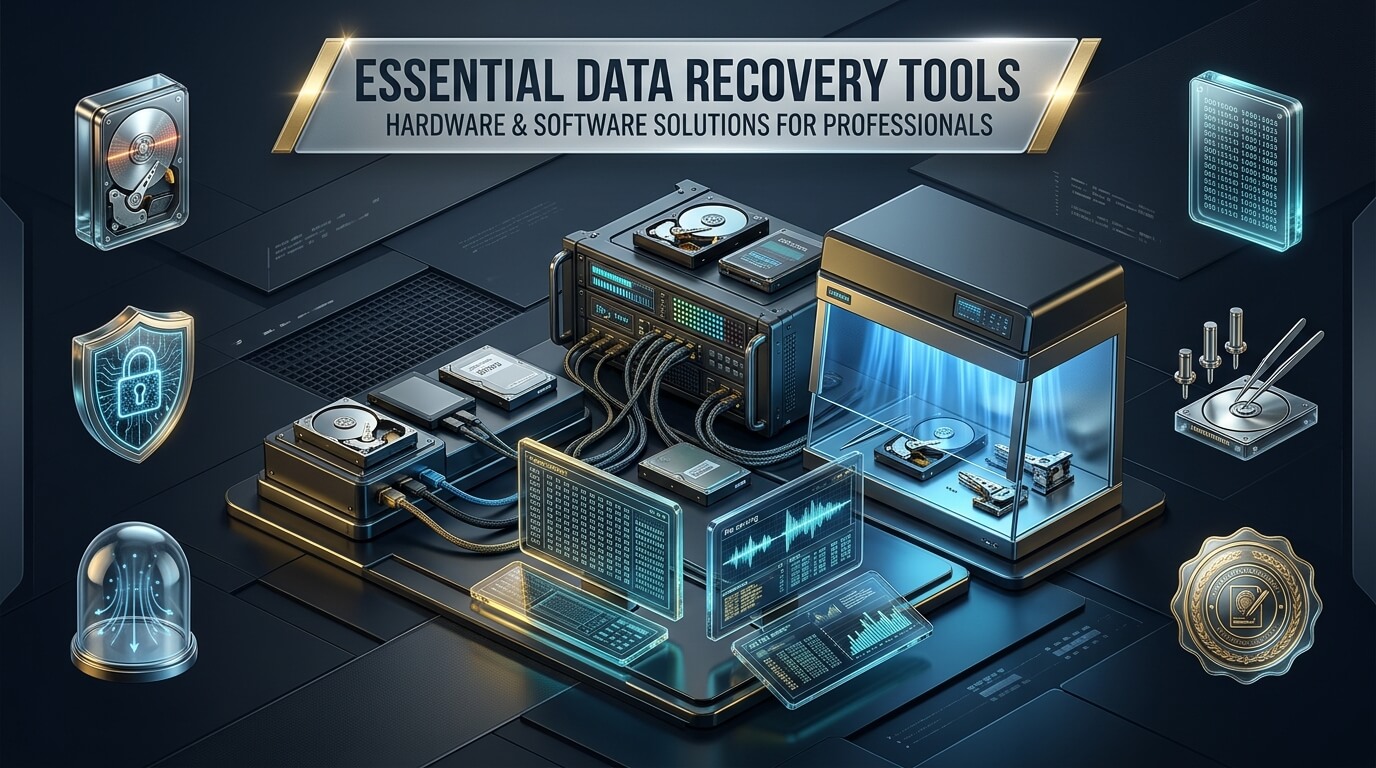
Digital data storage forms the backbone of personal memories, professional careers, and global corporate operations. Yet storage devices inevitably encounter logical corruption, physical shock, electronic failure, or file system damage. Navigating these failures requires specialized data recovery tools tailored to specific failure modes.
Every recovery situation presents unique technical obstacles. Retrieving deleted documents from a functioning operating system demands a flexible data recovery tool windows utility. Conversely, extracting vital files from an unresponsive smartphone requires a dedicated data recovery tool for iphone or specialized data recovery tools android application. When removable flash memory malfunctions, engineers rely on a trusted data recovery tool for sd card media.
However, software utilities alone cannot resolve electrical faults or mechanical head crashes. Operating system drivers freeze when encountering damaged magnetic platters or failing NAND flash controllers. In professional cleanroom laboratories, specialists deploy dedicated data recovery hardware to bypass operating system limitations. These systems stabilize read currents, isolate bad sectors, and rebuild damaged firmware modules directly.
Whether you are an IT administrator building a rescue toolkit or an enterprise technician evaluating lab systems, choosing the correct tools is crucial. In this guide, we review the full spectrum of recovery technology. We examine consumer utilities, commercial suites, high-speed disk imagers, and forensic cleanroom systems. By understanding hardware and software capabilities, you can build an efficient recovery workflow.
Key Takeaways: Hardware and Software Recovery Tools
- Software utilities work strictly on physically healthy storage devices that can communicate normally through standard system interfaces.
- Physical drive trauma, weak read heads, and firmware corruption require dedicated data recovery hardware tools to stabilize communications.
- Operating systems like Windows and macOS freeze on read errors; hardware imagers bypass operating system drivers by issuing raw ATA commands.
- Top tier labs rely on PC-3000 systems to edit service area tracks and reprogram vendor microcode directly.
- A dependable data recovery bootable usb allows technicians to safely clone failing disks without booting the host operating system.
- Hardware write blockers prevent host systems from writing forensic metadata, protecting evidence and preventing file corruption.
- Professional recovery hardware requires substantial capital investment, ranging from several thousand dollars to over fifteen thousand dollars.
The Spectrum of Recovery Tools: Software vs Hardware Solutions
Data recovery is not a single process. Storage media failures exist across three distinct domains: logical corruption, firmware corruption, and physical damage. Using the wrong tool tier frequently causes irreversible platter scratching or permanent NAND degradation.
Understanding these distinct domains ensures you select the correct hardware or software platform:
1. Logical Recovery Software
Logical failures occur when the underlying storage hardware operates perfectly, but file system structures suffer damage. Common examples include formatted partitions, accidental file deletion, directory corruption, and ransomware encryption.
Under these conditions, standard data recovery tools for windows and dedicated data recovery tools for mac scan raw sectors. They identify file signatures such as JPEG, PDF, and DOCX headers. Because the storage controller responds instantly to read requests, standard software utilities perform exceptionally well.
2. Hardware Disk Imagers and Stabilizers
When storage drives develop bad magnetic sectors or degraded flash memory cells, standard computer operating systems fail. Windows attempts repeated read retries when a sector does not respond. This continuous cycling overheats the drive voice coil motor and destroys weak magnetic heads.
A specialized data recovery machine or dedicated hardware imager sits between the failing drive and the host technician workstation. The hardware device controls power delivery, limits read retry cycles to milliseconds, and skips unresponsive sectors. This technique secures intact data before the drive deteriorates completely.
3. Firmware Repair and Cleanroom Equipment
Storage drives operate mini computers known as microcontrollers running proprietary firmware stored in designated service areas. If translator tables corrupt or drive firmware crashes, the storage unit reports zero capacity or wrong model numbers.
Specialized data recovery equipment interfaces directly with drive serial ports and diagnostic registers. Technicians rebuild corrupted flash translation layers, modify internal RAM tables, and disable degraded read heads in software to extract remaining files.
Pro-Tip: Never run intensive consumer software scans on a drive that emits clicking noises or disappears from Windows Device Manager. Mechanical clicks indicate physical head assembly failure. Running endless software scans will scrape magnetic platter coatings and destroy data permanently.
Understanding Dedicated Data Recovery Hardware
Many technicians wonder why cleanroom laboratories invest tens of thousands of dollars into proprietary hardware when low-cost software exists. The difference lies in hardware-level drive control.
A standard PC motherboard relies on SATA and NVMe host controllers managed by standard BIOS and operating system drivers. If a drive does not return a ready signal within five seconds, the operating system kernel hangs. In contrast, specialized data recovery devices for hard drives implement custom field-programmable gate arrays (FPGAs) to maintain low-level electronic control.
These advanced capabilities distinguish hardware platforms from desktop software:
- Independent Power Control: Dedicated recovery hardware monitors real-time amperage on 5V and 12V rails. If a drive short-circuits or crashes into an infinite firmware loop, the controller instantly cuts power in microseconds.
- Custom Read Timeouts: Standard operating systems wait up to thirty seconds before dropping a bad sector. Hardware controllers allow technicians to set read timeouts to five milliseconds, skipping damaged zones rapidly.
- Hardware Write Blocking: Connecting a drive to Windows automatically updates volume timestamps, index logs, and thumbnail caches. Hardware write blockers physically ground write signal pins to ensure absolute data integrity.
- Multi-Channel Parallel Imaging: Commercial forensic units image multiple drives at raw bus speeds simultaneously without software driver overhead.
- Selective Head Imaging: In multi-head hard drives, if head 2 is dead, hardware controllers can disable head 2 and safely clone heads 0, 1, and 3 first.
Essential Data Recovery Software Categories
While hardware handles physical and electrical breakdowns, software tools handle logical extraction and file reconstruction. Professional recovery engineers deploy several specialized software groups.
1. Windows and PC Recovery Suites
Windows represents the vast majority of enterprise desktop computers. Deploying reliable data recovery tools windows 10 and modern Windows 11 utilities ensures compatibility with NTFS, exFAT, and ReFS file structures. Advanced utilities reconstruct broken Master File Tables (MFT) and extract fragmented system volumes.
2. Mobile Device Recovery Applications
Mobile phones present unique hurdles due to system encryption. Modern iOS and Android handsets utilize AES-256 hardware encryption tied directly to system processors. Using effective data recovery tools iphone applications allows technicians to extract cached messages, photo databases, and app data through authorized debug connections. Similarly, dedicated data recovery tools android utilities leverage Android Debug Bridge (ADB) protocols to bypass broken screens.
3. Removable Flash and External Media Tools
External USB hard drives and flash memory cards experience sudden disconnects that damage partition tables. Technicians rely on a targeted data recovery tool for external hard drive devices alongside a responsive data recovery tool for flash drive units. For memory cards used in cameras, using a tuned data recovery tool for sd card media helps reconstruct raw media formats without altering directory structures.
4. Bootable USB Environments
When operating system partitions corrupt, booting the host PC from its primary drive risks overwriting deleted sectors with temporary page files. Deploying a tailored data recovery bootable usb allows technicians to boot into a clean Linux or Windows PE environment. From this isolated environment, technicians can safely image disks over the local network or to an external storage bay.
Detailed Reviews of the Top 8 Data Recovery Tools and Hardware
To assist your selection process, we have reviewed eight leading hardware units and software suites. These platforms represent the gold standard across laboratory forensics, corporate IT departments, and repair shops.
1. ACE Lab PC-3000
The ACE Lab PC-3000 platform represents the undisputed global standard in hardware-level data restoration. Developed over decades in specialized laboratories, pc 3000 data recovery hardware interfaces directly with drive microcode. It allows engineers to diagnose, repair, and extract data from hard drives, solid-state drives, and flash storage that cannot be recognized by any operating system.
The system consists of dedicated PCI Express tester boards and extensive proprietary software suites. By communicating through proprietary vendor diagnostic commands, the PC-3000 can access the drive service area located on hidden inner platter tracks. Technicians can rebuild damaged translators, repair firmware modules, clear password locks, and recalibrate weak heads.
For solid-state drives, the PC-3000 SSD software module supports dozens of controller families from Silicon Motion, Phison, and Marvell. It can emulate controller microcode in PC RAM, effectively bypassing corrupted controller firmware to extract raw NAND blocks.
- Target Devices: SATA, SAS, IDE, NVMe SSDs, USB flash drives, and monolithic flash chips.
- Core Strengths: Firmware module repair, dynamic translator recalculation, and selective head imaging.
- Ideal Users: Commercial data recovery laboratories, forensic law enforcement, and government defense agencies.
2. DeepSpar Disk Imager
DeepSpar Disk Imager (DDI) is a dedicated hardware imager engineered specifically to clone failing hard drives and SSDs. Standard desktop operating systems handle media errors poorly, frequently dropping drives offline during recovery. DeepSpar resolves this limitation by controlling the drive at the lowest electronic level through dedicated microprocessor hardware.
The unit acts as a standalone data recovery device that connects directly between the source media and target storage. It features automated multi-pass imaging algorithms. During the first pass, it reads healthy sectors at maximum line speed. On subsequent passes, it employs tailored timeout algorithms and reverse-direction reading to safely extract data surrounding damaged sectors.
DeepSpar also incorporates active drive temperature monitoring and programmable current thresholds. If an unstable drive begins to draw dangerous amperage, the unit cuts power before permanent head damage occurs.
- Target Devices: SATA, SAS, and USB magnetic hard drives and solid-state drives.
- Core Strengths: Multi-pass imaging algorithms, rapid read timeouts, and intelligent power cycling.
- Ideal Users: IT service providers, computer repair centers, and intermediate digital forensics labs.
3. Atola TaskForce 2
Atola TaskForce 2 is a high-speed forensic hardware imager designed for lab technicians and digital forensic investigators. It features an integrated server architecture powered by internal multi-core processing. This allows technicians to operate the unit standalone through a high-resolution touchscreen or over a local network via any modern web browser.
As a leading data recovery machine, TaskForce 2 can image up to 18 drives simultaneously at speeds reaching 25 million sectors per minute. It supports hardware write protection on all source ports, ensuring that evidentiary media remains completely unaltered. The system also includes automated diagnostics that measure head response times, surface degradation, and motor spin stability.
TaskForce 2 excels when dealing with damaged NVMe drives and encrypted volumes. Its hardware-level reset commands bypass non-responsive drive states without requiring manual power cord pulling.
- Target Devices: NVMe, SATA, SAS, IDE, Apple PCIe, and USB storage devices.
- Core Strengths: Extreme imaging speeds, 18 simultaneous ports, and web-based multi-user management.
- Ideal Users: Digital forensics laboratories, enterprise security operations, and high-volume data recovery centers.
4. R-Studio Data Recovery
R-Studio is widely regarded as one of the most powerful and comprehensive professional data recovery tools in the software domain. Engineered for advanced file system reconstruction, R-Studio provides deep technical control that basic consumer software lacks. It operates seamlessly across Windows, macOS, and Linux operating systems.
The software features advanced algorithms that reconstruct damaged RAID arrays, including RAID 5, RAID 6, and nested configurations. It analyzes virtual stripe sizes and parity order even if member disk structures have suffered logical corruption. Additionally, R-Studio includes a powerful hex editor for manual file parsing and raw sector editing.
R-Studio also supports network-based recovery. Technicians can connect to client machines across a local area network to inspect and clone failing drives without physical extraction.
- Target Devices: Hard drives, SSDs, formatted partitions, virtual disks, and complex RAID matrices.
- Core Strengths: Virtual RAID reconstruction, raw hex viewing, and cross-platform network recovery.
- Ideal Users: Systems administrators, field IT technicians, and power users.
5. Disk Drill Data Recovery
Disk Drill by CleverFiles combines deep algorithmic scanning with an exceptionally intuitive user interface. It serves as an accessible hard drive data recovery tool that makes file retrieval straightforward for both beginners and professional technicians. The software performs extensive logical reconstruction across NTFS, FAT32, APFS, and HFS+ volumes.
One of Disk Drill’s standout features is its raw signature scanning database. If file system metadata is completely erased, the utility parses binary structures to reconstruct over 400 distinct file extensions. In addition, it incorporates an emergency byte-to-byte disk imaging feature. This allows users to create a full image backup of an unstable external drive before executing file extraction scans.
Disk Drill also functions as an efficient data recovery tool for sd card media and USB flash sticks, making it an excellent all-around utility for everyday storage mishaps.
- Target Devices: Internal hard drives, portable SSDs, SD cards, and USB thumb drives.
- Core Strengths: Intuitive visual design, extensive raw signature scanning, and byte-to-byte backup imaging.
- Ideal Users: Everyday consumers, creative professionals, and small business IT staff.
6. EaseUS Data Recovery Wizard
EaseUS Data Recovery Wizard is an industry-tested utility tailored for rapid logical file retrieval. It acts as a reliable data recovery tool for external hard drive volumes, camera cards, and desktop partitions. The software guides users through a clean, three-step workflow: select location, scan drive, and recover files.
The engine runs both a fast surface scan and a deep sector-by-sector scan simultaneously. Users can preview photos, office documents, and video files while the scan continues in the background. If you need a dependable data recovery tool for usb drive recovery, EaseUS handles common logical issues such as RAW file systems and unallocated partition space effortlessly.
The Pro edition supports automated photo and video repair, fixing corrupted file headers that frequently cause visual distortion after file recovery.
- Target Devices: External hard disks, USB flash drives, SD cards, and desktop PC partitions.
- Core Strengths: User-friendly three-step workflow, real-time file previews, and built-in video repair.
- Ideal Users: Small business owners, office workers, and non-technical home users.
7. Tenorshare UltData
Smartphone data retrieval requires unique software techniques because mobile devices do not mount as standard block storage volumes. Tenorshare UltData provides specialized capabilities as a leading data recovery tool for iphone and iOS device ecosystems. It extracts application databases, messages, contacts, and photos directly from internal device memory.
UltData can interface with iOS devices even when touch screens are unresponsive or displays are shattered. It scans local device databases, parses SQLite records, and recovers deleted text conversations that standard iTunes backups overlook. Additionally, the software can extract files directly from unencrypted local iTunes backup archives and iCloud cloud sync storage.
Tenorshare also develops a companion edition tailored for Android devices. This edition retrieves WhatsApp data, SMS records, and multimedia files across major smartphone brands without requiring root permissions.
- Target Devices: iPhone, iPad, and Android mobile smartphones and tablets.
- Core Strengths: SQLite database parsing, broken screen communication, and WhatsApp chat extraction.
- Ideal Users: Mobile repair technicians, forensic investigators, and smartphone owners.
8. TestDisk & PhotoRec
For budget-conscious technicians and open-source advocates, TestDisk and PhotoRec stand as premier data recovery tools free of licensing costs. Developed by Christophe GRENIER, this command-line duo provides extraordinary low-level file system recovery power. They run on Windows, macOS, Linux, and can be integrated into bootable recovery media.
TestDisk focuses on repairing broken partition tables and restoring boot sectors. If a corrupted MBR or GPT table renders an entire drive unreadable, TestDisk can locate missing partition boundaries and rewrite correct partition tables in seconds. In contrast, PhotoRec operates as a signature-based carver, safely bypassing file system corruption to recover lost photos, archives, and documents.
Because PhotoRec can be loaded directly onto a data recovery bootable usb, technicians can deploy it in live environments to safely clone and recover data without installing software on the affected operating system.
- Target Devices: Internal hard drives, removable USB drives, SD cards, and raw disk images.
- Core Strengths: 100% free open-source software, partition table repair, and powerful signature carving.
- Ideal Users: Linux system administrators, open-source enthusiasts, and budget-conscious IT technicians.
Comprehensive Comparison of Hardware and Software Recovery Tools
Selecting the right recovery tool requires balancing budget, technical expertise, and the specific failure type you encounter. The table below compares the primary hardware and software platforms reviewed in this guide.
| Tool / Platform | Category | Supported Systems | Target Failure Types | Pricing Tier | Key Differentiator |
|---|---|---|---|---|---|
| ACE Lab PC-3000 | Lab Hardware & Firmware | Windows (Host PCIe) | Firmware, Translator, Head Failure | Enterprise ($5,000 – $15,000+) | Direct service area and vendor microcode access |
| DeepSpar Disk Imager | Hardware Imager | Standalone / USB Control | Bad Sectors, Weak Heads, Instability | Professional ($3,000 – $5,000) | Millisecond read timeouts & intelligent power cycling |
| Atola TaskForce 2 | Forensic Hardware Imager | Standalone / Web Console | Physical Bad Sectors, Evidence Acquisition | Forensic ($8,000 – $14,000) | 18 simultaneous ports & hardware write blocking |
| R-Studio | Commercial Software | Windows, macOS, Linux | Formatted Disks, Broken RAID, MFT Damage | Paid ($49 – $899) | Complex virtual RAID reconstruction & hex parsing |
| Disk Drill | Commercial Software | Windows, macOS | Accidental Deletion, Corrupt USB/SD | Freemium / Paid ($89) | Intuitive interface & extensive raw signature library |
| EaseUS Data Recovery | Commercial Software | Windows, macOS | RAW Drives, Deleted Partitions, Media Loss | Freemium / Paid ($69/mo or $149 lifetime) | Simple three-step wizard & integrated video repair |
| Tenorshare UltData | Mobile Recovery Software | Windows, macOS (Targets iOS/Android) | Broken Screen Phones, App Data Loss | Paid ($45 – $60/yr) | Direct mobile SQLite parsing without drive mounting |
| TestDisk & PhotoRec | Open-Source Software | Cross-Platform, Bootable USB | Corrupt Boot Sectors, Partition Loss, Raw Carving | Free (Open-Source GPL) | Lightweight footprint & bootable command-line repair |
Building a Professional Data Recovery Kit: Tiered Setup Guide
Every technician or department operates under distinct budget constraints. Rather than purchasing high-end laboratory gear immediately, most professionals scale their operations across three structured tiers.
Here is how to structure your recovery toolkit according to service requirements:
Tier 1: Basic IT Technician and Field Rescue Kit
This tier addresses ninety percent of common consumer and corporate failures. It focuses entirely on non-destructive logical recovery and healthy hardware imaging.
- Software License: A reliable commercial license of R-Studio or Disk Drill installed on a technician workstation.
- Rescue Bootable Media: A dedicated data recovery bootable usb loaded with Ubuntu Live or Parted Magic. This allows offline disk cloning using ddrescue.
- Hardware Write Blocker: A portable USB 3.0 and SATA write-blocking bridge to ensure forensic integrity during media inspection.
- Docking Bay: A dual-bay standalone offline drive cloner with dedicated SATA and NVMe slots.
- Estimated Investment: $300 to $800 total.
Tier 2: Advanced Repair Shop and Hardware Imager Kit
This tier equips a repair facility to handle unstable drives, bad sectors, and weak read heads without causing drive death.
- Hardware Disk Imager: A DeepSpar Disk Imager or RapidSpar system to manage read timeouts and power cuts automatically.
- SATA/USB Adapters: Custom SATA-to-USB adapters that bypass native USB bridge encryption on Western Digital external drives.
- Micro-Soldering Station: Temperature-controlled soldering iron and hot air rework station for transferring ROM chips during PCB swaps.
- Regulated Bench Power Supply: Programmable linear DC power supply to test for motherboard and drive short circuits.
- Estimated Investment: $3,500 to $7,000 total.
Tier 3: Full Forensic Cleanroom and Firmware Engineering Lab
This tier is dedicated to professional data recovery laboratories handling severe head crashes, platter swaps, and complex SSD firmware rebuilding.
- Firmware Repair Suite: ACE Lab PC-3000 Portable or PC-3000 PCIe with SSD and Flash adapters.
- Laminar Flow Clean Bench: Class 100 (ISO 5) clean bench environment to open drive lids without dust contamination.
- Mechanical Head Replacement Tools: Precision head combs, magnetic head pullers, and platter exchange kits.
- Thermal Camera and Microscope: High-definition trinocular stereo microscope for inspecting PCB traces and read head sliders.
- Estimated Investment: $20,000 to $50,000+ total.
Understanding Hardware Costs and Investment Considerations
Before entering the physical data recovery industry, technicians must evaluate equipment costs against expected client revenue. Inquiring about data recovery hardware tools price structures reveals that hardware recovery equipment is rarely inexpensive.
Key financial factors include the following items:
- Initial Capital Outlay: Hardware imagers like DeepSpar start around $3,000 to $4,500. Flagship firmware restoration platforms like PC-3000 start at $9,000 and easily exceed $15,000 with specialized SSD and SAS adapters.
- Annual Firmware Updates: Storage manufacturers release new drive architectures and firmware revisions every month. Maintaining update subscriptions for firmware tools costs between $1,200 and $2,500 annually.
- Donor Drive Inventory: Successful mechanical head replacements require matching donor drives produced in the same factory within the same week. Laboratories routinely maintain thousands of dollars in donor drive inventory.
- Return on Investment (ROI): Because professional physical recovery cases bill between $400 and $1,800 per incident, a well-marketed repair facility can pay off a Tier 2 hardware imager within ten to fifteen completed jobs.
Step-by-Step Decision Framework: Selecting the Right Tool
When an unresponsive drive arrives on your workbench, follow this structured decision process to prevent accidental file loss:
Step 1: Inspect Physical Health and Audio Cues
Connect the drive to a regulated external power source without attaching data cables. Listen carefully to the drive mechanics. A healthy drive spins smoothly and achieves a steady hum within ten seconds.
If you hear clicking, scraping, buzzing, or ticking, immediately power down the unit. Do not run any software. The drive requires physical head inspection inside an ISO 5 cleanroom bench.
Step 2: Check BIOS and Operating System Detection
If the drive spins cleanly without strange noises, connect data cables. Does the computer BIOS or Windows Disk Management report the correct drive model and capacity?
If the drive reports zero bytes, incorrect model numbers, or hangs the BIOS during boot, the drive suffers from firmware corruption. You must deploy hardware firmware tools like the PC-3000 to repair the drive service area.
Step 3: Execute Controlled Bit-Level Imaging
If the drive is detected but operates slowly or exhibits I/O device errors, do not scan it with logical software. Connect the media to a hardware imager like DeepSpar or a Linux workstation utilizing ddrescue.
Configure a multi-pass image to clone intact sectors first, skipping slow or bad sectors. Always perform recovery scans on the cloned target disk, never on the failing source media.
Step 4: Perform Logical File Reconstruction
Once you possess a healthy bit-for-bit clone on a secondary disk, launch your chosen software suite. Use R-Studio or Disk Drill to parse file structures, rebuild broken partitions, and export recovered files safely.
Professional Data Recovery Safety Checklist
- Always connect storage through a hardware write blocker when inspecting client evidence.
- Never install recovery software directly onto the drive containing missing files.
- Always clone failing drives to a secondary disk before running deep file signature scans.
- Limit hardware read retries to milliseconds when recovering drives with bad sectors.
- Verify donor drive preamp revisions and microcode matches before performing head swaps.
- Verify extracted archive integrity and sample media files before delivering results to clients.
Frequently Asked Questions About Data Recovery Tools and Hardware
Can free data recovery software fix a physically clicking hard drive?
No. Free software cannot repair physical drive damage. Clicking noises indicate that the mechanical read-write heads have failed or cannot read calibration data from platter surfaces. Running software on a clicking drive will grind heads into the delicate magnetic platters, permanently destroying your files. Clicking drives must be inspected in a professional cleanroom facility.
Why do computers freeze when connecting a hard drive with bad sectors?
Standard operating system drivers expect connected storage devices to return read data quickly. When a drive encounters a bad sector, Windows repeatedly attempts to read the sector for up to thirty seconds before returning an error code. When thousands of bad sectors exist, the operating system kernel hangs completely. Professional hardware imagers prevent freezes by issuing low-level commands that abort reads within milliseconds.
Is hardware write blocking required for standard commercial data recovery?
While write blocking is legally mandatory in criminal digital forensics, it is also highly recommended for commercial data recovery. Whenever you plug an unprotected drive into Windows or macOS, the operating system quietly writes hidden volume metadata, indexing records, and spotlight files. A hardware write blocker physically prevents these writes, protecting fragile file system records from corruption.
Can software recover data from a dead SSD that is not detected in BIOS?
No desktop software can recover files from an SSD that fails to appear in BIOS. When an SSD controller crashes or NAND memory develops critical bit errors, the drive enters panic mode and shuts off SATA or NVMe communication. Recovering data requires hardware firmware tools like the PC-3000 SSD, which load factory loader code into SSD RAM to access raw memory chips directly.
What is the most effective approach for recovering deleted files on mobile phones?
Modern mobile phones utilize full-disk hardware encryption, meaning flash memory chips cannot be desoldered and read in isolation. The most effective approach involves using specialized mobile recovery software like Tenorshare UltData or Cellebrite. These tools communicate through authorized diagnostic protocols to parse internal SQLite databases while the device processor handles real-time decryption.
Conclusion: Choosing the Right Data Recovery Toolkit
Data recovery is a discipline that bridges software engineering, electrical diagnostics, and precision mechanical repair. No single tool solves every crisis. Simple accidental file deletions call for fast, user-friendly utilities like Disk Drill or EaseUS. Complex partition corruption and broken RAID arrays demand the algorithmic power of R-Studio.
When physical wear, bad sectors, and firmware breakdowns occur, desktop software must step aside for dedicated data recovery hardware. Investing in dedicated imagers like DeepSpar or comprehensive firmware platforms like the PC-3000 enables technicians to extract data safely without compounding media damage. By matching the right tool to the specific failure mode, technicians maximize recovery success while safeguarding invaluable client data.