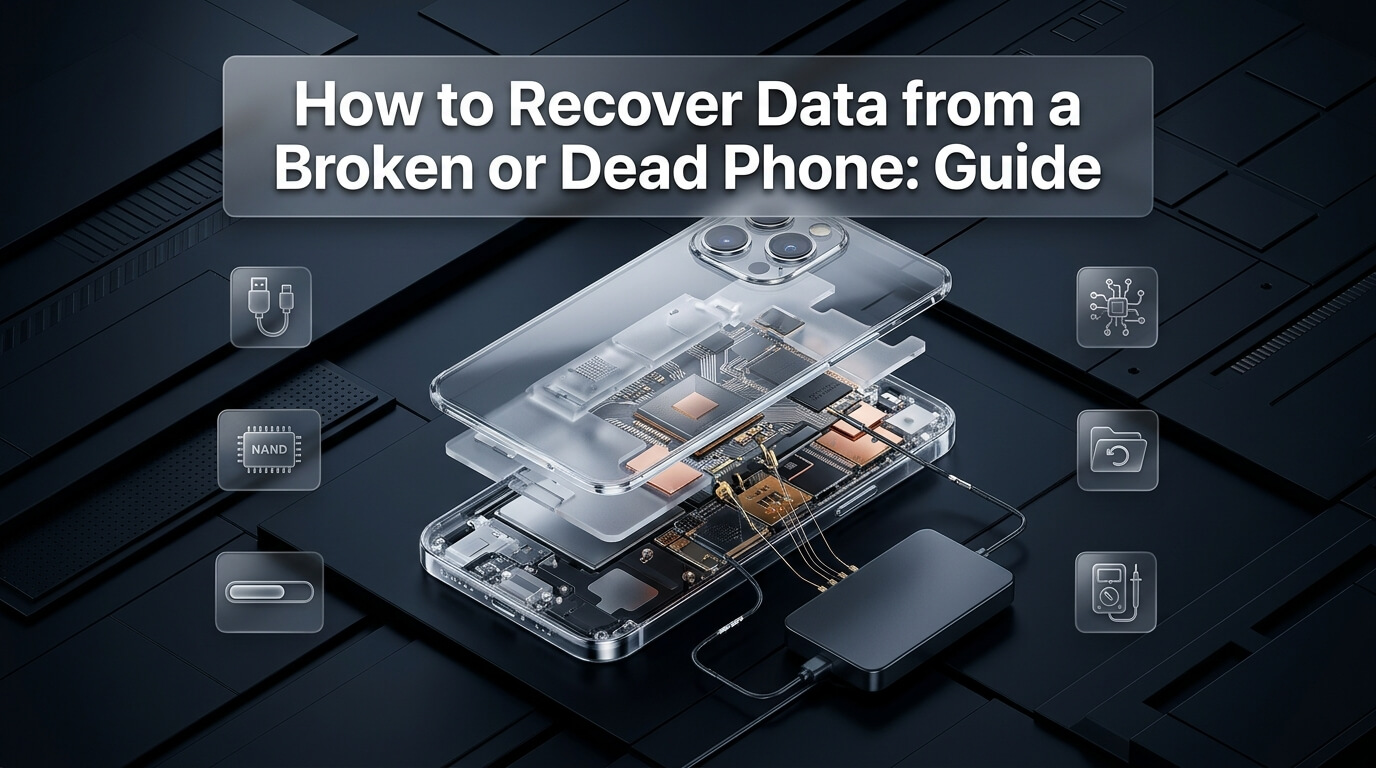
Few accidents happen faster than a smartphone slipping from your hand onto asphalt, getting crushed in a car door, or suffering a sudden motherboard failure. In an instant, your screen shatters into black ink, touch controls stop responding, or the device refuses to power on entirely. The immediate priority is executing data recovery broken phone solutions to rescue precious photos, messages, and business records.
Performing data recovery from broken phone hardware requires distinguishing between a smashed display and a destroyed motherboard. If the internal logic board still functions, recovering your files is straightforward and inexpensive. However, if you are facing a complete data recovery dead phone scenario, advanced micro-soldering engineering becomes necessary.
Whether you need specialized data recovery broken iphone methods, require professional broken android data recovery techniques, or find yourself facing data recovery from a dead phone with zero cloud backups, proven technical pathways exist. In this guide, we walk through hardware workarounds for unresponsive screens, explain laboratory board repair, review the top software and micro-soldering providers, and provide an actionable decision framework.
Key Takeaways on Broken Phone Data Recovery
- Always determine whether your device has a broken display (vibrates, chimes, charges) or a dead logic board (zero current draw).
- For Android devices with broken touch screens, connecting a basic USB mouse via an inexpensive USB OTG adapter allows full PIN entry.
- Modern smartphones use hardware-level encryption; desoldering raw flash chips does not work without the original paired CPU.
- Professional broken iphone data recovery focuses on temporarily reviving the motherboard to enter your passcode and complete a backup.
- When attempting broken phone screen data recovery, temporarily connecting a test screen at a local shop is often the fastest fix.
- If your phone is completely unresponsive with no backup, certified micro-soldering labs can repair power lines or transplant core chips.
- Never send your phone to a factory warranty replacement program before securing your data, as replacements completely erase files.
Diagnosing the Damage: Smashed Display vs. Dead Motherboard
Before buying software or shipping your device to a laboratory, you must accurately diagnose the failure type. Smartphone damage strictly separates into display trauma and motherboard failure.
Perform these physical diagnostic checks to assess device status:
1. Indications of a Living Motherboard (Display Only Broken)
If your logic board is healthy, your phone is still actively running in the background. Look for these vital signs:
- The phone vibrates when toggling the mute switch or holding the power button.
- The device produces a notification chime or beep when plugged into a wall charger.
- The phone rings or vibrates when called from a secondary phone.
- A connected computer sounds a USB connection chime in Windows Device Manager or macOS Finder.
If your device exhibits any of these signs, your internal memory and operating system are completely intact. You only need to bypass the broken screen interface to extract your files.
2. Indications of a Dead Motherboard
If your device exhibits zero reaction, you are dealing with a motherboard failure. Symptoms include:
- Zero vibration, sounds, or LED illumination when connected to power.
- A USB digital ammeter shows 0.00 amps or draws excessive current (over 2.0 amps) without booting.
- The back glass or frame becomes intensely hot near the camera module immediately upon plugging in.
- The computer displays an unrecognized USB device error or fails to detect any connection.
When a phone is completely dead, software cannot communicate with the hardware. You must resolve the electrical short before data extraction can begin.
How to Recover Data from a Broken Screen (Working Motherboard)
If your phone powers on but the display is black or touch controls fail, several practical hardware workarounds let you bypass the damaged screen without paying for laboratory cleanroom recovery.
Review these four effective screen-bypass methods:
Method 1: Connect a USB Mouse via USB OTG (Android Devices)
On Android smartphones, the operating system natively supports standard computer USB mice. If your screen displays images but touch input is completely unresponsive, purchase an inexpensive USB On-The-Go (OTG) adapter.
Connect a standard wired USB mouse to the OTG adapter and plug it into your phone charge port. A mouse cursor will appear on screen. Click and drag across the screen to enter your numerical PIN, draw your pattern, or enter your password. Once authenticated, connect the phone to your computer or trigger an immediate cloud backup to Google Drive.
Method 2: Use an External Monitor via USB-C (Samsung DeX & DisplayPort)
Many modern Android flagship devices (including Samsung Galaxy S-series and Google Pixel 8/9 devices) support DisplayPort Alt Mode over USB-C. Connect your broken phone to a multi-port USB-C hub that includes an HDMI output and a USB port.
Connect the hub to an external computer monitor or television, and plug in a USB mouse. On Samsung devices, Samsung DeX boots automatically on the external monitor, providing a full desktop interface. You can navigate your folders, open gallery photos, and copy files directly to a plugged-in USB flash drive.
Method 3: Utilize Pre-Authorized Computers (iPhones and Android)
If you previously connected your iPhone to a personal Mac or Windows PC and selected “Trust This Computer,” you can often back up the device without touching the screen. Connect your broken iPhone to that specific trusted computer via USB, launch Apple Finder or iTunes, and select “Back Up Now.”
Method 4: Install a Temporary Test Screen at a Local Repair Shop
If your display is completely black with zero visibility, visit a friendly local phone repair shop. Explain that you only need your personal files. Many repair shops will gladly connect a functional shop screen for twenty minutes for a modest twenty-dollar bench fee, allowing you to enter your passcode, plug in a flash drive, and back up all your data on the spot.
Broken iPhone Data Recovery: Understanding Apple Security Architecture
When dealing with data recovery dead iphone hardware, users frequently ask whether technicians can desolder the NAND flash memory chip and read files using a memory card reader. On modern Apple hardware, raw chip reading is technically impossible.
Since the introduction of the iPhone 5s, Apple hardware enforces hardware-based full-disk encryption. Storage is protected by the Secure Enclave processor embedded within the central A-series or M-series System on Chip (SoC). The master file encryption key is derived by combining three cryptographic elements:
- The unique hardware key fused into the silicon of the application processor during manufacturing.
- The user lock screen numerical passcode.
- The cryptographic key stored inside the Secure Enclave.
Because these keys exist exclusively inside the original paired processor, desoldering the NAND flash chip produces only scrambled, unreadable binary ciphertext. To achieve successful broken iphone data recovery, the original motherboard must be brought back to life long enough to accept your passcode and decrypt the file system.
The Tristar and Hydra Charging IC: A Common Point of Failure
A frequent reason an iPhone appears completely dead after physical drops or power surges is the failure of the USB controller chip, historically known as Tristar or Hydra. This microchip regulates power handshake negotiations between the Lightning or USB-C port and the battery charging circuitry.
When users plug their phones into cheap car chargers or third-party power banks, voltage spikes blow this delicate multiplexer chip. A blown charging IC causes the phone to draw exactly 0.00 amps from the wall, preventing the battery from charging and blocking the processor from booting. To the user, the phone seems completely broken and irrecoverable.
Professional technicians diagnose charging IC failure using specialized USB ammeters and dock flex breakout boards. Under a stereomicroscope, engineers desolder the blown 16-pin BGA chip and solder in a fresh replacement. Once replaced, the phone boots up immediately, allowing full access to stored photos, messages, and documents.
Broken Android Data Recovery: Modern File-Based Encryption
Consumers seeking data recovery from broken android phone devices face similar cryptographic protections. Modern Android releases (Android 10 through Android 15+) enforce mandatory File-Based Encryption (FBE).
In older Android operating systems (Android 5 and earlier), storage was unencrypted by default, allowing technicians to desolder eMMC memory chips and perform raw chip-off forensic dumps. Today, modern Android devices use UFS (Universal Flash Storage) chips cryptographically bound to Qualcomm Snapdragon, Google Tensor, or MediaTek processors.
When executing data recovery from dead android phone motherboards, technicians must repair the power circuitry to boot the operating system. In addition, Media Transfer Protocol (MTP) connections over USB remain inaccessible by default until the user completes lock screen authentication, making physical board repair essential.
Cracked Board Traces and Micro-Jumping Techniques
Violent physical impacts often bend the aluminum frame, cracking the multilayer printed circuit board. Modern smartphone logic boards consist of ten to twelve microscopic copper trace layers sandwiched together. When an impact snaps an internal power or data trace, communication between the CPU and flash storage collapses.
To repair cracked internal traces, micro-soldering specialists perform microsurgical jumping. Technicians refer to board schematics and boardview diagnostic software to identify where severed traces originate and terminate. Working under 40x magnification, engineers scrape away the protective green solder mask to expose copper test pads.
Using ultra-fine enameled copper wire measuring just 0.02 millimeters in diameter, technicians solder microscopic jumper lines to bypass the fractured board area. Once soldered, the jumper wires are sealed with UV-curable green mask resin. This micro-jumping restores continuity, allowing the motherboard to boot and export all critical files.
Rescuing Completely Dead Phones: Advanced Board-Level Micro-Soldering
When a phone suffered extreme trauma—such as being run over by a vehicle, dropped from a building, or experiencing severe electrical blowout—the logic board dies completely. Achieving data recovery from a dead phone in these catastrophic scenarios requires high-level micro-soldering engineering.
Professional laboratories utilize three advanced repair stages for dead mobile motherboards:
1. Clearing VDD_MAIN and Battery Rail Shorts
The vast majority of dead phones suffer from a single cracked or shorted ceramic capacitor on the master system power line (VDD_MAIN or VCC_MAIN). Technicians connect the bare motherboard to a DC bench power supply and monitor current draw. Using high-resolution infrared thermal imaging cameras, the shorted component immediately glows white-hot. Technicians remove the defective component under a microscope, clearing the short and restoring boot power.
2. Sandwich Motherboard Separation (Double-Decker Boards)
Modern smartphones (starting with iPhone X and modern Samsung Galaxy flagships) utilize dual-layer stacked logic boards soldered together with hundreds of microscopic perimeter solder balls. The top board houses the CPU and RAM, while the bottom board houses radio-frequency cellular chips.
Physical drops often crack the interposer solder joints connecting the two boards, causing boot loops or total power failure. Technicians place the board on specialized CNC heating preheaters to split the sandwich board cleanly. Technicians then reball the interposer joints and boot the upper logic board independently using specialized test fixtures.
3. Full CPU and NAND Board Transplants
If a motherboard is severely cracked in half, charred by fire, or warped beyond repair, individual trace repairs are impossible. In this extreme scenario, achieving data recovery from dead iphone or flagship Android hardware requires a full chip transplant.
Technicians harvest a functional donor motherboard from an identical model. Under high-powered microscopes, engineers desolder the encrypted chip triad: the central CPU, the NAND flash storage chip, and the EEPROM chip. These components are cleaned, reballed with fresh solder spheres, and soldered onto the healthy donor motherboard. Once powered, the donor phone boots normally, accepting the user passcode and exporting all files.
What to Do When You Have No Cloud Backup
Finding yourself in a data recovery from dead phone no backup emergency is stressful. When neither iCloud, Google Photos, nor local computer backups exist, you must treat your physical hardware with extreme care.
Follow these essential precautions to preserve remaining data:
- Stop Repeated Charge Attempts: Continuously connecting a dead phone to high-wattage fast chargers can force electrical current into fragile components, permanently burning the CPU.
- Avoid Random Local Repair Shops: Standard mall kiosks excel at swapping batteries and glass screens, but lack micro-soldering microscopes and thermal cameras. Untrained soldering attempts can permanently melt your memory chips.
- Document Essential Information: Write down your exact lock screen passcode, Apple ID credentials, or Google account details. Laboratories need your authorization to access the revived device and extract files.
Reviews of the Top 8 Broken Phone Data Recovery Tools and Services
Selecting the right recovery solution depends on whether your phone needs consumer backup extraction, screen-mirroring software, or cleanroom micro-soldering surgery. Here are reviews of eight leading options.
1. Tenorshare UltData
Tenorshare UltData is a widely utilized mobile data extraction suite designed to recover lost files from partially functional or damaged iPhones.
UltData specializes in scanning devices that have broken touch screens or minor firmware crashes. Once connected to a PC or Mac, UltData scans internal SQLite databases directly over USB, extracting camera roll photos, WhatsApp chats, SMS conversations, and calendar entries without requiring extensive screen interaction. It also allows extraction from encrypted iTunes backups and iCloud archives.
The software features an approachable visual file preview window, letting users verify specific photos and messages before saving them to their computer.
Primary Advantage: Direct USB database extraction for iPhones with broken touch screens or unresponsive displays.
2. Dr.Fone Data Recovery
Dr.Fone Data Recovery, developed by Wondershare, is an established mobile recovery utility supporting both iOS and Android platforms.
Dr.Fone includes dedicated workflows tailored for broken devices. On supported older Samsung smartphones, Dr.Fone features a specialized Broken Android Data Extraction module that bypasses black or unresponsive screens to pull data directly over debug protocols. For modern devices, it provides robust local backup extraction and system repair utilities.
Its clean interface guides users through entering Recovery Mode and managing connected hardware safely.
Primary Advantage: Versatile cross-platform recovery suite with dedicated extraction wizards for damaged mobile screens.
3. EaseUS MobiSaver
EaseUS MobiSaver is a lightweight, efficient data rescue utility designed for retrieving lost data from iPhones, iPads, and Android devices.
MobiSaver excels when a damaged device can briefly communicate over USB. The software rapidly scans device memory caches to pull photos, contacts, notes, and call logs before unstable hardware powers off. It also provides selective recovery from local computer backup archives, eliminating the need to restore entire devices.
The program is well suited for non-technical users seeking a straightforward recovery process on Windows and Mac.
Primary Advantage: Lightweight, fast USB scanning engine designed for rapid file retrieval from unstable mobile hardware.
4. iMyFone D-Back
iMyFone D-Back is a powerful iOS and Android data recovery program capable of pulling files from damaged and frozen mobile devices.
D-Back features advanced deep scanning algorithms that reconstruct lost photos, third-party messaging histories (WhatsApp, LINE, WeChat), and voice memos. When an iPhone screen is broken, D-Back can extract lingering data from local computer backups or access synchronized iCloud data categories directly without needing physical device interaction.
Its clear category filters make organizing recovered files simple and intuitive.
Primary Advantage: Comprehensive third-party app messaging and media extraction with robust cloud backup parsing.
5. iPad Rehab Micro Soldering
iPad Rehab is an internationally renowned specialist laboratory founded by micro-soldering authority Jessa Jones, focusing exclusively on complex board-level smartphone recovery.
When commercial software fails because a phone is completely dead, burned, or run over by traffic, iPad Rehab provides board-level engineering. Their technicians specialize in trace rebuilding, interposer separation, and full CPU/NAND board swaps. They accept mail-in devices from around the globe and possess industry-leading success rates on seemingly hopeless hardware.
They provide transparent flat-rate pricing for data recovery cases and enforce a strict no-data, no-fee guarantee.
Primary Advantage: Elite board-level micro-soldering engineering capable of reviving physically destroyed and dead smartphone motherboards.
6. DriveSavers Mobile Recovery
DriveSavers is a premier global data recovery laboratory operating advanced Class 100 cleanroom environments in California.
DriveSavers maintains authorized recovery agreements with Apple, Samsung, Google, and major cellular carriers. Their specialized mobile forensics division handles severely crushed smartphones, burned logic boards, and catastrophic multi-vehicle accidents. Working with DriveSavers ensures that forensic teardowns do not void existing hardware manufacturer warranties.
They provide complimentary incoming shipping, zero diagnostic fees, and comprehensive chain-of-custody tracking for corporate and legal clients.
Primary Advantage: Manufacturer-authorized cleanroom forensics with enterprise security standards for catastrophically crushed mobile devices.
7. Apple iTunes / Apple Devices App
Apple iTunes (and the Apple Devices app on Windows 11) is the official management utility provided directly by Apple for Windows computers.
When an iPhone with a broken screen is connected to a computer it previously trusted, iTunes can perform a full, uncompressed encrypted local backup. This backup captures all photos, app databases, health records, and saved passwords without requiring screen interaction. The backup can then be restored to a brand-new replacement iPhone in minutes.
It is 100% free, official, and represents the safest first-line tool for broken iPhones connected to familiar computers.
Primary Advantage: Completely free official Apple backup utility capable of generating full encrypted backups on pre-trusted computers.
8. Samsung Smart Switch
Samsung Smart Switch is the official desktop backup and synchronization suite developed by Samsung for Galaxy smartphones and tablets.
If your Samsung phone has a damaged display but still powers on, connecting it to a computer running Smart Switch allows complete device backup. Smart Switch exports photos, contacts, call logs, messages, and application data directly to your computer hard drive. If the phone is locked, pairing an external mouse or using Samsung Find My Mobile can access the device remotely to authorize the transfer.
Smart Switch is completely free and provides smooth integration across the entire Samsung Galaxy ecosystem.
Primary Advantage: 100% free official Samsung backup tool with remote access support and comprehensive Galaxy device transfers.
Feature & Device Failure Support Comparison Table
Comparing top mobile recovery solutions side by side clarifies operational capabilities, repair specialties, and pricing structures. The table below outlines key technical specifications across all eight featured platforms.
| Solution Name | Service Category | Handles Smashed Screen | Handles Dead Motherboard | Pricing Model |
|---|---|---|---|---|
| Tenorshare UltData | Consumer Software | Yes (USB Mode) | No (Software only) | Commercial ($39.95/mo) |
| Dr.Fone Recovery | Consumer Software | Yes (Broken Mode) | No (Software only) | Commercial ($59.95/yr) |
| EaseUS MobiSaver | Consumer Software | Yes (Direct Scan) | No (Software only) | Commercial ($59.95/yr) |
| iMyFone D-Back | Consumer Software | Yes (Backup Mode) | No (Software only) | Commercial ($49.99/yr) |
| iPad Rehab | Micro-Soldering Lab | Yes (Shop Screen) | Yes (Chip Transplant) | Flat Rate ($300 – $600) |
| DriveSavers Mobile | Cleanroom Forensic Lab | Yes (Forensic Rig) | Yes (Cleanroom Surgery) | Quote ($500 – $1,800+) |
| Apple iTunes | Official Apple Utility | Yes (Trusted PC) | No (Requires Boot) | 100% Free Official |
| Samsung Smart Switch | Official Samsung Tool | Yes (Galaxy Mode) | No (Requires Boot) | 100% Free Official |
Costs to Expect for Broken Phone Data Recovery
Understanding realistic market costs prevents you from falling for deceptive low-ball quotes that escalate into thousands of dollars.
Here is what you should anticipate budgeting:
- Temporary Shop Screen Connection ($20 – $50): Paying a local repair shop a small bench fee to plug in a shop screen for thirty minutes while you back up files to an external drive.
- Display Replacement Assembly ($70 – $250): Purchasing and installing a new screen assembly permanently, returning the device to normal operational service.
- Board-Level Short Circuit Repair ($250 – $500): Micro-soldering laboratories diagnosing and replacing shorted ceramic capacitors or charging ICs on dead motherboards.
- Advanced CPU / NAND Donor Board Transplants ($500 – $1,200): Highly complex microsurgery desoldering paired encrypted chips from crushed boards onto functional donor chassis.
Pro-Tip: Never Trade in a Damaged Phone Before Data Extraction
When you visit a mobile carrier or Apple Store with a broken phone, sales representatives often suggest trading in the damaged hardware for a replacement device. Accepting this trade-in immediately surrenders your hardware. The carrier sends the device directly to industrial recycling shredders, permanently destroying your photos, contacts, and personal records. Always extract your data first.
Broken Phone Recovery Decision Checklist
Before committing your broken smartphone to any repair process, review this essential decision checklist:
Emergency Decision Checklist
- Check for vital signs (vibration, charging chimes, incoming rings) to determine motherboard status.
- Try connecting a USB mouse via an OTG adapter on Android devices with broken touch screens.
- Test connection with pre-authorized personal computers using iTunes or Samsung Smart Switch.
- Ask a trusted local repair shop to temporarily attach a test screen for immediate backup.
- Never allow a general repair shop to perform aggressive heat gun reflowing on the motherboard.
- Verify that the chosen micro-soldering laboratory enforces a strict no-data, no-fee guarantee.
- Record your device passcode accurately for laboratory technicians to decrypt the file system.
Frequently Asked Questions
Can data be recovered from a completely dead phone that will not turn on?
Yes. If the motherboard has suffered power surges or physical drops, the internal storage chips almost always remain intact. Certified micro-soldering laboratories repair damaged power rails or transplant the paired encrypted CPU and NAND chips onto a functional donor board to extract all files.
Can I desolder the memory chip and read files like an SD card?
No. Modern smartphones employ hardware-based full-disk encryption. The data stored in NAND flash memory is encrypted using unique cryptographic keys embedded inside the central application processor. Desoldering the memory chip without the paired CPU yields only scrambled, unreadable binary ciphertext.
Will replacing the broken screen erase my personal files?
No. Replacing a broken screen assembly only swaps external display and digitizer hardware. Your data resides securely on the internal motherboard and remains completely untouched during standard screen replacements.
Can Apple Genius Bars help me recover data from a dead iPhone?
No. Apple official policy does not include board-level data recovery. Apple Retail Stores will only offer whole-device replacements, which erases all unbacked-up data. If you need your files, you must send the phone to an independent micro-soldering data recovery specialist.
Conclusion: Rescuing Your Digital Life from Damaged Hardware
A shattered screen or dead mobile motherboard feels like an absolute catastrophe, but digital data is remarkably resilient. If your phone still shows faint signs of life, simple hardware adapters and pre-trusted computer backups provide fast, free recovery pathways.
When catastrophic trauma leaves your phone completely dead, professional micro-soldering laboratories offer advanced microsurgical capabilities that bring damaged motherboards back to life. Avoid rushing into factory warranty replacements before securing your data, and always partner with certified technicians who provide transparent pricing caps and no-data, no-fee guarantees.
By understanding your hardware condition and choosing the appropriate recovery method, you can restore your precious photos, critical messages, and personal memories safely and securely.