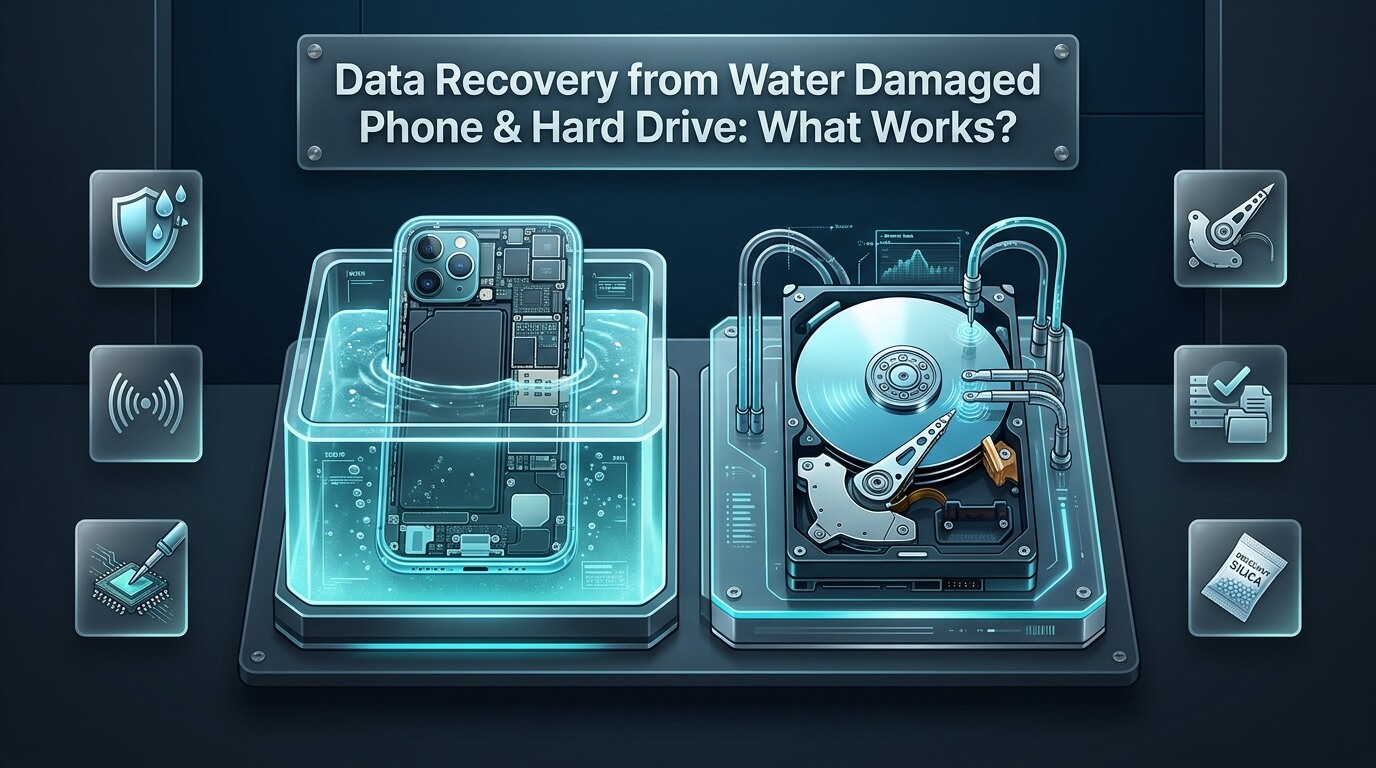
Dropping an iPhone into a swimming pool, washing an external drive with laundry, or suffering home flooding is heartbreaking. In seconds, precious family memories, financial documents, and business records seem lost. The immediate instinct is to look for emergency water damage data recovery solutions that can bring dead hardware back to life.
Liquid accidents trigger rapid electrochemical reactions that attack sensitive micro-circuits. Fortunately, successful data recovery water damaged phone procedures and hard drive restorations happen daily in specialized laboratories. Understanding how liquid interacts with silicon components helps you avoid destructive internet myths and take the right first steps.
Whether you need urgent data recovery water damaged iphone services after an ocean drop, require professional data recovery from water damaged phone motherboards, or seek dependable iphone water damage data recovery options, knowing your choices is vital. In this comprehensive guide, we bust dangerous drying myths, explain laboratory ultrasonic cleaning, examine board-level micro-soldering, review top recovery providers, and provide an actionable emergency triage blueprint.
Key Takeaways on Water Damage Recovery
- Never place a wet phone or hard drive in uncooked rice; rice dust and trapped moisture accelerate galvanic corrosion.
- The absolute golden rule is to avoid connecting charging cables or powering on wet hardware under any circumstances.
- Professional water damage phone data recovery relies on ultrasonic chemical baths and micro-soldering rather than passive air drying.
- Mechanical hard drives submerged in water must never be allowed to dry out before reaching an ISO-certified cleanroom laboratory.
- Certified laboratories maintain high success rates for data recovery iphone water damage by transplanting encrypted CPU and NAND chips.
- Electrochemical corrosion continues eating copper circuit traces for days after liquid exposure, making rapid professional triage critical.
- Once hardware is stabilized and temporarily powered, specialized backup utilities extract full disk images to clean target storage.
The Destructive Chemistry: What Liquid Does to Electronics
Many people believe that water itself instantly ruins electronics. In reality, pure distilled water is an electrical insulator. The actual culprits behind device destruction are the dissolved minerals, salts, chlorine, and contaminants carried within tap water, pool water, or beverage spills.
When liquid penetrates modern electronics, it inflicts damage through three distinct destructive phases:
1. Immediate Electrical Short Circuits
Dissolved mineral ions create conductive electrical bridges between neighboring copper circuit traces. When electricity flows across components designed for low voltage, excessive current surges into sensitive microchips. A sudden surge instantly blows surface-mount capacitors, protection diodes, and integrated circuits before you can even react.
2. Accelerated Galvanic Corrosion
Even if the battery is removed or powers off, residual electrical charges and dissimilar metals (like copper, gold, and tin) produce galvanic reactions. Moisture acts as an electrolyte, creating green copper oxide and crusty verdigris that literally dissolves microscopic circuit traces and solder joints over several days.
3. Platter Contamination in Mechanical Drives
Traditional hard drives feature air breather holes equipped with particulate filters. Submerging a drive forces mineral-laden water past the filter seal into the clean chamber. As water evaporates, dissolved minerals leave hard crystal deposits on magnetic platters, which physically tear off the read heads if the drive spins.
Understanding Liquid Types: Saltwater, Chlorinated Pools, and Fresh Water
Not all liquid immersion accidents are created equal. The chemical composition of the liquid dictates the speed and severity of component destruction, directly influencing recovery timelines.
Reviewing different liquid types highlights their unique destructive characteristics:
1. Saltwater and Ocean Immersion
Saltwater represents the most catastrophic scenario for electronic devices. High concentrations of dissolved sodium chloride make seawater an aggressive electrolyte. When saltwater enters an energized smartphone, massive electrolysis occurs within milliseconds, turning solder joints into black carbonized powder. Saltwater requires immediate emergency chemical neutralization within twenty-four to forty-eight hours.
2. Chlorinated Swimming Pools
Pool water contains chlorine, bromine, and balancing acids. While less instantly conductive than seawater, pool water is chemically aggressive against aluminum chassis components and copper traces. Chlorine oxidizes solder joints rapidly, leaving chalky white residues that bond tightly to surface-mount components beneath metal shields.
3. Coffee, Soda, and Acidic Beverages
Soft drinks, juices, and coffee combine moisture with sugars and concentrated phosphoric or citric acids. As beverages dry, they leave thick sticky residues that trap moisture against circuit boards for weeks. The mild acidity slowly etches away copper traces, creating intermittent electrical shorts long after the spill occurred.
4. Fresh Tap Water and Rainwater
Fresh municipal tap water and clean rainwater carry lower mineral concentrations. If battery power is severed immediately, logic boards submerged in fresh rainwater can often sit for one or two weeks without suffering irreversible trace erosion. Technicians have high success rates reviving fresh-water casualties.
The Rice Myth Busted: Why Rice Guarantees Total Data Loss
For more than two decades, the most widespread consumer advice for wet electronics has been burying devices in a bowl of dry, uncooked rice. Independent data recovery technicians and device manufacturers universally condemn this practice.
Here is why using rice severely damages your chances of recovery:
- Rice Is an Ineffective Desiccant: Uncooked rice possesses very low moisture absorption capacity compared to proper chemical desiccants like silica gel. It cannot extract trapped liquid sealed beneath tight metal radio-frequency shields.
- Starch and Dust Infiltration: Rice grains release fine white starch powder. This powder mixes with internal moisture to create a sticky, corrosive paste that clogs charging ports, headphone jacks, and micro-switches.
- Corrosion Acceleration Chamber: Sealing a wet phone inside a warm container of rice creates a humid micro-climate. While you wait two or three days, unchecked corrosion eats through microscopic solder balls beneath the CPU and NAND memory chips.
Every technician specializing in iphone data recovery water damage has opened phones pulled from rice only to find blackened, corroded motherboards that could have been saved with immediate chemical flushing.
Immediate Emergency Action Protocol: The First 60 Minutes
Your actions during the first hour following liquid submersion determine whether your data can be rescued. Follow these critical dos and don’ts immediately.
Adhere strictly to this emergency protocol:
1. DO NOT Power On the Device
If the device powered off upon impact, leave it off. Do not press power buttons or attempt to check whether the screen still lights up. Pressing buttons sends electrical current through wet circuits, turning a fixable short into permanent processor destruction.
2. DO NOT Connect a Charger or USB Cable
Plugging a charging cable into a wet device introduces high voltage directly into the power management circuitry. This single action is responsible for frying more water-damaged smartphones than the initial liquid submersion itself.
3. DO NOT Use Hair Dryers or Heat Guns
Blowing hot air into speaker grilles and charge ports forces moisture deeper into internal cavities. Excessive heat also warps delicate OLED display panels and melts battery adhesives, creating fire hazards.
4. Wipe Exterior Surfaces and Remove Peripherals
Gently dry exterior metal and glass casing using an absorbent lint-free microfiber towel. Remove cases, screen protectors, SIM trays, and external memory cards to allow exterior water to escape.
5. Pack for Safe Transport
For smartphones, place the device in an airtight plastic bag alongside several fresh silica gel desiccant packs. For flooded mechanical hard drives, wrap the drive in a damp paper towel inside a sealed plastic bag. Keeping hard drive platters from drying out prevents dissolved minerals from hardening onto magnetic surfaces before cleanroom washing.
Smartphone Recovery: How Labs Rescue Water-Damaged Motherboards
When you send a wet smartphone to a professional laboratory, technicians follow a methodical engineering workflow. Rescuing data from modern iPhones and Android devices requires board-level micro-soldering rather than general device refurbishment.
Here is the exact engineering process used for mobile liquid salvage:
Step 1: Complete Teardown and De-Shielding
Technicians open the phone housing, disconnect the battery, and remove the multilayer logic board. Using precision low-temperature hot air, technicians desolder the electromagnetic interference (EMI) metal shielding cans to expose the underlying integrated circuits.
Step 2: Ultrasonic Chemical Cleaning
The bare logic board is submerged into an industrial ultrasonic cleaning bath filled with high-purity 99.9% electronic-grade isopropyl alcohol and specialized flux-removing solvents. Ultrasonic sound waves generate microscopic cavitation bubbles that implode against circuit surfaces, blasting away corrosion, minerals, and flux residue from beneath tight ball-grid array (BGA) chips.
Step 3: Thermal Imaging and Short-Circuit Tracing
Once dried in a temperature-controlled dehydration oven, the board is connected to a regulated DC bench power supply. Technicians use high-resolution thermal imaging cameras to observe current flow. Any shorted ceramic capacitor or damaged diode glows brightly on the thermal monitor, pinpointing the exact fault within seconds.
Step 4: Component-Level Micro-Soldering
Working under high-magnification stereomicroscopes, technicians remove shorted capacitors, clear bridging solder balls, and replace burned power management chips (such as the Tristar, Hydra, or PMIC chips on iPhones). Corroded circuit traces are rebuilt using microscopic copper jumper wires finer than human hair.
Step 5: CPU and NAND Flash Chip Transplants
On modern smartphones, user data is cryptographically bound to the application processor and Secure Enclave. If a logic board is too cracked or charred to run, technicians perform a chip transplant. Engineers desolder the central CPU, the NAND flash storage chips, and the EEPROM, soldering them onto a healthy, matching donor motherboard. Once booted, the device decrypts files cleanly.
Understanding Main Power Rails: How Liquid Destroys VDD_MAIN
In modern smartphone engineering, understanding power rail architecture explains why a single shorted capacitor prevents the entire phone from booting. On an iPhone or high-end Android, battery voltage flows through power management circuits to generate the primary system rail, known as VDD_MAIN or PP_VDD_MAIN.
This central rail powers hundreds of microscopic ceramic filter capacitors scattered across both sides of the logic board. When liquid contacts these tiny components, the electrical resistance collapses, shorting VDD_MAIN directly to ground. Because all power lines connect to this master rail, the power management integrated circuit (PMIC) shuts down automatically to prevent battery thermal runaway.
To an untrained eye, the phone appears completely dead and unfixable. However, micro-soldering specialists inject low voltage into the shorted rail using laboratory power supplies. By observing heat signatures with thermal cameras, technicians locate the single shorted 0201 capacitor (smaller than a grain of pepper). Once this shorted capacitor is removed, VDD_MAIN clears, and the phone powers up immediately for data extraction.
Mechanical Hard Drive Recovery: Rescuing Submerged Platters
Flooding from hurricanes, burst plumbing, or fire sprinkler activations frequently submerges desktop computers, external backup drives, and network-attached storage (NAS) towers. Rescuing mechanical drives requires cleanroom intervention.
Certified cleanroom laboratories follow this specialized protocol for waterlogged hard drives:
Chamber Decontamination
Drives are opened exclusively inside Class 100 laminar flow workstations. Technicians inspect platters for silt, mud, and water droplets. Platters are washed using laboratory-grade deionized water followed by specialized solvent baths that dissolve contaminants without affecting magnetic coatings.
Centrifugal Platter Drying
Platters are dried using precision centrifugal spin-dryers that fling moisture off surfaces without requiring physical wiping. Wiping a wet platter with any cloth, no matter how soft, scratches microscopic magnetic tracks permanently.
Head Assembly Swaps
Water intrusion destroys the aerodynamic sliders on read/write heads. Technicians harvest replacement head stack assemblies from identical donor drives, sliding them into place with surgical head combs.
PCB ROM Transfer
Corroded external circuit boards are retired. Technicians desolder the unique adaptive calibration ROM chip and transfer it to a functional donor PCB, allowing the drive to calibrate properly upon power-up.
Solid-State Drives and Flash Media After Liquid Exposure
Solid-state drives (SSDs), USB flash sticks, and camera SD cards generally possess higher liquid survival rates than mechanical hard drives because they lack moving parts and open breather holes. However, liquid damage still threatens the host interface and power regulation rails.
When recovering water-damaged flash media, technicians clean surface corrosion from contact pins using specialized deoxidizing sprays. If power surge damage blew the main controller chip, technicians desolder the NAND flash memory chips. The raw chips are inserted into specialized hardware programmers (like the PC-3000 Flash) to dump raw binary images, which are then descrambled through algorithmic emulation.
Reviews of 8 Leading Water Damage Recovery Labs and Software Options
Selecting the right recovery partner depends on whether your damaged hardware requires cleanroom mechanical surgery, board-level micro-soldering, or software disk imaging after stabilization. Here are reviews of eight proven providers and utilities.
1. DriveSavers Water Damage Recovery
DriveSavers is globally renowned for rescuing storage devices from catastrophic liquid environments, including floodwaters, sunken boats, and firefighting chemical foam. They operate an advanced Class 100 cleanroom facility in California.
DriveSavers maintains authorized recovery status with all major hardware manufacturers, ensuring that cleanroom disassembly does not void existing device warranties. Their micro-soldering division handles severely corroded iPhones, iPads, and Android smartphones. They provide complimentary inbound shipping, zero diagnostic fees, and a verified no-data, no-charge guarantee.
Their cleanroom engineers have extensive experience decontaminating muddy, salt-encrusted hard drive platters, making them a top choice for disaster recovery.
Primary Advantage: Manufacturer-authorized Class 100 cleanroom recovery with specialized expertise in severe flood and saltwater submersion.
2. Ontrack Data Recovery
Ontrack is one of the largest and most technically advanced data recovery engineering firms in the world. They operate dedicated liquid decontamination labs across multiple continents.
Ontrack engineers handle large-scale enterprise server floods, submerged NAS towers, and individual consumer smartphones. They maintain proprietary chemical washing formulas that dissolve corrosive residues without damaging delicate silicon dies. Their customer portal provides transparent tracking and detailed file manifests before payment authorization.
Ontrack adheres strictly to certified security standards, making them ideal for corporate clients with sensitive financial or medical records on damaged devices.
Primary Advantage: Global cleanroom infrastructure with proprietary chemical decontamination protocols for enterprise and consumer storage.
3. iPad Rehab Micro Soldering
iPad Rehab, founded by renowned micro-soldering pioneer Jessa Jones, is a world-renowned specialist laboratory focusing exclusively on board-level mobile device recovery.
While many commercial labs treat phones as secondary projects, iPad Rehab specializes in diagnosing water-damaged iPhones, iPads, and Android motherboards. Their technicians excel at trace repair, thermal short tracing, and complex CPU/NAND board swaps. They regularly recover data from devices declared completely unfixable by Apple Genius Bars and standard repair shops.
They provide transparent flat-rate pricing for data recovery and maintain an educational mission that sets industry standards for board-level diagnostics.
Primary Advantage: World-class micro-soldering engineering specializing in severely corroded iPhone and iPad logic board repairs.
4. Gillware Data Recovery
Gillware is a Wisconsin-based recovery lab known for technical innovation, transparent customer communication, and competitive laboratory pricing.
Gillware develops proprietary hardware-assisted recovery platforms in-house, including custom platter washing rigs and head combs. Their engineers have significant experience reviving water-damaged desktop hard drives, laptops, and solid-state storage. They offer free inbound shipping, complimentary evaluations, and clear online case tracking.
Their accessible pricing structure makes cleanroom water damage recovery approachable for everyday computer users and small businesses.
Primary Advantage: Proprietary recovery hardware engineering combined with highly transparent consumer pricing for wet storage media.
5. Secure Data Recovery Services
Secure Data Recovery Services is a prominent national laboratory network operating certified Class 10 ISO 4 cleanrooms across North America.
They maintain specialized diagnostic facilities to treat corroded circuit boards, waterlogged external hard drives, and flash memory media. Their customer portal provides real-time case updates, audio diagnostic reviews, and transparent pricing quotes. They also provide emergency twenty-four-hour response teams for disaster situations.
Their extensive security credentials and zero diagnostic fee policy provide peace of mind for privacy-conscious users.
Primary Advantage: Certified Class 10 cleanroom environments and stringent security compliance for water-damaged corporate media.
6. SalvageData Recovery
SalvageData Recovery operates certified laboratory facilities across the United States and Canada, holding ISO 9001 and SOC 2 Type II certifications.
SalvageData handles consumer storage media as well as government and healthcare water emergencies. Their cleanroom facilities are equipped to tackle corroded SSD controllers, degraded flash memory, and multi-disk NAS failures resulting from burst pipes or flooding. They provide free laboratory diagnostics and interactive file preview manifests.
Standard recovery rates at SalvageData are competitive, with proven protocols for chemical decontamination and ultrasonic washing.
Primary Advantage: High-security ISO-certified cleanroom operations with interactive customer file preview tools before final billing.
7. CleverFiles Disk Drill
CleverFiles Disk Drill represents the premier DIY software utility to deploy once a water-damaged external drive or computer has been professionally dried and stabilized.
Never run software on a wet or unstable drive. However, once technicians have cleaned circuit board contacts and confirmed that the drive enumerates safely, Disk Drill can scan the volume for corrupted partitions, lost file tables, and deleted files. Its built-in byte-level disk imaging tools allow users to create a raw virtual image immediately, minimizing stress on the recovered hardware.
Disk Drill runs on Windows and macOS, providing modern file carving algorithms for stabilized storage media.
Primary Advantage: Byte-level disk cloning and advanced file carving for storage media that has been stabilized after liquid exposure.
8. EaseUS MobiSaver
EaseUS MobiSaver is a dedicated mobile file extraction program designed to recover photos, messages, contacts, and WhatsApp chats from iPhones and Android devices.
When a water-damaged phone is temporarily revived in a repair lab, it often has limited operational battery life or an unusable touch screen. Connecting the temporarily revived phone to a computer running MobiSaver allows rapid extraction of all essential databases before the board degrades again. It bypasses damaged display touch screens, pulling data directly over USB.
The program provides clean visual file previews, confirming document and picture integrity before completion.
Primary Advantage: Rapid database extraction over USB for temporarily revived mobile devices with non-functional screens.
Feature & Cleanroom Capability Comparison Table
Comparing top laboratory providers and software tools side by side clarifies service specialties, cleanroom certifications, and ideal use cases. The table below outlines key technical attributes across all eight featured solutions.
| Provider / Tool | Service Category | Cleanroom / Lab Facilities | Specialty Focus | Pricing Model |
|---|---|---|---|---|
| DriveSavers | Certified Laboratory | Class 100 ISO 5 | Submerged drives & phones | Quote ($500 – $1,800+) |
| Ontrack | Certified Laboratory | Class 100 ISO 5 | Enterprise & flood media | Quote ($500 – $1,500+) |
| iPad Rehab | Micro-Soldering Lab | Specialized Electronics Lab | iPhone / iPad logic boards | Flat Rate ($300 – $600) |
| Gillware | Certified Laboratory | Class 100 Workstations | Consumer wet drives & SSDs | Quote ($400 – $900) |
| Secure Data Recovery | Certified Laboratory | Class 10 ISO 4 | High-security corporate media | Quote ($500 – $1,400) |
| SalvageData | Certified Laboratory | ISO 9001 Certified | Flooded hard drives & NAS | Quote ($400 – $1,100) |
| CleverFiles Disk Drill | Post-Repair Software | Desktop Application | Cloning stabilized storage | Freemium ($89 Lifetime) |
| EaseUS MobiSaver | Mobile Extraction Tool | Desktop Application | Revived phone USB backup | Commercial ($59.95/yr) |
Professional Costs for Water Damage Recovery
Pricing for water damage recovery varies based on device complexity and the extent of electrical corrosion. Understanding typical market ranges prevents you from falling for low-ball bait-and-switch advertising.
Here is what you should expect to budget:
- Minor Smartphone Corrosion Cleaning ($150 – $300): Ultrasonic chemical washing, minor trace cleaning, and battery replacement on phones with intact power management rails.
- Advanced Mobile Micro-Soldering ($300 – $600): Tracing short circuits, replacing blown surface-mount chips, and repairing corroded display lines on iPhones and Android devices.
- CPU / NAND Board Transplants ($600 – $1,200): Desoldering core encrypted chips from fried motherboards and transferring them onto matching donor boards.
- Submerged Mechanical Hard Drives ($500 – $1,500+): Cleanroom chamber washing, platter drying, donor head replacements, and firmware PCB transfers.
Pro-Tip: Check Your Insurance Coverage
Many homeowners insurance, renters insurance, and commercial property policies cover professional data recovery expenses if the loss resulted from a covered peril, such as a burst pipe, severe storm, or residential fire. Check with your insurance adjustor to confirm whether cleanroom laboratory invoices qualify for direct reimbursement.
Emergency Liquid Spill Checklist
Before sending your device to a laboratory or touching power switches, review this essential emergency checklist:
Emergency Water Damage Checklist
- Power off the device immediately and never attempt to power it back on.
- Never connect a charging cable, battery bank, or wall adapter.
- Avoid placing the hardware in rice, which introduces starch dust and accelerates corrosion.
- Gently dry external surfaces with a clean, lint-free microfiber towel.
- Remove external protective cases, SIM card trays, and SD memory cards.
- For mechanical hard drives, keep the unit sealed in an airtight plastic bag to prevent platters from drying out.
- Contact a verified cleanroom laboratory or micro-soldering facility within twenty-four hours.
Frequently Asked Questions
Can data be recovered from a water-damaged iPhone that won’t turn on?
Yes. Even if an iPhone shows no signs of life, the internal NAND flash storage chips usually remain completely intact. Professional micro-soldering laboratories repair the main power rail (VDD_MAIN) or transplant the CPU and NAND chips onto a working donor board, allowing full file extraction.
Why is saltwater more destructive to electronics than freshwater?
Saltwater contains high concentrations of sodium chloride ions, making it hundreds of times more electrically conductive than tap water. When saltwater enters a powered device, massive short circuits occur instantly. In addition, salt crystals rapidly corrode copper traces within hours, requiring immediate chemical neutralizers.
Can Apple Genius Bars recover data from a water-damaged iPhone?
No. Apple official policy does not include board-level data recovery. Apple Retail Stores will only offer whole-device replacements for out-of-warranty fees. If you need your photos and documents, you must send the device to an independent micro-soldering data recovery laboratory.
How quickly does corrosion destroy electronics after liquid exposure?
Corrosion begins within minutes of exposure, especially if battery power remains connected. Over the next twenty-four to seventy-two hours, galvanic corrosion accelerates, dissolving microscopic solder joints beneath metal shields. Rapid professional intervention within the first few days provides the highest success rate.
Conclusion: Saving Your Files After Water Disasters
Dropping your smartphone in liquid or pulling an external hard drive from floodwater is terrifying, but it does not mean your files are gone forever. Modern data recovery laboratories possess advanced micro-soldering and cleanroom capabilities that rescue data from seemingly hopeless hardware.
Your immediate actions make all the difference: resist the urge to turn the device on, never connect a charging cable, and throw away the bag of rice. By keeping the device powered down and contacting a certified recovery facility promptly, you give technicians the best possible opportunity to restore your digital life.
By pairing immediate emergency discipline with professional cleanroom engineering, you can rescue your valuable memories and critical documents from even the worst water accidents.